
Email Deliverability · Spam Filtering · Email Authentication · Inbox Placement
Spam Mail Filtering: Diagnosis, Common Failure Patterns, and Next Steps
· InboxPlacement.io Team
Updated
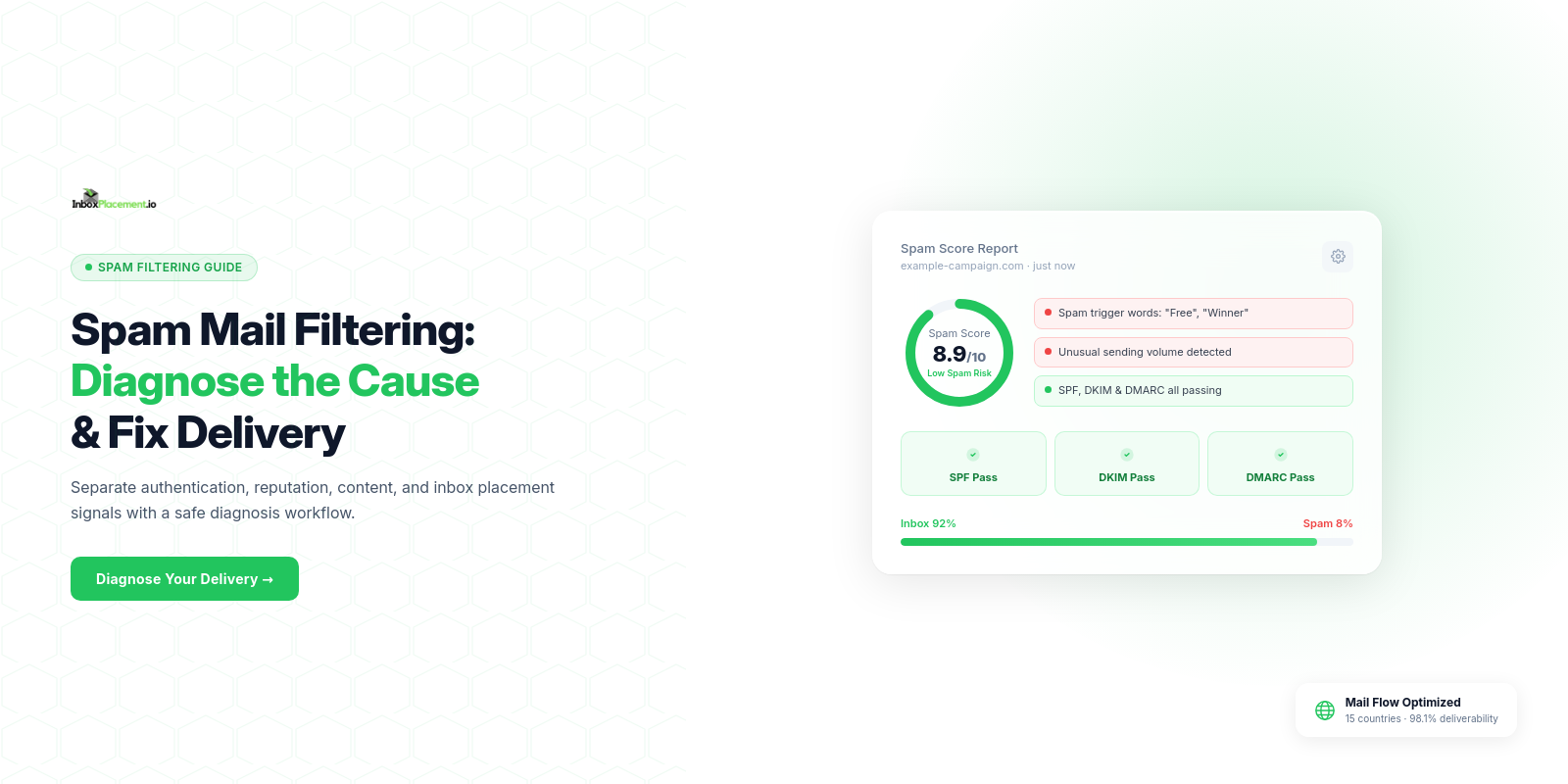
Spam mail filtering is the mailbox provider's decision about what to do with a delivered message. A message can be accepted by the receiving server and still be routed to Spam, Promotions, or another filtered location.
The fastest way to diagnose the problem is to separate what you can prove from DNS and headers from what only a real-message test can reveal. This guide covers SPF, DKIM, DMARC, alignment, common configuration failures, reputation and content signals, and a safe path from diagnosis to inbox placement testing.
Important limit: DNS and authentication checks are necessary, but they do not prove that a specific message will reach the inbox. A high analysis score or authentication pass is not a universal deliverability guarantee.
What spam mail filtering checks
Modern mailbox providers combine several signal groups rather than relying on one keyword or one DNS record:
- Authentication: SPF, DKIM, DMARC, and alignment between authenticated domains and the visible From domain.
- Sender reputation: historical sending behavior, complaints, bounces, engagement, and volume consistency.
- Message content: wording, links, HTML structure, attachments, images, and patterns associated with unwanted mail.
- Recipient and provider context: user engagement, previous interactions, forwarding behavior, mailbox rules, and provider-specific heuristics.
These signals are evaluated differently by Gmail, Outlook, Yahoo, corporate gateways, and smaller providers. A message can pass authentication and still be filtered because the provider does not trust the sending history or content.
What a DNS and authentication check can validate
A diagnostic tool can inspect public infrastructure and, when given message headers, connect that infrastructure to an actual message.
DNS-visible checks
- Whether an SPF record exists and follows recognizable syntax.
- Whether a DKIM selector resolves to a public key.
- Whether a DMARC record exists and declares a policy.
- Whether SPF and DKIM domains can align with the visible From domain.
- Whether common record-format issues, duplicate records, missing selectors, or lookup risks are present.
Header and message checks
- Whether a real message contains SPF, DKIM, and DMARC results.
- Which envelope domain, selector, and signing domain the sender used.
- Whether a DKIM signature verifies against the message that was received.
- Whether a post-signing rewrite may have changed the body or signed headers.
- Whether provider headers show a delivered, filtered, or rejected disposition.
What these checks cannot prove by themselves
- That every legitimate sender is covered by SPF.
- That a sender will sign every message with DKIM.
- That authentication will remain intact after forwarding or content rewriting.
- That a mailbox provider will place the message in Inbox rather than Spam.
- That a clean test result today will remain valid after volume, content, or reputation changes.
Think of DNS checks as infrastructure inspection and real-message testing as production verification. You need both for a reliable diagnosis.
How to interpret spam-filtering results
SPF: record present is not the same as SPF pass
An SPF record tells receivers which hosts are authorized to send for an envelope domain. A DNS checker can confirm that the record exists and is syntactically readable, but only a real message reveals whether the envelope MAIL FROM used by the sender passed SPF.
Forwarding can also cause SPF to fail because the final delivery path may not originate from a host authorized by the original envelope domain. Do not treat an SPF record lookup as proof that a forwarded message will authenticate.
DKIM: a selector must resolve and the message must be signed
A DKIM selector resolving to a public key means a receiver has material it can use if the message carries a matching signature. It does not prove that the sending system added a DKIM-Signature header or used the corresponding private key.
For a complete check, compare the selector in the message, the signing domain in d=, the public key in DNS, and the signature result for the original message.
DMARC: policy and alignment affect the decision
DMARC evaluates SPF and DKIM results together with domain alignment. A message can pass SPF or DKIM individually but fail DMARC if the authenticated domain does not align with the visible From domain.
p=nonerequests monitoring and does not ask receivers to quarantine or reject failing mail.p=quarantineasks receivers to treat failing mail as suspicious.p=rejectasks receivers to reject failing mail, subject to receiver policy and implementation.
The policy shown in DNS is not the same as the result for every message. Read the Authentication-Results header and the message's actual SPF, DKIM, and DMARC outcomes.
Spam score or analysis result
A spam checker may return a score, a group of passed checks, warnings, and failed checks. Use the result as a prioritized diagnostic list, not as a prediction that every mailbox provider will make the same decision.
Fix high-impact authentication and reputation issues first. Then address content, link, HTML, and sending-pattern warnings and retest the same representative message.
Platform example: a strong result still needs context
The InboxPlacement.io result below shows a 98/100 inbox placement result, twelve passed checks, one warning, and no failed checks for that test. It is useful evidence for that test run and demonstrates the kind of summary a deliverability workflow can provide.
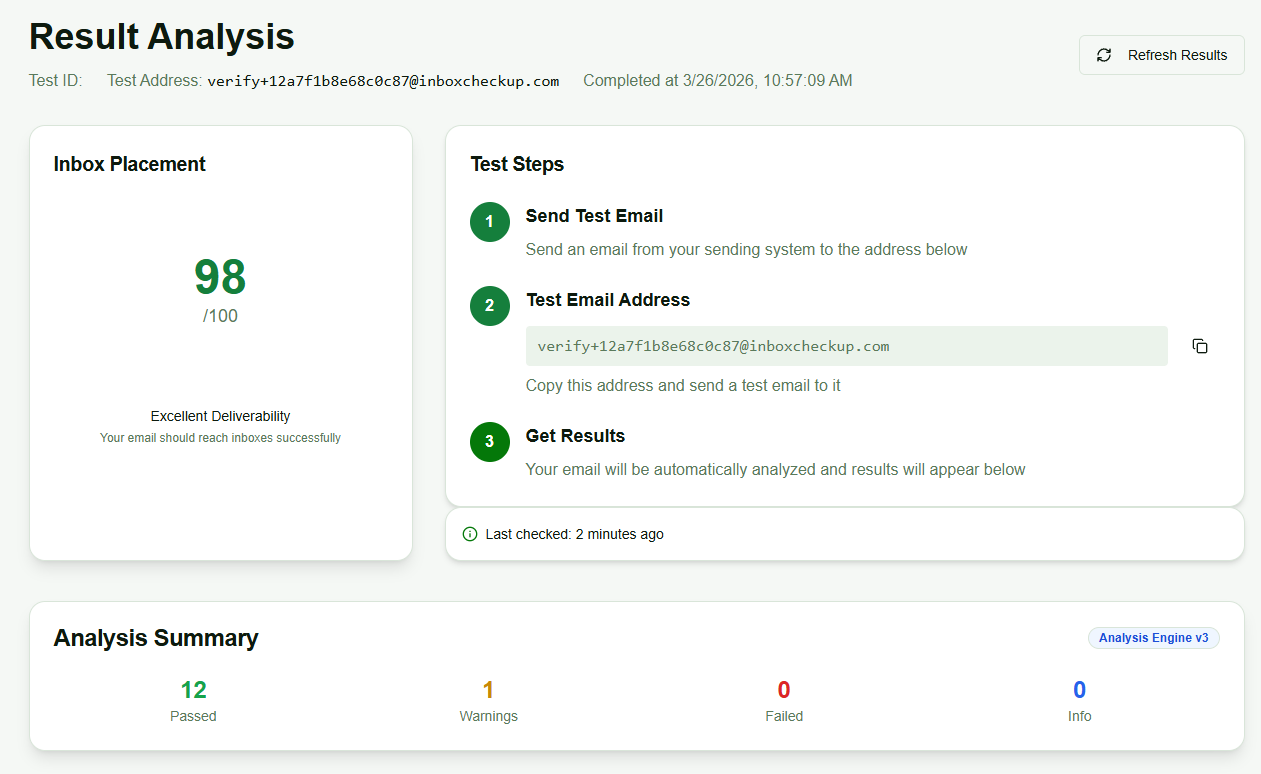
InboxPlacement.io result-analysis example. The 98/100 score and summary belong to this test run; they should not be presented as a guaranteed score for every message, sender, or mailbox provider.
The result should lead to follow-up questions:
- Was the test message representative of the campaign or sending stream?
- Did it use the same sending domain, IP, provider, content, and links as production?
- Were the results measured at the providers and mailboxes that matter to the audience?
- Does the message's header evidence agree with the DNS and authentication findings?
Common spam-filtering failure patterns
1. Missing or expired DKIM selector
Symptom: a message uses a selector whose public key is absent from DNS, or a provider's selector has been retired before every sender switched.
Why it matters: the recipient cannot verify a DKIM signature that points to a missing key. If aligned SPF also fails, the message may fail DMARC.
Safe response: copy the exact selector from a real message, confirm whether the provider expects TXT or CNAME, publish the provider-supplied record, and verify a new message through the full production path.
2. SPF is incomplete or exceeds lookup limits
Symptom: a legitimate service is missing from SPF, nested includes exceed the DNS lookup limit, or a record was edited without accounting for every sender.
Why it matters: SPF can fail even when a record exists. A failure can affect DMARC when aligned DKIM is not available.
Safe response: inventory every legitimate sender, use the provider's documented authorization method, count mechanisms that cause DNS lookups, and avoid adding broad mechanisms just to make a test pass.
3. DMARC policy is stricter than sender readiness
Symptom: a domain is at quarantine or reject while a CRM, marketing tool, helpdesk, or transactional provider is not signing or aligning correctly.
Why it matters: legitimate mail can be quarantined or rejected when the policy is enforced before all sending sources are understood.
Safe response: begin with monitoring when appropriate, analyze aggregate reports, fix sender authentication and alignment, then move through controlled policy stages. Do not move to reject solely because a DNS checker returns a clean result.
4. Multiple providers use conflicting settings
Symptom: one service signs with selector s1, another signs with s2, but only one selector is published—or unrelated systems overwrite the same selector.
Why it matters: messages can fail intermittently depending on which provider handled them, making the issue look like an unpredictable spam-filtering decision.
Safe response: assign unique selectors per provider or stream, document ownership, publish each required key, and coordinate key rotation.
5. Subdomain and alignment confusion
Symptom: records are configured at the organizational domain while messages use a subdomain, or the signing and envelope domains do not align with the visible From domain.
Why it matters: SPF, DKIM, and DMARC evaluate different domains. A record can be valid at one hostname while the message uses another domain.
Safe response: compare the visible From domain, envelope MAIL FROM, DKIM d=, selector hostname, and DMARC alignment mode for the actual message.
6. Content, links, or HTML trigger filtering
Symptom: authentication passes but the message still lands in Spam, or a content test flags unusual wording, excessive formatting, unsafe links, malformed HTML, or attachments.
Why it matters: mailbox providers evaluate the message itself and its relationship to recipient expectations. A DNS fix cannot remove a content or reputation signal.
Safe response: rewrite high-risk content naturally, use recognizable branded links, validate HTML, include a usable text part, and retest with the same sending identity.
7. Reputation or engagement has deteriorated
Symptom: delivery declines after a volume spike, high complaint rate, increased bounces, list-quality problems, or a long period of low engagement.
Why it matters: providers use historical behavior and recipient feedback to decide whether a sender is trustworthy. Good authentication cannot erase a damaged reputation immediately.
Safe response: reduce risky volume, remove invalid or unengaged recipients, investigate complaints and bounces, maintain a consistent cadence, and monitor provider-specific signals over time.
A safe remediation workflow
Use this sequence when more than one service sends mail for your domain.
Step 1: Inventory every sending source
List your ESP, marketing platform, CRM, ERP, support system, website, transactional provider, webhooks, and internal applications. Include subdomains and low-volume systems.
Step 2: Map domains, selectors, and ownership
For each sender, record:
- Visible From domain.
- Envelope MAIL FROM or Return-Path domain.
- DKIM selector and signing domain.
- SPF authorization method.
- DMARC alignment expectations.
- DNS record owner and key-rotation responsibility.
This makes it possible to identify the sender responsible for a failure instead of changing a domain-wide record blindly.
Step 3: Make controlled DNS changes
Publish the exact records supplied by the sending provider. Use a unique selector per provider where possible. Make one change at a time and keep the previous selector available during key rotation.
For SPF, include only legitimate authorized senders and remain within the protocol's lookup limit. For DMARC, use a policy and reporting configuration that matches the evidence you have collected.
Step 4: Run DNS and authentication checks
Check that SPF, DKIM, and DMARC records resolve and can be parsed. Then use the actual sender and selector values to test a representative message, not only a guessed DNS hostname.
Step 5: Send controlled real messages
Send from every relevant provider to seed mailboxes at major providers and representative accounts you control. Keep the content, sending identity, links, and volume close to the production message you are diagnosing.
Step 6: Inspect headers and disposition
Review Authentication-Results, DKIM-Signature, Return-Path, provider-specific spam headers, and the final delivery location. A message that is accepted but routed to Spam is a different problem from one rejected during SMTP.
Step 7: Fix the highest-impact issue and retest
Fix authentication and identity issues before tuning content. If those pass, investigate reputation, list quality, content, links, and sending cadence. Retest after each meaningful change so the result remains attributable.
Step 8: Maintain the setup
Recheck when adding a provider, changing DNS, rotating keys, launching a subdomain, changing sending volume, or seeing a new provider-specific delivery decline.
How authentication relates to inbox placement
SPF, DKIM, and DMARC are foundational trust and identity signals, but they are not the entire spam-filtering decision.
Correct authentication can reduce spoofing risk, support DMARC enforcement, and help providers identify legitimate sending infrastructure. It cannot make a poor-quality list, misleading content, excessive volume, or a damaged sender reputation acceptable.
Similarly, a high inbox placement score from one controlled test does not guarantee the same outcome for every campaign. Use provider-specific testing and ongoing monitoring to understand the conditions behind the result.
Verify a real message after the change
The most useful evidence comes from a message sent through the same path that produced the problem.
- Send a representative message from each relevant sending source.
- Collect the original headers and the final disposition: Inbox, Spam, missing, delayed, or rejected.
- Confirm the visible From, Return-Path, DKIM selector, and DKIM signing domain.
- Check SPF, DKIM, DMARC, and alignment in
Authentication-Results. - Run a full-message DKIM check when a signature failure is suspected.
- Compare results across representative Gmail, Outlook, Yahoo, and corporate mailboxes.
- Run inbox placement testing after DNS and authentication fixes.
- Keep a redacted evidence record for the change and its outcome.
Gmail may expose the raw message through Show original. Outlook and Microsoft 365 may expose View message source, message headers, or message trace depending on the account and interface. Use the original message rather than copying only a visible summary.
Frequently Asked Questions
Does SPF, DKIM, or DMARC passing guarantee inbox placement?
No. Passing authentication helps receivers verify identity and policy alignment, but providers also consider reputation, complaints, engagement, content, links, volume, and local mailbox context. Measure inbox placement with representative real messages.
Why does authenticated email still go to Spam?
Authentication is only one signal. A message can pass SPF, DKIM, and DMARC while the sending domain or IP has weak reputation, recipients are not engaging, the list produces complaints, the content resembles unwanted mail, or the provider applies additional filtering.
Can a DNS checker prove that a specific email passed authentication?
No. A DNS checker can confirm that records are published and readable. To prove how a specific email authenticated, inspect its original headers and verify the actual DKIM signature, SPF result, DMARC result, and alignment.
Can forwarding cause SPF to fail?
Yes. SPF evaluates the envelope sending domain against the host that delivered the message to the receiving server. Forwarding can change that final delivery host, so SPF may fail even when the original sender was authorized. DKIM can sometimes preserve an authentication signal if the signature remains valid.
Should I set DMARC to reject immediately after fixing DNS?
No. First inventory legitimate senders, review reports, verify real messages, and confirm alignment. Move from monitoring to quarantine and then reject in controlled stages when the evidence shows that legitimate traffic is ready.
How many DKIM selectors should a domain have?
Use a selector for each provider or sending stream that needs separate key ownership or rotation. There is no single universal number. Unique selectors reduce collisions and make it easier to identify which sender produced a failing message.
What is the difference between a spam checker and a spam filter?
A spam checker is a diagnostic tool that evaluates a message before or during a controlled test. A spam filter is the live receiving system that decides what to do with incoming mail. A checker can expose likely issues, but it cannot perfectly reproduce every provider's decision.
What should I fix first when messages go to Spam?
Confirm that SPF, DKIM, DMARC, and alignment work on a real message. Then investigate reputation, complaints, bounces, list quality, content, links, HTML, volume, and provider-specific signals. Retest after each significant change.
How long do DNS and reputation fixes take?
DNS visibility depends on TTLs and resolver caches. Reputation recovery depends on sending history, volume, engagement, complaints, and provider behavior. Do not assume that a DNS update immediately repairs a reputation problem or changes every mailbox decision.
Check the filter signals, then test delivery
Diagnosing spam mail filtering starts with evidence: verify the records, inspect the message headers, identify the sender and provider involved, and separate authentication problems from reputation and content problems.
Once the infrastructure is corrected, use real-message inbox placement testing to see where representative messages land. That final step is what connects a clean DNS result to the delivery experience your recipients actually see.
Run an InboxPlacement.io test after investigating spam filtering →
For related checks, read Email Spam Checker: How Spam Filters Decide Your Email's Fate, Email Deliverability Checker: What Each Test Reveals and What to Fix, DKIM Tester: How to Validate Results and Fix Common Errors, and DMARC Checker: Validate Your Record and Fix Common Errors.
Sources
- SPF specification (RFC 7208)
- DKIM specification (RFC 6376)
- DMARC specification (RFC 7489)
- InboxPlacement.io
- Email Spam Checker: How Spam Filters Decide Your Email's Fate
Provider filtering behavior and sender guidance change over time. Verify current standards and provider documentation before making production DNS or sending-policy changes.