
Email Deliverability · Email Authentication · SMTP Troubleshooting
SMTP 550 Error Troubleshooting: Symptom-Led Guide
· InboxPlacement.io Team
Updated
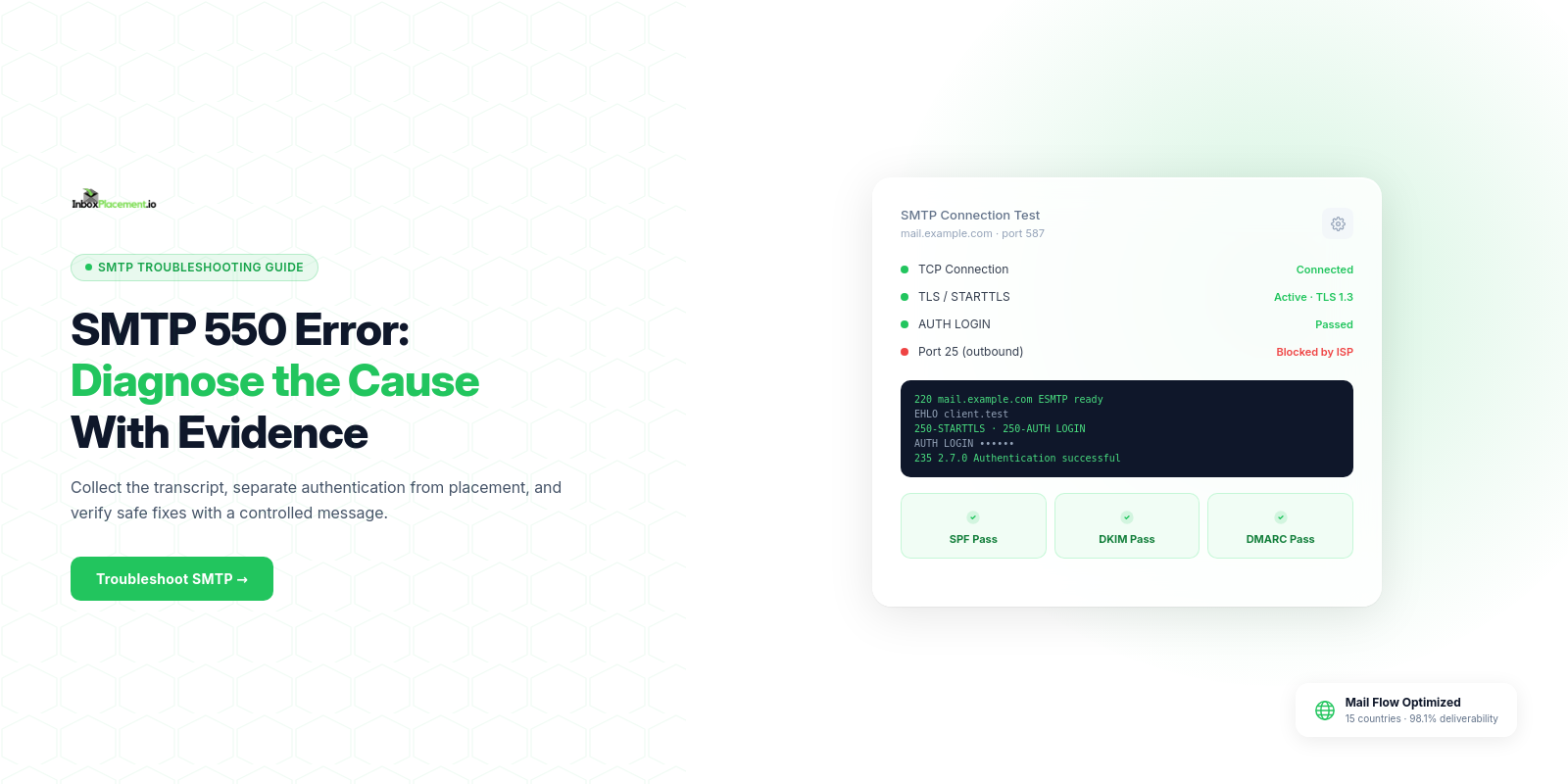
Short answer: An SMTP 550 reply is a hard rejection from the recipient or an intermediate relay — it means the receiving server refused to accept that message, but the 550 text alone does not prove why, whether authentication failed, or whether the message would have reached an inbox.
Direct diagnosis: what the symptom usually means and what it does not prove
Observed fact
SMTP 550is a permanent rejection code returned during an SMTP conversation. It indicates the remote server (or a relay) refused to accept the message.
What a 550 usually implies
- The receiver rejected the envelope or message during SMTP. Common immediate reasons are authentication failures, policy blocks, or blocked sender/IP lists.
What a 550 does NOT prove
- It does not prove that
SPF,DKIM, orDMARCpassed or failed; you must inspectAuthentication-Resultsor the receiver’s diagnostic text. - It does not prove inbox placement or final user disposition (delivered to inbox, spam, or quarantined).
- It does not prove your DNS, mail flow, or sending reputation are globally healthy — a
550is a single-server decision that requires correlation with other evidence.
Every illustrative scenario below is labeled illustrative unless you collect the evidence named in the next section.
Evidence to collect before changing anything
Collecting the right artifacts avoids unnecessary or harmful changes. Below is a practical checklist and table you can use immediately.
Checklist (minimum)
- Full SMTP session transcript (from your MTA logs) that includes the
550reply. - Original message headers from the sending MTA (including
Authentication-Resultsif present). - Envelope
MAIL FROMandRCPT TOvalues and the sending IP address. - Recent sending volume and rate to the same recipient domain (illustrative).
- Any
DMARCaggregate/forensic reports for the sending domain (if configured).
Decision table: what to grab and why
| Observed item | Where to collect it | What it may indicate (illustrative) |
|---|---|---|
SMTP transcript with 550 text | MTA / mail server logs | Receiver policy, explicit rejection reason, or blocklists |
Authentication-Results header or receiver log | Message headers or receiver feedback | Whether SPF, DKIM, and DMARC were evaluated by the receiver (does not prove placement) |
Sending IP and HELO/EHLO | MTA logs | IP reputation, wrong HELO may trigger policy blocks |
DNS TXT records (SPF/DKIM/DMARC) | Public DNS lookups | Configuration problems, missing or misformatted records |
| Recent send rate to domain | Sending system metrics | Bulk-sender throttling or enforcement risk (illustrative) |
Label every unverified scenario illustrative: until you have the SMTP transcript and headers, any root-cause guess is illustrative.
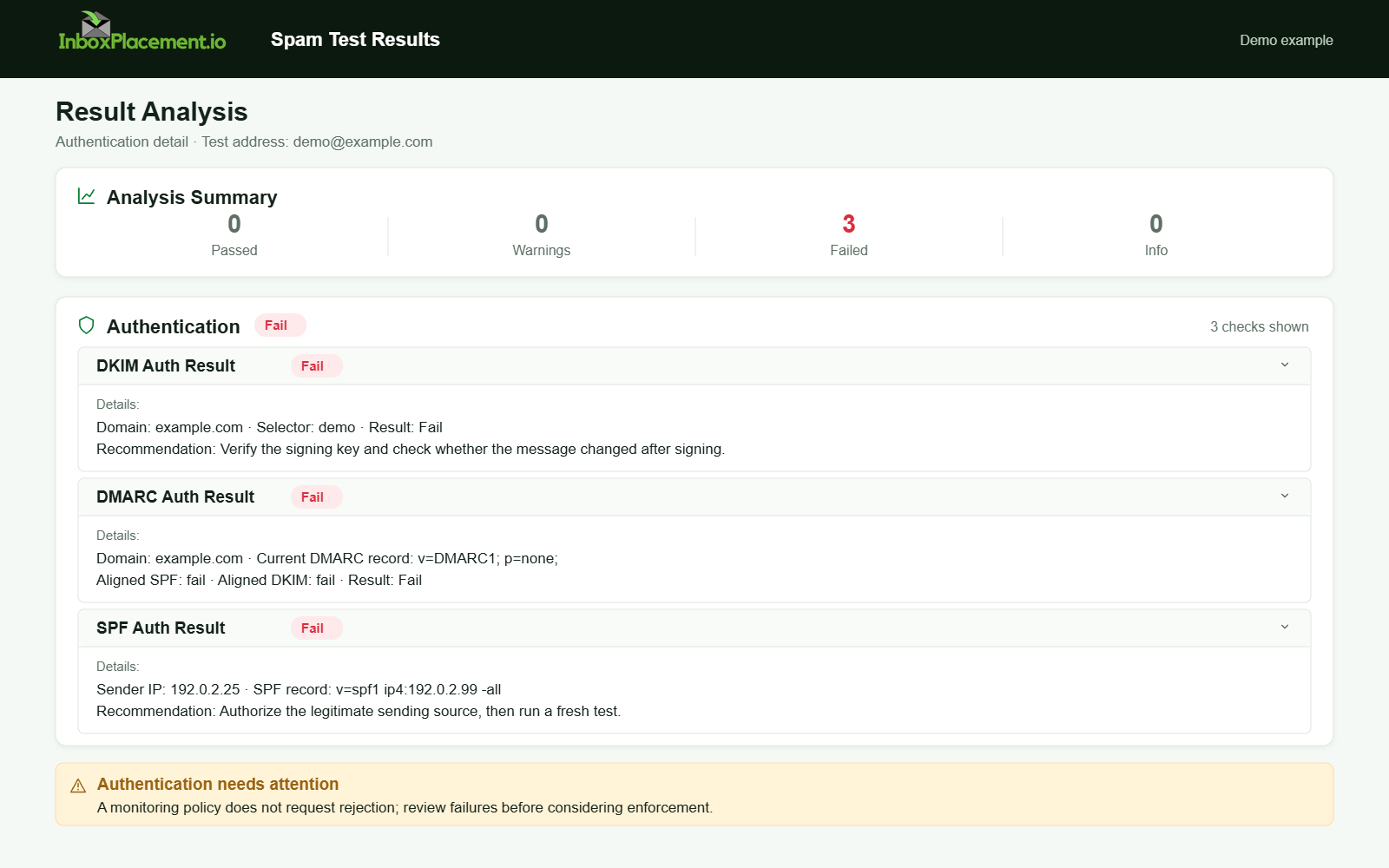
Demo example. Authentication failure diagnosis. Synthetic results for feature explanation; not a live test or customer outcome.
A symptom-to-cause decision tree
Use this compact decision flow to progress from observed symptom to most likely investigative action:
-
Do you have the SMTP transcript with the
550text?- No → collect the transcript from the sending MTA logs first.
- Yes → proceed.
-
Does the
550include a clear diagnostic (for example, “SPFfail”, “blocked”, or “user unknown”)?- Yes → treat the text as a lead and collect
Authentication-Resultsand receiver-facing details. - No → collect
Authentication-Results, check sending IP reputation and relay behavior.
- Yes → treat the text as a lead and collect
-
Does
Authentication-ResultsshowSPF,DKIM, orDMARCfailure for this message?- Yes → follow authentication troubleshooting (DNS records, signing, and alignment).
- No or absent → consider IP blocklists, rate limits, content/policy filters, or user-level issues.
-
Is the sending IP in blocklists or recently changed?
- Yes → review blocklist removal procedures and confirm no compromised sending behavior.
- No → inspect message content and sending patterns; escalate to the recipient postmaster if evidence supports it.
All paths above are diagnostic guidance. Each “Yes” or “No” should be supported by the evidence listed earlier.
Most common root causes, ordered by likelihood and impact
The list below is ordered for typical operational impact and how often each cause appears in practice (illustrative).
-
Authentication failures (
SPF/DKIM/DMARCmisconfiguration) — high impact, often resolvable- Illustrative: missing
SPFrecord, incorrectDKIMselector, or alignment failures. - Microsoft documents common
SPFfailure modes (no record, permerror, softfail) and how they map to symptoms. See Microsoft guidance for troubleshootingSPFand howSPF,DKIM, andDMARCinteract.
- Illustrative: missing
-
IP reputation or blocklisting — high impact, may require third-party remediation
- Illustrative: sending IP appears on one or more RBLs used by the receiver.
-
Receiver policy enforcement (rate limits, bulk-sender rules, explicit blocks) — medium to high impact
- Illustrative: bulk-sender thresholds or postmaster policy at large providers can cause temporary or permanent rejections. Google’s sender guidelines outline sender requirements and the use of Postmaster Tools for monitoring.
-
Content or spam classification at SMTP time — medium impact
- Illustrative: message content or headers trigger an SMTP-time policy reject.
-
Incorrect envelope or recipient address (user unknown, mailbox disabled) — low to medium impact
- Illustrative: typo in
RCPT TOor account removed.
- Illustrative: typo in
Safe remediation steps with clear limitations
Separate what you should do now (safe, reversible) from what requires caution or authorization.
Observed evidence → Recommended safe actions (illustrative)
-
Authentication failures (for example,
SPFmissing)- Safe actions:
- Publish or correct the
SPFTXT record to authorize known senders. - Verify
DKIMselectors and private key configuration on the sending system. - Use
DMARCwithp=nonefor monitoring while validatingSPF/DKIM(do not change toquarantine/rejectwithout owner authorization and a rollback plan).
- Publish or correct the
- Limitations:
- Publishing
SPF/DKIM/DMARCdoes not guarantee delivery; these are authentication signals used by receivers.
- Publishing
- Safe actions:
-
DKIM signing problems
- Safe actions:
- Confirm your MTA signs outbound mail, check DNS for published
DKIMkeys, and validate selector names.
- Confirm your MTA signs outbound mail, check DNS for published
- Limitations:
- Key rotation or a wrong selector can cause intermittent failures; change during low-volume windows and retain old keys until propagation is verified.
- Safe actions:
-
Blocklisted IP
- Safe actions:
- Identify the blocklist entries, confirm whether sending behavior or compromise caused the listing, and follow the listed removal steps.
- If compromise is suspected, pause bulk sends from the affected IP and rotate to a clean IP with proper authentication.
- Limitations:
- Delisting timelines vary; do not immediately switch reputation-sensitive domains without coordinating stakeholders.
- Safe actions:
-
Receiver policy / bulk-sender enforcement
- Safe actions:
- Reduce sending rate to the affected destination, improve list hygiene, and use Postmaster or support channels at the receiver if available.
- Limitations:
- Policy changes at large providers may be irreversible for bulk senders; consult the receiver’s published guidelines first.
- Safe actions:
DMARC policy changes: Never advise weakening an existing DMARC enforcement policy except as an explicit emergency action with documented owner authorization, narrow scope, a time limit, and rollback criteria. If you must use emergency changes, record who authorized it, exactly what DNS change was made, why, and when it must be reverted.
How to verify the change with a real message or controlled test
Verification should be evidence-based and controlled.
Step 1 — Prepare a controlled test
- Use a single controlled recipient you control (not a public mailbox) for initial verification.
- Keep message content simple and representative of normal traffic.
- Ensure the sending environment uses the corrected DNS records, keys, and the same sending IP and
HELO/EHLO.
Step 2 — Send and collect the artifacts
- Capture the full SMTP transcript from the sending MTA.
- Retrieve the received message headers at the recipient end, including the
Authentication-Resultsheader. - Record the envelope addresses and sending IP.
Step 3 — Evaluate results and what they prove
Authentication-Results: shows how the receiver evaluatedSPF,DKIM, andDMARC. This is evidence that the receiver processed your authentication signals, but it does not prove inbox placement.Authentication-Resultsis an important diagnostic signal, not a delivery certificate.- SMTP
250or absence of550: indicates the receiver accepted the message; acceptance is not the same as inbox placement (delivery versus final placement). - Delivery to mailbox or spam folder: this is the only direct evidence of placement, but it is one mailbox’s experience — extrapolate cautiously.
What you cannot prove with these tests
- A single successful test cannot prove global inbox placement for all recipients or all receivers.
Authentication-Resultspassing does not guarantee the message bypasses spam filters or lands in the inbox.
When broader verification is required, use controlled tests across multiple mailbox providers and volumes. For a repeatable, multi-recipient check of authentication signals and placement, consider inbox placement testing tools and provider postmaster dashboards.
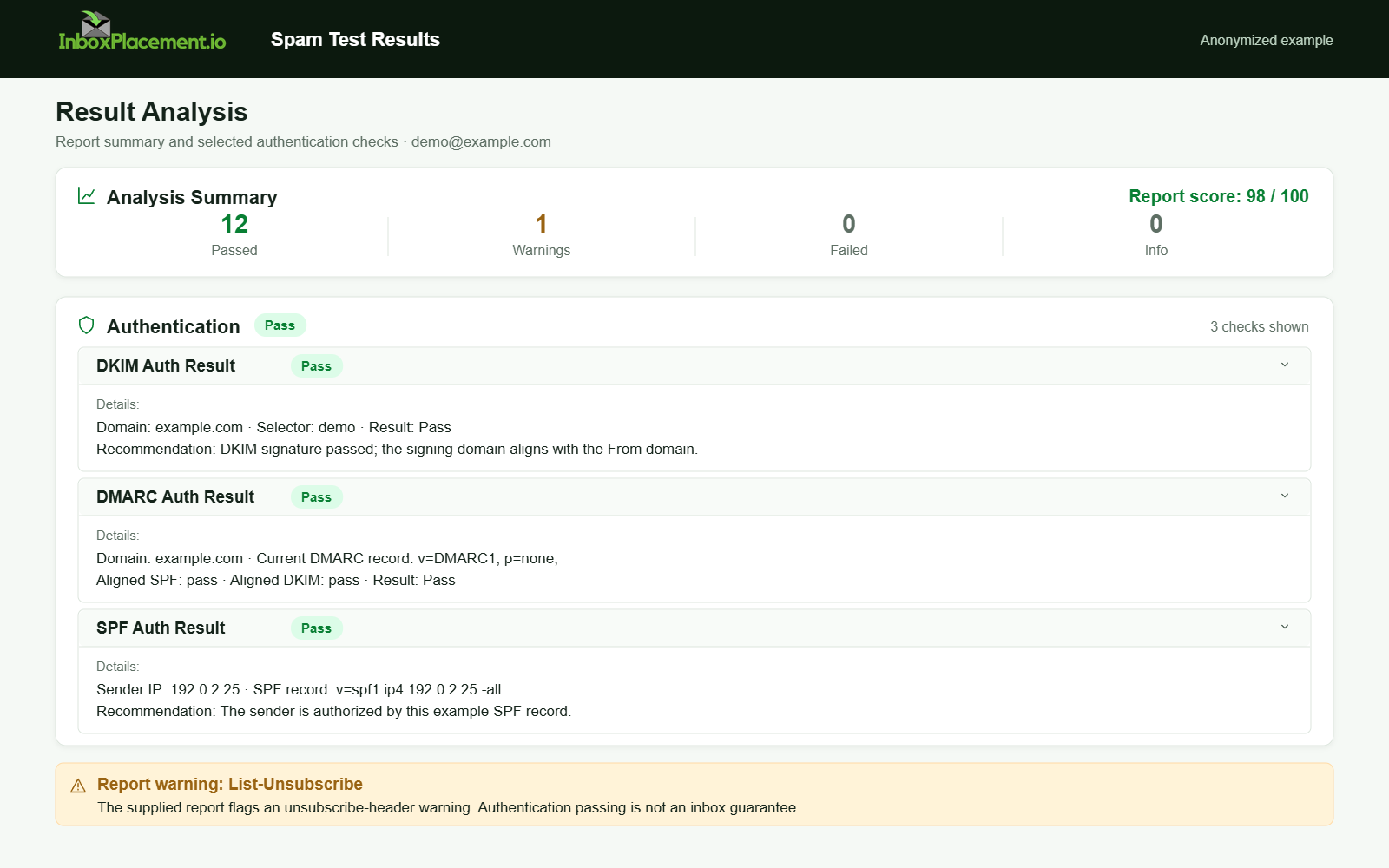
Anonymized example adapted from a supplied product report. Selected figures retained; identifiers and layout reconstructed. Not a new live test.
Prevention and monitoring checklist
- Publish and monitor
SPF,DKIM, andDMARCrecords; use DMARC monitoring and reporting to gather feedback. - Ensure TLS is used to transmit mail where supported (Gmail’s guidelines recommend TLS).
- Monitor sending IP reputation and blocklists regularly.
- Use provider postmaster tools (for example, Gmail Postmaster Tools) to monitor spam rates and compliance status.
- Keep sending patterns consistent; avoid sudden spikes in volume to large providers.
- Maintain an incident playbook that includes who can authorize emergency DNS changes and the rollback plan.
- Automate collection of MTA logs and delivery artifacts for faster diagnosis.
FAQ
What does the Authentication-Results header tell me?
Authentication-Results shows how the receiving system evaluated SPF, DKIM, and DMARC for that message. It documents the receiver’s checks but does not guarantee delivery or inbox placement.
Can fixing SPF/DKIM/DMARC immediately stop 550 errors?
Fixing authentication often resolves many delivery rejections, but it is not guaranteed. A corrected DNS record or signing configuration is necessary but not sufficient to prove inbox placement. Confirm with controlled tests and receiver feedback.
When should I contact the recipient’s postmaster?
Contact the recipient’s postmaster after you have collected SMTP transcripts, Authentication-Results, sending IP and time, and when evidence points to receiver-side policy or blocklisting that you cannot resolve. Provide the collected evidence when requested.
Run an InboxPlacement test to verify authentication signals and mailbox placement after applying the recommended changes.
Sources
- Gmail email sender guidelines — Useful recommendations on
SPF/DKIM/DMARC, TLS, and monitoring via Postmaster Tools. - Gmail email sender guidelines FAQ — Notes about bulk-sender enforcement and Postmaster Tools compliance status.
- Microsoft: Troubleshoot email authentication in Microsoft 365 — Describes how
SPF/DKIM/DMARCfailures map to observed symptoms and troubleshooting steps. - Microsoft: How email authentication works in Microsoft 365 — Overview of
SPF,DKIM,DMARC, and ARC and their roles in authentication.