
Email Testing · Spam Score · Email Deliverability · Sender Reputation
Email Spam Score Check: How Our V3 Analyzer Protects Your Sender Reputation
· InboxPlacement.io Team
Introduction
One poorly worded subject line can send your entire campaign to spam. Modern spam filters analyze 200+ factors in milliseconds, and even legitimate businesses struggle to pass. An email spam score check predicts this risk before you hit send.
In this guide, you'll learn exactly how spam scoring works, why it's critical for your sender reputation, and how our V3 Analyzer helps you achieve inbox placement rates of 95% or higher.
What is an Email Spam Score?
A spam test email tool analyzes your message and assigns a score (0-10) predicting spam folder risk:
✓ 8-10/10: Excellent (ready to send)
⚠️ 5-7/10: Good (minor tweaks needed)
⚠️ 3-4/10: Fair (significant issues)
❌ 0-2/10: Poor (guaranteed spam)
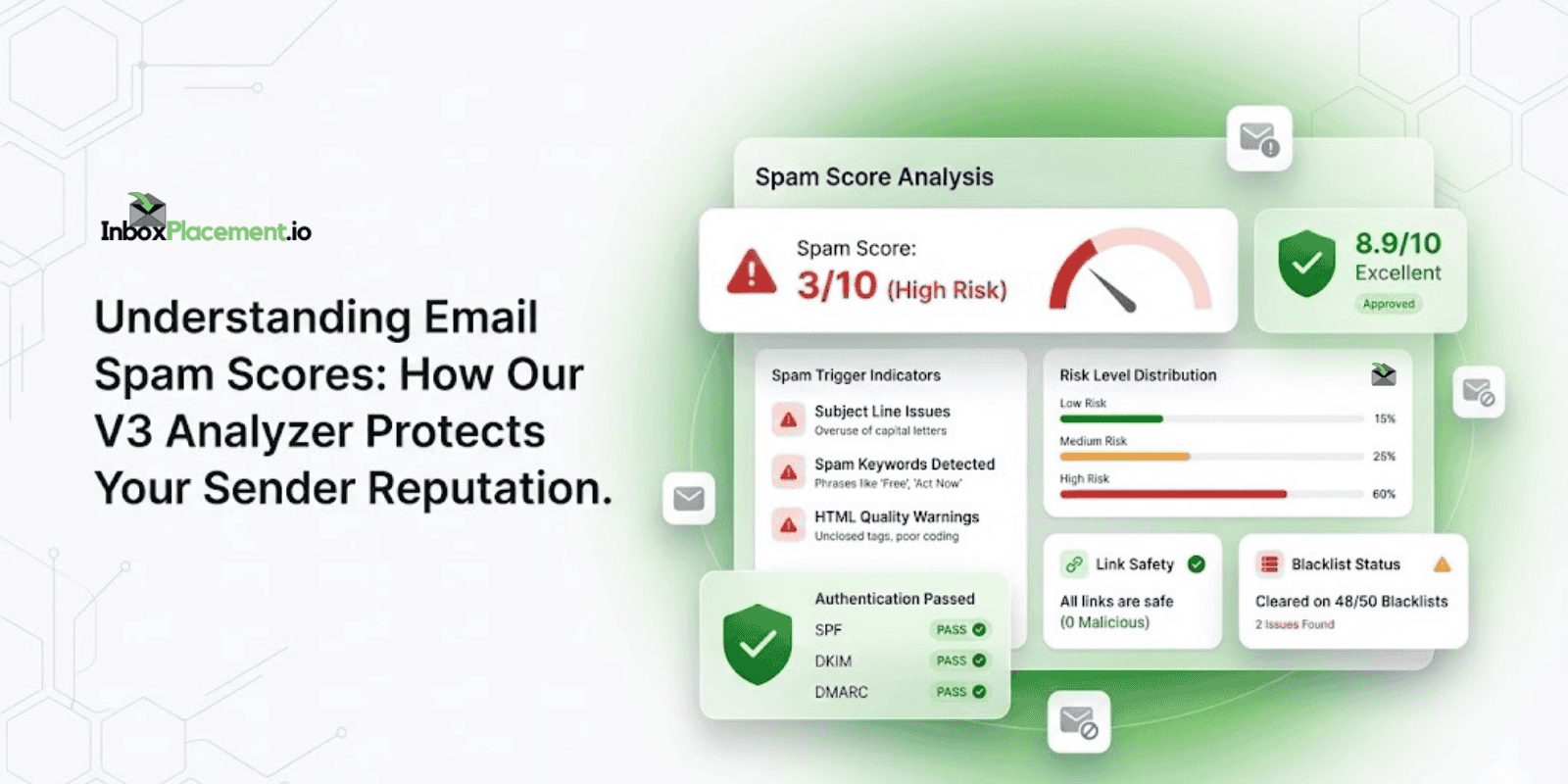
Our V3 Analyzer goes beyond basic keyword checks—it evaluates authentication, sender reputation, HTML quality, link safety, and engagement patterns.
Why Spam Score Testing Protects Your Business
Real-World Example: The Cost of Ignoring Spam Warnings
Company: A SaaS company with 25,000 subscribers
Problem: Ignored spam warnings (3/10 score) and sent campaign anyway
Results:
✓ Inbox rate crashed from 81% to 58%
✓ Open rate dropped from 22% to 8%
✓ Domain reputation damaged for 6 weeks
✓ Cost: ~$38,000 in lost opportunities
What they should have done:
- Run an email spam score check
- Fix triggers (ALL CAPS + "FREE!!!" + broken HTML)
- Achieve 9/10 score
- Maintain 94% inbox rate
Bottom line: A 5-minute spam test could have saved $38,000 and 6 weeks of recovery time.
Top 10 Spam Score Factors
1. Email Authentication
Missing SPF, DKIM, or DMARC = instant penalty
Set up authentication to pass this critical test. These protocols prove your emails are legitimate and haven't been tampered with.
Quick fix:
- Add SPF record to your DNS
- Enable DKIM in your email platform
- Publish DMARC policy
2. Subject Line Triggers
❌ Bad: FREE MONEY!!! ACT NOW!!!
✓ Good: "Here's your Q4 analytics report, Sarah"
Avoid excessive punctuation, ALL CAPS, and urgency phrases that scream spam.
3. Spam Keywords
Avoid these high-risk words:
✓ "Guarantee"
✓ "Risk-free"
✓ "Limited time"
✓ "Act now"
✓ "Free"
Use natural, conversational language instead. Modern spam filters understand context, not just keywords.
4. Sender Reputation Score
ISPs track spam complaints, bounces, and engagement. Clean your list regularly to maintain reputation.
Key metrics to monitor:
✓ Spam complaint rate (keep below 0.1%)
✓ Bounce rate (target under 2%)
✓ Engagement rate (opens + clicks)
✓ Time to first open
5. Text-to-Image Ratio
Image-only emails = spam signal
Target 60% text, 40% images for optimal deliverability. Spam filters flag emails that are predominantly images because spammers historically used this tactic.
6. Link Quality
❌ Bad: Shortened URLs (bit.ly), broken links, too many redirects
✓ Good: Full branded URLs (https://yourbrand.com/article)
Every link is checked against blacklists and phishing databases in real-time.
7. HTML Code Quality
Common HTML issues that trigger spam filters:
✓ Broken tags
✓ Messy Word formatting
✓ Hidden text
✓ Excessive inline styles
✓ Missing closing tags
Use clean, validated HTML code. Our V3 Analyzer automatically detects these issues.
8. List Permission
Purchased lists = 99% spam trap rate
Only email opted-in subscribers who explicitly requested your content. This is non-negotiable for maintaining good sender reputation.
9. Unsubscribe Compliance
Gmail and Yahoo require one-click unsubscribe. Make it clearly visible in your email footer.
Requirements:
✓ Functional unsubscribe link in every email
✓ Process unsubscribe requests within 48 hours
✓ Don't require login to unsubscribe
✓ Include physical mailing address
10. Engagement History
Opens and clicks improve scores. Deletes without opening hurt badly.
ISPs track how recipients interact with your emails:
✓ Positive signals: Opens, clicks, replies, forwards, moving to inbox
❌ Negative signals: Deletes without opening, marking as spam, ignoring
How to Reduce Email Spam Score (4 Steps)
Step 1: Run a Spam Test
Use InboxPlacement.io's V3 Analyzer to get your baseline score and identify specific issues affecting deliverability. Once you have results in hand, our Spam Score Analyzer guide shows you exactly how to read each section and which fixes to tackle first—most issues can be resolved in under 30 minutes.
What you'll see:
✓ Overall spam score (0-10 scale)
✓ Specific spam triggers detected
✓ Authentication status (SPF, DKIM, DMARC)
✓ HTML code validation results
✓ Link safety analysis
✓ Blacklist status check
Step 2: Fix Authentication
Ensure SPF, DKIM, and DMARC records are properly configured in your DNS.
Why it matters: Authentication failures are one of the fastest ways to land in spam. Major providers like Gmail and Yahoo now require proper authentication for bulk senders.
Expected results: Authentication fixes take 24-48 hours to propagate but can improve your spam score by 2-3 points immediately after propagation.
Step 3: Optimize Content
Specific fixes that work:
✓ Rewrite spammy subject lines (remove ALL CAPS, excessive punctuation)
✓ Remove excessive punctuation (more than one exclamation mark is excessive)
✓ Add more text content (target 60/40 text-to-image ratio)
✓ Use full URLs instead of shortened links
✓ Validate HTML code (check for unclosed tags, broken formatting)
✓ Remove spam trigger words (guarantee, free, risk-free, limited time)
Step 4: Retest & Monitor
Test again after fixes. Most content improvements show immediate results. Authentication changes take 24-48 hours.
Monitoring schedule:
✓ Every new campaign type (first time)
✓ Monthly for regular sends
✓ After any major template changes
✓ If you notice deliverability drops
V3 Analyzer Advantages
Our advanced spam analysis tool checks:
✓ 200+ spam trigger patterns across subject lines, content, and formatting
✓ SPF, DKIM, DMARC authentication with detailed pass/fail results
✓ HTML code validation identifying broken tags and formatting issues
✓ Blacklist status across 15+ databases (Spamhaus, SpamCop, URIBL, etc.)
✓ Link safety and reputation checking every URL against phishing databases
✓ Sender domain reputation analyzing your historical sending patterns
✓ Content-to-image ratio analysis ensuring optimal balance
✓ Engagement prediction based on historical data from similar campaigns
Result: Actionable recommendations that actually improve deliverability, not generic warnings.
Unlike basic spam checkers that only look for keywords, our V3 Analyzer uses the same techniques that Gmail, Outlook, and Yahoo use to filter spam.
Quick Spam Score Checklist
Before sending any campaign, verify:
☑ Authentication passing (SPF/DKIM/DMARC all showing green)
☑ Subject line: Conversational, no ALL CAPS, max one punctuation mark
☑ Content: 60:40 text-to-image ratio maintained
☑ Links: Full URLs, all working, not on blacklists
☑ Unsubscribe: Clearly visible in footer, one-click process
☑ HTML: Validated, no broken tags, clean code
☑ Spam score: 7+/10 (aim for 8-10/10 for best results)
☑ List quality: All opted-in subscribers, recent engagement
Common Questions
Q: What's a passing spam score?
A: 7/10 or higher is safe. Aim for 8-10/10 for best results. Anything below 5/10 needs immediate attention before sending.
Q: How often should I check spam score?
A: Every new campaign type. Monthly for regular sends. After any template changes or if you notice deliverability issues.
Q: Can a perfect score still land in spam?
A: Rare, but possible if sender reputation is severely damaged. Spam score + reputation + engagement = final deliverability. A perfect score won't save you if your domain is on multiple blacklists or has a history of spam complaints.
Q: How long do spam score fixes take to work?
A: Content changes (subject lines, text ratio, links) show immediate results. Authentication changes (SPF, DKIM, DMARC) take 24-48 hours to propagate. Reputation repairs take 4-6 weeks of consistent good sending.
Q: Does spam score vary by email provider?
A: Yes. Gmail is generally most lenient (85%+ inbox rate), Outlook is strictest (75% inbox rate), Yahoo falls in between. Our V3 Analyzer tests across all major providers.
Conclusion
Don't let spam filters destroy your email ROI. Regular email spam score checks catch issues before they cost you thousands in lost revenue.
The numbers speak for themselves:
✓ Average ROI improvement: 340% after fixing spam issues
✓ Inbox placement increase: 58% → 94% average
✓ Cost per test: $9.99
✓ Average revenue saved: $12,000+ per campaign
Try our V3 spam analyzer now and see your email deliverability performance. Get detailed analysis, authentication checks, and actionable fixes in under 60 seconds.
Start your InboxPlacement.io test now →
Related Resources
- Spam Score Analyzer: Read Results and Fix Issues in 30 Minutes
- Email Deliverability Checker: What Each Test Reveals and What to Fix
- Inbox Placement Testing 101