
Email Deliverability · Ecommerce · Email Authentication
Ecommerce Order Confirmation Emails: High Spam Complaints
· InboxPlacement Team
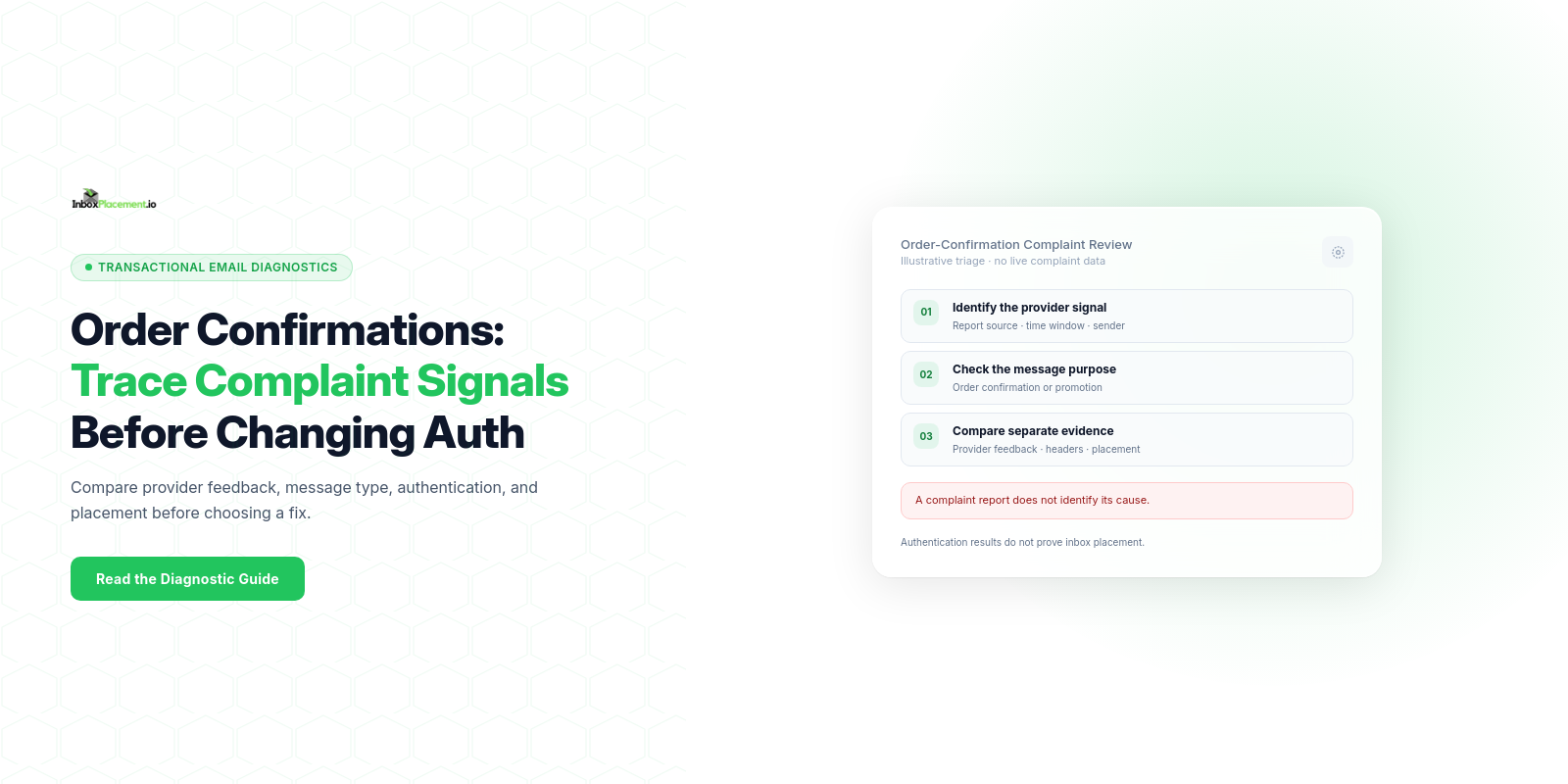
A provider-reported increase in spam complaints for ecommerce order confirmations is a signal to investigate, not a diagnosis. Start with the provider, measurement window, and metric definition; identify the affected message type and sending identity; then compare complaint feedback, receiver-added authentication results, and separate mailbox-placement evidence. A complaint report does not by itself explain why a recipient complained, where a message landed, or whether one DNS change would improve delivery.
Fields and signals that matter most
Collect these fields for every representative message and delivery sample. For each, record the raw value (for example, the full Authentication-Results header), the time window, and the sending domain or IP.
- Provider complaint or spam-rate signal
- Observed evidence: provider, report type, timeframe, affected sending identity, message type, and the metric's denominator if provided.
- Why it matters: providers use their own measurements and policies. Yahoo Sender Hub Insights uses mail delivered to the Inbox as its denominator; Insights and Yahoo's Complaint Feedback Loop are separate sources.
Authentication-Resultsheader- Observed evidence: full header from the receiving server showing SPF/DKIM/DMARC results.
- Why it matters: this records the receiver’s evaluation (
pass,fail,temperror, orpermerror) — it is a receiver-side signal, not a delivery certificate.
- SPF record and SPF check result
- Observed evidence: published SPF TXT and whether the header shows
pass,softfail,fail, orpermerror. - Why it matters: SPF misconfiguration (missing record, >10 lookups, or missing IPs) can produce softfail/fail/permerror outcomes; Microsoft documents common SPF failure causes and related troubleshooting.
- Observed evidence: published SPF TXT and whether the header shows
- DKIM status
- Observed evidence: DKIM signature present and whether the receiver reports pass or fail.
- Why it matters: DKIM contributes to message integrity and DMARC alignment.
- DMARC policy and DMARC evaluation
- Observed evidence: published DMARC record (policy,
rua), theAuthentication-ResultsDMARC result, and whether alignment is relaxed/strict. - Why it matters: receivers consider DMARC status for authentication and anti-spoofing; Yahoo’s guidance describes DMARC publication and alignment expectations for bulk senders.
- Observed evidence: published DMARC record (policy,
- From header domain alignment (for DMARC)
- Observed evidence:
Fromdomain and whether it aligns with the SPF or DKIM authentication domain per the receiver’s report.
- Observed evidence:
- Message type and unsubscribe behavior
- Observed evidence: whether the message is a true transactional order notice or promotional/marketing mail, plus any
List-Unsubscribeheader and visible body link. - Why it matters: Google and Yahoo scope their one-click unsubscribe requirement to marketing or promotional messages, not transactional order confirmations. Yahoo says senders may consider an optional one-click method for high-complaint mail that is not legally required to include one, but that is not a universal requirement or a guaranteed fix.
- Observed evidence: whether the message is a true transactional order notice or promotional/marketing mail, plus any
- Provider disposition and mailbox placement (inbox vs spam)
- Observed evidence: mailbox placement across providers (Gmail, Outlook/Exchange/Office365, Yahoo/AOL).
- Why it matters: placement is the downstream outcome; treat it as separate from authentication results or complaint rates.
Provider-specific complaint and unsubscribe guidance
Complaint-rate figures are not interchangeable across providers. Yahoo says to keep its spam rate below 0.3%; its Sender Hub metric is based on messages delivered to the Inbox. Yahoo's Complaint Feedback Loop provides complaint reports for enrolled DKIM-signed domains and is separate from Sender Hub Insights.
Google calculates Gmail spam rate daily. Its current sender FAQ advises keeping the user-reported spam rate below 0.1% and preventing it from reaching 0.3% or higher; the effect on delivery is graduated. Check the current Postmaster Tools view and do not treat a Google metric as a Yahoo rate or as a universal threshold.
For both providers, the one-click unsubscribe requirement applies to marketing or promotional messages, not true transactional order confirmations. Yahoo says that when complaints are high for mail not legally required to include an unsubscribe option, senders may consider adding one based on local rules and recipient behavior. Treat that as optional provider advice—not a requirement or a promise that complaints will stop.
Step-by-step interpretation workflow
- Gather representative samples
- Collect recent deliveries to major providers (Gmail, Outlook/Exchange, Yahoo/AOL). For each sample, capture the
Authentication-Resultsheader, provider complaint entries (CFL or postmaster), and full message headers.
- Collect recent deliveries to major providers (Gmail, Outlook/Exchange, Yahoo/AOL). For each sample, capture the
- Verify raw authentication signals
- Read the
Authentication-Resultsheader to see SPF, DKIM, and DMARC outcomes. Recordpermerror/temperrorresults separately frompass/fail.
- Read the
- Map observed evidence to likely technical issues
- If SPF shows
permerror, consider DNS/SPF lookup limits or malformed records; Microsoft troubleshooting notes these causes. - If DKIM missing or fails, check signature generation and selector DNS records.
- If DMARC fails but policy is
p=none, you have information but are not enforcing; ifp=quarantineorp=reject, treat failures as higher risk.
- If SPF shows
- Check complaint and compliance signals
- Record which provider metric or feedback source produced the report, its timeframe, and its denominator. Yahoo Sender Hub Insights and its Complaint Feedback Loop are separate; the latter reports complaints for enrolled DKIM-signed domains.
- Confirm message purpose and recipient expectations
- Separate order events from promotional content, check that the sender and message match the purchase, and review whether repeated or unexpected messages could explain recipient behavior. Do not assume a complaint report identifies its cause.
- Review unsubscribe behavior where it applies
- For marketing or promotional messages, verify the required one-click method and visible unsubscribe link. For a true transactional confirmation, do not present the marketing requirement as mandatory; consider Yahoo's optional advice only in the context of local rules and the message's purpose.
- Prioritize safe, reversible fixes
- Repair confirmed authentication or message-identity issues and correct unexpected content or sending patterns. Do not weaken DMARC enforcement or add marketing controls to transactional mail solely because one complaint metric is elevated.
- Retest across providers
- Collect fresh samples and compare the same provider metric over a comparable window. Review receiver headers, complaint feedback, and mailbox placement separately; an improvement in one does not establish improvement in the others.
Note: Authentication-Results is a receiver-side evaluation header; it records what the provider checked and found, not where a message ultimately landed.
Common result patterns and what each may indicate
All scenarios below are illustrative examples for interpretation — they are not verified proofs.
- Pattern A — Authentication passes (SPF/DKIM/DMARC
pass), yet complaint rate is high and many messages go to spam- Observed evidence:
Authentication-Resultsshowspass; provider CFL reports complaints; placement in spam. - Possible causes (illustrative): recipients may not recognize the sender, the order event may be unexpected or duplicated, the message may mix promotional content with a transactional notice, or reputation/content signals may be involved.
- Safe next steps: compare the reported message and purchase event, confirm sender identity and recipient expectations, and review promotional content and unsubscribe behavior only where it applies. An authentication pass does not rule out other causes.
- Observed evidence:
- Pattern B — SPF/DKIM failing, DMARC not published or
p=none, and spam placement- Observed evidence:
Authentication-Resultsshows SPFfailorpermerror; DKIM missing; DMARC absent. - Possible causes (illustrative): DNS misconfiguration, missing signatures, a forwarding path that breaks SPF, or a sender identity that is not aligned.
- Safe next steps: repair the confirmed SPF/DKIM issue and check the applicable provider requirements for the sender's volume and message type. Do not treat
p=noneorruareporting as a complaint-rate fix.
- Observed evidence:
- Pattern C — DMARC enforced (
p=quarantineorp=reject) and messages rejected or deferred- Observed evidence: provider bounce/rejection or specific rejection codes; DMARC policy published with
p=quarantineorp=reject. - Possible causes (illustrative): misaligned
Fromdomain or failing authentication and enforcement triggers receiver action. - Safe next steps: do not lower DMARC enforcement as a blanket fix; instead fix DKIM/SPF alignment or authorize sending sources and retest. Any policy changes require documented authorization and rollback criteria.
- Observed evidence: provider bounce/rejection or specific rejection codes; DMARC policy published with
- Pattern D — High complaints to one provider only (e.g., Yahoo), other providers normal
- Observed evidence: high complaint entries in one provider’s CFL/postmaster, normal elsewhere.
- Possible causes (illustrative): provider-specific measurement, enforcement, recipient behavior, or reporting coverage.
- Safe next steps: check that provider's current dashboard and requirements. For Yahoo, distinguish the Inbox-based Sender Hub Insights rate from CFL complaint reports and compare like-for-like time windows; do not apply its figure to other providers.
Action matrix: signal, likely cause, safe next step, retest
| Signal (observed) | Observed evidence to collect | Likely cause (illustrative) | Safe next step | Retest criteria |
|---|---|---|---|---|
| High complaint rate reported by provider | Provider, metric source, timeframe, denominator if shown, affected message type and sender | Recipient expectations, duplicate or unexpected messages, content, reputation, or a reporting/measurement difference; the rate alone does not identify a cause | Compare representative messages with purchase events; review sender identity and recent changes; use an approved pause threshold if your runbook calls for one | Compare the same provider metric over a comparable window; review mailbox placement separately |
Authentication-Results: SPF permerror or none | Full Authentication-Results header and published SPF TXT | Missing or malformed SPF record, >10 lookup limit, DNS errors | Publish/repair SPF record, reduce DNS lookups, follow SPF best practices | Authentication-Results shows SPF pass or removed permerror in new samples |
Authentication-Results: DKIM fail or missing | DKIM signature presence and DKIM DNS records | Signing not applied, incorrect selector, DNS TTL mismatch | Ensure outgoing systems sign with correct selector, verify DNS TXT for selector | DKIM shows pass in Authentication-Results on retest |
DMARC absent or p=none alongside complaints | Published DMARC record, aligned sending domains, and receiver-added Authentication-Results | An authorization or alignment gap may exist, but the complaint metric alone does not establish spoofing or DMARC as its cause | Investigate authorized senders and alignment; apply DMARC changes only when justified, authorized, and controlled | Confirm the intended alignment on new messages; compare complaint metrics and placement independently |
| Required one-click unsubscribe missing from promotional mail | Message purpose, List-Unsubscribe headers, visible link, and unsubscribe processing | A required unsubscribe path may be missing or not working | Implement the provider-required method for applicable promotional messages and honor requests on time. Do not treat this as a universal requirement for transactional confirmations | Verify the applicable unsubscribe path works; monitor complaints and placement separately |
| Placement differs by provider | Placement logs/samples for Gmail, Outlook, Yahoo | Provider-specific filters, enforcement thresholds, or bulk-sender classification | Follow each provider’s guidance (postmaster tools, sender guidelines), prioritize providers with enforcement | Consistent placement improvements across tested providers |
Limitations and conclusions the data cannot support
- Authentication checks and DNS records do not prove inbox placement. A
passinAuthentication-Resultsis useful evidence but does not guarantee inbox delivery. - Complaint rates show receiver-observed user complaints, not the root behavioral cause; they do not prove whether complaints are due to content, frequency, spoofing, or accidental labeling.
- Google and Yahoo use provider-specific complaint metrics and reporting views. A percentage or report from one provider cannot be assumed to use another provider's denominator or threshold.
- The
Authentication-Resultsheader reflects the receiver’s checks and policy evaluations at the time of delivery — it is a signal of evaluation, not an authoritative final-state certificate. - DMARC
pass/fail, published DMARC policy (p=none,p=quarantine, orp=reject), receiver disposition, delivery, and inbox placement are separate signals and must be treated separately during triage. - Never assume a single change (for example, toggling DMARC) will restore inbox placement. Do not advise weakening an existing DMARC enforcement policy as a general remediation step. Any emergency exception must be narrowly scoped, authorized by the domain owner, time-limited, and have clear rollback criteria.
Illustrative evidence placeholder (clearly marked)
The following is an illustrative, fictional Authentication-Results header example to show what to collect and parse. This is NOT from a real test and must be used only as a format example.
Illustrative example (do not treat as measurement):
Authentication-Results: mx.example.net; spf=pass smtp.mailfrom=example.com; dkim=pass header.d=mail.example.com; dmarc=pass header.from=example.com
When you collect real samples, save the full raw header lines and provider-side complaint entries for the same message IDs and time windows.
FAQ
How can I see the spam complaint rate for my domain at Yahoo?
Use Yahoo Sender Hub Insights to view its Spam Complaint Rate when the domain is verified, activated, and has enough daily volume. Yahoo calculates this rate from messages delivered to the Inbox. The Complaint Feedback Loop is a separate service that can provide complaint reports for enrolled DKIM-signed domains; it is not required to view Insights.
Is one-click unsubscribe required for all order confirmations?
No. Google and Yahoo state that the one-click requirement applies to promotional or marketing messages and excludes true transactional confirmations. Yahoo says senders may consider an optional one-click option for high-complaint mail that is not legally required to include one, based on local rules and recipient behavior. That advice is not a universal requirement or a guaranteed remedy.
Does fixing SPF alone guarantee inbox placement?
No. Microsoft documents cases where SPF passes but mail is still marked as spam. Authentication helps evaluate sender identity; it does not establish receiver disposition or inbox placement. Check the authentication method and alignment required for the sender's provider and volume, then review placement separately.
Are complaint-rate thresholds the same at Google and Yahoo?
No. Yahoo says to keep its spam rate below 0.3% and calculates the displayed rate using inbox-delivered messages. Google advises keeping its daily user-reported spam rate below 0.1% and preventing it from reaching 0.3% or higher. Use each provider's own reporting view and do not treat either figure as a universal target.
After making a justified change, run the Inbox Placement Test to compare test-message placement with authentication evidence. The test is a separate signal and cannot explain every recipient complaint.
Sources
- Yahoo Sender Requirements FAQs — complaint-rate reporting, sender enforcement, spoofing, and transactional-message unsubscribe scope.
- Yahoo Sender Best Practices — sender authentication, complaint-rate guidance, and requirements for applicable marketing mail.
- Yahoo Complaint Feedback Loop — enrollment and provider complaint-report details.
- Gmail email sender guidelines — authentication and volume-specific requirements for messages to Gmail accounts.
- Gmail email sender guidelines FAQ — spam-rate guidance and unsubscribe scope.
- Troubleshoot email authentication in Microsoft 365 — common SPF, DKIM, and DMARC troubleshooting patterns.
- RFC 8058: Signaling One-Click Functionality for List Email Headers — the standard for one-click list unsubscribe.