
yahoo · deliverability · email authentication
Yahoo Email Deliverability: Practical Guide for Senders
· InboxPlacement.io Team
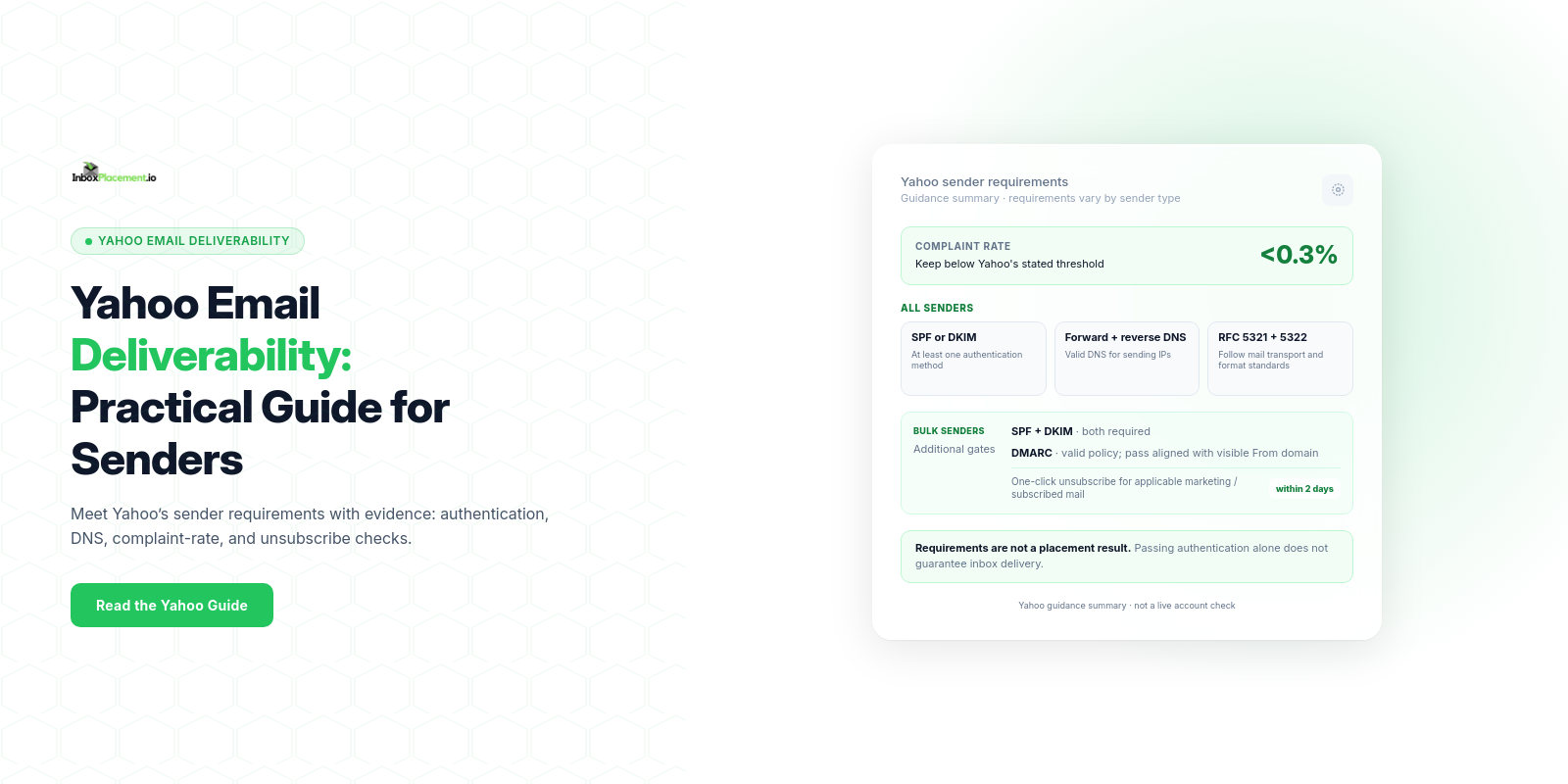
A concise answer: To improve Yahoo email deliverability, meet Yahoo’s sender requirements for your sending volume and message type: authenticate mail, keep spam complaints below 0.3%, maintain valid forward and reverse DNS, and follow the applicable bulk-sender and unsubscribe rules. Verify the receiver’s authentication results and mailbox placement separately; passing authentication does not guarantee inbox placement.
Direct answer and when this topic matters
Yahoo Mail’s Sender Hub lists baseline requirements for all senders and additional requirements for bulk senders. Yahoo’s FAQ says “bulk” means a significant volume but does not publish a numeric cutoff. These requirements matter whenever you:
- Send bulk, marketing, or subscribed mail to Yahoo-hosted domains.
- Change sending infrastructure (new ESP, IP, or domain).
- See increased complaints, bounces, or delivery to Spam for Yahoo recipients.
- Experience spoofing or DMARC reports indicating unauthorized use of your domain.
All senders must implement SPF or DKIM at a minimum, keep the spam complaint rate below 0.3%, maintain valid forward and reverse DNS for sending IPs, and comply with RFC 5321 and RFC 5322. Bulk senders must implement both SPF and DKIM, publish a valid DMARC policy of at least p=none, and pass DMARC with the visible From: domain aligned to SPF or DKIM. Yahoo strongly recommends a working rua destination for DMARC reports. Bulk senders must also support easy one-click unsubscribe for marketing and subscribed messages, include a visible body link, and honor requests within two days. Yahoo says this unsubscribe requirement does not apply to transactional messages such as order confirmations or password resets.
Core concepts in plain language
- SPF (Sender Policy Framework): a DNS TXT record listing IPs and senders authorized to send mail for your domain. Misconfiguration or exceeding SPF lookup limits can cause SPF errors.
- DKIM (DomainKeys Identified Mail): a cryptographic signature added by the sending system and validated by receivers against a public key in DNS.
- DMARC (Domain-based Message Authentication, Reporting & Conformance): tells receivers how to treat mail that fails SPF/DKIM alignment and where to send aggregate reports (
rua). DMARC alignment requires theFrom:domain to align with either the SPF or DKIM domain. Authentication-Results: an email header added by receiving systems that records the receiver’s checks (SPF/DKIM/DMARC) and their pass/fail outcomes. It is a diagnostic signal, not a guarantee of where mail lands.
Important nuance: authentication outcomes (for example, a DMARC pass) are diagnostic signals. A pass or fail in Authentication-Results does not by itself prove inbox placement. Receivers use a combination of signals (authentication, complaint rates, content signals, sending history) to determine final disposition.
A practical step-by-step workflow
-
Collect baseline signals
- List the sending domains, sending IPs, ESPs, message types, and approximate volume to Yahoo-hosted domains. Yahoo does not publish a numeric cutoff for “bulk sender.”
- Ensure you can access DNS for the sending domain(s) and can publish or modify TXT records.
- In Sender Hub, verify the domains and review Insights when eligible. Enroll DKIM signing domains in Yahoo’s Complaint Feedback Loop (CFL) for complaint feedback; also collect DMARC
ruareports if configured. These are separate evidence sources.
-
Verify DNS and authentication records
- Confirm the sending domain’s SPF result is not
permerror(for example, from multiple SPF records or exceeding the DNS lookup limit). - Confirm DKIM is published and signatures are generated by your sending system.
- For bulk sending, publish a valid DMARC policy of at least
p=none, verify that DMARC passes with the visibleFrom:domain aligned to SPF or DKIM, and configure a workingruadestination if you want aggregate reports.
- Confirm the sending domain’s SPF result is not
-
Fix common DNS/auth issues (safe actions)
- If SPF returns
none: verify that the domain used by the sending path has the intended SPF TXT record. - If SPF returns
permerror: consolidate duplicate SPF records and review DNS-lookup-causing mechanisms. - If SPF returns
softfailorfail: check whether the actual sending IP is authorized for the evaluated domain. - If DKIM is missing or fails: confirm the signing configuration, selector, and matching public key in DNS.
- If DMARC is missing for a bulk sender: publish a valid policy of at least
p=none; make sure at least one aligned SPF or DKIM path passes. Do not treatp=noneas a substitute for DMARC passing.
Note: Do not reduce an existing DMARC enforcement level (for example, changing
p=quarantineorp=rejecttop=none) just to satisfy a checklist. Any policy change requires the domain owner’s authorization, impact analysis, and a controlled rollback plan. - If SPF returns
-
Implement operational requirements
- Ensure valid forward and reverse DNS for each sending IP.
- For bulk marketing or subscribed messages, implement a functioning
List-Unsubscribeheader that supports one-click unsubscribe, provide a clearly visible body link, and process requests within two days. Yahoo recommends the RFC 8058POSTmethod; its guidance also accepts amailto:method. - Keep the spam complaint rate below 0.3%. Yahoo calculates this using mail delivered to the inbox; its Sender Hub Insights and your own reporting can differ if your denominator includes mail sent to Spam.
-
Test and verify
- Send controlled test campaigns and collect mailbox results, receiver-added
Authentication-Resultsheaders, DMARC aggregate reports, and CFL feedback where enrolled. - Review Yahoo Sender Hub Insights for its complaint-rate metric when the verified domain has enough data. Use tests and reports to evaluate other signals; none alone proves inbox placement.
- Send controlled test campaigns and collect mailbox results, receiver-added
-
Maintain and monitor
- Keep receiving DMARC reports (
rua) and CFL items; investigate anomalies. Use Sender Hub Insights for Yahoo’s displayed complaint-rate metric when available. - Watch for changes in sending infrastructure that require record updates (new IPs, ESP changes).
- Keep receiving DMARC reports (
Decision checklist (Observed evidence → likely cause → safe action → retest criteria)
| Observed evidence (illustrative) | Likely cause | Safe corrective action | Retest criteria |
|---|---|---|---|
Authentication-Results: spf=none | No SPF record was found for the evaluated domain | Check the sending path and publish or correct the intended SPF record | A later received message shows the expected SPF result |
Authentication-Results: spf=permerror | Multiple SPF records or a record evaluation error such as exceeding DNS lookup limits | Consolidate SPF policy and review DNS-lookup-causing mechanisms | A later message no longer returns permerror |
Authentication-Results: dmarc=fail | Neither SPF nor DKIM passed with alignment to the visible From: domain | Check the From: domain, SPF envelope domain, DKIM signing domain, and DNS records | A later message shows DMARC pass with the intended aligned domain |
| Yahoo marketing mail has a high complaint rate or lands in Spam | Complaints, missing unsubscribe support, authentication, content, or reputation signals | Check Sender Hub Insights and CFL separately; verify authentication and unsubscribe handling; review recipient expectations and list quality | Yahoo’s displayed complaint rate is below 0.3%; controlled mailbox tests are reviewed separately |
(Every scenario above is illustrative. Use your actual Authentication-Results headers, DMARC reports, and Complaint Feedback Loop data when diagnosing.)
Examples clearly labelled as illustrative
- Example A (illustrative): A received message contains
Authentication-Results: spf=none. Confirm which domain the receiver evaluated before changing its SPF record. - Example B (illustrative): DMARC aggregate reports (
rua) show failures for a sending service. Check whether it signs with an aligned DKIM domain or uses an aligned SPF domain that passes. - Example C (illustrative): Yahoo marketing mail has an elevated complaint rate. Review Yahoo Sender Hub Insights for its inbox-delivered denominator, examine CFL feedback, and verify the one-click unsubscribe path and visible body link.
Common mistakes and limitations
Observed fact versus cause versus action — keep them separate:
- Mistake: Treating an
Authentication-Resultspass as proof of inbox placement. Reality: Authentication is one input; placement is decided by the receiver using multiple signals. - Mistake: Publishing multiple SPF records or relying on an SPF record that exceeds lookup limits — this causes permerror and breaks SPF checks.
- Mistake: Treating a visible body link as a replacement for the
List-Unsubscribeheader, or applying the marketing-mail requirement to transactional mail without considering message type. - Limitation: Authentication fixes take time to reflect in receiver metrics and reports; DNS TTLs, report cycles, and receiver evaluation windows vary.
- Limitation: DMARC
ruareports, CFL feedback, and Sender Hub Insights provide different diagnostic views. They do not by themselves prove inbox placement.
Microsoft’s troubleshooting guidance documents SPF, DKIM, and DMARC failure modes and explains that authentication failures can result in legitimate messages being quarantined, rejected, or routed to Junk. Receiver-specific requirements and inbox placement still need to be evaluated separately.
How the topic connects to inbox placement
- Authentication errors or absence (SPF/DKIM/DMARC) increase the chance a receiver will quarantine, reject, or deliver to Junk (per receiver policy).
- Yahoo’s sender requirements tie authentication, complaint rates, DNS, and (for bulk marketing messages) unsubscribe behavior to enforcement. Noncompliant mail may be sent to Spam or rejected; use the returned SMTP response when diagnosing a rejection.
Authentication-Resultsrecords what a receiver checked about SPF/DKIM/DMARC for a message; it is useful diagnostic evidence but distinct from delivery and inbox placement. TreatAuthentication-Results, DMARC policy, receiver disposition, delivery status, and inbox placement as separate signals to collect and reconcile.
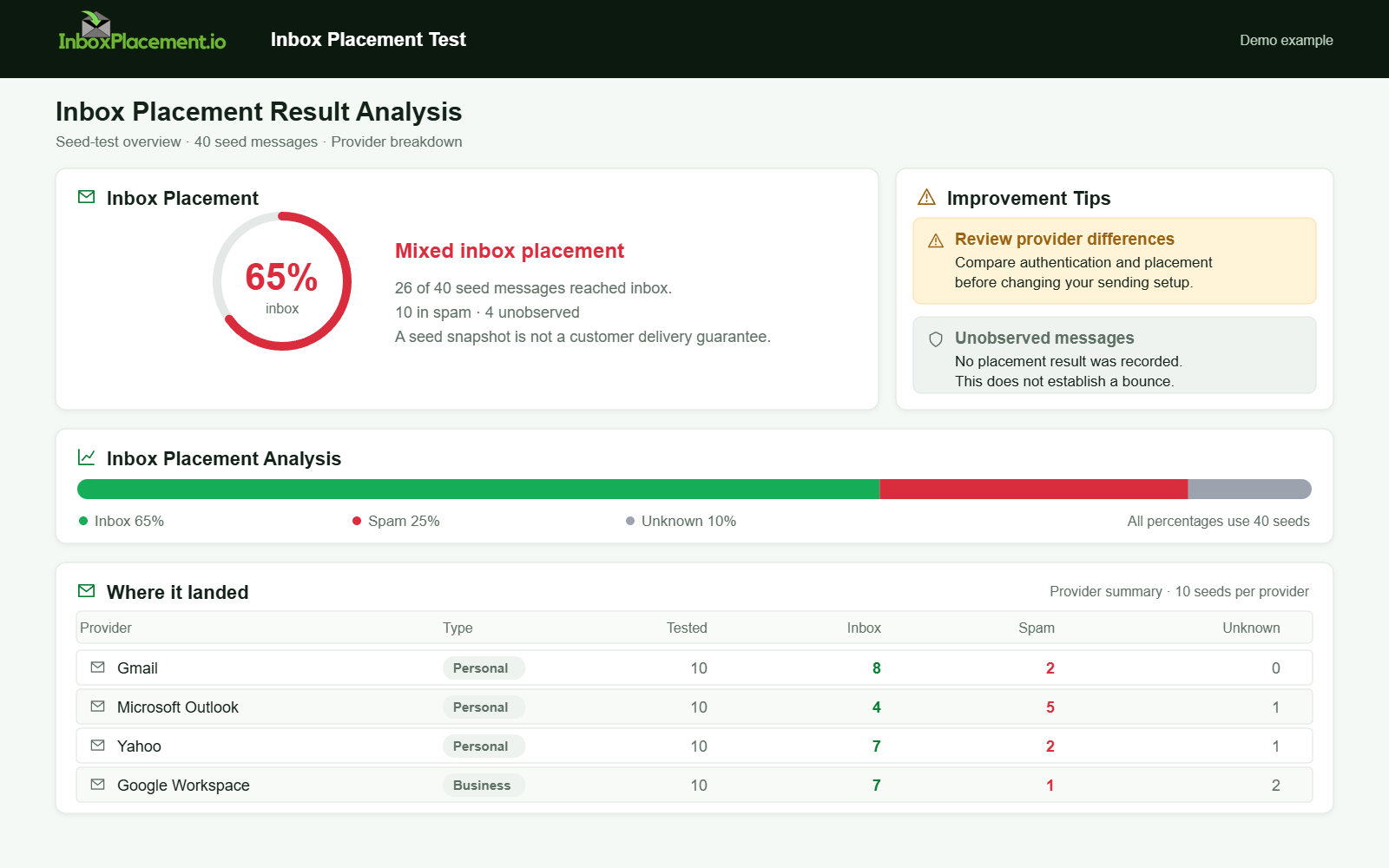
Demo example. Mixed placement across providers. Synthetic results for feature explanation; not a live test or customer outcome.
Verification and next steps
What to collect
- DNS TXT record contents for SPF, DKIM public keys, and DMARC policy.
Authentication-Resultsheaders from received test messages to Yahoo addresses.- DMARC aggregate (
rua) reports and any forensic reports you receive. - Complaint Feedback Loop data from Yahoo.
- Mailbox placement results from seed tests or an inbox placement tool.
Safe retest criteria (examples of what to look for after fixes)
- SPF no longer returns
noneorpermerrorfor your sending IP. - DKIM signatures validate against published DNS keys.
- DMARC reports show a decrease in failures after fixes; an initial DMARC
p=nonepolicy may remain while monitoring. - Inbox placement tests show improved placement for the targeted recipients (use testing to verify;
Authentication-Resultsalone does not prove placement).
What these checks cannot prove
- Authentication success or passing DMARC does not guarantee inbox placement or long-term reputation. Receivers may still apply additional content, historical, and complaint-based signals.
- A single test that shows a pass at one moment does not guarantee consistent results at scale or over time.
Sources
- Yahoo Sender Best Practices — authentication, DMARC alignment, DNS, complaint-rate, and unsubscribe requirements.
- Yahoo Sender Requirements FAQs — Yahoo’s bulk-sender definition, complaint-rate measurement and dashboard notes, unsubscribe scope, and enforcement details.
- Yahoo Complaint Feedback Loop — enrollment and complaint-report details for DKIM signing domains.
- Troubleshoot email authentication in Microsoft 365 — SPF, DKIM, and DMARC symptoms and likely causes.
- RFC 8058 — the one-click unsubscribe mechanism recommended by Yahoo.
FAQ
Will publishing SPF and DKIM guarantee inbox placement at Yahoo?
No. SPF and DKIM are part of Yahoo’s baseline; both are required for bulk senders, but neither guarantees inbox placement. Receivers use authentication plus complaint history, content signals, and reputation to decide disposition.
What DMARC policy should bulk senders publish for Yahoo?
Yahoo requires bulk senders to publish a valid DMARC policy of at least p=none, and DMARC must pass with the visible From: domain aligned to SPF or DKIM. A working rua destination is strongly recommended for aggregate reports. Do not weaken an existing stricter policy just to match a checklist.
How does Yahoo treat spam complaints numerically?
Yahoo says senders should keep the spam complaint rate below 0.3%. Its rate is based on messages delivered to the inbox, and Yahoo continuously evaluates mail. Sender Hub Insights reports Yahoo’s metric when the domain has sufficient data; CFL reports are a separate feedback source.
Does Yahoo publish a numeric bulk-sender volume cutoff?
No. Yahoo describes a bulk sender as sending a “significant volume” and says it will not specify a volume threshold. Yahoo also considers information such as the authenticated domain, From: domain, message content, and sending IP when reviewing compliance.
Does one-click unsubscribe apply to every message?
No. Yahoo says this requirement applies to promotional or marketing mail, not transactional messages such as order confirmations or password resets. Bulk senders must support a functioning List-Unsubscribe header and a visible body link for applicable messages, and honor requests within two days.
Ready to check the result? Use the Inbox Placement Test to review mailbox placement after you verify authentication and make any authorized changes.