
SPF · Email Authentication · Email Deliverability · DNS Records · Troubleshooting
SPF Record Hard Fail: Diagnose Causes and Apply Fixes
· InboxPlacement.io Team
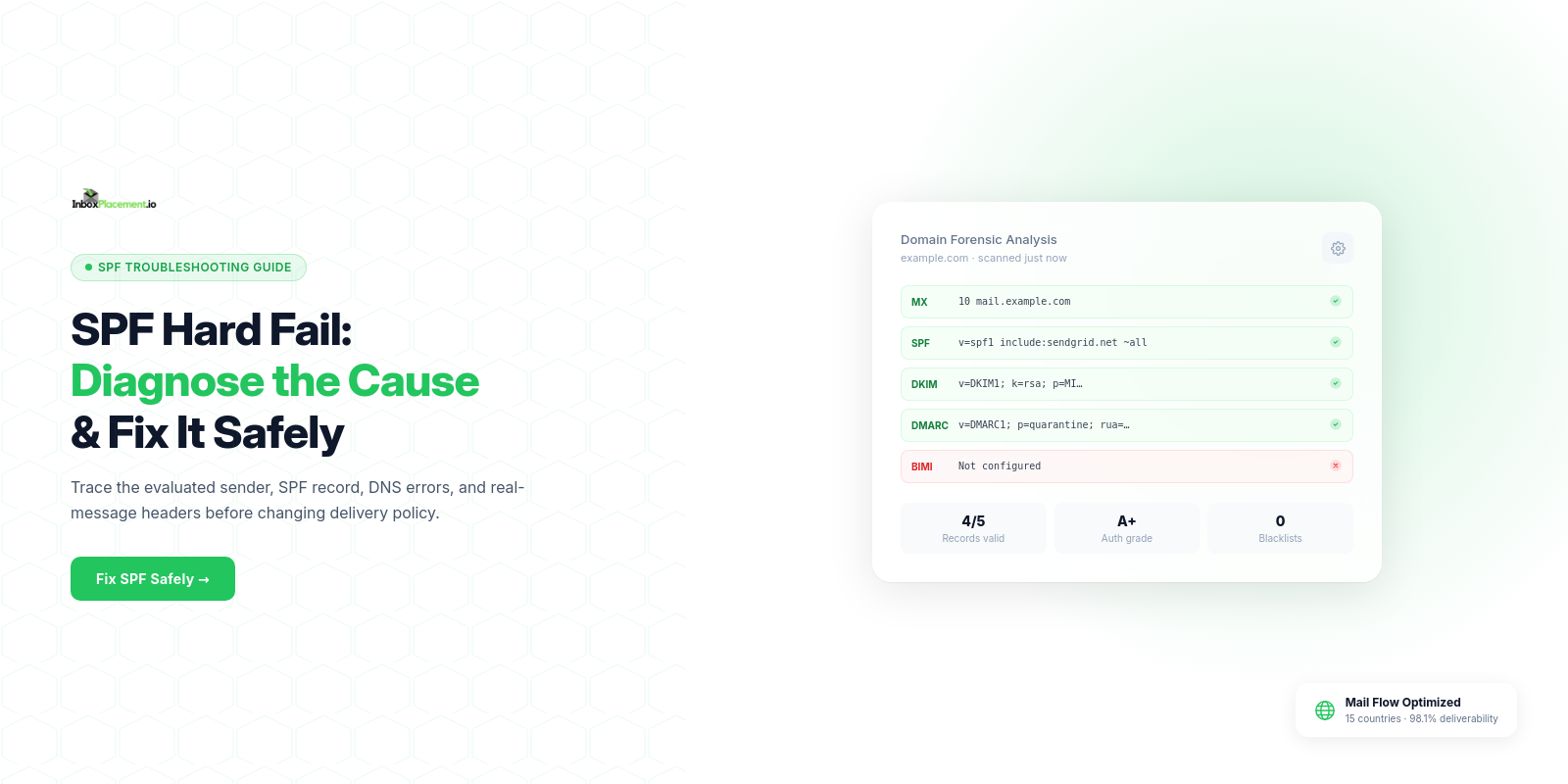
Short answer: An SPF record hard fail usually means the receiving server evaluated the sending IP against the domain's SPF record and found a definitive non-match. It shows that the sending IP was not authorized by the published SPF rule, but it does not by itself prove why authorization failed or whether the message will be quarantined, rejected, or delivered to a mailbox.
Direct diagnosis: what the symptom usually means and what it does not prove
Observed evidence (what "SPF hard fail" typically is)
- An SPF result of
failor a receiver policy that showsspf=failin theAuthentication-Resultsheader for the message. - Receiver-side disposition may vary (reject, quarantine, Junk/Spam) depending on receiver rules and DMARC policy.
What an SPF hard fail usually indicates
- The sending IP is not listed in the domain's published SPF record (illustrative — unverified scenario).
What an SPF hard fail does not prove
- It does not prove the DNS record is absent (
none), malformed (permerror), or temporarily unavailable (temperror). Those are distinct SPF outcomes. - It does not prove the message will be rejected or not delivered to a mailbox; receivers use multiple signals (SPF, DKIM, DMARC, sender reputation) to decide disposition.
- It does not prove the sending service is malicious; misconfiguration is a common non-malicious cause.
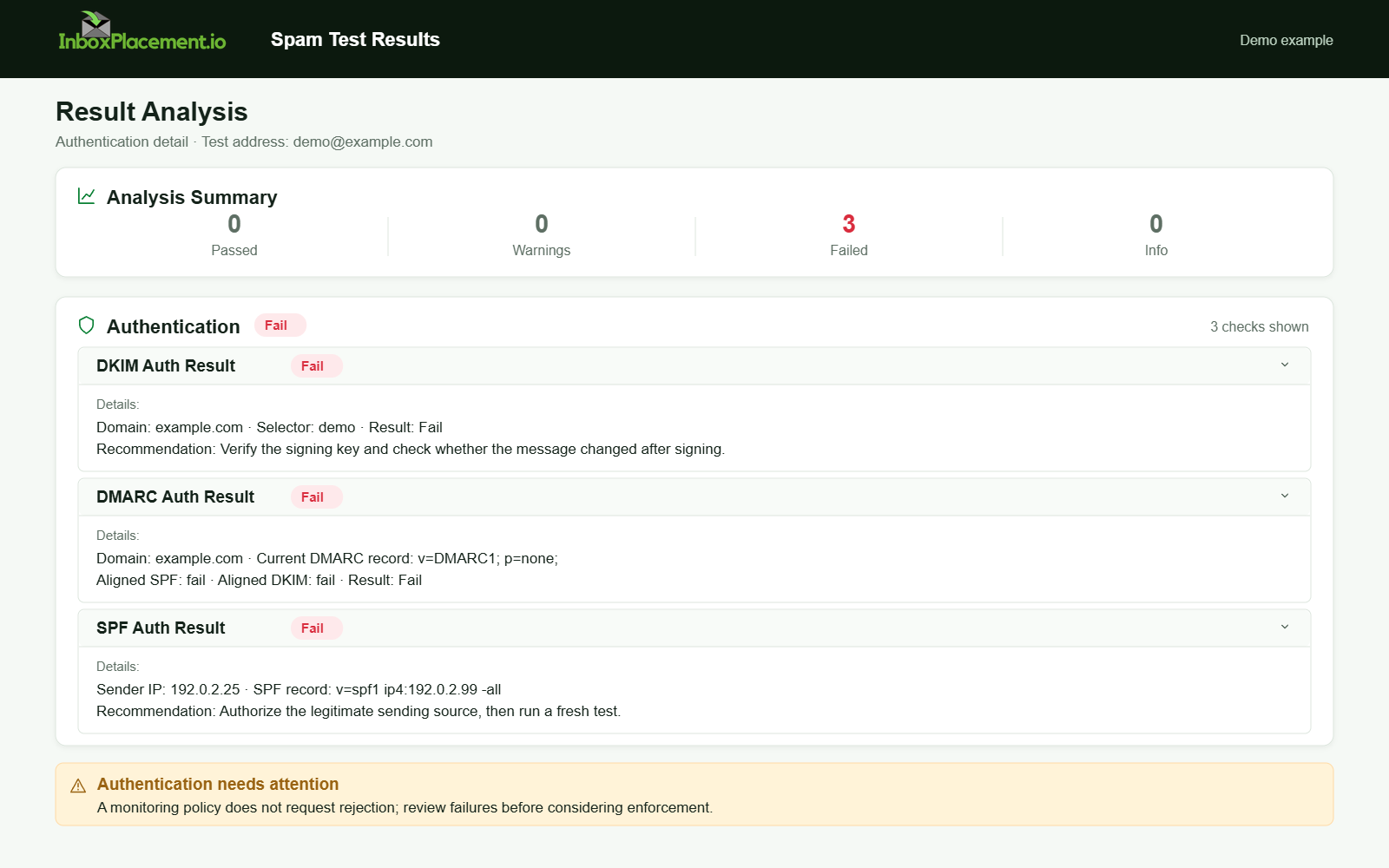
Demo example. Authentication failure diagnosis. Synthetic results for feature explanation; not a live test or customer outcome.
Evidence to collect before changing anything
Collect the minimum verifiable facts so you can isolate the root cause safely. Separate observed facts from interpretations.
Observed facts to capture
- The exact
Authentication-Resultsheader value from the receiving mailbox for a representative failing message, including the receiving hostname and timestamp. - The HELO/EHLO domain and the IP address seen by the recipient from the same message's
Receivedheaders. - The
From:domain used by the message. - The published SPF TXT record or records for the author domain and any relevant subdomains, queried from authoritative DNS.
- Any recent DNS changes, SPF edits, or new third-party senders added in the last 24–72 hours.
Every scenario below is illustrative unless you have the actual headers and DNS outputs.
Why collect these before changing DNS
- Making a DNS change without matching it to observed headers risks breaking mail for legitimate senders. Keep changes reversible and scoped.
A symptom-to-cause decision tree
Use this decision table to map the observed symptom to likely causes and safe next actions. Every unverified scenario is illustrative.
| Observed symptom in Authentication-Results or headers | Likely cause (illustrative) | Safe next action (collect evidence first) |
|---|---|---|
spf=none (no record found) | No SPF TXT published for the sending domain | Publish a single, canonical SPF TXT that lists authorized senders for the sending domain; then retest. |
spf=permerror | Multiple SPF TXT records exist, or SPF exceeds the 10-DNS-lookup limit | Do not publish additional records. Consolidate into one record and reduce includes/lookups. See Microsoft's authentication troubleshooting guidance. |
spf=temperror | Temporary DNS lookup failure or authoritative DNS unreachable | Verify authoritative DNS health and TTLs; retry queries; contact the DNS host if the issue is intermittent. |
spf=fail / hard fail | Sending IP is not included in the SPF policy | Confirm the sending IP from headers; add that IP or the provider's official include to SPF, or send through an authorized route; retest with a controlled message. |
spf=pass but mail is still marked spam | SPF alone is insufficient; DKIM, DMARC, or sender reputation may influence delivery | Collect DKIM signatures and DMARC alignment/headers; review DMARC policy and reports. |
Most common root causes, ordered by likelihood and impact
Observed facts → likely root causes (illustrative) → impact and notes.
-
Sending IP not authorized (illustrative)
- Why it happens: New sending service, moved mail streams, or a third-party relay was added without its
include:mechanism. - Impact: Immediate
spf=fail; receivers may quarantine or reject depending on DMARC and receiver policy.
- Why it happens: New sending service, moved mail streams, or a third-party relay was added without its
-
Multiple SPF TXT records or syntax errors (illustrative)
- Why: Administrators publish separate SPF records for subservices rather than one unified record.
- Impact:
permerror; many receivers treat permanent errors as a hard failure for policy enforcement. Microsoft documents multiple records as a cause of permerror.
-
Exceeded DNS lookup limit (illustrative)
- Why: SPF includes chain into many third-party services; each include can expand DNS lookups.
- Impact:
permerror. Microsoft documents the 10-DNS-lookup limit as a source of permerror.
-
Temporary DNS failures (illustrative)
- Why: Authoritative DNS outages, network issues, or misconfigured TTLs.
- Impact:
temperror; transient delivery issues. Retest after DNS health fixes.
-
Forwarding, mailing lists, and ARC or altered bounce paths (illustrative)
- Why: Forwarders alter the path; SPF checks against the original domain, and the forwarding server IP is not authorized.
- Impact: SPF can fail for forwarded mail; DKIM, DMARC, and ARC may help preserve or explain authentication.
-
Unaligned subdomain usage and
From:header mismatch (illustrative)- Why: A subdomain or different envelope-from domain is used than the one covered by SPF.
- Impact: Pass/fail depends on which domain the receiver checks; check DMARC alignment as well.
Safe remediation steps with clear limitations
Separate recommended actions from limitations: changing a record can address one observed failure without guaranteeing inbox placement.
Confirm the authoritative SPF record
- Recommended: Query the domain's authoritative DNS servers for TXT records and confirm exactly one SPF TXT record exists for the publishing domain.
- Limitation: TXT changes can take DNS TTL propagation time. Do not create multiple SPF TXT records.
Add missing authorized senders safely
- Recommended: For a known sending IP you control, add an
ip4orip6mechanism to the SPF record, or add the official providerinclude:according to the provider's instructions. - Limitation: Adding many includes can cause lookup limits; prefer direct IPs where they are stable and genuinely owned.
Consolidate includes to avoid the lookup limit
- Recommended: Replace chains of includes with direct
ip4/ip6mechanisms where feasible, or use a single trusted provider include. - Limitation: Flattening, or resolving includes to many IPs, increases maintenance burden. Re-check whenever a provider changes its IPs.
Fix multiple SPF records and syntax issues
- Recommended: Ensure exactly one SPF TXT record exists. Use RFC-compliant syntax and test with authoritative DNS queries.
- Limitation: DNS changes are global; test during a low-volume window if possible.
Address temperror by stabilizing DNS
- Recommended: Check authoritative DNS server availability and TTLs; consult the DNS host if you see intermittent timeouts.
- Limitation: Some DNS faults are external; monitor until the result is steady.
Important policy constraint: Do not advise weakening an existing DMARC enforcement policy (
p=quarantineorp=reject). Any emergency DMARC change must have explicit owner authorization, be narrowly scoped, time-limited, and include rollback criteria.
How to verify the change with a real message or controlled test
Separate verification steps from what verification can and cannot prove.
Verification steps
- Prepare a controlled test message from the sender system that previously failed.
- Send it to a test recipient you control at the destination provider, such as Gmail, Outlook, or Yahoo.
- Retrieve the received message and copy the
Authentication-ResultsandReceivedheaders. - Confirm:
- The receiving server's
Authentication-Resultsshowsspf=passfor the envelope domain and IP you expect. - The HELO/EHLO domain and sending IP match an authorized mechanism in the SPF TXT record.
- DKIM and DMARC statuses, if configured, are reported as expected.
- The receiving server's
Retest guidance (illustrative)
Look for consistent spf=pass across multiple controlled messages and no permerror or temperror in Authentication-Results. This is illustrative guidance; it does not prove long-term deliverability.
What this verification cannot prove
It cannot confirm inbox placement or long-term deliverability. Inbox placement is governed by additional signals such as recipient filtering, sender reputation, DMARC alignment, and content. Do not treat an SPF pass as proof of inbox placement.
Distinctions: keep these concepts separate
- DMARC result: The outcome of DMARC evaluation for a particular message, such as pass or fail. This is an observed evaluation.
- Published DMARC policy: The domain owner's published policy (
p=none,p=quarantine, orp=reject) that instructs receivers how to handle DMARC failures. - Receiver disposition: The action the receiving system takes for a message, such as accept, quarantine, or reject. Receivers may consider policy and other signals.
- Delivery: Whether the receiving system accepted the message for delivery to a mailbox or queue.
- Inbox placement: Whether a delivered message landed in the primary inbox or a folder such as Spam/Junk. Receiver filtering and reputation signals determine this; a single authentication check does not prove it.
Prevention and monitoring checklist
Use this concise checklist to reduce recurrence.
- Publish exactly one canonical SPF TXT record per sending domain.
- Include only necessary mechanisms; prefer
ip4/ip6for stable, owned IPs. - Monitor SPF record length and DNS lookup counts after onboarding new providers.
- Collect DMARC aggregate reports to spot failing sources with a DMARC monitoring tool.
- Periodically test mail flows to major providers and capture
Authentication-Resultsheaders. - Log DNS changes and require owner approval for emergency DMARC changes, including a time limit and rollback steps.
FAQ
What does permerror mean and how does it differ from a hard fail?
permerror indicates a permanent policy or syntax error during evaluation. Examples include multiple SPF records or exceeding the DNS lookup limit. A hard fail (spf=fail) specifically means the sending IP was evaluated and determined to be unauthorized. Microsoft documents both permerror causes and SPF failure outcomes.
If SPF fails, should I immediately change my DMARC policy to p=none?
No. Do not weaken DMARC enforcement as a first response. Any DMARC change must be authorized by the domain owner and implemented with a clear, time-limited rollback plan. Instead, collect the evidence, fix the SPF authorization issue, and verify with controlled tests.
Can forwarding cause SPF hard fails even when my original mail is authorized?
Yes. Forwarding often causes SPF to fail because the forwarding server IP is not in the original sender's SPF record. Use DKIM and DMARC with ARC where appropriate to mitigate forwarding-related failures.
If you use InboxPlacement.io, run an inbox placement test to collect Authentication-Results headers and receiver disposition for controlled messages after applying the recommended changes.
Sources
- Microsoft email authentication overview — SPF, DKIM, and DMARC roles plus SPF failure, permerror, and temperror causes.
- Microsoft authentication troubleshooting guidance — SPF troubleshooting mappings for none, permerror, temperror, softfail, and fail.
- Google Gmail sender guidelines FAQ — Gmail sender enforcement and authentication guidance.
- Yahoo Sender Requirements FAQ — Yahoo sender requirements and DMARC guidance.
Related Reading
- SPF Checker: Validate Your Sender Authorization and Fix Common Errors
- SPF Checker: How to Validate Results and Fix Common Errors
- DMARC Checker: Validate Your Record and Fix Common Errors
What to do next
Use an SPF checker to validate sender authorization before your next campaign, then verify real messages with header and inbox-placement testing. InboxPlacement.io helps connect DNS findings with authentication and mailbox results so you can fix the issue most likely to affect delivery.