
SPF · Email Authentication · Email Deliverability · DNS Records · DNS Diagnostics
SPF Checker: How to Validate Results and Fix Common Errors
· InboxPlacement.io Team
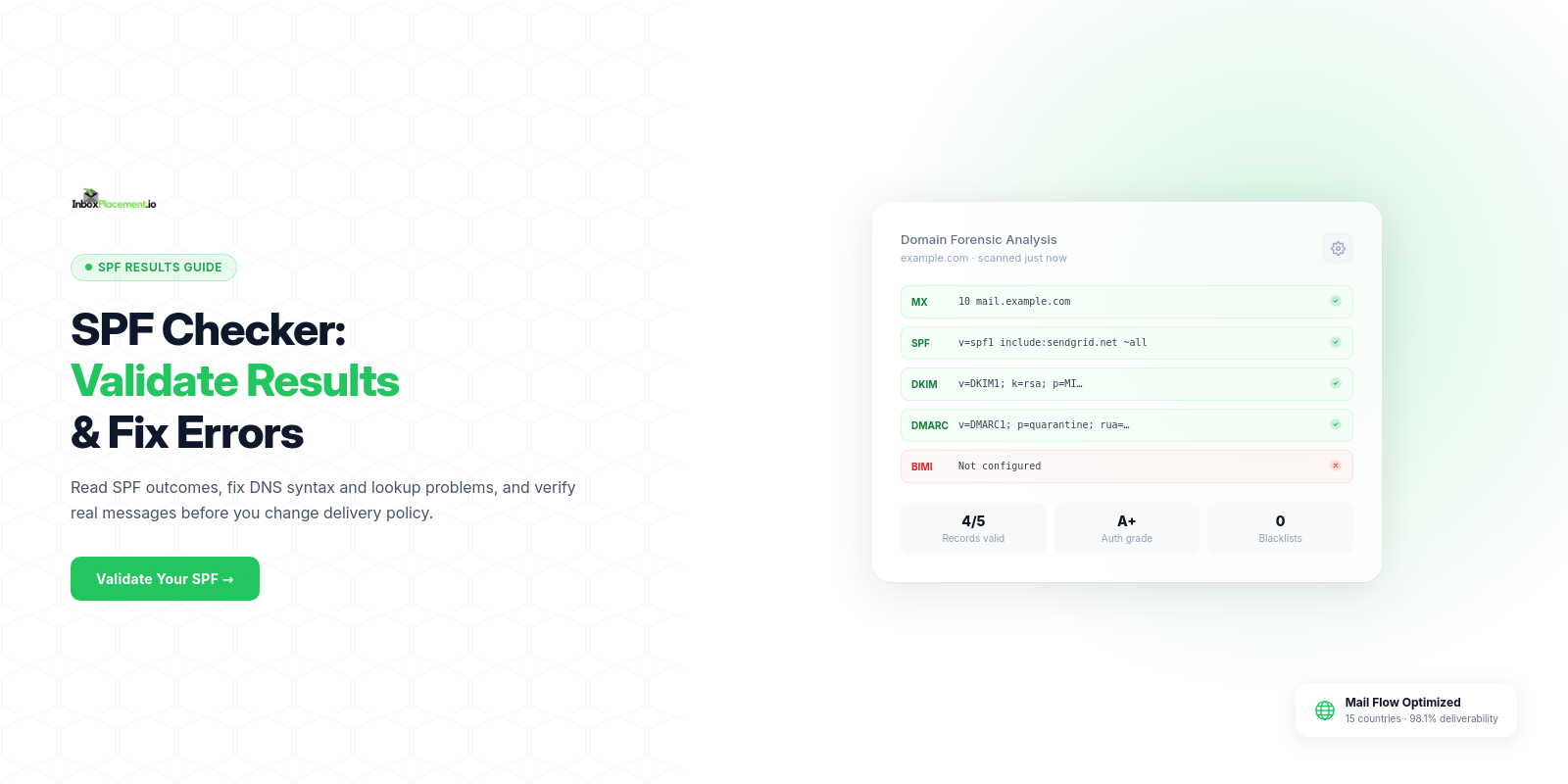
Short answer: an SPF checker reads the TXT record for a domain and evaluates whether a sending IP matches the mechanisms in that record. It can identify syntax problems, missing senders, duplicate SPF records, and DNS lookup risks. It cannot prove that a real message will reach the inbox.
Use an SPF checker to find configuration issues, fix the DNS record carefully, and then send a real message. Compare the DNS result with Received-SPF, Authentication-Results, DKIM, DMARC, and provider-level placement evidence.
This guide explains what an SPF checker can validate, how to interpret each result, how to fix common SPF errors safely, and why DNS-only results must remain separate from inbox-placement conclusions.
What an SPF checker can validate
SPF is a DNS-based authorization system for the envelope sender, also called the MAIL FROM or return-path. A receiving server evaluates the connecting IP against the SPF policy for that envelope-from domain.
A typical SPF checker can:
- Confirm that an SPF TXT record exists and starts with
v=spf1. - Parse
ip4,ip6,a,mx,include,exists, andredirectmechanisms. - Validate IP addresses, CIDR ranges, qualifiers, and common syntax rules.
- Expand
includeandredirectchains to estimate DNS lookup usage. - Flag duplicate SPF records, likely lookup-limit problems, and risky allow-all settings.
- Show which declared senders match the policy and which parts need review.
For a broader sender inventory and authorization walkthrough, see the SPF sender authorization guide.
What an SPF checker cannot prove
A clean DNS result means that the published record is valid to inspect. It does not prove:
- That every real sending service is covered if your sender inventory is incomplete.
- That a message will pass SPF when its actual MAIL FROM or connecting IP differs from the record you checked.
- That SPF will align with the visible
From:domain for DMARC. - That a receiver will accept the message or place it in the inbox.
- That forwarding will preserve SPF authentication.
- That a provider's recommended
includewill remain unchanged forever.
SPF validates the envelope sender. DMARC also considers alignment with the visible From domain, and mailbox providers evaluate many other signals. Read the DMARC checker guide when you need to connect SPF and DKIM results to DMARC policy.
Run an SPF check: inputs and expected signals
Before changing DNS, list every system that sends mail using your domain:
- Corporate mail servers
- Marketing and newsletter platforms
- CRM and customer-support systems
- Transactional email providers
- Website forms and application notifications
- Services that send on your behalf with a custom return path
Then run the check:
- Enter the envelope-from domain into an SPF checker.
- Confirm there is exactly one SPF TXT record and that it starts with
v=spf1. - Compare every
include, IP address,a, andmxmechanism with your sender inventory. - Review the number of DNS lookups required by the expanded include chain.
- Fix syntax and coverage issues before changing the final qualifier.
- Send a real test message after DNS changes and inspect its authentication headers.
You can also make a basic DNS lookup from a terminal:
dig TXT example.com
The example below is the supplied InboxPlacement.io platform capture. It shows a valid-looking v=spf1 record, provider includes, a lookup count, and review notes. It is illustrative platform evidence, not a claim about the current SPF configuration of every InboxPlacement.io environment.
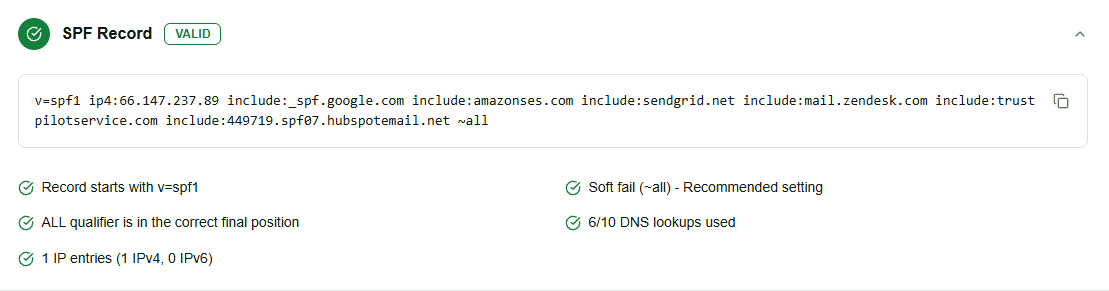
Illustrative SPF checker result from the InboxPlacement.io platform. The displayed record and warnings are examples for explaining how to read a result; verify your own domain before changing DNS.
How to interpret SPF checker results
Pass
The checked sending IP matched a permitted mechanism for the MAIL FROM domain. This says the SPF policy authorized that IP for that envelope sender. It does not guarantee inbox placement or DMARC alignment.
Fail or -all
The policy explicitly disallows the checked IP. Confirm that the IP belongs to a legitimate sender before adding it. Do not weaken the final qualifier just to hide an unknown sender.
SoftFail or ~all
The policy suggests that the sender is probably unauthorized, but it does not make the same strict statement as -all. Treat this as a signal to complete your sender inventory, not as proof that delivery will succeed.
Neutral or None
The record makes no useful authorization statement for the checked IP. Inspect the mechanisms and confirm that the correct envelope-from domain was tested.
PermError or TempError
PermError commonly indicates invalid syntax, multiple SPF records, or an evaluation limit being exceeded. TempError can indicate a transient DNS problem. Save the exact checker result, then recheck the published record and its expanded lookup chain.
How to read an SPF record
An SPF record is a single TXT record made up of a version marker, mechanisms, modifiers, and a final qualifier. The examples below use documentation values; replace them with the real senders only after confirming ownership.
v=spf1: the SPF version
Every SPF record must begin with v=spf1. A record without this marker is not an SPF record and will not authorize mail.
ip4 and ip6: authorize specific addresses
v=spf1 ip4:198.51.100.12 ip6:2001:db8::12 -all
These mechanisms authorize known IPv4 or IPv6 addresses. Use the narrowest real range that covers a confirmed sender.
include: authorize a provider policy
v=spf1 include:mail.vendor.example -all
An include delegates authorization to another domain and can consume lookup budget, including lookups required by nested includes. Use the exact hostname documented by a provider that actually sends mail for you.
a, mx, and redirect=
aauthorizes addresses returned by the domain's A or AAAA records.mxauthorizes addresses returned by the domain's MX records.redirect=tells SPF evaluation to use another domain's SPF policy when no mechanism in the current record matches.
These mechanisms can authorize more infrastructure than intended and may consume DNS lookups. Prefer the narrowest mechanism that accurately represents your senders.
Qualifiers and the final all mechanism
| Qualifier | Result | Typical meaning |
|---|---|---|
+ | Pass | Explicitly authorize the sender |
- | Fail | The sender is not authorized |
~ | SoftFail | The sender is probably unauthorized |
? | Neutral | The record makes no statement |
-all is strict and can be appropriate when every legitimate sender is covered. ~all is more cautious during discovery. +all authorizes every sender and removes most of SPF's protection.
SPF's 10-DNS-lookup limit
SPF evaluation allows up to 10 DNS lookups for mechanisms and modifiers that require DNS queries. Includes can contain more includes, so a short-looking record can exceed the limit after expansion.
Mechanisms that can consume lookups include:
includeamxexistsredirect
If evaluation exceeds the limit, a receiver can return permerror, and SPF may fail even when the sender appears in one of the nested records. The right fix is not deleting random includes. Map each include to a real sending service, remove services that no longer send for the domain, and consolidate or redesign the record when the lookup tree is too deep. RFC 7208 is the authoritative SPF specification.
Common SPF errors and safe fixes
A legitimate sender is missing
If a confirmed mail server or provider sends with your domain but is not covered, add the precise ip4, ip6, or provider include after confirming the sender:
v=spf1 ip4:198.51.100.12 include:mail.vendor.example -all
Do not add an address or provider simply because a message failed. Compare the connecting IP and MAIL FROM in a real header first.
The record contains an invalid CIDR range
v=spf1 ip4:198.51.100.0/33 -all
IPv4 networks cannot use a prefix longer than /32. Correct the range only after confirming the provider's actual network:
v=spf1 ip4:198.51.100.0/24 -all
The addresses above are documentation examples, not production values.
The record is overly permissive
v=spf1 +all
+all authorizes every IP address and defeats SPF's purpose. Build a complete sender inventory, add only confirmed mechanisms, and use a final qualifier that matches your tested policy.
Nested includes exceed the lookup limit
Remove obsolete providers, use a provider's consolidated include when available, or authorize stable infrastructure with explicit IP mechanisms where appropriate. Recheck the fully expanded record afterward.
Multiple SPF records are published
Two separate TXT records beginning with v=spf1 can produce an SPF permerror. Combine the required mechanisms into one SPF TXT record; do not publish a second record to add a provider.
SPF is confused with DMARC
SPF authenticates the envelope sender, not the visible From: header. A message can pass SPF and still fail DMARC if the MAIL FROM domain does not align with From and DKIM does not provide an aligned pass.
A safe SPF remediation workflow
- Build a sender inventory. List every application, provider, server, and subdomain that uses your domain in the MAIL FROM.
- Save the current record. Record mechanisms, lookup usage, warnings, and the current final qualifier before editing.
- Change one sender at a time. Add or remove an exact mechanism only after confirming the provider or IP.
- Recheck syntax and expansion. Confirm one
v=spf1record, valid mechanisms, and a lookup count within the limit. - Wait for DNS caching. Allow the relevant TTL and verify from more than one resolver if results differ.
- Send a real test. Inspect
Authentication-Results,Received-SPF, DKIM, and DMARC results from the receiving provider. - Use
-allonly when coverage is complete. Do not switch qualifiers blindly while discovering senders.
If SPF fails even though the checker shows a valid record, compare the actual MAIL FROM and connecting IP in the headers with the domain and record you checked.
Verify a real message after the change
DNS checks are necessary but not sufficient. After updating DNS:
- Send representative test messages from each sending service to inboxes you control.
- Collect the full headers, including
Received-SPFandAuthentication-Results. - Compare the observed result with the DNS-only SPF checker result.
- Check DKIM and DMARC alignment separately.
- Use an inbox placement test to observe provider-level mailbox outcomes.
Real-message testing tells you what one receiving system observed on one delivery path. It still should not be generalized into a guarantee for every recipient or future send.
Frequently Asked Questions
Can an SPF checker prove that emails will land in the inbox?
No. It validates the published SPF record, sender mechanisms, syntax, and lookup risks. Inbox placement depends on real message headers, receiver policies, sender reputation, content, engagement, and other signals.
What causes PermError in an SPF checker?
PermError commonly means that the record is syntactically invalid, multiple SPF records exist, or the expanded evaluation exceeded the DNS lookup limit. Save the result, inspect the full record, fix the underlying issue, and retest.
Is -all better than ~all?
Neither is universally better. -all is stricter and may cause unauthorized mail to fail, while ~all signals a soft failure. Use -all only after every legitimate sender is covered and real-message tests are passing.
Will SPF still pass after forwarding?
Forwarding can cause SPF to fail because the forwarding server may connect from an IP the original domain did not authorize. DKIM, ARC where supported, and receiver-specific behavior can preserve or explain authentication in these cases.
How long do SPF changes take to appear?
Many DNS changes become visible within minutes or hours, depending on TTL and resolver caching. Allow up to 48 hours for broad propagation and verify from more than one resolver if results differ.
What to do next
Use an SPF checker to validate sender authorization before your next campaign, then verify real messages with header and inbox-placement testing. InboxPlacement.io helps connect DNS findings with authentication and mailbox results so you can fix the issue most likely to affect delivery.
Check your SPF setup at InboxPlacement.io →
For related authentication checks, read the DKIM tester guide, the DMARC checker guide, and the SPF sender authorization guide.