
SPF · Email Authentication · Email Deliverability · DNS Records · Troubleshooting
SPF 10 DNS Lookup Limit Troubleshooting Workflow
· InboxPlacement.io Team
Direct answer
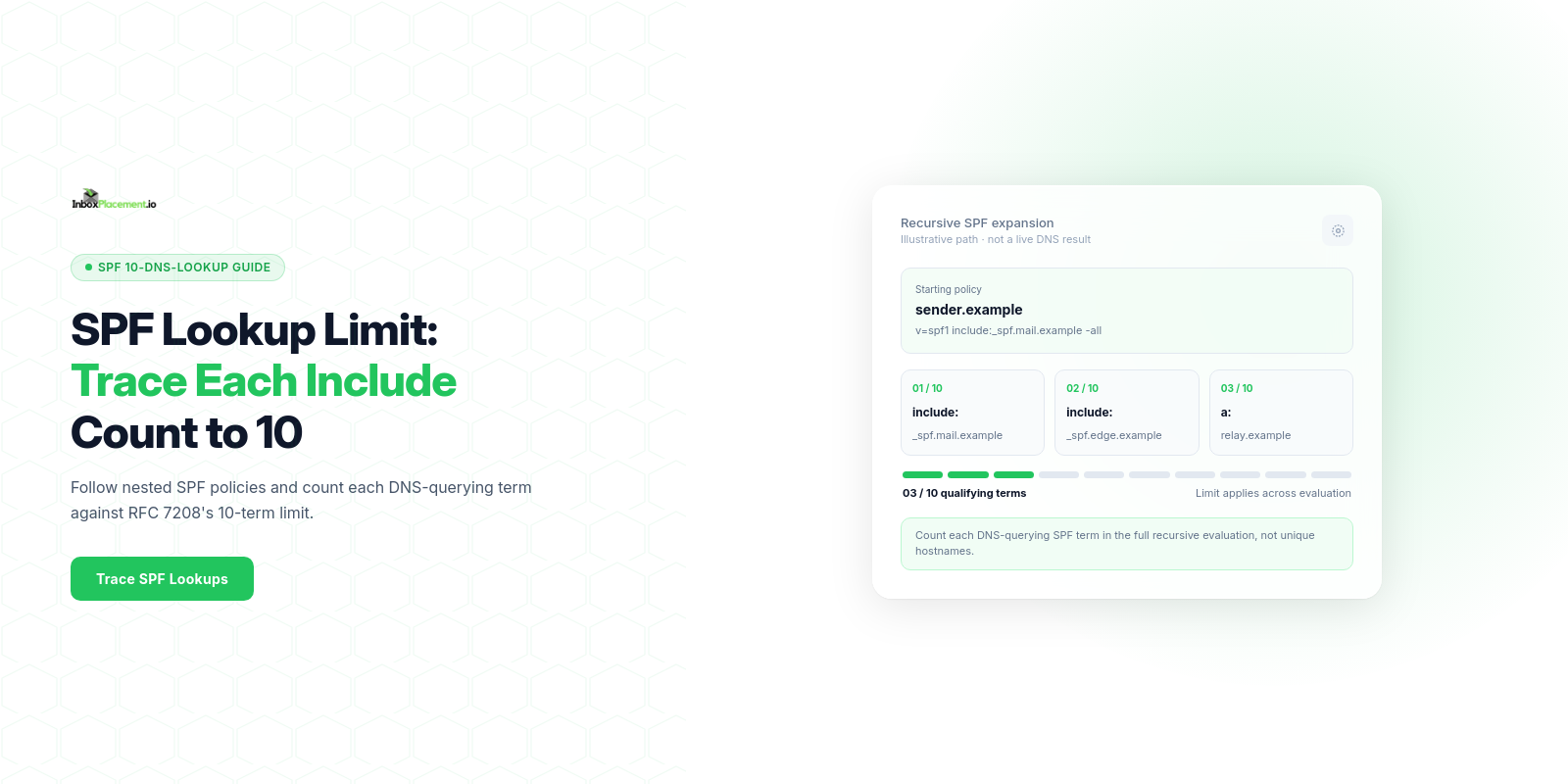
This workflow runs a repeatable SPF-expansion check that counts each DNS-querying SPF term encountered during evaluation—including nested policies—against RFC 7208's 10-term limit. It also collects receiver Authentication-Results and related signals, then maps observed outcomes to likely causes and safe remediation steps. It measures SPF record existence, syntactic validity, and whether SPF evaluation would generate a DNS lookup–limit error (a permerror condition); it does not prove inbox placement or receiver policy decisions.
What to prepare before running the test
Collect the following items and notes for a reproducible run:
- Domain(s) to test (return-path/envelope-from and any subdomains used for sending).
- The exact SPF TXT record(s) currently published for each domain (full TXT string).
- Authoritative DNS servers for the domain and current TTL values.
- List of third-party senders, vendor include mechanisms, and any known forwarding services.
- Representative receiving mailboxes you control for later validation across providers (Gmail, Outlook/Office 365, Yahoo). These will provide Authentication-Results headers and receiver-specific behavior.
- Recent message headers that include an Authentication-Results header from the receiving provider (if available) — label those headers as observed evidence.
- A versioned changelog location (file or ticket) to record any DNS or sending changes and timestamps for retests.
Note: label any scenario you are not directly measuring as illustrative when reporting (for example, “Illustrative: a provider might classify mail differently despite SPF passing”).
Step-by-step testing workflow
-
Snapshot the current DNS answers
- Query the authoritative name servers for TXT records of the sending domain and any obvious subdomains involved in mail flow.
- Record the full TXT strings and TTLs. Save raw DNS responses for future comparison.
-
Produce an SPF-expansion report (count DNS-querying terms)
- Use an SPF expansion tool or scripted resolver to follow include: and other DNS-querying terms through the evaluated policy, including nested SPF records.
- Count each qualifying term encountered in the full evaluation—not unique hostnames or network requests—and save the DNS transcript and record types requested as supporting evidence.
- Save the expansion output as your baseline.
Illustration label: Illustrative — the SPF expansion step models what a receiver’s SPF engine would do; expansion tools approximate receiver behavior but do not impersonate a downstream receiver’s caching, resolver, or implementation differences.
-
Verify SPF evaluation locally against a sending IP
- For each sending IP in scope, run a local SPF evaluation against the expanded policy (many SPF tools accept an IP + SPF record and return pass/softfail/fail/permerror).
- Record the evaluation results tied to each sending IP.
-
Send test messages and collect Authentication-Results
- Send a small set of controlled messages from the sending IP(s) to your representative mailboxes.
- Collect full headers and save the Authentication-Results header(s) from each receiving provider for each message.
-
Compare observed receiver headers to the expansion report
- Note whether any receiver shows an SPF permerror, temperror, pass, fail, softfail, or none in Authentication-Results.
- Map each observed Authentication-Results outcome back to the expansion count and the specific DNS queries that expansion invoked.
-
Record and timestamp everything
- Keep the DNS snapshots, expansion outputs, local SPF evaluations, sent-message headers, and any notes in your changelog for reproducibility.
How to interpret results by mailbox provider or signal
Separate the signal types when you read results:
- Observed evidence: raw DNS TXT output, SPF expansion log, local SPF evaluation results, Authentication-Results header values captured from receivers.
- Possible causes: inferred explanations for the observed evidence (see diagnostic matrix).
- Safe actions: low-risk, reversible remediation steps to address likely causes.
- Retest criteria: what to re-run and when to judge whether the action had the expected effect.
Important supported behaviors from official receiver guidance:
- Microsoft documents that an SPF permerror can occur when "the SPF record exceeds the 10 DNS lookup limit, or multiple SPF records exist for the same domain." Use that table to map permerror to those causes. (Source: Microsoft)
- Microsoft also maps SPF check returns of none, temperror, softfail/fail to the corresponding likely causes (no record published, temporary DNS failure, and the sending IP not included, respectively). (Source: Microsoft)
- Google recommends setting up SPF, DKIM, and DMARC for sending domains and warns that composite authentication still matters; enforcement and sender requirements are evolving, so interpret provider signals accordingly. (Source: Google)
- Yahoo’s sender guidance notes that DMARC enforcement and sender requirements can affect delivery and that spoofing counts toward enforcement metrics; treat DMARC status and SPF as separate signals. (Source: Yahoo)
When reading an Authentication-Results header, separate the SPF result field from DKIM and DMARC results; a pass in SPF is one signal and does not guarantee DMARC alignment or final disposition.
Diagnostic matrix: observed evidence, likely cause, safe action, retest
| Observed evidence (Illustrative) | Likely cause (illustrative) | Safe action (do first) | Retest criteria |
|---|---|---|---|
| Authentication-Results shows "spf=permerror" | SPF evaluation triggered a permerror; commonly the SPF record exceeded the 10 DNS lookup limit or multiple TXT SPF records exist for the domain. (Microsoft documents these causes.) | Inspect published TXT records for duplicates; run full SPF expansion to count DNS-querying terms; remove duplicate TXT records; consolidate includes. Record changes in the changelog. | Re-run SPF expansion; expect no more than 10 DNS-querying terms and Authentication-Results to stop showing permerror. |
| Authentication-Results shows "spf=temperror" | Temporary DNS failure resolving SPF (authoritative DNS unreachable or timeouts). (Microsoft documents this cause.) | Verify authoritative DNS server availability, check TTLs, and resolve any DNS outages. Avoid making large SPF edits during DNS instability. | Re-query authoritative servers and re-run expansion; confirm stable answers and that Authentication-Results no longer reports temperror. |
| Authentication-Results shows "spf=none" | No SPF TXT record present for the domain. (Microsoft documents this cause.) | Publish a valid single SPF TXT for the sending domain. Avoid publishing multiple distinct SPF TXT records. | After DNS propagation, re-query TXT records and check Authentication-Results for a non-none result. |
| Authentication-Results shows "spf=softfail" or "spf=fail" | The sending IP is not covered by the domain’s SPF record. (Microsoft documents this cause.) | Add the sending IP range or a correct include for the legitimate sending service; confirm syntax. | Send test messages and check Authentication-Results; expect pass or softfail depending on the action. |
| SPF passes but mail still routed to Junk/Quarantine | SPF alone cannot prevent spoofing and delivery actions depend on DKIM, DMARC, content signals, and provider enforcement. (Microsoft and Google note composite authentication and DMARC alignment matter.) | Ensure DKIM signing and DMARC are configured and aligned; review content and sending practices. | After enabling DKIM/DMARC and allowing propagation, re-run message sends and record Authentication-Results and receiver disposition. |
All rows are illustrative scenarios. Use your recorded evidence to confirm which scenario applies.
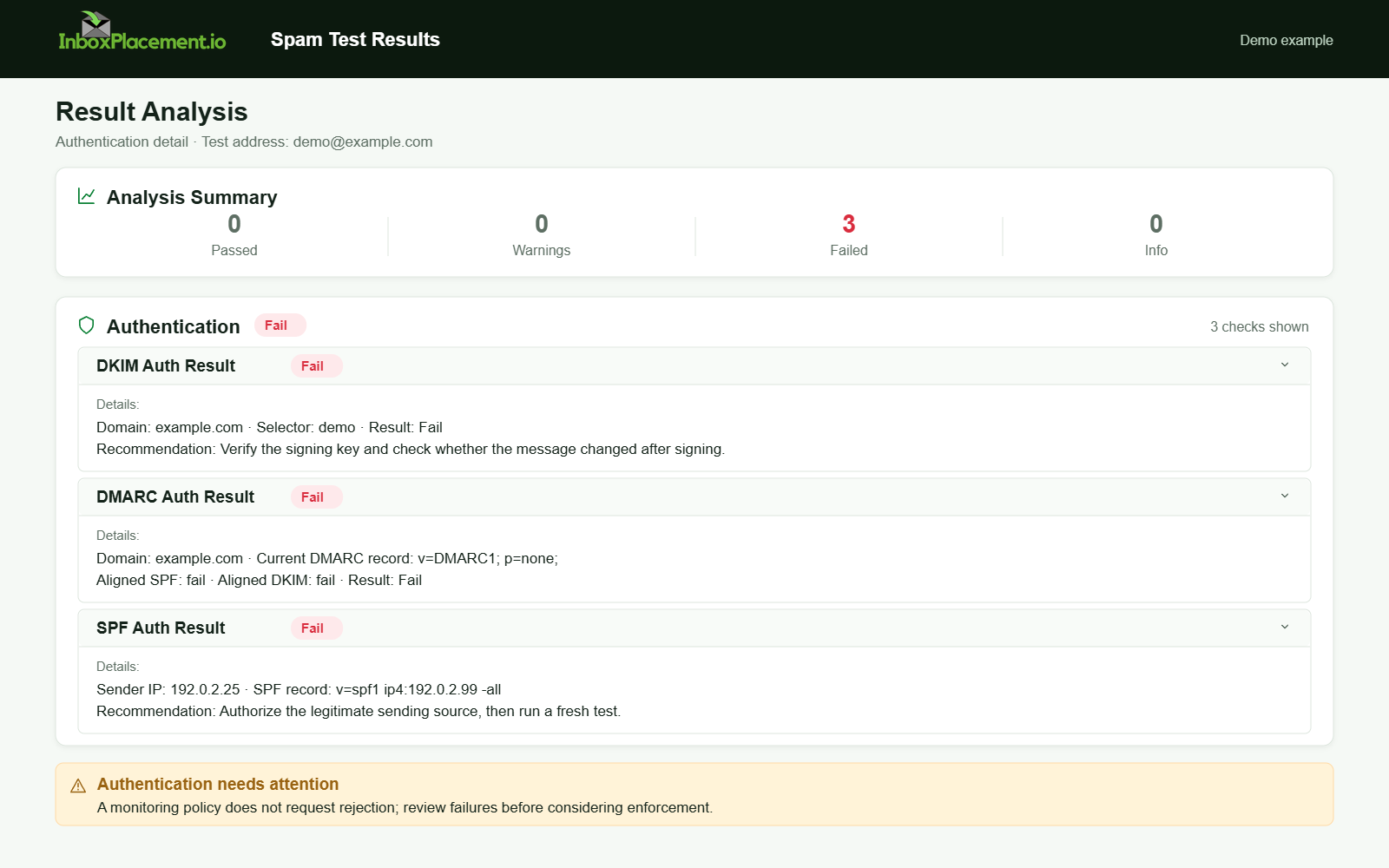
Demo example. Authentication failure diagnosis. Synthetic results for feature explanation; not a live test or customer outcome.
Test limitations and common sources of false confidence
- Expansion tools approximate receiver behavior but cannot perfectly replicate a receiver’s resolver caching, query ordering, or timeout behavior. Treat SPF-expansion outputs as indicative, not definitive.
- DNS answers can change between checks as records and TTLs change. Record TTLs and authoritative responses, and distinguish the RFC's count of DNS-querying terms from the number of network queries a resolver actually sends; resolver caching does not reduce the SPF term limit.
- Some SPF "flattening" or consolidation services modify the published TXT to hide includes; that can give a low-lookup count in your snapshot while another receiver’s resolver sees a different result if updates are out-of-sync.
- Receivers implement SPF and policy decisions differently. An SPF pass does not guarantee mailbox placement; receivers combine SPF with DKIM, DMARC, content signals, and sender reputation.
- Authentication-Results headers are receiver-provided assertions of how that receiver evaluated signals; they describe the receiver’s view but do not prove that all recipients or providers will behave identically.
- Never interpret a single successful SPF-expansion or a single Authentication-Results header as proof of universal delivery; label such interpretations illustrative.
How to document and compare a follow-up test
Keep a structured retest record. For each retest, capture:
- Test ID and timestamp (UTC).
- The domain and exact DNS TXT strings observed (copy-paste).
- Authoritative DNS server responses and TTLs.
- SPF-expansion output files and total count of DNS-querying SPF terms.
- The sending IP(s) used and the local SPF evaluation result per IP.
- Full message headers saved from each receiver with Authentication-Results extracted.
- Changelog entry describing the change(s) applied since the last test (who, what, why, and expected result).
- A simple pass/fail checklist for retest acceptance:
- No SPF permerror observed in receiver Authentication-Results.
- SPF evaluation uses no more than 10 DNS-querying terms.
- Authentication-Results for DKIM/DMARC align as expected (if relevant).
- DNS propagation observed on authoritative servers.
When comparing runs, show “before” and “after” side-by-side for each captured artifact so reviewers can verify the causal link between change and result.
FAQ
Will reducing my SPF lookup count guarantee inbox placement?
No. Reducing exceeded-lookup errors eliminates one class of SPF permerrors, but inbox placement depends on DKIM, DMARC, content, sender reputation, and provider policies. Authentication signals are inputs to provider decisions, not guarantees.
If I see a permerror, can I quickly weaken my DMARC to avoid delivery problems?
Do not weaken an existing DMARC enforcement policy without explicit owner authorization. Any emergency DMARC change must be narrowly scoped, time-limited, documented, and include rollback criteria. Prefer fixing SPF or splitting traffic to a subdomain rather than changing DMARC enforcement.
Can I rely on SPF flattening services to fix lookup limits?
Flattening can help but can also obscure where authorized IPs originate and create maintenance or sync issues. Treat flattened records as an operational decision and document the process; always verify against authoritative DNS and receiver Authentication-Results.
Sources
- RFC 7208 §4.6.4: DNS Lookup Limits
- Troubleshoot email authentication in Microsoft 365
- Gmail email sender guidelines FAQ
- Yahoo Sender Requirements FAQ
- Gmail email sender guidelines