
Email Deliverability · Email Authentication · SMTP Troubleshooting
SMTP 554 Transaction Failed Troubleshooting Guide
· InboxPlacement.io Team
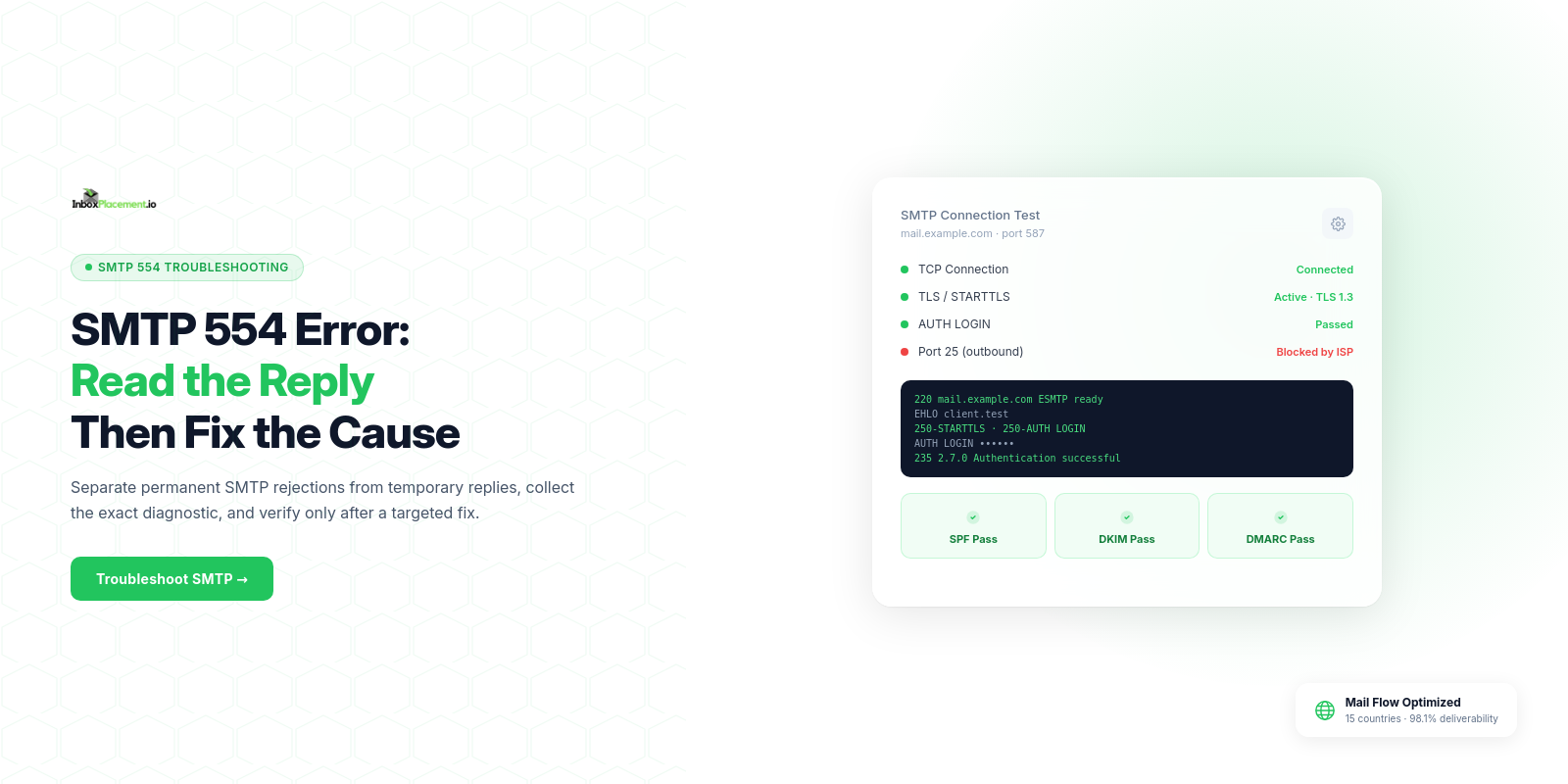
Start here: a single SMTP 554 "transaction failed" response means the receiving server rejected that SMTP transaction. Under SMTP's reply-code classes, 554 is a permanent negative response (5yz); it is not a temporary retry signal like 4yz. The exact reply text and enhanced status code give more context, but the response alone does not prove why the server rejected the message or whether authentication (SPF/DKIM/DMARC) passed. Collect evidence first, use the symptom-to-cause decision tree below, apply only safe, reversible changes, and verify by sending a controlled test.
Direct diagnosis: what the symptom usually means and what it does not prove
Observed fact
- The SMTP session returned a
554response code and text such as "554 Transaction failed" (server-generated during the SMTP session).554belongs to the permanent-negative5yzclass; a temporary-negative response is in the4yzclass.
What that typically indicates
- The receiving MTA refused the message at SMTP time. Common receiver actions paired with 554 include permanent rejection of the message or rejection for policy reasons.
What a 554 does NOT prove
- It does not, by itself, prove
SPF,DKIM, orDMARCstatus. It also does not prove mailbox placement (inbox vs. spam) or whether downstream filters will quarantine or deliver messages. - It does not prove the sender is on a public blocklist. A provider may include policy-specific wording, including rate-related wording, but do not infer the cause from
554alone or treat it as a temporary reply.
Important header to collect later: Authentication-Results — this header and bounce details are signals, not proofs of deliverability. Authentication-Results can show what the receiver checked, but it cannot guarantee final inbox placement.
Evidence to collect before changing anything
Gather the following for each representative failed message (collect multiple samples when possible):
- Raw SMTP bounce text (exact
554response line and full SMTP transcript if available). - Message headers (full original headers from the sending system); look for
Authentication-Results,Received,Message-ID,From,Return-Path, andDate. - Sending IP and
HELO/EHLOname from the sendingMTAlogs. - Sending domain's published DNS records at time of failure:
SPFTXT,DKIMselectorTXT, andDMARCTXT. - Recent sending pattern (volume, rate changes) and whether the sending IP is shared or dedicated.
- Any recent configuration changes (MX, MTA software updates, DNS changes).
- If targeting major providers, check receiver-specific guidelines or tools (illustrative): Google Postmaster, Microsoft message trace (see Sources).
Label each collected item clearly as "observed evidence" in your working file. Do not change DNS or outbound settings until you have at least one full sample set.
A symptom-to-cause decision tree
Use this compact decision table to narrow likely causes. Treat every row as diagnostic guidance; individual cases are illustrative (unverified) until you collect evidence.
| Symptom / Evidence | Observed evidence (what to look for) | Likely immediate cause(s) | Next safe action |
|---|---|---|---|
554 with text about "policy" or "rejected" and Authentication-Results shows SPF/DKIM/DMARC fail | Authentication-Results: SPF/DKIM/DMARC fail; bounce text references authentication | Missing or failing authentication or alignment issues (illustrative) | Verify DNS records and Authentication-Results. If DNS is missing, publish correct TXT records (see safe remediation) |
554 with "rate" or "throttle" wording | Exact SMTP reply text and enhanced status code; compare with the provider's documentation and other attempts | Provider-specific policy rejection; the wording alone does not establish a temporary deferral | Do not retry unchanged. Review the provider's diagnostic, reduce volume only when evidence supports it, and send a controlled test after addressing the cause. Follow documented retry guidance for 4yz replies |
554 with "blocked" + sender IP listed in a public blocklist | Bounce text or receiver feedback points to blacklists | IP reputation or listing due to spam/compromise (illustrative) | Confirm the listing, investigate sending behavior, remediate compromise, and request delisting |
554 with "TLS required" or connection refused after STARTTLS | SMTP transcript shows no TLS or a TLS handshake failure | Receiver enforces TLS; connection failed (illustrative) | Configure and test TLS on the outbound MTA (see Google requirement below) |
554 with generic "transaction failed" and no Authentication-Results | Minimal information in the bounce | Ambiguous policy rejection; the code alone does not identify a temporary receiver issue | Collect more samples and contact the receiver postmaster with the full SMTP transcript |
After you select the "Next safe action", document the evidence you will collect after that action and the rollback plan before making changes.
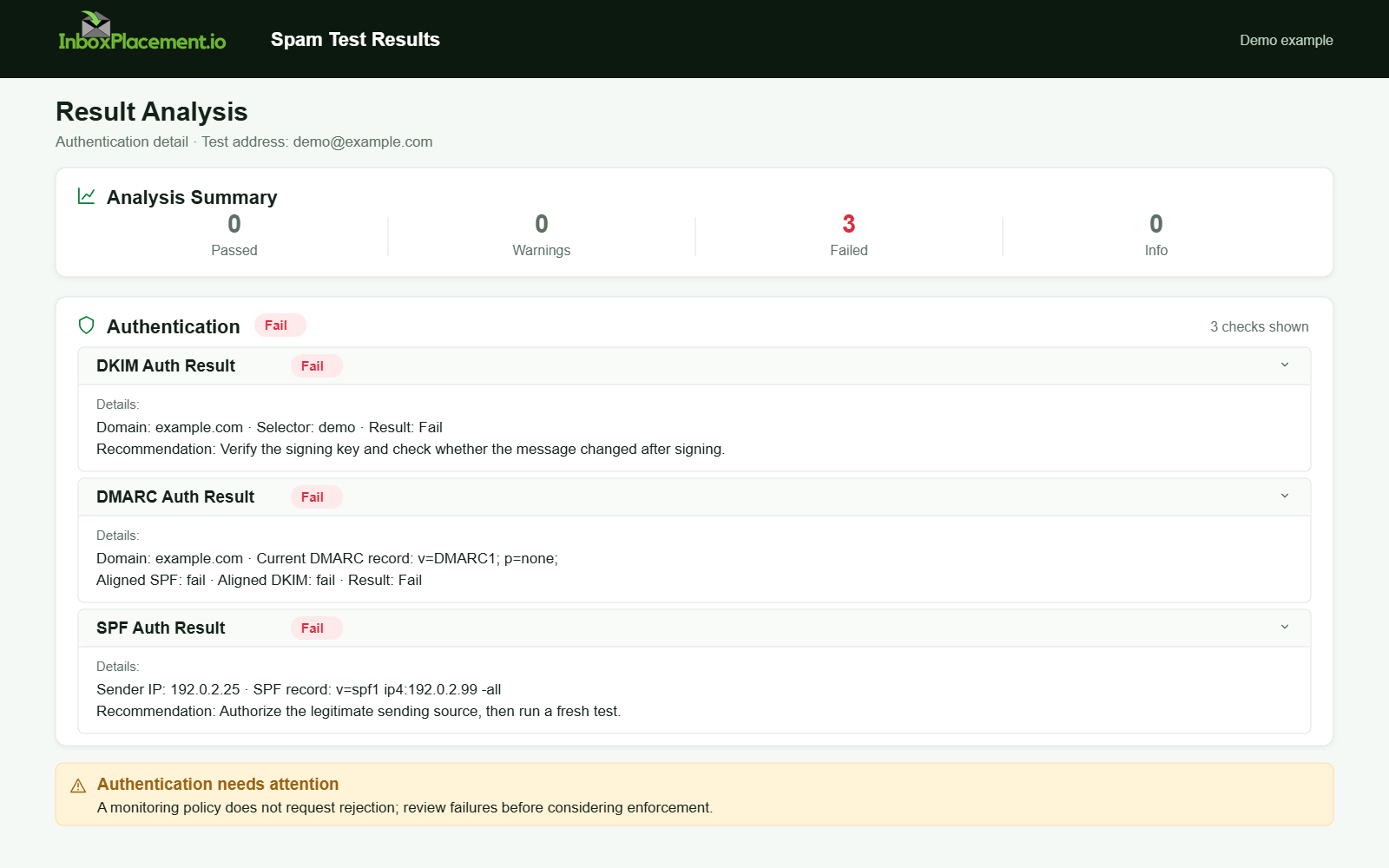
Demo example. Authentication failure diagnosis. Synthetic results for feature explanation; not a live test or customer outcome.
Most common root causes, ordered by likelihood and impact
Observed evidence → likely root cause (illustrative unless verified)
-
Authentication misconfiguration (SPF, DKIM missing/incorrect, or DMARC misalignment)
- Evidence: missing or malformed
SPFTXT, absentDKIMsignatures, orAuthentication-Resultsshowing failures. - Note: Microsoft docs explain that authentication failures may cause messages to be quarantined, rejected, or moved to Junk; SPF specifics (no record, permerror, temperror, softfail) are documented there (see Sources).
- Evidence: missing or malformed
-
Sending IP reputation or blocklist hits
- Evidence: bounce text mentioning block/blacklist, external blocklist lookup results.
-
Rate limits or sudden volume spikes
- Evidence: 554 responses mentioning rate or a pattern of rejections coincident with increased volume.
-
TLS/connection requirements not met
- Evidence: SMTP transcript shows
STARTTLSnegotiation failing or noTLSused. Gmail's sender guidance includesTLSrequirements for transmission (see Sources).
- Evidence: SMTP transcript shows
-
Content/policy filtering or configured receiver rules
- Evidence: bounce text referencing policy or attachment handling.
-
Receiver or relay configuration and DNS problems
- Evidence: bounce text or sending logs explicitly identify name-resolution errors, mismatched configuration, or an intermittent dependency failure. The
554response itself remains a permanent reply for that attempt.
- Evidence: bounce text or sending logs explicitly identify name-resolution errors, mismatched configuration, or an intermittent dependency failure. The
Safe remediation steps with clear limitations
Before making changes: create a rollback plan and schedule a maintenance window if changes touch DNS or production sending.
For each observed evidence pattern, follow these safe steps. Separate observed evidence, possible causes, and recommended actions in your notes.
-
Authentication failures (SPF/DKIM/DMARC)
- Observed evidence:
Authentication-Resultsshowsfail/permerror;SPFTXTis missing or returnspermerror. - Possible causes: missing SPF record, multiple SPF records, DNS lookup limit exceeded, DKIM selector misconfigured, DMARC policy misalignment.
- Safe actions:
- Verify current DNS
TXTrecords with authoritative DNS queries; do not delete records immediately. - If
SPFis missing: publish a singleSPFTXTrecord that lists only legitimate senders. Avoid creating multipleSPFrecords for the same domain. - If
SPFreturnspermerror: inspect for duplicate records or complex includes that exceed lookup limits and simplify. - If a
DKIMsignature is missing or failing: confirm the correct selector and public key in DNS; rotate keys only if you have a validated plan and rollback. - Do NOT weaken an existing
DMARCenforcement policy. Any change toDMARCenforcement must be authorized and documented by the domain owner and follow organizational change-control procedures.
- Verify current DNS
- Limitations: DNS changes propagate; expect TTL delays. Authentication checks alone do not prove inbox placement.
- Observed evidence:
-
TLS / connection issues
- Observed evidence:
STARTTLSfails orTLSis not used. - Possible causes: outbound MTA lacks valid certificate, client doesn't support TLS, or network blocks TLS ports.
- Safe actions:
- Enable and test
STARTTLSon the sendingMTAusing a staging domain or limited IP. - Use standard CA-signed certificates and ensure time/date correct on servers.
- Enable and test
- Limitations: Some receivers require specific TLS profiles; follow receiver guidance where available.
- Observed evidence:
-
Reputation and blocklist
- Observed evidence: bounce text or external checks show listings.
- Possible causes: past spam, compromised accounts, shared-IP issues.
- Safe actions:
- Investigate for account compromise, remove abusive senders.
- Request delisting per the blocklist operator procedure; provide remediation proof as required.
- Limitations: Delisting can take time; reputation rebuild is gradual.
-
Rate limits and sending behavior
- Observed evidence: exact
554reply text references rate; correlate with sending bursts and provider documentation. - Safe actions:
- Do not automatically retry the
554unchanged. If the evidence supports a rate-related cause, reduce sending rate or spread deliveries, then run one controlled test after reviewing receiver guidance. Apply retry scheduling to temporary4yzreplies, not permanent5yzreplies.
- Do not automatically retry the
- Limitations: Receiver whitelisting requires receiver involvement.
- Observed evidence: exact
-
Content or policy filters
- Observed evidence: bounce references content/policy.
- Safe actions:
- Adjust content, remove offending attachments, and resend.
- If unclear, contact receiver postmaster with full SMTP transcript for explanation.
Always perform changes first in a controlled scope (one IP, one sending domain, or a small recipient set). Maintain the ability to revert DNS and MTA config quickly.
How to verify the change with a real message or controlled test
Before broad rollout, run a controlled test:
Observed evidence to capture during test:
- Full SMTP transaction log (client side).
- The receiving server's SMTP response(s), including the
2xx/4yz/5yzcodes. - Final delivery reports (if delivered) and the receiver’s
Authentication-Resultsheader if added to the delivered copy.
Test plan (example, illustrative):
- Choose a single recipient mailbox (preferably at the provider that returned 554).
- Send a single test message from the adjusted sending IP/domain.
- Capture the SMTP transcript and the delivered message headers (if delivered).
- If still rejected, immediately collect full evidence and stop wider sends.
Retest criteria (what counts as "success"):
- SMTP session completes with a
250-class response and no immediate5yzrejection (illustrative). Authentication-Resultsshows intended authentication results (e.g.,SPF: passorDKIM: pass) — note these are signals, not proof of inbox placement.- If delivered, confirm whether a message landed in Inbox or Spam using the receiver's mailbox (illustrative — delivery folder is a separate signal).
Explain what tests cannot prove
- A successful authentication result and a
250reply do not prove consistent inbox placement across recipients or long-term reputation improvement. Use ongoing monitoring and placement tests for that stage.
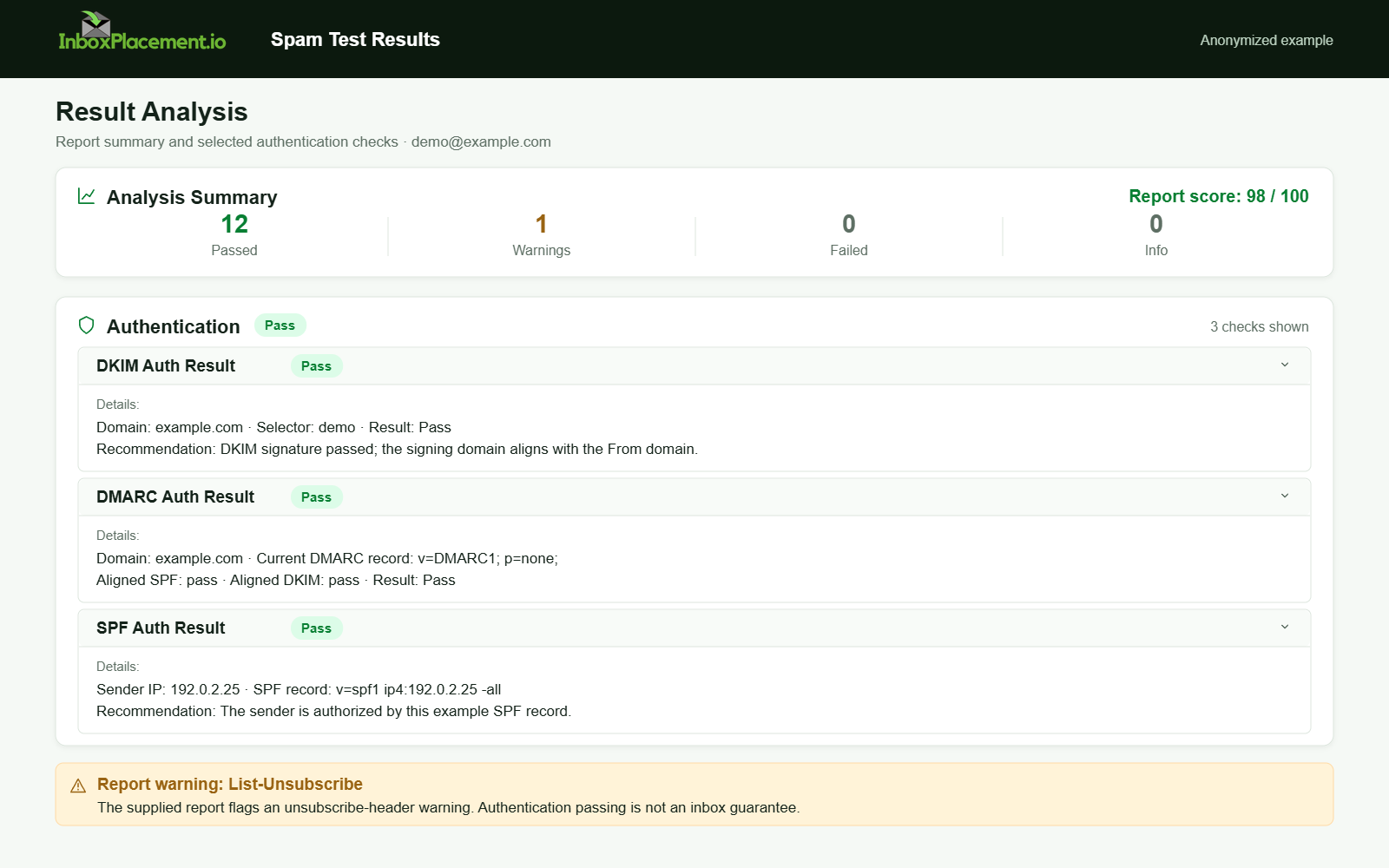
Anonymized example adapted from a supplied product report. Selected figures retained; identifiers and layout reconstructed. Not a new live test.
Prevention and monitoring checklist
Use this checklist proactively to reduce recurrence (apply and monitor continuously):
- Publish a single, correct
SPFTXTrecord and keep lookups under recommended limits. - Publish
DKIMpublic keys for all signing selectors in use and rotate keys with a policy and rollback plan. - Publish a
DMARCrecord and manage changes through domain-owner authorization and change control. - Ensure the outbound
MTAsupportsSTARTTLSwith valid certificates. - Monitor sending IP reputation and check blocklists weekly.
- Track abnormal sending volume and implement throttling safeguards.
- Maintain logging to capture SMTP transcripts and
Authentication-Resultsfor failed transactions. - For major providers follow their sender guidance (see Sources) and use provider tools (e.g., Microsoft message trace, Gmail Postmaster).
Sources
- RFC 5321: SMTP reply-code classes — Defines the
4yztemporary-negative and5yzpermanent-negative reply classes. - Troubleshoot email authentication in Microsoft 365 — Covers common
SPF,DKIM, andDMARCfailure symptoms and Microsoft's troubleshooting guidance. - Trace an email message in Exchange Online — Explains how message trace distinguishes received, rejected, deferred, and delivered messages in Exchange Online.
- Gmail email sender guidelines — Describes Gmail sender requirements, including
TLSand authentication requirements by sender volume.
FAQ
Can I assume Authentication-Results pass means my mail will reach the Inbox?
No. Authentication-Results is useful diagnostic information but does not guarantee inbox placement. Delivery and placement depend on multiple signals, including reputation and receiver-specific filtering. This scenario is illustrative and unverified until you collect end-to-end evidence.
Should I temporarily set DMARC to p=none to stop 554 replies?
Do not change DMARC enforcement without explicit authorization from the domain owner. DMARC policy changes affect spoofing protection and receiver behavior; prefer targeted fixes to authentication or sending practices first. Any DMARC policy change must follow your organization's authorization and change-control processes.
If I add SPF and DKIM now, how long until the receiver accepts mail?
DNS propagation and receiver caching vary. Some receivers may re-evaluate quickly; others use cached DNS or reputation windows. Plan for TTL delays and run controlled tests; this is illustrative and not a guaranteed timeline.
Run an InboxPlacement test to verify authentication signals and mailbox placement after applying the recommended changes.