
deliverability · authentication · troubleshooting
Email Bounce Troubleshooting: A Practical Guide & Checklist
· InboxPlacement.io Team
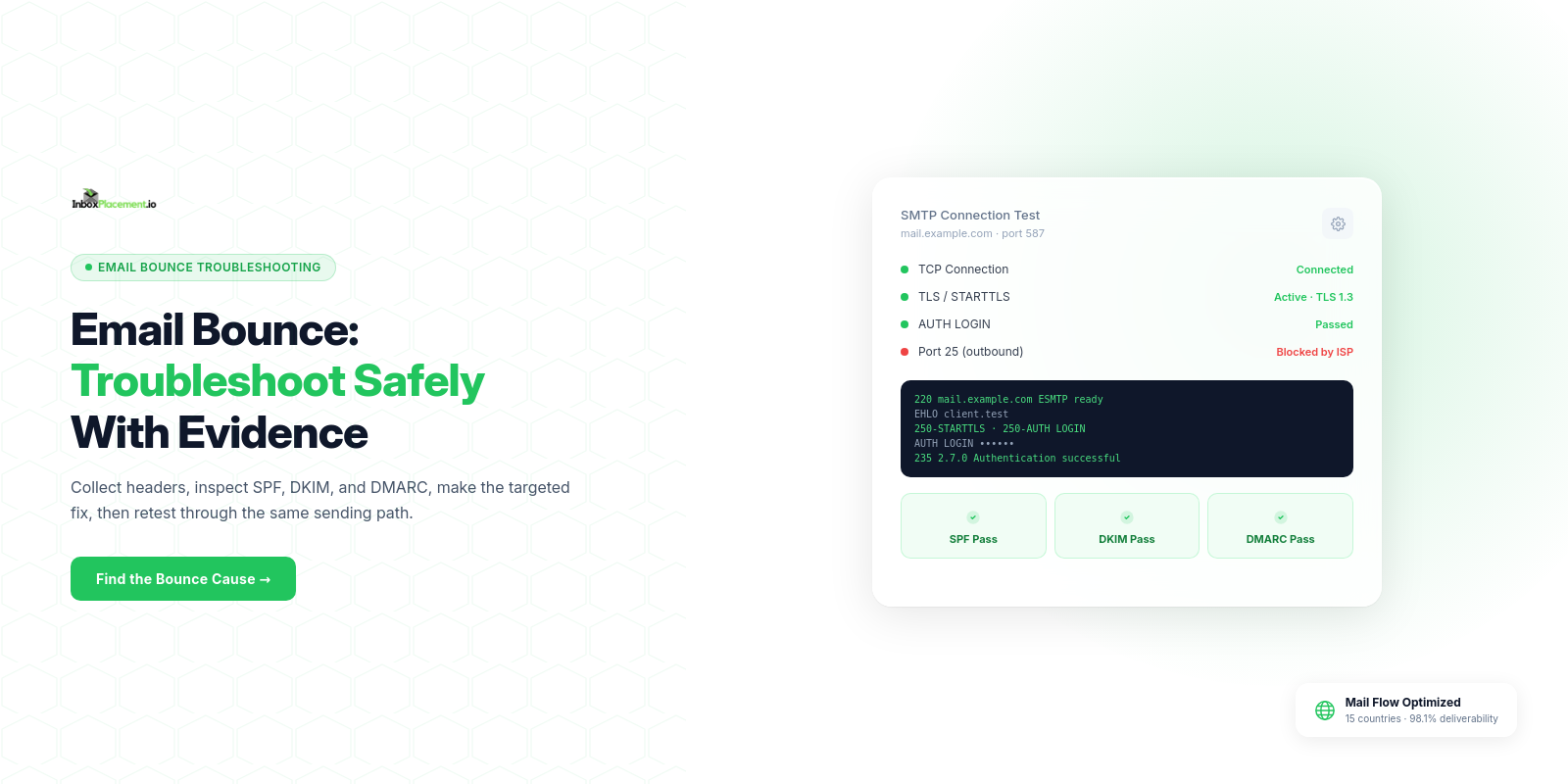
Start here: If your messages bounce, begin by collecting the bounce details and message headers, then confirm SPF, DKIM, and DMARC records and the receiver’s rejection reason. Only after you collect those signals should you apply targeted fixes and retest delivery.
When this matters (direct answer and when to use this guide)
Use this guide when:
- Messages return a bounce code or rejection notice.
- Legitimate messages are being quarantined or routed to spam.
- You need a repeatable workflow to isolate authentication, routing, or policy causes before making DNS or sending changes.
Collect evidence first; the steps below tell you what to collect, how to interpret common Authentication-Results and bounce signals, what is likely causing them, and which safe actions to take.
Core concepts in plain language
- Observed evidence: what you can read in the bounce email, SMTP reply codes, and the message headers (including the
Authentication-Resultsheader). - Authentication signals: SPF, DKIM, and DMARC are separate checks. A DMARC result combines alignment with SPF or DKIM; a published DMARC policy such as
p=none,p=quarantine, orp=rejecttells receivers how the domain owner wants unauthenticated messages handled. - Receiver disposition vs. proof: a rejection, quarantine, or spam routing is a receiver’s action; authentication passing does not guarantee inbox placement, and failing one check is not the only reason delivery may be blocked.
- Safe action: changes that fix the root cause without broad, risky policy weakening (for example: authorize a confirmed sending source in SPF, publish a DKIM key, or correct DNS syntax). Never advise weakening an enforced DMARC policy except under narrow, authorized emergency procedures.
(More on what these checks mean and what they cannot prove appears below.)
A practical step-by-step workflow
For each bounced message, follow this workflow. Separate observed evidence, likely causes, recommended safe actions, and retest criteria.
Step 1 — Gather evidence
- Observed evidence: save the full bounce message and the original message’s full headers (as delivered to you or from the sending system). Note the SMTP reply code and any human-readable rejection text.
- Likely causes: missing or malformed headers, authentication failures, blacklists, or policy enforcement by receiver.
- Safe actions: store the evidence in an incident file; do not alter mail flow yet.
- Retest criteria: you have at least one complete bounce notice plus the full headers including
Authentication-Results.
Step 2 — Inspect Authentication-Results and DNS records
- Observed evidence: read the
Authentication-Resultsheader and query DNS for the SPFTXTrecord, DKIM selectorTXTrecord, and the domain’s DMARCTXTrecord. - Likely causes:
- No SPF record,
softfail,fail, orpermerror(for example, multiple SPF records or more than 10 DNS lookups). - DKIM missing or signature invalid (wrong selector or key not published).
- No DMARC record where the receiver requires one, or a published
p=quarantine/p=rejectpolicy being enforced after an alignment failure.
- No SPF record,
- Safe actions: correct or publish the missing records, fix syntax errors, and ensure DKIM selector and key pair match your sending system.
- Retest criteria: DNS queries return the expected SPF/DKIM/DMARC records, and the receiver reports
dmarc=passwith SPF or DKIM alignment.
Step 3 — Reproduce and isolate sending path
- Observed evidence: determine the exact IP and hostname the receiver reported in the bounce; check whether the sending source is authorized by the domain’s SPF record, and whether DKIM signatures were applied by your mail system.
- Likely causes: third-party relays or forwarding that break SPF; misconfigured outbound mail server applying the wrong
From:domain. - Safe actions: adjust SPF to include legitimate sending systems, update sending domain alignment in your mail system, or configure DKIM signing correctly.
- Retest criteria: a test message sent through the same path shows matching
Authentication-Resultsthat reflect the changes.
Step 4 — Check receiver-specific guidance
- Observed evidence: receiver rejection messages sometimes include links or codes indicating provider-specific policy (e.g., Gmail or Microsoft guidance).
- Likely causes: provider-level sender requirements (TLS, spam-rate thresholds, DMARC alignment) or enforcement for bulk senders.
- Safe actions: follow the provider’s guidance for authentication and other sender requirements; do not assume authentication alone is sufficient.
- Retest criteria: after fixes, a controlled test to the provider's mailbox shows delivery (see verification section).
Decision checklist (quick)
| Observed signal | Likely quick cause | First safe fix |
|---|---|---|
No SPF TXT found | No SPF published | Publish an SPF TXT record listing authorized senders |
SPF permerror | Too many DNS lookups or multiple SPF records | Consolidate records; reduce mechanisms |
| DKIM signature missing | Sending system not signing | Enable DKIM signing and publish selector |
DMARC p=quarantine / p=reject applied | Receiver enforcing domain policy | Confirm alignment; correct SPF/DKIM rather than weakening policy |
Examples (illustrative)
Illustrative example A — Mail rejected with 550 5.7.1 and a DMARC policy notice
- Observed evidence: an SMTP
550response references DMARC;Authentication-Resultsshowsspf=pass, no DKIM signature, anddmarc=fail. - Likely cause (illustrative): the visible
From:domain is not aligned with the SPF-authorized domain, and DKIM was not applied. - Recommended safe action: configure DKIM for the
From:domain or align the envelope sender with a domain covered by SPF. Retest by sending a single message and checkingAuthentication-Results.
Illustrative example B — SPF temperror in Authentication-Results
- Observed evidence:
Authentication-Resultsincludes SPFtemperror; DNS queries intermittently time out. - Likely cause (illustrative): authoritative DNS server unreachable or misconfigured.
- Recommended safe action: fix DNS hosting or TTL and ensure resolvers can reach authoritative nameservers. Retest by running DNS queries until consistent responses are returned.
Common mistakes and limitations
- Observed evidence ≠ delivery guarantee: an
Authentication-Resultspass does not prove inbox placement. - Misreading headers: multiple
Authentication-Resultsheaders can occur (forwarding or multiple receivers). Verify which receiver produced the bounce. - Over-correcting DMARC: do not lower DMARC enforcement as a first fix. Emergency policy changes must be narrowly scoped, authorized by the domain owner, time-limited, and have rollback criteria.
- Forwarding breaks SPF: forwarded mail often fails SPF; use DKIM where possible and communicate this limitation to stakeholders.
How this connects to inbox placement
Authentication and correct DNS are necessary hygiene: providers (including Gmail and Microsoft 365) state that SPF, DKIM, and DMARC help prevent spoofing and influence policy decisions. For example:
- Microsoft documents that authentication failures can cause messages to be quarantined, rejected, or sent to Junk and lists SPF, DKIM, DMARC troubleshooting steps.
- Google’s Gmail sender guidelines distinguish requirements by sender volume: all senders must use SPF or DKIM, while bulk senders must use SPF, DKIM, and DMARC. The guidance also covers TLS and spam-rate monitoring.
However, authentication checks and DNS records are only some of the signals mailbox providers evaluate. Authentication-Results and DNS checks cannot, by themselves, prove a message will reach the inbox.
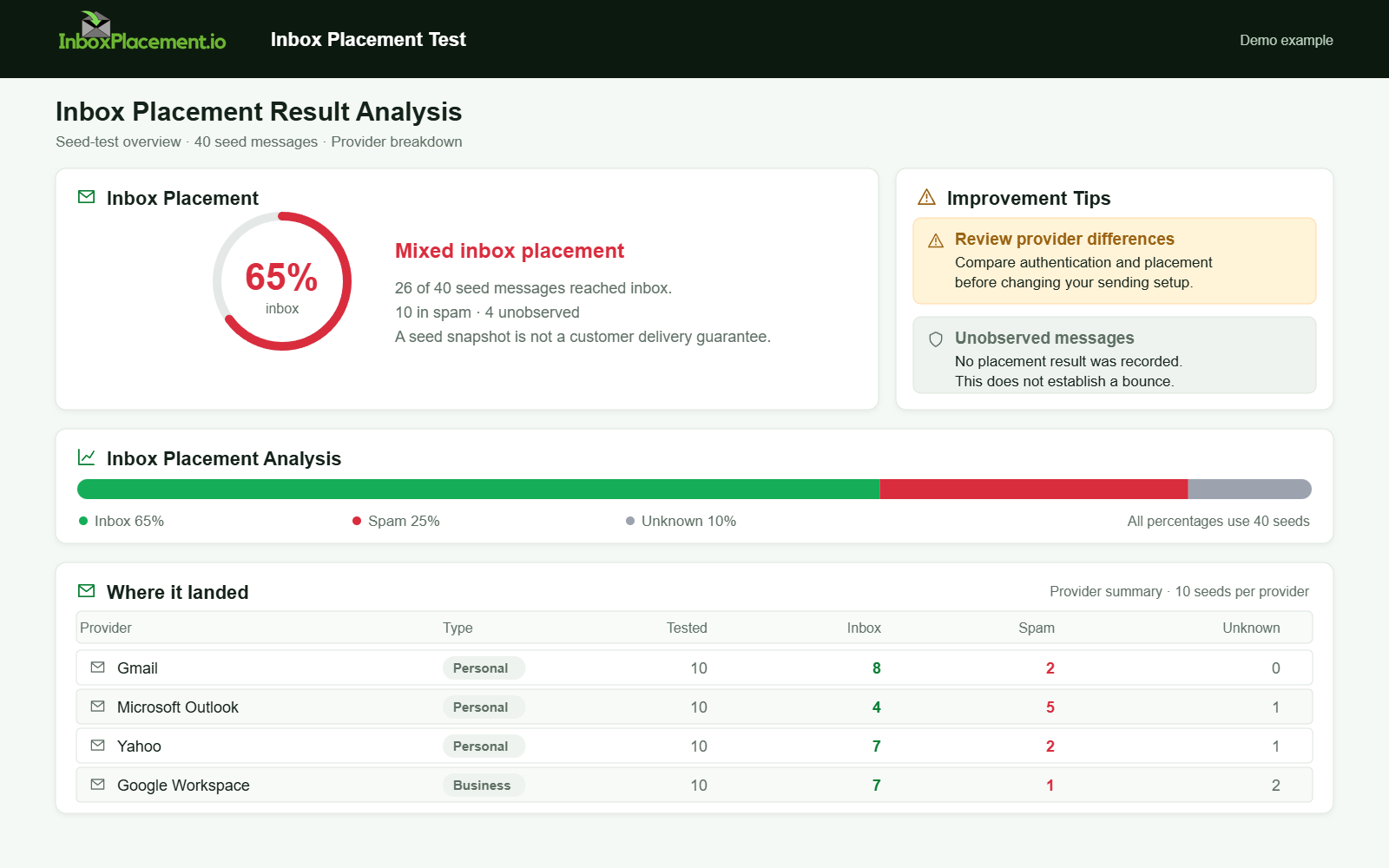
Demo example. Mixed placement across providers. Synthetic results for feature explanation; not a live test or customer outcome.
Verification and next steps
What to collect and run after fixes:
- One test message per provider (Gmail, Outlook, Yahoo) sent through the same sending path used for real traffic.
- Collect the full headers for each test message and confirm
Authentication-Resultsshows the expected SPF/DKIM/DMARC outcomes. - Monitor receiver responses (bounce codes, quarantine notices) and provider-specific dashboards if available.
What these tests cannot prove:
- A passing
Authentication-Resultsheader does not prove inbox placement. - A delivered message does not prove future sends will behave the same — send volume, complaint rates, and content also influence placement.
Retest criteria:
Authentication-Resultsshows the intended pass (SPF or DKIM) and DMARC alignment outcome.- Receiver no longer issues the original rejection code or bounce text for the same sending path and message format.
FAQ
How do I read Authentication-Results?
Authentication-Results is a receiver-generated header listing the outcome of SPF, DKIM, and DMARC checks as the receiver evaluated them. Use it to confirm what the receiver saw; combine it with the SMTP reply code for full context.
Can I remove DMARC enforcement to stop bounces?
No. Do not weaken an enforced DMARC policy as a routine fix. Corrections should focus on aligning SPF/DKIM and fixing signing or DNS issues. Emergency DMARC changes require domain owner authorization, a narrow scope, a time limit, and a defined rollback.
What if mail is delivered but lands in spam?
Delivery to spam still indicates a receiver disposition that requires investigation: check authentication, content, sending reputation, complaint rates, and provider-specific guidance. Authentication passing is necessary but not sufficient.
Run an InboxPlacement test to verify authentication signals and mailbox placement after applying the recommended changes.
Sources
- Microsoft: Troubleshoot email authentication in Microsoft 365 — Covers common SPF, DKIM, and DMARC symptoms, troubleshooting steps, and possible receiver actions when authentication fails.
- Google: Email sender guidelines and Gmail sender guidelines FAQ — Covers sender authentication, TLS, spam-rate guidance, and DMARC alignment requirements for bulk senders.