

Email Deliverability · SMTP Troubleshooting · Email Authentication
SMTP 450 Error Troubleshooting: Read the Reply and Retry Safely
· InboxPlacement.io Team
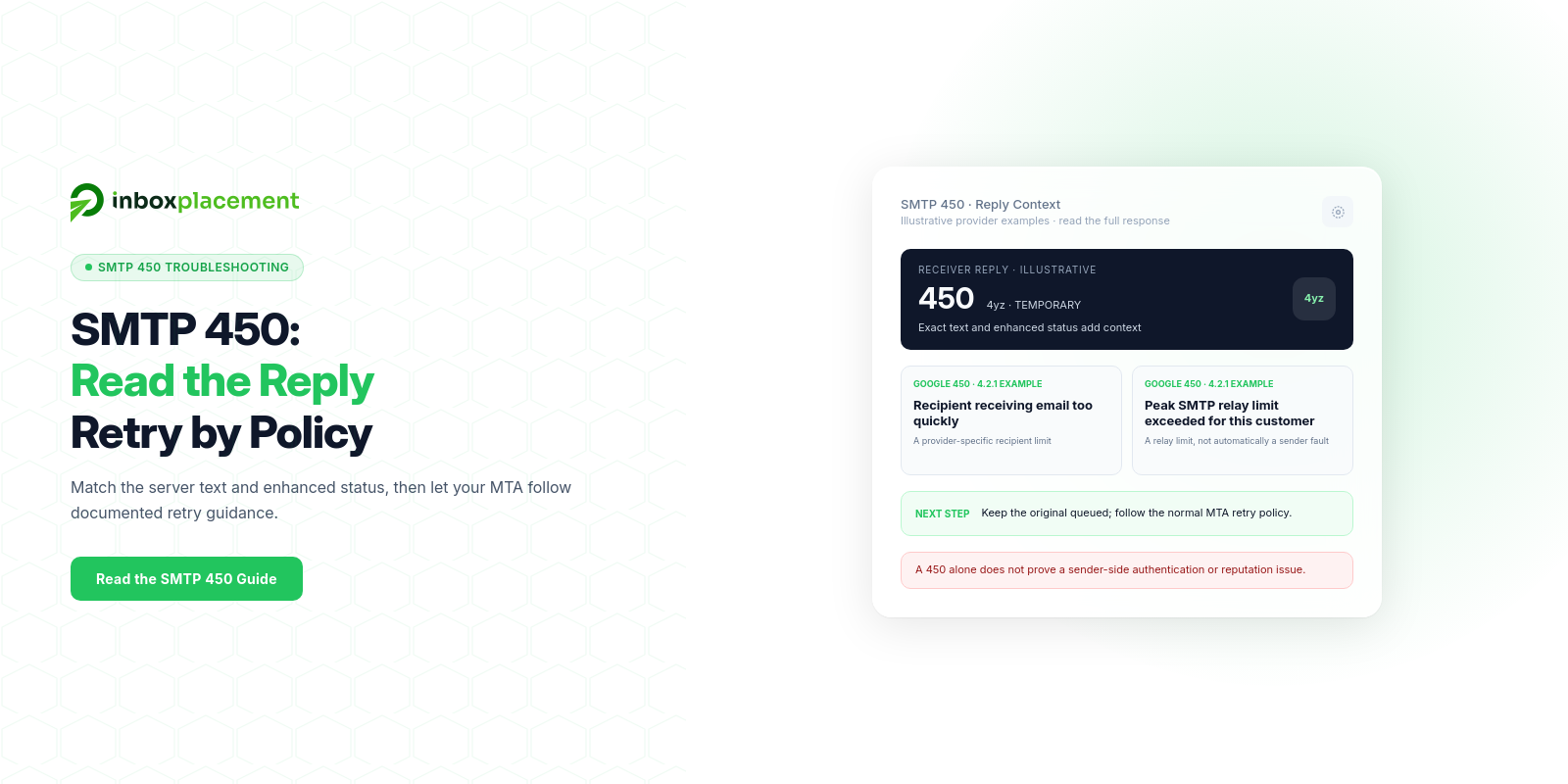
SMTP 450 is a 4yz temporary-negative reply. RFC 5321 describes it as “requested mail action not taken: mailbox unavailable,” such as a busy mailbox or one temporarily blocked for policy reasons. Provider-specific text can identify other temporary limits, but the three-digit code alone does not establish the cause. Collect the exact reply, enhanced status code, and matching queue or receiver evidence; then follow the MTA’s documented retry policy and receiver guidance.
Direct diagnosis: what the symptom usually means and what it does not prove
Observed fact
450belongs to the4yztransient-negative class: the command was not accepted and the requested action did not occur, but the condition is temporary. RFC 5321’s code table describes450as a mailbox-unavailable response, including a busy mailbox or a temporary policy block.- The exact reply text and enhanced status code add context. For example, Google documents
450 4.2.1replies for some recipient-rate and SMTP-relay limits; that provider-specific wording does not make every450a rate-limit error. - RFC 5321 says senders should queue and retry temporary failures. Its general retry interval recommendation is at least 30 minutes, while noting that reason-aware, variable schedules can be beneficial. Follow your MTA’s configured queue policy and the receiver’s guidance; do not manually resend a message that is already queued.
Authentication-Resultsand delivery headers, when available, are diagnostic signals. They do not guarantee acceptance or inbox placement.
Possible explanations to investigate (not conclusions)
- A busy or temporarily unavailable mailbox, or a temporary policy block, as described by the reply text.
- A provider-specific recipient or relay rate limit when the enhanced status and diagnostic identify one.
- Greylisting or another temporary anti-abuse action when the receiver identifies it; greylisting implementations can use different temporary reply codes.
- A DNS lookup or authentication-processing problem only when receiver diagnostics, MTA logs, or a relevant
Authentication-Resultsvalue support that path. - Another temporary receiver or relay condition explicitly named in its response or documentation.
What a 450 does not prove
- It does not, by itself, prove sender blocklisting, a sending-IP reputation problem, or a particular authentication failure.
- It does not identify whether a provider’s recipient limit, relay limit, or another temporary condition caused the response; use the exact text and enhanced status code.
- It does not prove that a later retry will succeed, or that an accepted message will land in the inbox.
- Authentication results such as
SPF,DKIM, orDMARCpass do not prove mailbox placement or final user visibility.
Note: any example bounce text shown below is illustrative, not a recorded case.
Evidence to collect before changing anything
Collect these items from the sending system, mail transfer agent (MTA), and the remote SMTP server or relay that returned the reply. Keep timestamps in UTC and identify which hop responded.
Required evidence (separate observed facts)
- Exact
450text and any enhanced status code, along with the responding host, recipient domain, and transaction stage. - Full SMTP transcript for the attempt (including
EHLO,MAIL FROM,RCPT TO,DATA, and server replies). - Timestamped MTA logs and queue state, including sender/connecting IPs, delivery attempts, and scheduled retry times.
- Whether the issue affects one recipient, one destination domain, one relay, or multiple destinations.
Optional but useful when the reply or logs point to them
- Raw message or bounce headers, if available, including
Authentication-Results,Received,Date,From,DKIM-Signature, and relevant MTA-added headers. A rejected in-flight transaction may have no receiver-generated message headers; their absence is not evidence of an authentication failure. - The relevant SPF, DKIM, or DMARC records if the response or logs identify a DNS/authentication lookup issue or a record change is being considered.
- Recent changes in sending volume, IP pool, or message templates; rate-limit or throttle logs from your sending platform.
- A single controlled test message to a mailbox you control, with its full server response.
Label collected items as observed evidence. Keep logs access-controlled and redact recipient addresses, message IDs, and internal host or IP details before sharing publicly. Do not change DNS or DMARC policies before you have evidence that supports the change.
A symptom-to-cause decision tree
Use this checklist to route the investigation. Treat each row as an evidence-to-action pair, and mark what is observed rather than assuming a cause. All scenarios are illustrative.
| Observed symptom (what you see) | What it may indicate (illustrative) | Evidence-led next check |
|---|---|---|
450 4.2.1 with provider text saying the recipient is receiving mail too quickly | A recipient-side rate limit is one documented Google example; other providers may use different wording or codes | Record the recipient domain, exact response, times, and MTA queue attempts. Check the provider’s guidance and let the configured MTA retry. |
| Response explicitly names greylisting | A receiver may be temporarily deferring an unknown or suspect source; implementations vary | Save the full transcript and compare receiver guidance with the MTA’s retry log. Do not send duplicate copies manually. |
| Response names an SMTP relay or connection limit | A limit may apply to the sender’s relay, a shared service, or the receiver | Identify which system returned the reply; compare its diagnostic with connection and queue logs before changing concurrency. |
| Response or receiver log reports a DNS timeout or authentication lookup error | A temporary DNS lookup problem may be involved; Microsoft describes SPF temperror as a temporary DNS failure | Confirm the relevant DNS result and timestamp in resolver/MTA or receiver logs. An absent Authentication-Results header alone is not proof. |
450 appears without a useful enhanced status or diagnostic | The three-digit code is insufficient to identify the cause | Collect repeated transcripts and ask the receiver or relay for the status meaning before changing DNS, authentication, content, or sending behavior. |
Mark any scenario you cannot verify as illustrative.
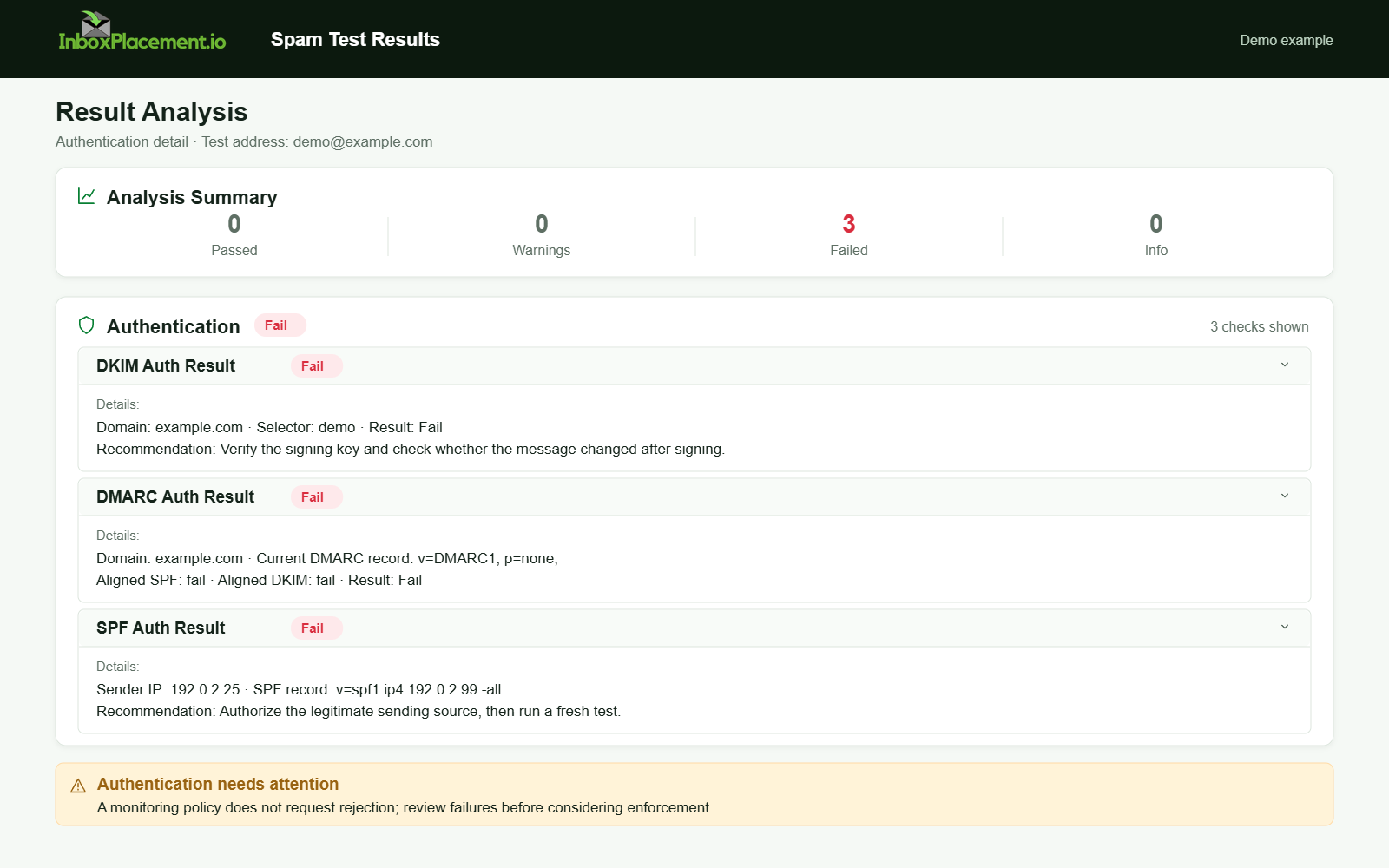
Illustrative authentication report only; it is not a diagnosis of SMTP 450 or evidence that authentication caused a deferral. Synthetic results for feature explanation; not a live test or customer outcome.
Possible causes to investigate
This is not a frequency ranking. A 450 alone cannot establish a root cause; use the matching reply text, enhanced status, and logs to choose an investigation:
-
Mailbox or recipient temporarily unavailable
- Evidence: The reply says the mailbox is busy, unavailable, or temporarily blocked by policy.
- Check: Confirm whether the response affects one recipient or many at that destination, then consult the receiver’s status or postmaster guidance.
-
Recipient or relay rate limit
- Evidence: The enhanced status and provider text name a recipient rate, SMTP relay, or connection limit. Google publishes
450 4.2.1examples for recipient-rate conditions and temporary relay limits. - Check: Determine which side imposed the limit. Correlate the reply with destination, connection, and MTA queue logs; do not assume the sender’s concurrency is the cause.
- Evidence: The enhanced status and provider text name a recipient rate, SMTP relay, or connection limit. Google publishes
-
Greylisting or another temporary anti-abuse response
- Evidence: The response or receiver documentation explicitly identifies greylisting or a temporary anti-abuse deferral.
- Check: Compare the full transcript and the sender’s retry records. Greylisting implementations can return different temporary SMTP codes.
-
Temporary DNS or authentication lookup problem
- Evidence: Receiver diagnostics or timestamped DNS/MTA logs identify a timeout or lookup error; an
SPFtemperroris a temporary DNS failure. - Check: Verify the exact domain and lookup result at the time of the 450. Do not infer a DNS or authentication cause from the reply code alone.
- Evidence: Receiver diagnostics or timestamped DNS/MTA logs identify a timeout or lookup error; an
-
Another receiver or relay policy/resource condition
- Evidence: The exact response text, enhanced status, service status, or receiver feedback names the condition.
- Check: Follow that provider’s guidance and change only the setting supported by the evidence.
Safe remediation steps with clear limitations
Separate observed evidence (what you saw), possible causes (illustrative), safe action(s), and limitations.
-
If observed: server text or logs indicate a rate limit
- Possible cause: a recipient, relay, or connection limit; identify which system set it before changing the sender.
- Safe actions:
- Follow the receiver or relay provider’s documented guidance and let the MTA apply its configured retry policy.
- Reduce sender-side concurrency only when your own connection logs show that the sender is exceeding a documented limit; test a small, controlled change.
- Limitations:
- Sender-side throttling cannot remove a recipient mailbox or receiver-side limit. Do not infer sender reputation from
450alone.
- Sender-side throttling cannot remove a recipient mailbox or receiver-side limit. Do not infer sender reputation from
-
If observed: explicit greylist wording or first-try deferral
- Possible cause: greylisting on receiver.
- Safe actions:
- Keep the original message in the queue and allow the MTA’s documented retry policy to run.
- Compare the subsequent server replies and times; do not manually send duplicate copies or change DNS/authentication records without separate evidence.
- Limitations:
- Greylisting is receiver-driven. A later acceptance may confirm a transient response pattern but does not prove greylisting unless the receiver’s wording or documentation supports that conclusion.
-
If observed: DNS timeouts or SPF temperror/permerror indicators in logs
-
Possible cause: a temporary DNS timeout, or a separately observed SPF configuration error.
-
Safe actions:
- Confirm the affected domain, lookup time, and error in resolver, MTA, or receiver logs. Use authoritative DNS queries to investigate a confirmed DNS issue.
- If the SPF result is specifically
permerror, follow current provider guidance to investigate multiple records or lookup limits; do not change records solely because a450occurred.
-
Limitations:
- DNS changes affect all senders using the domain. Coordinate with its owner and verify the actual lookup result before making a change.
-
Official guidance note: Microsoft's troubleshooting content explains SPF symptoms (no record found, permerror, temperror, softfail/fail) and their likely causes; use that guidance to interpret SPF results. See Sources.
-
-
If observed: Authentication-Results shows failures
-
Possible cause: an authentication or alignment issue, if the receiver’s evidence connects it to this transaction.
-
Safe actions:
- Check the exact
Authentication-Resultsand the relevantSPF,DKIM, orDMARCevidence before making a targeted correction. - Follow your provider’s current authentication requirements; do not treat an absent header or
450code alone as proof of authentication failure.
- Check the exact
-
Limitations:
- Authentication changes do not guarantee SMTP acceptance or inbox placement.
-
Recommendation: For Gmail-bound mail, follow Google’s current sender requirements for authentication and
TLS; these requirements do not identify the cause of an individual450. See Sources.
-
-
If observed: content-related deferrals
- Possible cause: a receiver-specific content or policy check, only when its reply text or support guidance identifies one.
- Safe actions:
- Compare a single controlled message with the original while preserving the sending identity and recording the receiver’s exact response.
- Make a narrow content change only after evidence points to content; avoid broad template changes.
- Limitations:
- A test message cannot establish a general provider rule or guarantee placement. Do not label a content cause without supporting evidence.
Important safety note about DMARC and policy changes
- Never weaken an existing DMARC enforcement policy without explicit owner authorization. An emergency change must be authorized by the domain owner, have a narrow scope, a defined time limit, and rollback criteria documented.
How to verify the change with a real message or controlled test
Procedure — treat as an experiment and record results.
-
Prepare a controlled test message (labelled illustrative)
- Use a single recipient mailbox you control at the affected provider.
- Minimal content: one-line plain text, same From: and Envelope-From you use in production.
- Preserve the normal sender’s authentication configuration; do not change SPF or DKIM solely to run this test.
-
Send sequence
- Step A: Send one controlled message and capture the full SMTP transcript and server response.
- Step B: If the message receives a
450, keep it queued and let the MTA’s documented retry schedule run; do not manually submit a duplicate copy. - Step C: Record the original and subsequent response text, enhanced status, timestamps, and any changed sender/receiver evidence.
-
Verification checklist (decision table)
- Did the reply or enhanced status change on a later queued attempt? Correlate that change with receiver text and timestamps; it does not by itself prove greylisting or a rate limit.
- Did receiver diagnostics or DNS logs show a lookup change at the time of the response? Use those records rather than the absence of an
Authentication-Resultsheader. - Did a controlled message receive a different result from the production message? Treat that as a lead for further investigation, not proof of a content or rate-based cause.
-
What these tests cannot prove
- Passing a controlled test does not prove long-term deliverability or inbox placement to all recipients.
- A single success does not prove that other messages with different content or higher volume will be accepted.
Prevention and monitoring checklist
Use this checklist to retain useful evidence and address confirmed issues; a 450 alone does not justify changing sender configuration.
- Maintain correct SPF, DKIM, and DMARC records; investigate authentication only when the relevant evidence supports it.
- Keep DNS records reachable and avoid publishing multiple SPF TXT records for the same domain. A
450alone is not evidence of an SPF problem. - Monitor outgoing concurrency and use documented throttles only when sender-side logs support a rate-limit diagnosis.
- Schedule controlled verification tests after major changes (IP pool changes, new MTA, or template changes); avoid duplicate manual retries of messages already queued.
- Monitor provider-specific guidance, including Google’s current sender requirements for Gmail-bound mail. These requirements do not diagnose a particular
450. - Retain the exact SMTP reply, enhanced status, timestamps, and queue attempts so transient responses can be investigated.
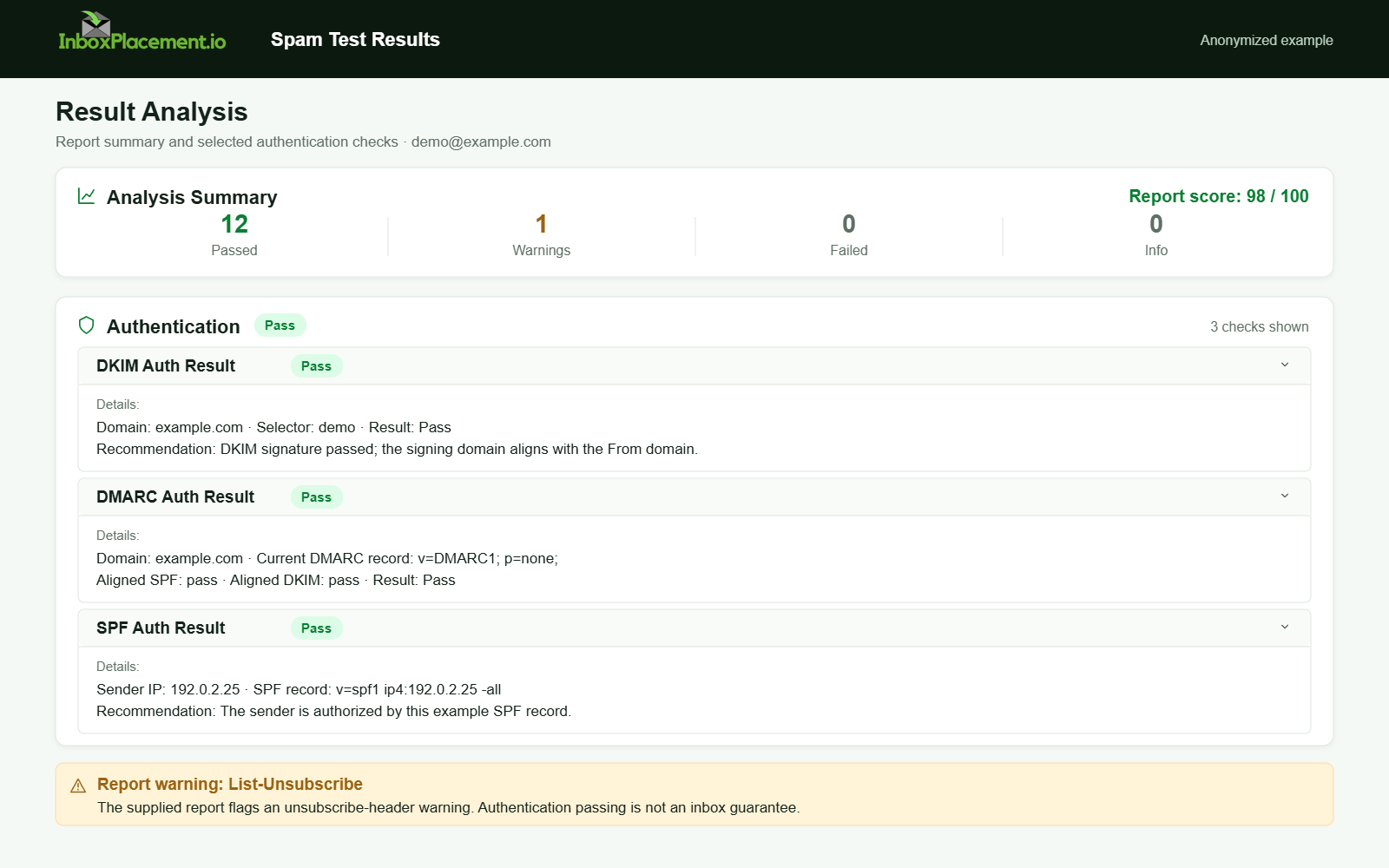
Anonymized example adapted from a supplied product report. Selected figures retained; identifiers and layout reconstructed. It does not show the result of an SMTP 450 and is not a new live test.
FAQ
What exactly does an SMTP 450 response mean for my retry logic?
RFC 5321 defines 450 as a temporary mailbox-unavailable reply, while providers may include more specific text and enhanced status. Keep the message queued and follow your MTA’s retry policy; do not manually submit a duplicate copy.
Can fixing SPF/DKIM immediately stop 450 deferrals?
Only investigate SPF or DKIM when receiver diagnostics or logs show an authentication lookup or alignment issue. A 450 by itself does not identify an authentication failure, and correcting authentication does not guarantee acceptance.
Is it safe to change DMARC to p=none to test delivery?
Do not weaken an active DMARC enforcement policy without explicit owner authorization and a documented rollback plan. Any emergency change should be narrow in scope and time-limited.
An InboxPlacement test can help review authentication signals and mailbox placement. It does not, by itself, identify why a specific receiver returned a temporary 450.
Sources
- RFC 5321: Simple Mail Transfer Protocol — Sections 4.2.1 and 4.2.3 define temporary
4yzreplies and the450code; Section 4.5.4.1 describes sender retry behavior. - RFC 6647: Email Greylisting — Describes greylisting and notes that implementations can use different temporary SMTP replies.
- Google Workspace: Gmail SMTP errors and codes — Provides Gmail-specific
450 4.2.1recipient-rate and relay-limit examples. - Microsoft: Troubleshoot email authentication in Microsoft 365 — Use this guidance to interpret SPF behaviors such as "no record," "permerror," and "temperror" and to guide SPF/DKIM/DMARC troubleshooting.
- Google: Gmail email sender guidelines — Use this guidance for Gmail-specific sender requirements such as using TLS, configuring SPF/DKIM/DMARC, and alignment expectations.