
Email Deliverability · SMTP Troubleshooting · Email Authentication
SMTP 421 Temporary Deferral Troubleshooting: Practical Steps
· InboxPlacement.io Team
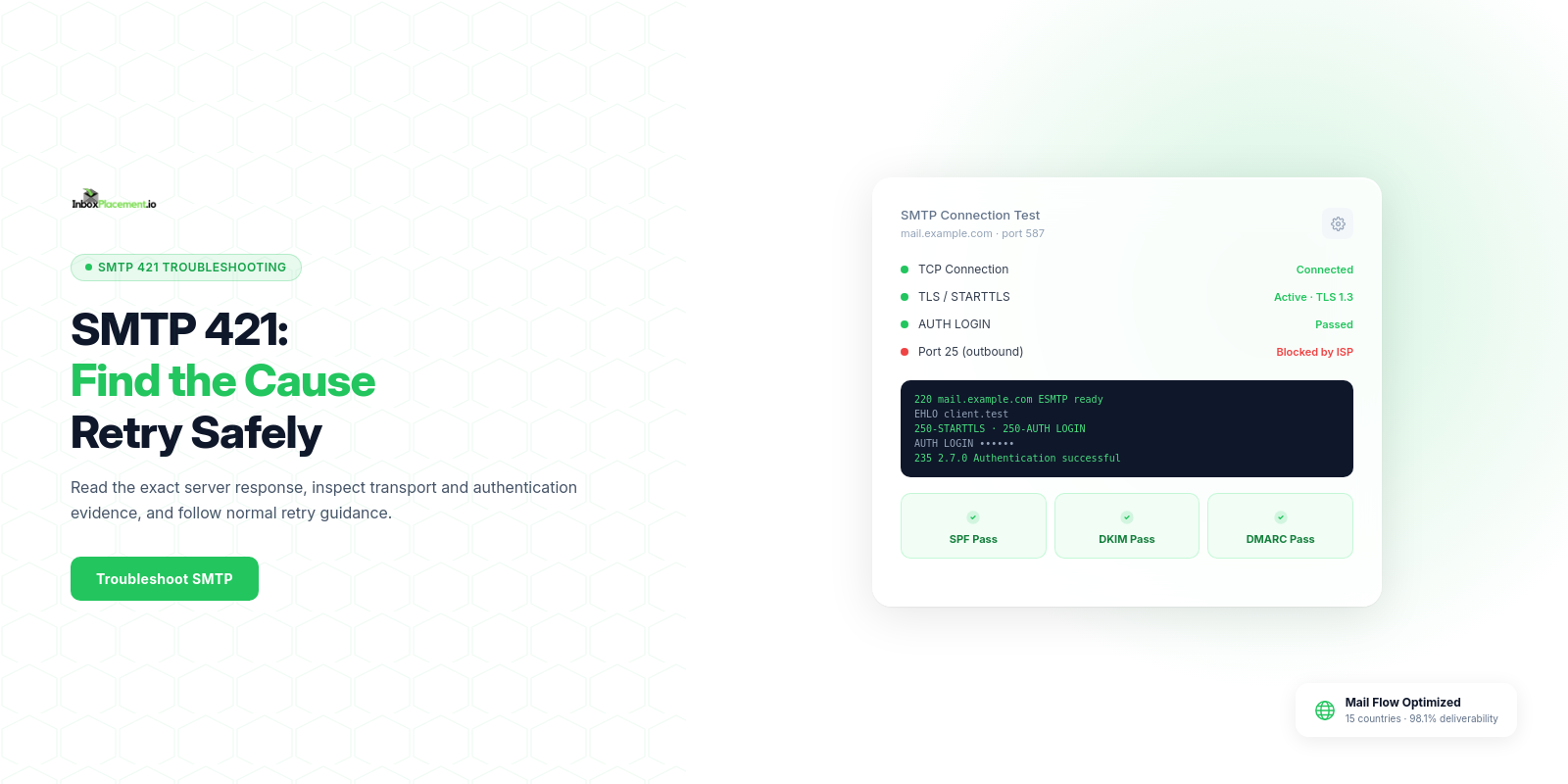
SMTP 421 is a temporary negative (4yz) SMTP response. Treat it as transient evidence that the receiving server asked the sender to pause and retry later; collect the SMTP transcript and related message headers, isolate the exact 421 response text and timestamp, check Authentication-Results and your authentication (SPF/DKIM/DMARC/TLS) state, apply targeted fixes, and then confirm retries succeed under your MTA’s normal policy. This matters when the same recipient or many recipients are repeatedly deferred (not just occasional network hiccups).
Core concepts in plain language
- What
SMTP 421means: a421response is a temporary negative response in the4yzclass. The server is refusing the transaction now but may accept the message after retrying. - Why the text after the code matters: servers usually include an explanatory string (for example, "
421 4.3.2 Service not available") that narrows likely causes — but that explanatory text must be treated as receiver-provided text, not a definitive diagnosis. - Authentication signals vs delivery signals: a message's
Authentication-Resultsheader records the receiver’s evaluation ofSPF,DKIM,DMARC, and related checks.Authentication-Resultsis evidence of the receiver's assessments, not proof the message reached the user's inbox. - Receiver policies and sender requirements: major receivers publish sender guidance. Gmail, for example, requires
TLSand correctly formatted messages, and setsSPF/DKIM/DMARCrequirements; for senders above its bulk-sender threshold, the visibleFromdomain must align with theSPForDKIMdomain forDMARC. Use the published requirements to verify your configuration, not to infer mailbox placement from a single check.
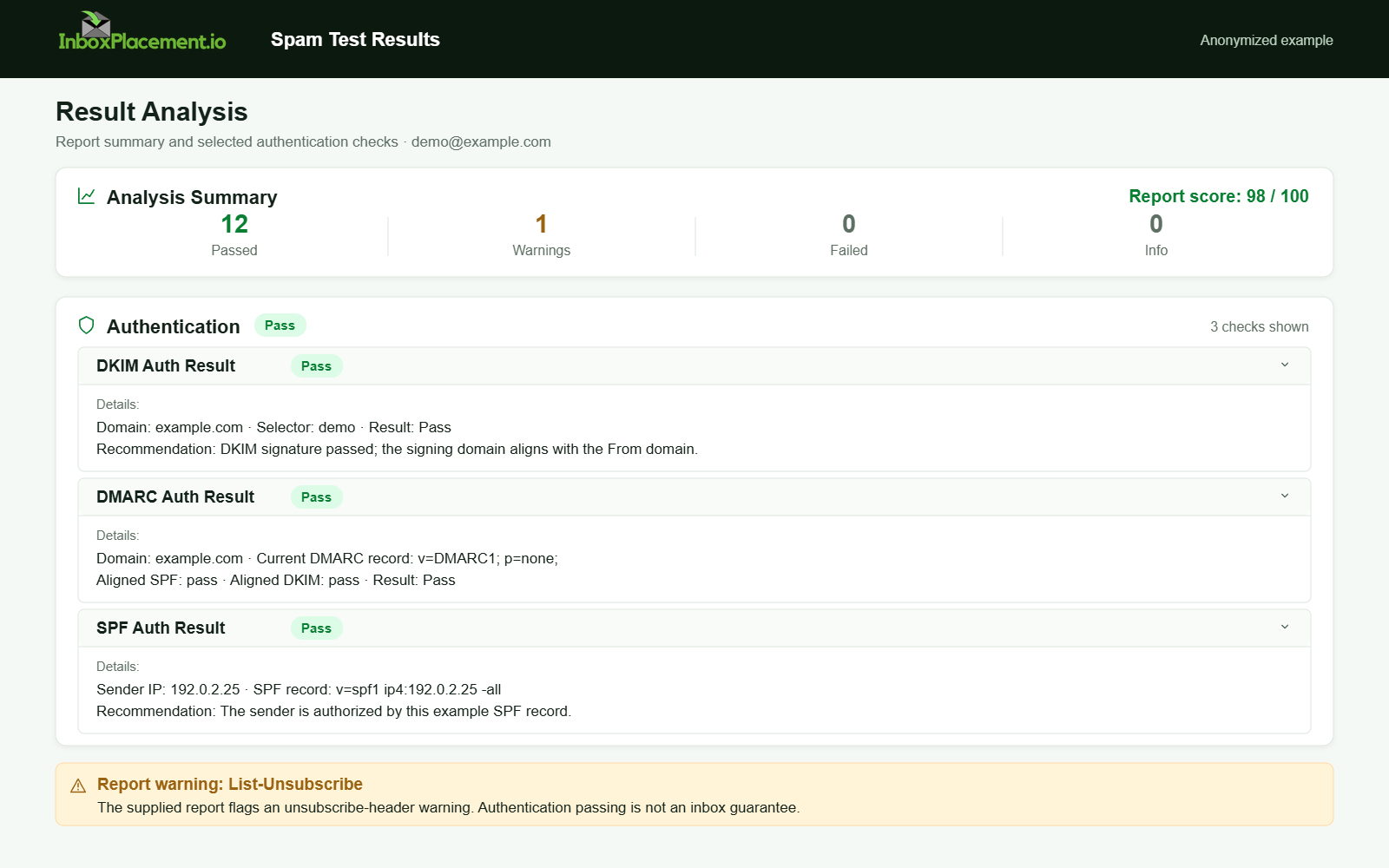
Anonymized example adapted from a supplied product report. Selected figures retained; identifiers and layout reconstructed. Not a new live test.
A practical step-by-step workflow
This workflow separates observed evidence, likely causes, safe actions, and retest criteria for each step.
-
Collect exact observed evidence
- What to collect:
- Full SMTP transcript from your outbound
MTAshowing the421response line and preceding commands (EHLO/MAIL/RCPT/DATA, etc.). - Full message headers from a deferred message, including the
Authentication-Resultsheader. - Timestamps (UTC) and hostname/IP of your sending MTA as recorded in your logs.
- Any receiver bounce or notification text that accompanied the 421.
- Full SMTP transcript from your outbound
- Why: this raw evidence identifies the server response and timing; don’t rely on memory or paraphrase.
- What to collect:
-
Read and record the exact 421 response
- Observed evidence: exact response code and text, e.g., "
421 4.3.2 Service not available" (illustrative). - Likely causes (examples): temporary resource limits, greylisting policy, connection or TLS negotiation failure, upstream filtering load, or rate limiting.
- Safe actions:
- Preserve the transcript.
- If the text mentions greylisting or a retry window, note the suggested retry-time.
- Do not immediately change authentication policies in response to a
421; first verify configuration and logs.
- Retest criteria: the next attempt made under your MTA’s normal retry policy returns a non-
421response (for example,250or a different, final error). Do not force rapid retries just to obtain a result.
- Observed evidence: exact response code and text, e.g., "
-
Verify transport and TLS negotiation
- Observed evidence: lines in the transcript showing
STARTTLSand whetherTLSwas negotiated successfully. - Likely causes: receiver required
TLSbut the session did not negotiate it, orTLShandshake errors. - Safe actions:
- Confirm your
MTAsupportsTLSand is configured to negotiate it. - Capture and save TLS negotiation messages from the transcript for the time of the deferral.
- Confirm your
- Retest criteria: a retry completes TLS negotiation and proceeds beyond the previous deferral point.
- Observed evidence: lines in the transcript showing
-
Check authentication signals (SPF/DKIM/DMARC)
- Observed evidence:
Authentication-Resultsheader values (pass/fail/neutral forSPF/DKIM/DMARC) as added by the receiver. - Likely causes: missing or failing
SPF/DKIM,DMARCalignment problems, or a mismatch betweenFrom:and authentication domains. - Safe actions:
- Verify published
DNSrecords forSPFandDKIM(syntax and presence) and thatDKIMsigning is applied by your sending system. - Confirm the domain-alignment rules the receiver may require. For Gmail senders above its bulk-sender threshold, the visible
Fromdomain must align with theSPForDKIMdomain forDMARC. - Do not weaken
DMARCenforcement without explicit owner authorization and a narrow, time-limited rollback plan.
- Verify published
- Retest criteria:
Authentication-Resultsshows expected pass results for the authentication methods you rely on during a successfulSMTPtransaction.
- Observed evidence:
-
Review rate, volume, and reputation signals
- Observed evidence: patterns of 421 against multiple recipients or a specific receiving domain, and timestamps showing frequency.
- Likely causes: receiver applying sending rate limits or temporary blocking due to perceived volume spikes.
- Safe actions:
- If you see sustained deferrals to a single provider, throttle back sending cadence to that domain and follow their sender guidance.
- Contact the receiver’s postmaster or use their published tools if available.
- Retest criteria: reduced deferral frequency after cadence adjustments, confirmed by subsequent transcripts.
-
Escalate when needed
- Observed evidence: repeated 421 responses over many hours/days with unchanged explanatory text.
- Safe actions:
- Prepare a reproducible evidence package: SMTP transcripts, headers, timestamps, and examples of affected recipients.
- Contact the receiver’s postmaster or support channel with this package.
- Retest criteria: receiver acknowledges and resolves the temporary deferral or provides remediation instructions.
Checklist: immediate triage for a 421 deferral
- Save full SMTP transcript (include STARTTLS exchange).
- Extract and save Authentication-Results header from the deferred message.
- Note exact 421 code and the receiver’s explanatory string.
- Check TLS negotiation success in the transcript.
- Verify SPF record, DKIM signing, and DMARC alignment for the sending domain.
- Look for multiple recipients or rate spikes to the same receiver.
- If persistent, prepare evidence package for receiver postmaster contact.
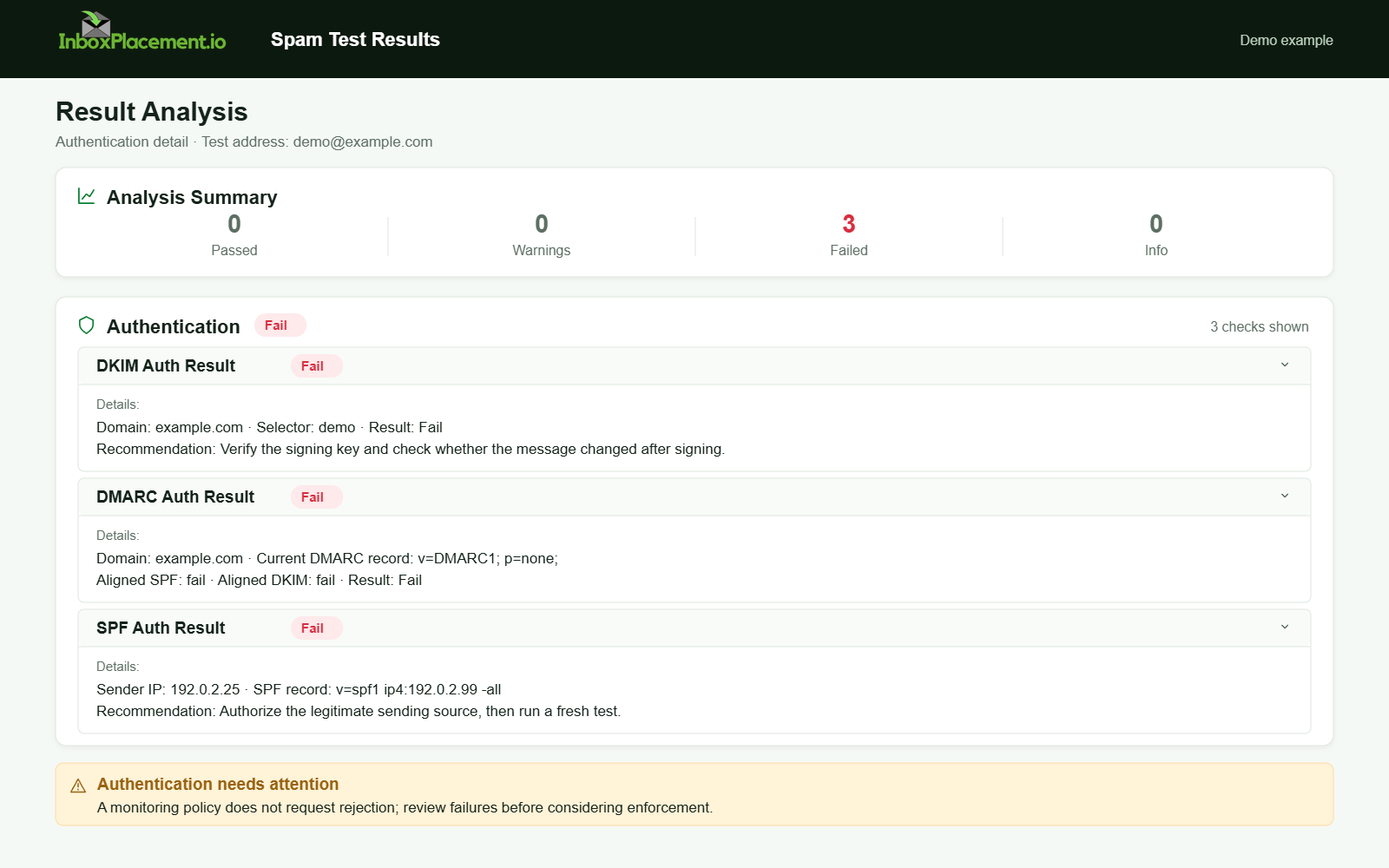
Demo example. Authentication failure diagnosis. Synthetic results for feature explanation; not a live test or customer outcome.
Decision table: common observed 421 text (illustrative) and first safe action
| Observed 421 text (illustrative) | Observed evidence to collect | First safe action |
|---|---|---|
"421 Service not available" | Full transcript, receiver hostname, Authentication-Results, timestamps | Preserve the response and let the MTA follow its normal retry/backoff policy |
Gmail "421 4.7.0" response | Exact Gmail diagnostic, sending IP, affected recipient domain, and timestamps | Google documents this response for a sending IP that is not on the recipient domain’s allowed list; verify the actual sending IP and follow Gmail’s SMTP error guidance |
"421" with text mentioning greylisting or a retry window | Exact response text and any stated retry interval | Respect the receiver’s stated interval and your MTA’s retry schedule; do not infer the meaning from the code alone |
Repeated "421" responses mentioning rate or policy | Exact text, affected provider, recipient pattern, and send volume over time | Reduce cadence only when the evidence supports it, then consult the receiver’s published guidance |
Label each row above as illustrative example — the exact receiver text and meaning vary by provider.
Examples (clearly labelled as illustrative)
Illustrative example 1 — intermittent TLS negotiation failure
- Observed evidence: repeated 421 after STARTTLS lines, with handshake errors in MTA logs.
- Likely cause: ephemeral TLS handshake failure between MTAs.
- Safe action: verify sending host certificate chain and TLS libraries; retry after fixing handshake issue.
- Retest: successful transcript where STARTTLS completes and the session proceeds.
Illustrative example 2 — greylisting-like deferral
- Observed evidence: 421 with text suggesting temporary deferral and a consistent retry-after behavior.
- Likely cause: greylisting or temporary anti-abuse delay policy.
- Safe action: honor retry schedule; avoid accelerating retries beyond MTA defaults.
- Retest: later retry accepted (non-421), but still label this as illustrative — individual receivers vary.
Illustrative example 3 — rate-limiting deferral for a domain
- Observed evidence: many recipients at the same provider seeing 421s within the same time window.
- Likely cause: receiver applying rate limits for the sending IP or domain.
- Safe action: throttle sends to that provider, monitor results, and contact provider if needed.
- Retest: fewer or no 421 responses after rate limiting.
Common mistakes and limitations
- Mistake: treating a single successful SPF/DKIM check as proof of inbox placement. Authentication-Results shows receiver evaluation, not delivery or mailbox placement.
- Mistake: immediately changing DMARC policy to p=none to “fix” delivery. Never weaken a DMARC enforcement policy without owner authorization, a narrow scope, a time limit, and clear rollback criteria.
- Mistake: assuming identical 421 text always means the same root cause across providers. Receiver explanatory text is helpful but not definitive.
- Limitation: DNS/authentication checks and header results cannot prove that a message reached the user's inbox. They are necessary signals to troubleshoot but not sufficient alone to claim placement.
How temporary deferrals connect to inbox placement
Temporary deferrals change the timing and success probability of eventual delivery attempts and can increase retry traffic. Persistent or domain-wide deferrals are a signal that something in transport, authentication, or sending cadence may be triggering receiver protections. Use receiver published guidance (for example, requirements to use TLS, publish SPF/DKIM/DMARC, and follow RFC 5322 formatting) to verify your setup — but remember that meeting those requirements helps reduce rejection and filtering risk; it does not guarantee inbox placement.
Verification and next steps
- What to verify after making changes:
- A subsequent
SMTPsession to the previously-deferring recipient completes beyond the point where it previously returned421. Authentication-Resultsin the receiver’s headers reflect the expected pass states forSPF/DKIM/DMARCwhere applicable.TLSnegotiation completes successfully (if the receiver requiresTLS).
- A subsequent
- What these verifications can and cannot prove:
- They can confirm that a retry was accepted at SMTP time and that the receiver evaluated authentication at that attempt.
- They cannot prove that the message landed in the recipient's inbox or that future messages will behave the same way.
- Retest criteria (practical):
- Allow queued mail to retry according to the sending MTA’s documented backoff policy; do not force a fixed number of retries.
- If changes were made to authentication or transport, verify the public DNS records and server configurations used by your sending systems before resuming normal volume.
FAQ
Is SMTP 421 permanent?
No — 421 is a temporary deferral. Persistent or repeated 421 responses, however, indicate a continuing problem that requires investigation.
Can changing my DMARC policy resolve a 421 deferral?
Do not weaken an enforced DMARC policy as a first response. Fix authentication alignment or transport issues first. Any emergency change to DMARC must have explicit owner authorization, a defined short window, and rollback criteria.
Does Authentication-Results prove inbox placement?
No. Authentication-Results records the receiver’s authentication checks. It is evidence of how the receiver classified authentication for that session but does not prove delivery or inbox placement.
Run an InboxPlacement test to verify authentication signals and mailbox placement after applying the recommended changes.
Sources
- Gmail email sender guidelines — verify current TLS, message-format, and email-authentication requirements.
- Gmail SMTP error reference — interpret Gmail-specific
SMTPdiagnostics, including its documented421 4.7.0response. - RFC 5321 — Simple Mail Transfer Protocol
- RFC 3463 — Enhanced Mail System Status Codes
- RFC 3207 — SMTP Service Extension for Secure SMTP over TLS
- RFC 5322 — Internet Message Format
- RFC 7208 — Sender Policy Framework (SPF)
- RFC 6376 — DomainKeys Identified Mail (DKIM) Signatures
- RFC 7489 — Domain-based Message Authentication, Reporting, and Conformance (DMARC)