
Email Deliverability · DNS · Reverse DNS · PTR · Email Authentication
Reverse DNS (PTR) Troubleshooting for Email Deliverability
· InboxPlacement.io Team
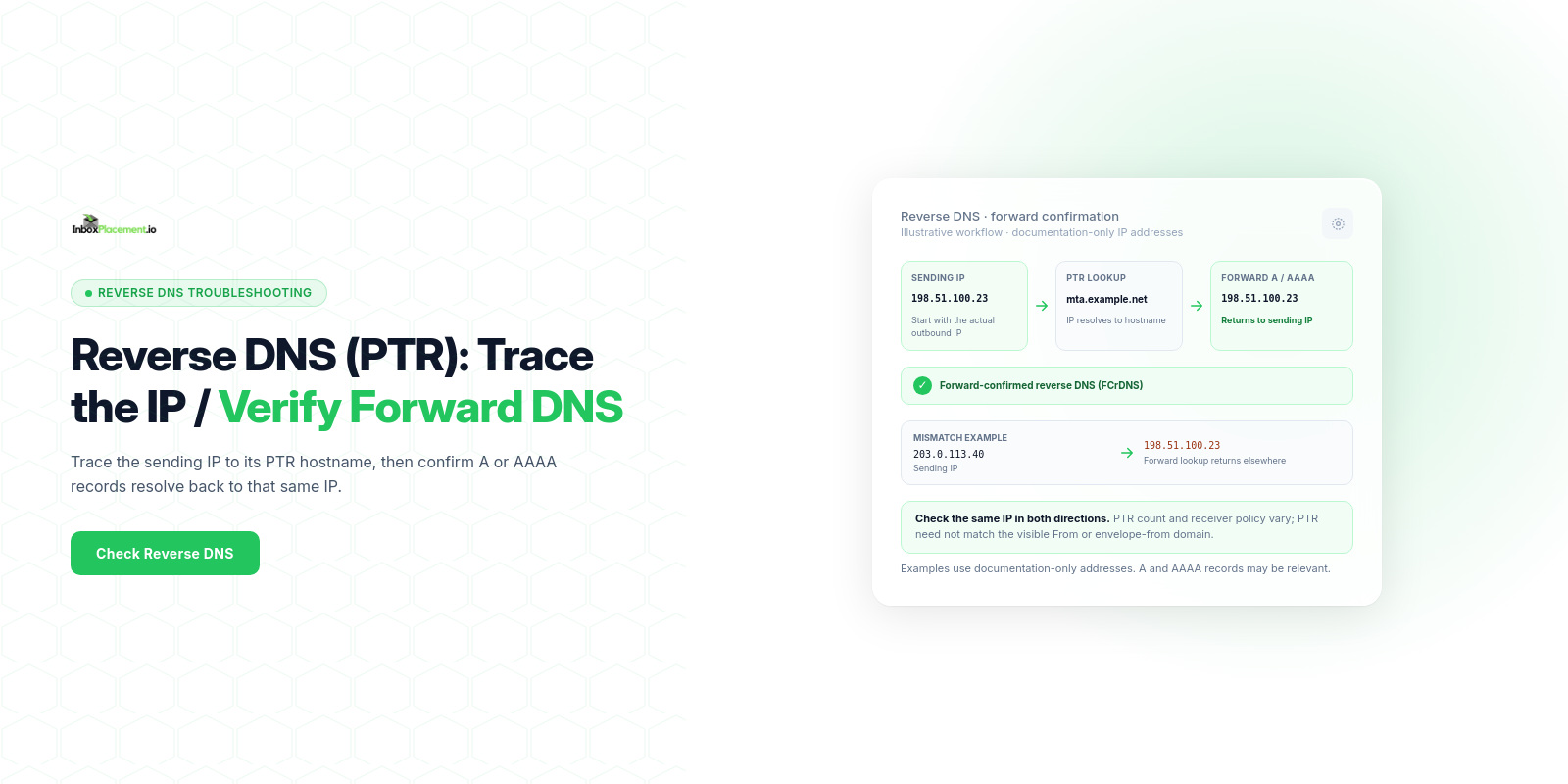
A valid reverse-DNS (PTR) record is a published sender requirement in Gmail and Yahoo guidance: the sending IP should reverse-resolve to a hostname whose forward A or AAAA lookup returns that same IP. Provider requirements can differ, and a correct PTR is one infrastructure signal—not a guarantee of inbox placement. Investigate missing or non-matching reverse/forward DNS before changing other parts of your sending setup.
Core concepts in plain language
- A
PTRrecord maps an IP address back to a hostname; anArecord maps a hostname to an IPv4 address and anAAAArecord maps it to an IPv6 address. - Forward-confirmed reverse DNS (
FCrDNS) means the hostname returned by thePTRlookup resolves forward to the same sending IP. Gmail documents this forward-and-reverse check for sending servers. - Reverse DNS is separate from SMTP greeting identity and from message authentication. Record the sending server’s
HELO/EHLOvalue when troubleshooting, but do not assume it must match the visibleFromdomain or envelope-from domain; follow the recipient provider’s published requirements. SPF,DKIM, andDMARCare separate authentication mechanisms;PTRis not an authentication record. A trusted receiver’sAuthentication-Resultsheader can report checks for one message, while SMTP replies and provider dashboards provide other evidence.
A practical step-by-step workflow
Collect these items first (what to gather before changing anything):
- Sending IP address or addresses, identified from a trusted receiving system’s
Receivedheader or your mail provider’s logs. - The configured SMTP
HELO/EHLOname and the visibleFromdomain, recorded separately. - Published DNS records relevant to the sending host and domain:
A/AAAA,PTR, SPFTXT, DKIM selector records, and the DMARC policy. - A recent message delivered to a mailbox you control, including the trusted receiver’s
Authentication-Resultsand SMTP outcome where available.
Step 1 — Check current PTR and forward records
- Query reverse DNS for each sending IP (for example, run
dig -x <ip>or use a DNS lookup tool). - Query the returned hostname for its
AorAAAArecord. - Confirm that the forward result includes the same sending IP (
FCrDNS).
Example using documentation-only values: a reverse lookup for 198.51.100.23 returns mail.sender.example. If that hostname’s A record returns 198.51.100.23, the reverse and forward lookups match. This is not a live domain or result.
Step 2 — Compare PTR to your mail configuration
- Record the SMTP
HELO/EHLOname your sending system announces. Confirm it is configured according to your mail provider’s and recipient provider’s requirements. - Review the
PTRhostname and SMTP greeting as separate infrastructure identities. Do not change either solely to make it match the visibleFromor envelope-from domain; recipient policies vary.
Step 3 — If PTR is missing or incorrect, coordinate the fix
- Identify who controls the IP’s reverse zone. For most cloud providers or ISPs, PTR changes must be requested to the IP owner (your host or upstream provider).
- Ask the IP owner to publish the reverse-DNS mapping required for your sending IP and recipient providers. Verify that the returned hostname’s
AorAAAArecord points back to the same IP; do not assume there is one universal PTR-count rule for every provider. - Ask the provider to set the PTR and confirm the TTL and expected propagation time.
Step 4 — Verify related authentication and headers
- Independently confirm that SPF, DKIM, and DMARC remain correctly published for your sending domains. A PTR change does not require changing these authentication records.
- Send a test message to an inbox you control. Inspect the trusted receiver’s
Authentication-Resultsheader forSPF,DKIM, andDMARC; treat the header as that receiver’s report for that message, not as proof of inbox placement. - Do not assume a single Authentication-Results pass proves inbox placement; it is a delivery/authentication signal only.
Step 5 — Retest and monitor
- Wait for DNS propagation (TTL-based; allow typical propagation windows).
- Re-run the PTR reverse/forward checks and resend test messages.
- Track DNS results and SMTP responses for the PTR change; review authentication and mailbox placement as separate signals over multiple deliveries.
Decision checklist (observed evidence → likely cause → recommended action)
| Observed evidence (collect) | Likely cause | Safe recommended action |
|---|---|---|
No PTR for a sending IP (dig -x returns NXDOMAIN) | Reverse DNS is not configured by the IP owner | Ask the hosting provider or ISP to publish the required reverse-DNS record. |
PTR hostname does not resolve back to the sending IP | Forward DNS is missing or points elsewhere | Coordinate with the IP owner and DNS administrator so the PTR hostname’s A/AAAA record returns the sending IP. |
SMTP HELO/EHLO differs from the PTR hostname | A possible provider-specific identity-policy issue; not a universal mismatch rule | Compare both values with the recipient provider’s documentation and ask the sending provider before changing either. |
PTR and forward DNS match, but trusted Authentication-Results shows SPF/DKIM failure | Separate authentication configuration issue | Diagnose SPF, DKIM signing/key publication, and DMARC alignment independently; follow provider guidance. |
PTR is valid but mail is still quarantined or rejected | Other recipient checks, reputation, or policy signals may be involved | Review the SMTP response, trusted receiver headers, and provider dashboards; do not attribute the result to PTR alone. |
Label all scenarios above as observational and instructive; they are illustrative of common cases, not exhaustive.
Examples (clearly labelled as illustrative)
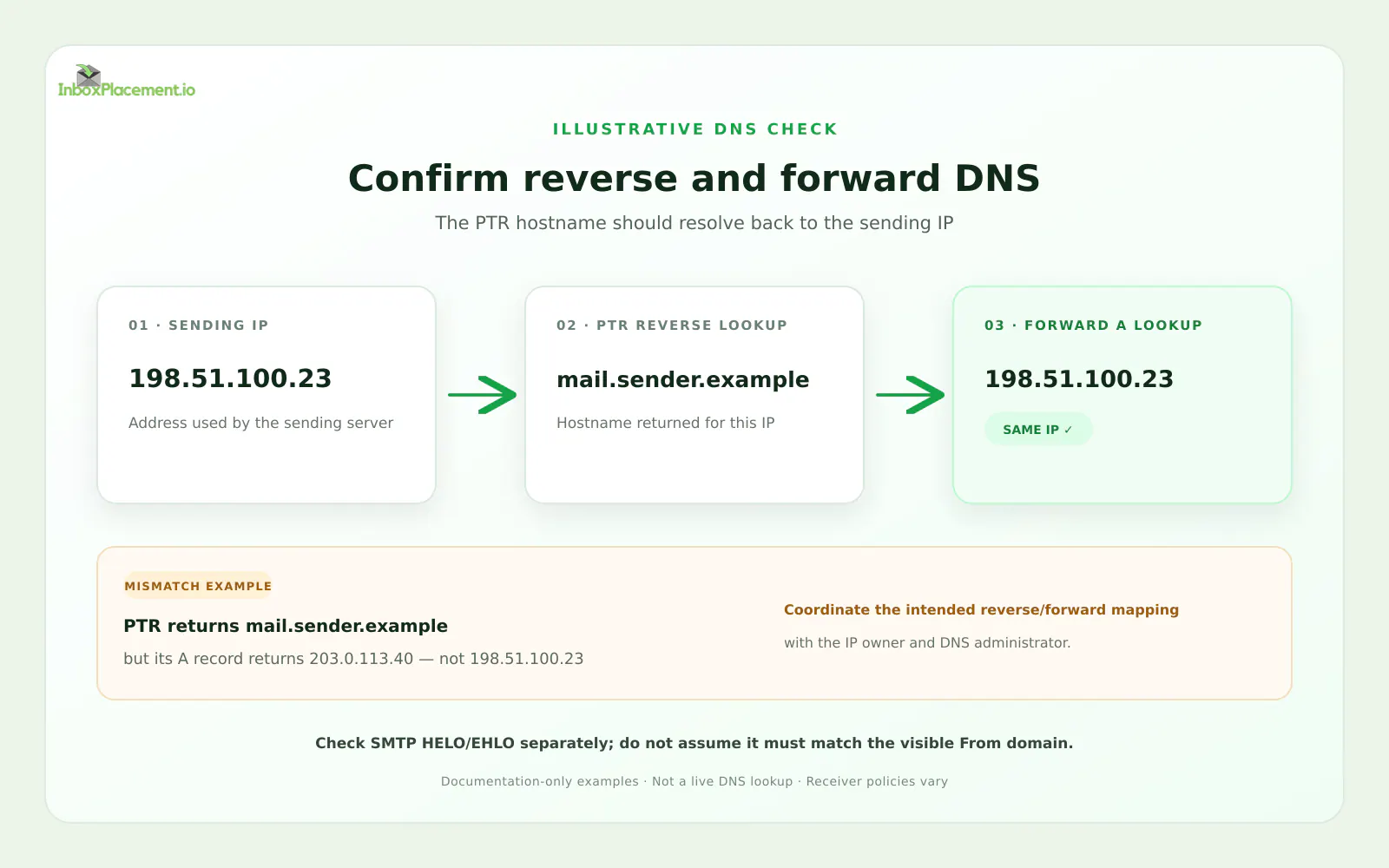
Synthetic, documentation-only IP addresses and reserved example hostnames; this is not a live DNS lookup or customer result.
Illustrative example A — missing reverse DNS:
- Observation:
dig -x 198.51.100.23returnsNXDOMAIN. - Possible cause: the IP owner has not published a reverse-DNS record.
- Safe action: ask the IP owner to configure the appropriate
PTR; then verify the forward lookup for its hostname.
Illustrative example B — forward lookup mismatch:
- Observation: the
PTRfor198.51.100.23returnsmail.sender.example, but that hostname’sArecord returns203.0.113.40. - Possible cause: reverse and forward DNS were configured inconsistently.
- Safe action: coordinate with the IP owner and DNS administrator to correct the intended mapping. Do not change
HELO/EHLOjust to make it match aPTRwithout checking provider requirements.
The IP ranges and hostnames above are illustrative documentation examples only; they do not represent a live sender or DNS lookup.
Common mistakes and limitations
- Treating a valid
PTRas proof of inbox placement. It verifies one infrastructure condition; it does not guarantee acceptance, inbox delivery, or reputation. - Assuming the
PTRmust match the visibleFromor envelope-from domain. Provider documentation may specify reverse-DNS and SMTP identity checks, but these domains serve different roles. - Changing the
PTRwithout checking forward DNS. APTRhostname that does not resolve back to the sending IP fails the forward-confirmation check described in Gmail guidance. - Assuming a DNS update takes effect immediately. The IP owner’s processing and DNS cache TTLs affect timing.
- Weakening DMARC as a routine response to a
PTRissue. These are separate controls; any emergency policy change needs domain-owner authorization, narrow scope, a time limit, and rollback criteria.
How the topic connects to inbox placement
Gmail and Yahoo both list valid forward and reverse DNS for sending IPs in their sender guidance, alongside separate authentication and message-handling requirements. Gmail also describes how the PTR hostname must resolve forward to the sending IP. These requirements are provider-specific and can change, so check the current sender documentation before making a change. Fixing PTR is not a substitute for SPF, DKIM, DMARC, or good sending practices, and it does not guarantee where a message will land.
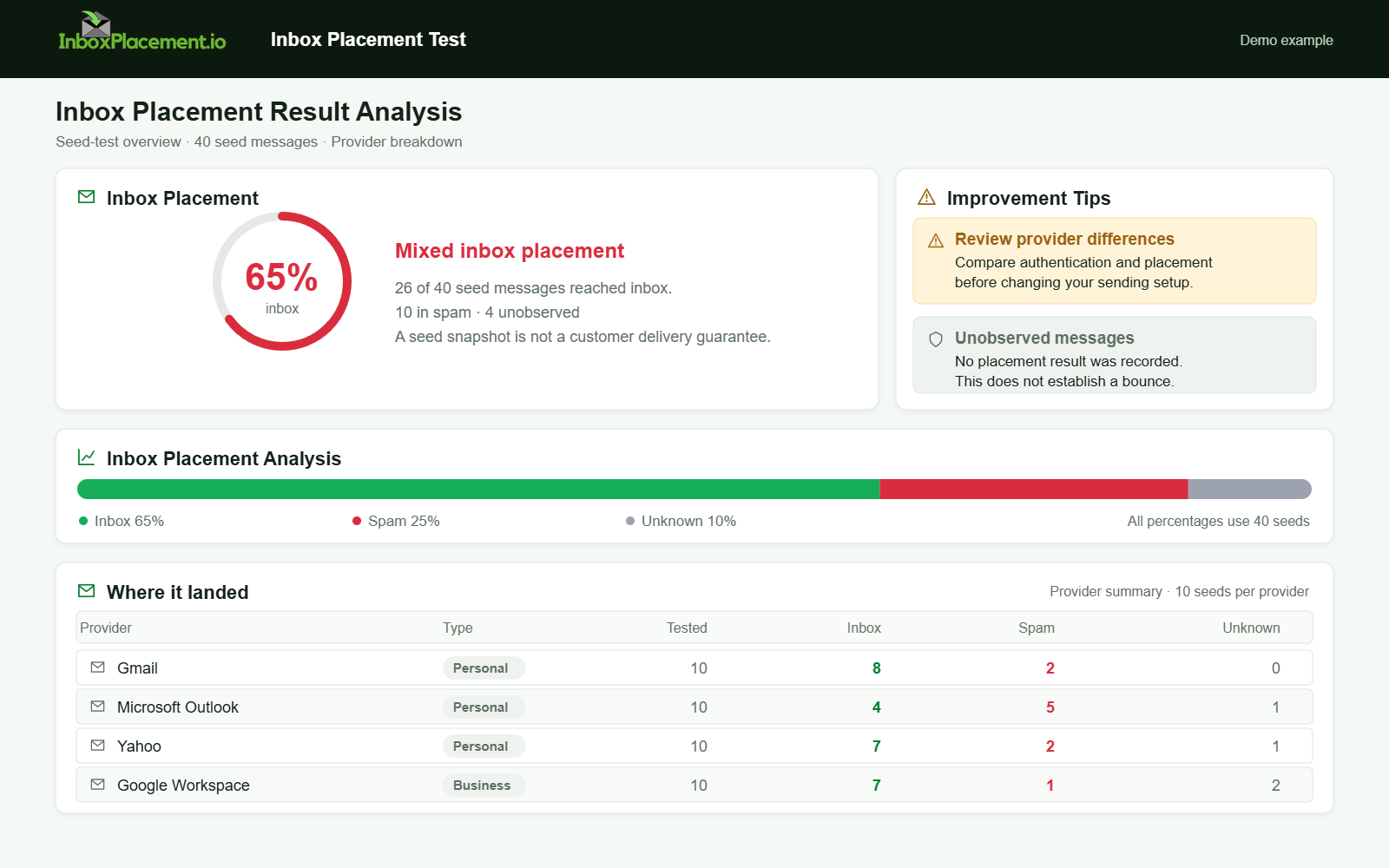
Demo example. Mixed placement across providers. Synthetic results for feature explanation; not a live test or customer outcome.
Verification and next steps
Observed evidence to collect after fixes
- Re-run reverse DNS queries (
dig -x) for each sending IP. - Run forward DNS for the returned
PTRhostname and confirm itsAorAAAArecord contains the same sending IP. - Send test messages to target providers; capture the trusted receiver’s
Authentication-Resultsheader and SMTP outcome where available. - Check provider dashboards where available (for example, Gmail Postmaster Tools for qualifying senders).
What each signal can and cannot prove
PTRpresent andFCrDNSverified: indicates forward-confirmed reverse-DNS configuration, not inbox placement.- Trusted
Authentication-ResultsshowingSPF,DKIM, orDMARCpass: records those checks for one message; it does not guarantee inbox placement or future acceptance. - SMTP delivery acceptance such as
250 OK: indicates acceptance at that SMTP stage; it does not show the final folder or long-term reputation. - Provider dashboards: useful for trends and policy enforcement status but require correct setup and interpretation.
Retest criteria (when to stop and when to continue)
- Stop retesting a specific PTR fix after:
- Reverse and forward DNS consistently return the intended sending IP, AND
- Test messages show no new PTR-related SMTP errors or rejection. Review authentication and mailbox placement separately.
- Continue troubleshooting if:
- Authentication-Results still show failures, or
- Mail is still being rejected/quarantined, or
- Provider dashboards flag ongoing policy issues.
Common mistakes, restated as safe actions
Observed evidence → safe action summary:
- Missing
PTR: ask the IP owner to publish reverse DNS for the sending IP. PTRhostname does not resolve back to the sending IP: coordinate the intended mapping with the IP owner and DNS administrator.- SMTP
HELO/EHLOdiffers from thePTRhostname: verify the recipient provider’s policy before changing either value. - Authentication failures persist: diagnose
SPF,DKIM, andDMARCseparately, then re-evaluate.
FAQ
Do Gmail and Yahoo require reverse DNS for sending IPs?
Their current sender guidance lists valid forward and reverse DNS for sending IPs. Requirements can differ by provider and change over time, so consult the current documentation for each recipient service. A correct PTR does not guarantee inbox placement.
Who can create or change a PTR for my sending IP?
The owner of the IP’s reverse DNS zone (typically your hosting provider, cloud provider, or ISP) must set the PTR. Coordinate the change with that provider.
How long after changing PTR should I expect results?
DNS propagation is governed by TTL and provider processing. Allow time for the provider to apply the change and for DNS caches to expire before concluding the change completed.
After correcting the DNS configuration, run an InboxPlacement test to observe authentication signals and mailbox placement separately.
Related Reading
- Email Authentication Audit Checklist: Implementation Guide
- Email Spam Score Troubleshooting: Diagnose and Fix Delivery Signals
- How To Read Email Headers For Deliverability: Diagnosis, Common Failure Patterns, and Next Steps
Sources
- Gmail email sender guidelines — IP address and forward/reverse DNS requirements
- Yahoo sender requirements — valid forward and reverse DNS for sending IPs
- Gmail email sender guidelines FAQ — current enforcement and sender requirements
- RFC 5321 — SMTP greeting commands and host identity
- Microsoft 365 email authentication troubleshooting — SPF, DKIM, and DMARC are separate diagnostic checks