
Email Authentication · Email Deliverability · SPF · DKIM · DMARC
Email Authentication Audit Checklist: Implementation Guide
· InboxPlacement.io Team
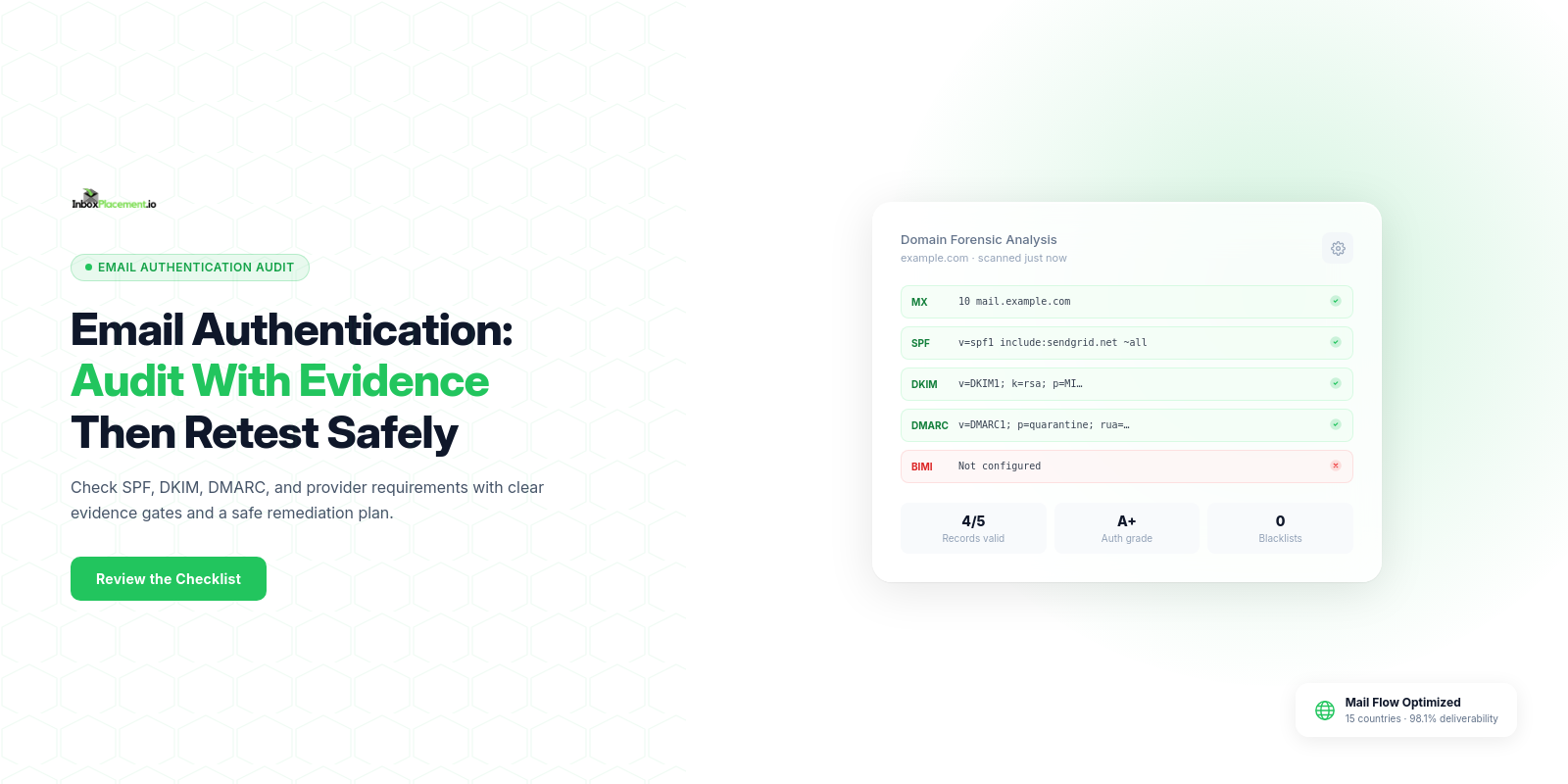
This checklist gives a concise, actionable implementation sequence: what evidence to collect, the validation gates to pass, recommended safe actions, and how to monitor and retest after each change.
Who this checklist is for and the outcome it supports
This checklist is for deliverability engineers, IT admins, and email operators who must verify SPF, DKIM, DMARC, and related signals before, during, or after configuration changes. It provides a repeatable audit with verifiable evidence for each gate—DNS records, Authentication-Results, DMARC reports, and provider consoles—and a clear retest plan. Illustrative scenarios are labeled as such.
Prerequisites and evidence to collect
Collect the following before making changes. Do not treat any single item below as proof of inbox placement—these are diagnostic signals.
- Administrative access
- DNS editor for each sending domain.
- Sending platform/ESP settings and IP lists.
- Access to the DMARC aggregate (
rua) mailbox or reporting system.
- Inventory
- List of sending domains and subdomains.
- Sending IP addresses (current and planned).
- List of downstream services that rewrite headers or send on your behalf (CRMs, marketing platforms, forwarding services).
- Current authentication artifacts
- Published SPF
TXTrecord for each sending domain. - Published DKIM public keys (
CNAMEorTXT) and selector names. - Published DMARC
TXTrecord and tags (policy,rua,fo,pct). - Any ARC records or third-party signing services in use.
- Published SPF
- Live evidence
- A recent received message’s full headers that include
Authentication-Results(label illustrative if you don’t control the receiver). - Latest DMARC aggregate reports (
rua) for each domain, if available.
- A recent received message’s full headers that include
- Provider consoles and reports
- Google Postmaster Tools access for primary sending domains if you send to Gmail.
- Any provider-side reputation or postmaster tools for major mailbox providers you target.
Step-by-step implementation checklist
Each item below separates observed evidence, likely causes, recommended actions, and retest criteria.
| Check | Observed evidence | Likely cause | Recommended safe action | Retest gate |
|---|---|---|---|---|
| SPF record exists | No SPF TXT record found for domain | No SPF published | Publish one SPF TXT record that authorizes current sending IPs and hosts. | DNS publishes the record; an SPF check returns the expected result for a sender IP. |
| SPF record lookup count | SPF returns permerror or fails because the evaluation exceeds the 10-DNS-query-term limit | Too many DNS-querying mechanisms or multiple records | Consolidate includes, use IP CIDR only when it accurately covers authorized senders, or use subdomain delegation. Keep the SPF evaluation within the limit. | SPF check no longer returns permerror; SPF returns pass or the expected result for authorized and unauthorized IPs. |
| Multiple SPF records | SPF lookup returns multiple SPF TXT records | Multiple SPF records exist for the same domain | Merge the authorized senders into one SPF record and remove duplicate SPF entries. | DNS shows one SPF record; an SPF check reports a single record. |
| DKIM signing in place | No DKIM signature or invalid signature observed | DKIM not configured or selector mismatch | Enable DKIM signing on the sending platform and publish the matching public key in DNS. Use unique selectors per environment. | A received message shows a DKIM signature; receiver Authentication-Results shows dkim=pass. |
| DKIM key strength and rotation | Weak key or no rotation plan | Long-lived or unsupported key | Follow the receiving provider’s current minimum; use a 2048-bit key where supported, and plan a tested selector rotation. | DKIM=pass is observed with the new selector and the sender continues signing. |
| DMARC record presence | No DMARC TXT record found | DMARC not published | For a new rollout, publish p=none with a valid rua destination to monitor reports; do not weaken an existing enforcement policy. | DMARC TXT is published and aggregate reports arrive at the configured rua destination. |
| DMARC alignment | DMARC fails while SPF or DKIM passes | Misalignment between the From: domain and SPF/DKIM domains | Use a consistent From: domain or configure SPF/DKIM to align (relaxed alignment is allowed where supported). | Authentication-Results indicates dmarc=pass for aligned test messages. |
| ARC or forwarding scenarios (illustrative) | Forwarded mail fails SPF but DKIM or ARC is present | Forwarding breaks SPF | Implement DKIM signing at a domain aligned with From:, or ensure ARC is supported by intermediary services. | Messages that previously failed SPF now show DKIM or ARC preserving authentication; Authentication-Results shows the appropriate signals. |
Reverse DNS and IP PTR | Missing reverse DNS for sending IP | PTR not set | Configure forward and reverse DNS that match the sending host. | Reverse DNS resolves and the forward lookup returns the sending IP. |
List-Unsubscribe (bulk) | No List-Unsubscribe header in marketing sends (illustrative) | Missing header | Add a List-Unsubscribe header and support one-click unsubscribe using the POST method where required. | Provider guidance recognizes the header and one-click unsubscribe works in a test. |
Notes:
- Separate observed facts, likely causes, and recommended actions when you run each check.
- Labeled rows with (illustrative) are example scenarios and are not guaranteed to match your environment.
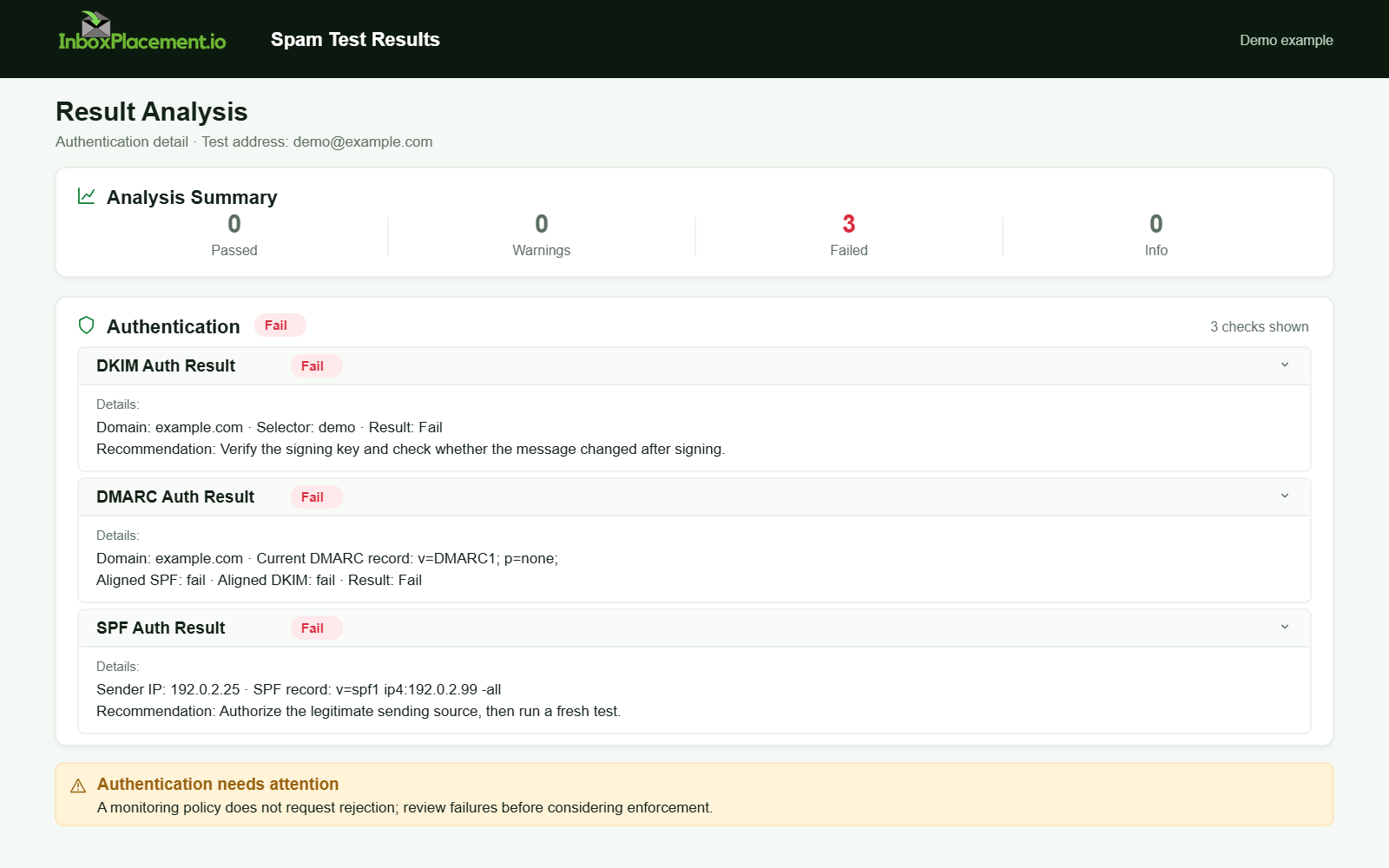
Demo example. Authentication failure diagnosis. Synthetic results for feature explanation; not a live test or customer outcome.
Mailbox-provider or protocol-specific requirements
Summarized with the official guidance that supports each point.
Gmail (personal accounts)
Google's guidelines apply to mail sent to personal Gmail accounts. All senders must use SPF or DKIM; bulk senders (5,000 or more messages per day to Gmail) must use both SPF and DKIM, publish DMARC, and align the visible From: domain with SPF or DKIM. Google says it began gradually increasing enforcement on non-compliant bulk traffic in November 2025; failures may cause temporary or permanent rejection or spam-folder delivery. Use Postmaster Tools to check compliance.
Microsoft 365 / Outlook
Microsoft describes SPF, DKIM, and DMARC as interdependent authentication standards and ARC as a way to preserve authentication information through intermediaries. Its guidance recommends using these methods together; its troubleshooting tables identify common SPF, DKIM, and DMARC symptoms and causes.
Yahoo / AOL
Yahoo's sender guidance requires all senders to use SPF or DKIM. Bulk senders must use both, publish a valid DMARC policy of at least p=none, and pass DMARC; a working rua destination is strongly recommended for monitoring. Bulk senders also need functioning one-click unsubscribe and must keep complaint rates below 0.3%.
When you target any mailbox provider, treat provider consoles and enforcement timelines as authoritative; align your audit gates to the providers you send to.
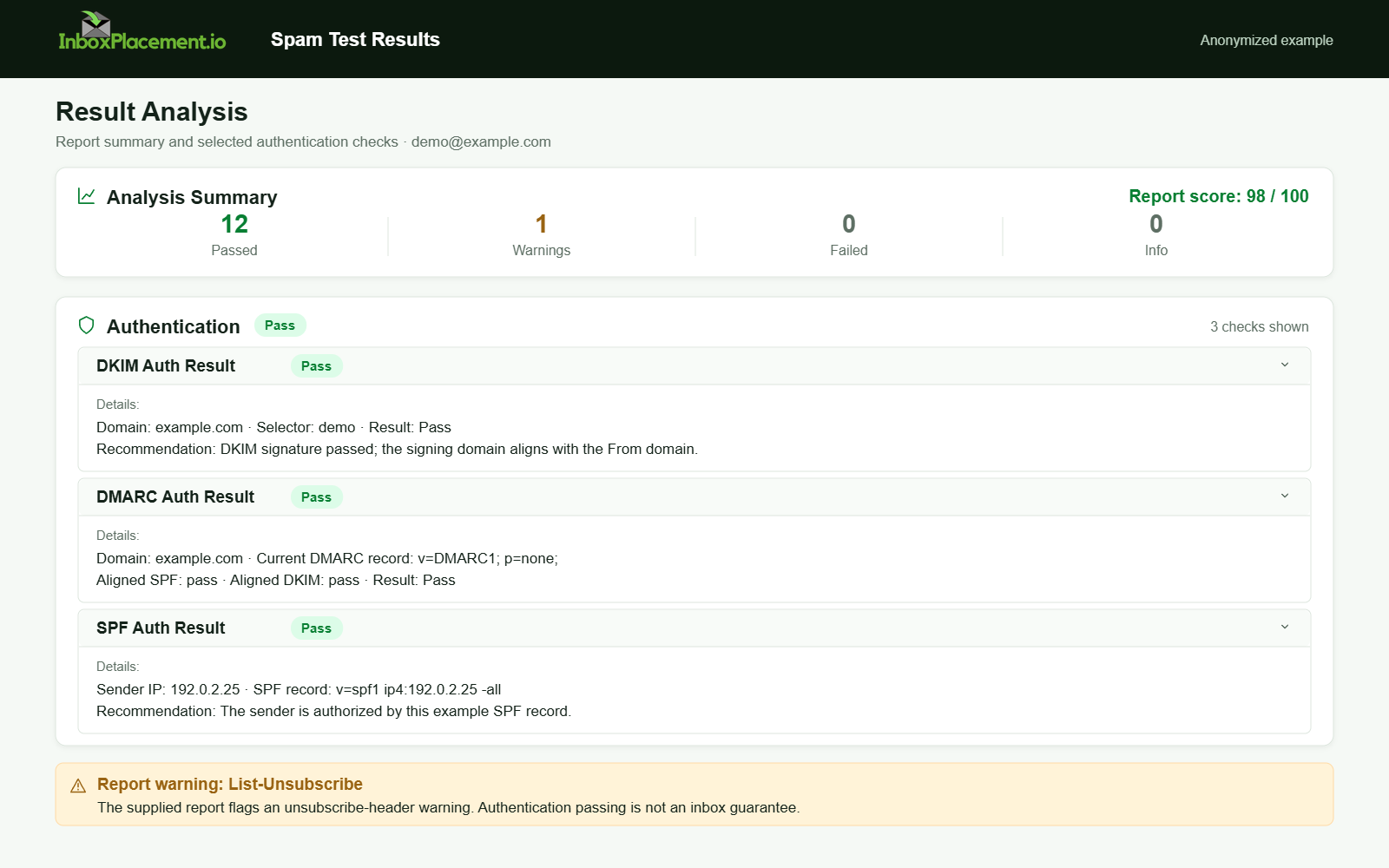
Anonymized example adapted from a supplied product report. Selected figures retained; identifiers and layout reconstructed. Not a new live test.
Common mistakes and how to avoid them
- Multiple SPF
TXTrecords: Keep a single SPF record for the domain; multiple records cause SPF errors. - Exceeding the SPF DNS lookup limit: Consolidate includes and prefer IP ranges where feasible. (Microsoft's troubleshooting notes this cause.)
- Publishing DMARC but not receiving
rua: Ensure the destination is syntactically correct and accepts aggregate reports. (Illustrative scenario: reports appear to be missing because the mailbox is misconfigured.) - Weak DKIM keys or unsynchronized selectors: Use a currently supported key size and ensure selectors match the published DNS keys.
- Missing reverse DNS: Ensure forward and reverse DNS align for sending IPs—some providers require valid
PTRrecords. - Removing DMARC enforcement to “fix” delivery (do not): Never weaken an enforced DMARC policy without explicit owner authorization, a narrowly scoped temporary change, and defined rollback criteria.
Label hypothetical examples as illustrative; they show typical causes, not conclusive proof of an individual problem.
Validation and retest criteria
For each gate, define the pass/fail criteria and what the result cannot prove.
Authentication-Resultsheader (observed fact)- What it shows: the receiver’s evaluation for SPF, DKIM, DMARC, and sometimes ARC for a delivered message.
- What it cannot prove: it is the receiver’s verdict on that message; it does not prove inbox placement, user engagement, or long-term reputation.
- DMARC policy versus DMARC result
- A published DMARC policy (
p=none,p=quarantine, orp=reject) is a DNS artifact; DMARC pass/fail on a received message is a runtime result. Treat them separately.
- A published DMARC policy (
- Retest criteria (examples)
- DNS propagation:
TXTrecords resolve from multiple public resolvers. - Authentication verification:
Authentication-ResultsshowsSPF=pass,DKIM=pass, andDMARC=passfor aligned messages. - Monitoring: DMARC aggregate reports (
rua) show expected traffic patterns and no unexpected sources.
- DNS propagation:
- Emergency changes
- Never advise weakening an existing DMARC enforcement policy in routine fixes. Any emergency exception must have explicit owner authorization, a narrowly defined scope, a time limit, and rollback criteria documented.
Ongoing monitoring and maintenance
- Inbound provider tools
- Use Gmail Postmaster Tools (for Gmail traffic) to watch compliance dashboards as part of ongoing checks.
- DMARC reporting
- Ensure
ruais active and processed. Aggregate reports are primary ongoing evidence of authentication behavior across receivers.
- Ensure
- Alerting
- Trigger alerts for sudden changes: new unknown sending IPs in reports, spikes in SPF permerrors, DKIM signature failures, or an increase in DMARC failures.
- Periodic audits
- Reconcile sending IPs, ESPs, and third-party services quarterly or after a platform migration.
FAQ
Does passing SPF/DKIM/DMARC guarantee my emails hit the inbox?
No. Passing authentication is one important signal, but it does not guarantee inbox placement or engagement. Providers use multiple signals when deciding where messages go.
What does the Authentication-Results header tell me?
It records the receiving server's checks (such as SPF, DKIM, DMARC, and ARC) for that message. It does not prove long-term reputation or inbox placement.
Can I set DMARC to p=reject immediately after publishing p=none?
Do not move quickly to p=reject without sufficient monitoring. Start with p=none and validate rua reports and aligned pass rates. Any enforcement change must be planned, authorized, and reversible.
Run an InboxPlacement test to verify authentication signals and mailbox placement after applying the recommended changes.
Sources
- Gmail email sender guidelines FAQ — Current sender requirements, graduated enforcement, and Postmaster Tools compliance monitoring.
- Email sender guidelines for Gmail — Baseline authentication for all senders and additional requirements for bulk senders.
- Email authentication in Microsoft 365 — Definitions of SPF, DKIM, DMARC, and ARC and Microsoft's recommendation to use the methods together.
- Troubleshoot email authentication in Microsoft 365 — Common SPF, DKIM, and DMARC symptoms, causes, and troubleshooting guidance.
- Yahoo Sender Best Practices — Authentication and DMARC requirements, list-unsubscribe guidance, and complaint-rate recommendations.
- RFC 7208 — Sender Policy Framework — Defines SPF evaluation and its DNS-query-term limit.
- RFC 6376 — DomainKeys Identified Mail Signatures — Defines DKIM signatures and verification.
- RFC 9989 — Domain-Based Message Authentication, Reporting, and Conformance — Current DMARC protocol specification, published in May 2026.
- RFC 9990 — DMARC Aggregate Reporting — Defines DMARC aggregate reports.
- RFC 8601 — Authentication-Results Header — Defines the message header field for authentication results.
- RFC 8617 — Authenticated Received Chain — Defines ARC as an experimental protocol for conveying message authentication assessments across handlers.
- RFC 8058 — One-Click Unsubscribe — Describes how email headers signal one-click unsubscribe functionality.