
Outlook · Email Authentication · Deliverability
Outlook Email Deliverability Issues: A Practical Guide
· InboxPlacement.io Team
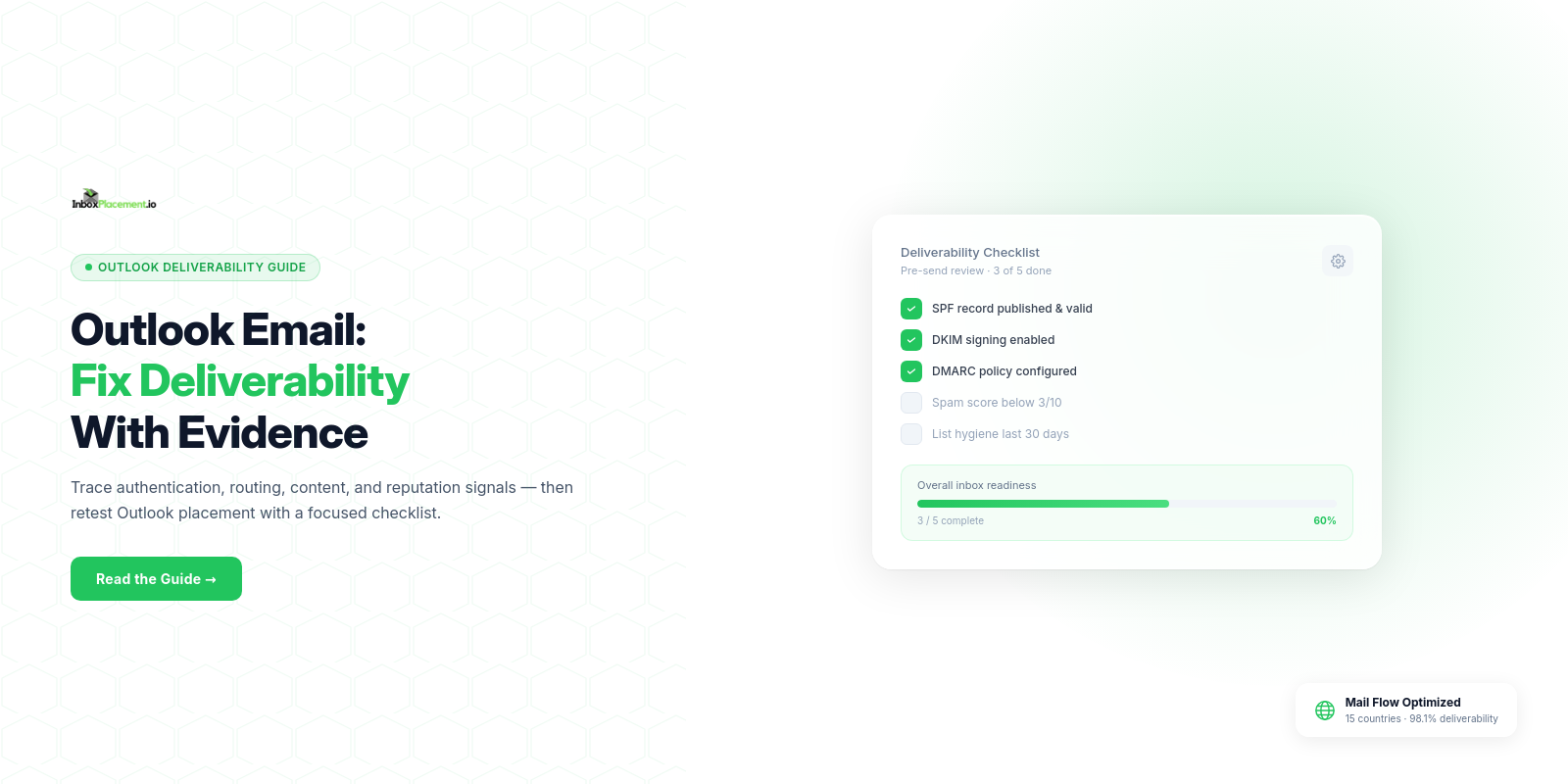
A short direct answer: Outlook email deliverability issues are most often caused by missing or failing email authentication (SPF, DKIM, DMARC), misconfigured sending infrastructure, or content/engagement signals that trigger Outlook's filtering. Start by collecting message headers (Authentication-Results), your DNS authentication records, DMARC reports, and provider feedback channels; then follow a focused triage and retest workflow below.
When this matters
- You or your recipients see messages routed to Junk/Spam, quarantined, or rejected by Outlook.com or Microsoft 365.
- You changed sending IPs, moved ESPs, updated templates, increased send volume, or published new DNS records.
- You receive automated feedback from Microsoft or see bounce codes that reference authentication or policy failures.
Collecting the right evidence early speeds resolution: Authentication-Results headers, the From header and return-path, SPF/DKIM/DMARC DNS records for the sending domain, and any DMARC aggregate (RUA) reports are the minimum starting set.
Core concepts in plain language
- SPF: a DNS TXT record that lists which servers are allowed to send mail for your domain. It tells receivers whether the sending IP is expected.
- DKIM: a cryptographic signature in outgoing messages tied to your domain; it proves the message wasn't altered in transit and that a domain owner authorized the signature key.
- DMARC: a policy layer that tells receivers what action to take if SPF and DKIM fail for your domain (none, quarantine, reject) and where to send aggregated reports.
- ARC: a mechanism receivers can use to preserve and evaluate authentication results through intermediaries (useful when trusted services modify messages).
- Authentication-Results: an email header added by receivers that records which checks passed or failed (SPF/DKIM/DMARC) and the receiver’s disposition. It is an important diagnostic artifact but not a direct proof of inbox placement.
Relevant official guidance: Microsoft documents these standards and recommends SPF, DKIM, DMARC, and ARC for cloud mailboxes; use Microsoft documentation to verify specific configuration steps and expected behaviors (see Sources).
A practical step-by-step workflow
This workflow separates observed evidence, likely causes, safe actions to take, and retest criteria.
-
Gather evidence
- Collect the raw message source (full headers and body) for representative messages that were delivered, filtered to Junk, quarantined, or rejected.
- Export recent DMARC aggregate reports (RUA) for the sending domain.
- Record the sending IP and ESP information for the affected messages.
- Pull any provider feedback (bounce codes or automated notifications from Microsoft, Gmail, Yahoo).
-
Observe (what the data shows)
- Authentication-Results header: note SPF result, DKIM result, DMARC result, and any ARC statements.
- DNS: view published SPF TXT, DKIM selector records, and the DMARC TXT record and policy (p=none/quarantine/reject).
- Provider disposition: Junk, Quarantine, Rejected, or Delivered.
-
Likely causes (match patterns)
- SPF: "none" or "permerror" suggests missing record or too many DNS lookups.
- DKIM: signature absent or fails when a signing domain or key is wrong.
- DMARC: fail when neither SPF nor DKIM passes aligned checks; aggressive DMARC policy (quarantine/reject) will cause rejection/quarantine.
- Forwarding or mailing lists: SPF can fail when messages are forwarded because the forwarder’s IP is not in the original SPF.
- Content/engagement: message content, suspicious links, or low engagement can increase filtering risk (observe provider feedback where available).
- Temporary DNS resolution issues: "temperror" in SPF checks.
-
Recommended immediate actions (safe, explicit)
- Verify SPF, DKIM, DMARC records exist and match the sending sources. If SPF reads as "permerror", check for multiple SPF records or too many DNS lookups and consolidate. If SPF returns "none", publish a proper SPF TXT record.
- Ensure DKIM signing is enabled for active sending domains and keys are published under the correct selectors.
- Review DMARC: do not weaken an existing enforced (quarantine/reject) policy without owner authorization. If you must make an emergency change, require explicit owner approval, apply a narrow scope and a short time limit, and define rollback criteria.
- For forwarded/third-party-modified mail, inspect whether ARC is available and whether trusted intermediaries are preserving authentication data.
- Use provider feedback tools (Gmail Postmaster, Yahoo Complaint Feedback) to review complaint and quality signals where applicable.
- If messages are rejected by Outlook with a specific error code, capture the exact code and message for further troubleshooting.
-
Retest criteria (how to know the change helped)
- Authentication-Results shows SPF and/or DKIM passing and DMARC disposition changes from fail to pass for representative messages.
- DMARC RUA reports show reduced authentication failures for the domain over the next reporting period.
- Repeat the same send to a controlled set of mailboxes (seedlist) and compare Authentication-Results and final mailbox folder (note: Authentication-Results != inbox placement; see the limitations section).
Checklist decision table (use this to decide the next step based on what you observe)
| Observed evidence | Likely cause (illustrative) | Recommended action | Retest criteria |
|---|---|---|---|
| No SPF record / SPF=none | No SPF TXT for domain | Publish SPF listing authorized senders; avoid multiple SPF TXT records | SPF check in Authentication-Results shows pass for a test send |
| SPF permerror | >10 DNS lookups or multiple records | Consolidate includes, simplify mechanisms to stay under lookup limit | SPF no longer permerror on test sends |
| DKIM missing or fails | Signing not enabled or wrong selector/key | Enable DKIM signing and publish correct public key | DKIM pass in Authentication-Results |
| DMARC fail with p=quarantine/reject | Neither SPF nor DKIM aligned | Fix SPF/DKIM alignment; preserve existing DMARC policy; avoid weakening policy | DMARC passes or DMARC disposition becomes none during controlled change only with owner approval |
| Messages quarantined/rejected with no auth failures | Content/scoring/complaints | Review content, unsubscribe links, engagement metrics; subscribe to provider feedback | Controlled seed sends land in Inbox/Junk as expected; Authentication-Results remain clean |
Examples (illustrative)
- Illustrative: A sender finds Authentication-Results showing SPF=softfail while DKIM is absent. Likely cause: sending IP not in SPF and DKIM not configured. Action: add the sending IP to SPF for the domain and enable DKIM signing with the ESP. Retest by sending to the same mailbox and confirm Authentication-Results changes.
- Illustrative: SPF returns permerror. Likely cause: SPF record has too many DNS lookups or duplicate TXT records. Action: merge multiple SPF TXT entries into one and replace excessive include mechanisms. Retest by checking SPF in Authentication-Results for new messages.
(Each example above is labeled illustrative and does not claim to reproduce your specific environment.)
Common mistakes and limitations
Observed facts vs. what they prove
- Observed: Authentication-Results shows SPF pass. What that proves: the sending IP matched the SPF record at the time. What that does not prove: that the message will land in the Inbox. Authentication success is necessary but not sufficient for inbox placement.
- Observed: DMARC p=reject is published. What that proves: receivers are instructed to reject messages failing DMARC for your domain. What it does not prove: whether every receiver will enforce or how intermediate forwarding will behave.
Common mistakes
- Treating SPF/DKIM as a one-time checklist. These records require maintenance when you add ESPs, use third-party services, or change sending IPs.
- Publishing multiple SPF TXT records for the same domain (causes permerror).
- Weakening DMARC policy as a quick fix without owner authorization and a rollback plan.
- Assuming delivered = inbox. Delivery to the recipient’s server is not the same as placement into the primary inbox.
How this connects to inbox placement
Authentication, routing, content, and reputation signals all feed the mailbox provider's filtering decisions. Microsoft’s formal guidance presents SPF, DKIM, DMARC, and ARC as the authentication standards receivers use to detect forged senders and ensure message integrity; anything less than full adoption reduces protection and can increase filtering risk (see Sources: Microsoft). However, even perfect authentication does not guarantee inbox placement — mailbox providers use additional signals such as sender reputation, complaint rates, and content signals when deciding final placement.
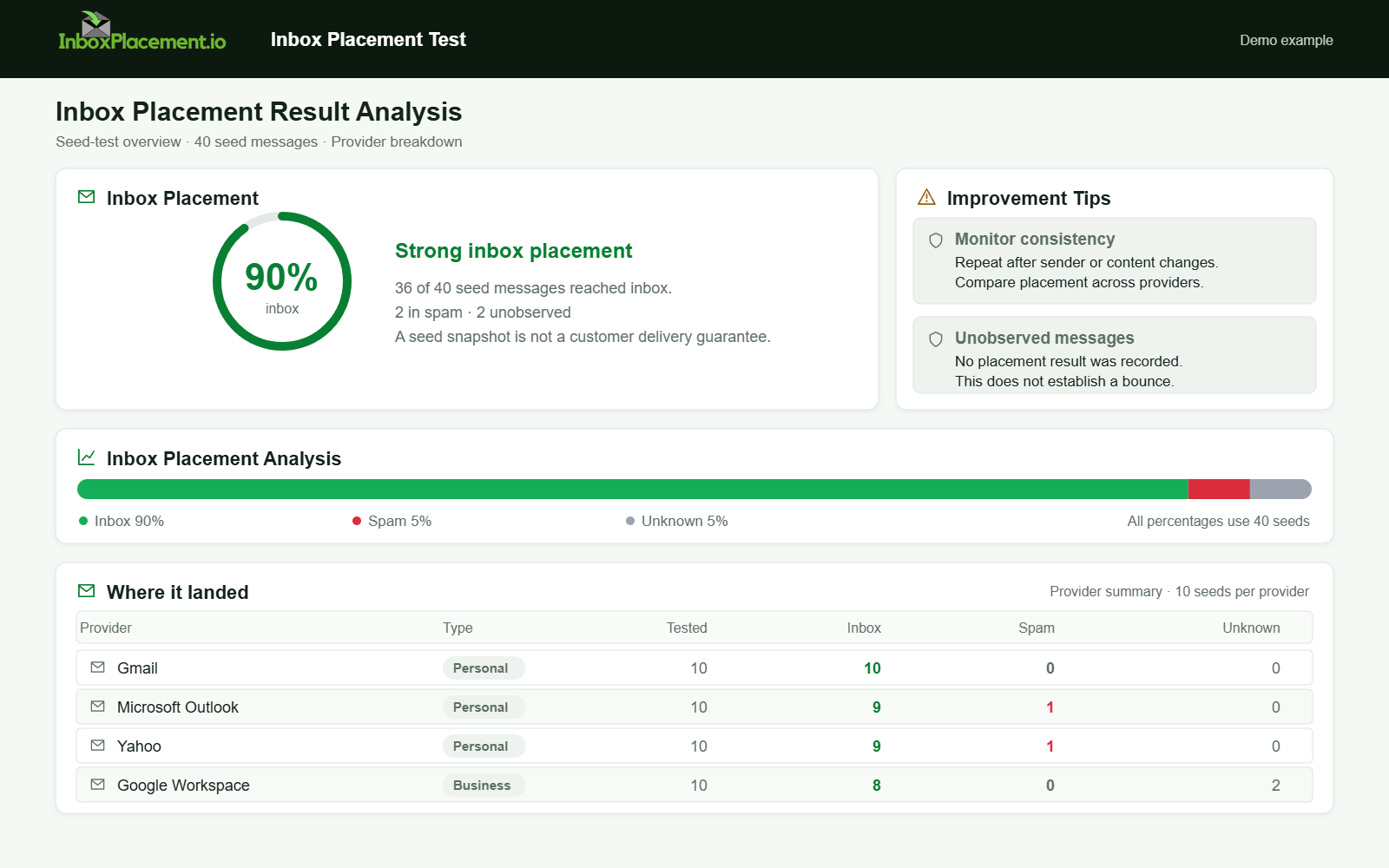
Demo example. Strong seed inbox placement. Synthetic results for feature explanation; not a live test or customer outcome.
Verification and next steps
What to collect for verification
- Full message source for representative successes and failures (include Authentication-Results).
- Current SPF TXT, DKIM selector DNS records, DMARC TXT record.
- DMARC aggregate reports (RUA) for several reporting windows.
- Any provider bounce/rejection messages or feedback.
What tests cannot prove
- A DNS or authentication check cannot prove final inbox placement. Authentication results are diagnostic signals that must be combined with seed mailbox placement tests and provider feedback to assess true inbox performance.
- A single successful test does not prove long-term reputation; use repeated, representative tests over time.
Retest guidance
- After fixes, send a controlled set of messages to the same recipients you used for initial evidence collection and compare Authentication-Results, receiver disposition, and mailbox folder results.
- Collect DMARC aggregate reports for the next reporting cycle to see whether the volume of authentication failures decreases.
FAQ
How does the Authentication-Results header help troubleshooting?
Authentication-Results records the receiver's evaluation of SPF, DKIM, DMARC, and related checks. It helps you identify which authentication check failed or passed, which narrows the scope of configuration changes needed. It does not, on its own, indicate where a message ended up in the mailbox.
Should I change my DMARC policy to p=none while I fix issues?
No. Do not weaken an existing DMARC enforcement policy without explicit owner authorization and a documented rollback plan. If a temporary change is authorized, apply it narrowly, limit its duration, and define clear criteria for rolling the original policy back.
Where can I see provider-specific enforcement or feedback?
Providers offer postmaster or sender tools with specific feedback: for example, Google recommends using Postmaster Tools to check compliance and sender signals (see Sources). Yahoo publishes sender requirements and a complaint feedback loop (see Sources). Use these channels to monitor complaint rates and policy enforcement notices.
Run an InboxPlacement test to verify authentication signals and mailbox placement after applying the recommended changes.
Sources
- How email authentication works in Microsoft 365 — Microsoft Defender for Office 365. This source explains SPF, DKIM, DMARC, and ARC and recommends configuring all of these methods for cloud organizations: Microsoft email authentication guidance
- Troubleshoot email authentication in Microsoft 365 — Microsoft Defender for Office 365. This source describes symptoms and likely causes for SPF/DKIM/DMARC failures (e.g., no SPF record, permerror, temperror, and the interaction between authentication methods): Microsoft email authentication troubleshooting
- Gmail email sender guidelines FAQ — describes Gmail’s enforcement timeline and recommends using Postmaster Tools for compliance monitoring: Gmail email sender guidelines FAQ
- Yahoo Sender Requirements FAQ — describes Yahoo’s sender enforcement approach, complaint feedback loop, and recommendation to implement DMARC enforcement if spoofing is a problem: Yahoo Sender Requirements FAQ