
Deliverability · Seasonal Email · Authentication · Inbox Testing
Cyber Monday Email Spam Test Workflow for Deliverability
· InboxPlacement.io Team
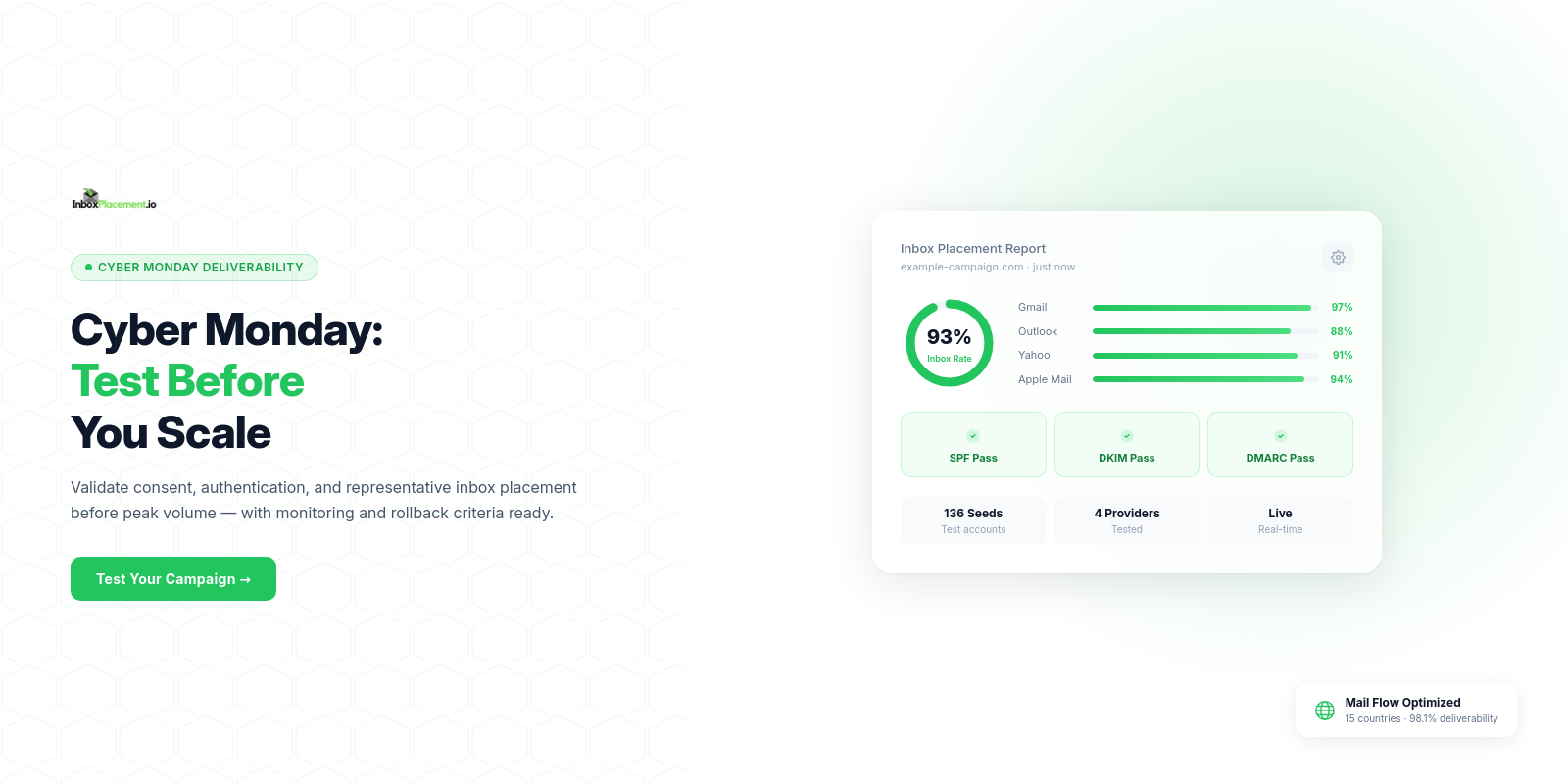
Practical answer: run a time‑boxed, owner‑assigned workflow that validates audience consent and segmentation, confirms SPF/DKIM/DMARC and sending‑stream readiness, performs cross‑provider inbox placement tests (Gmail, Outlook, Yahoo) before the peak send, and operationalizes live monitoring plus a documented rollback and retest path if placement or provider signals deteriorate.
Campaign deliverability risks to control before sending
Evidence to collect
- DNS TXT records for SPF and DKIM selector records, and the DMARC DNS record value for every sending domain you will use.
- Authentication-Results headers captured from controlled test messages sent to target providers (collect raw message headers from seed inboxes).
- Historical cadence and volume data for the sending stream to identify sudden increases.
- Complaint and unsubscribe data exported from provider feedback loops or your ESP.
- Seed inbox folder placement (Inbox, Promotions, Spam/Junk) across representative Gmail, Outlook (Microsoft 365), and Yahoo/AOL seed addresses.
Likely causes (illustrative)
- Missing SPF TXT record, multiple SPF records for the same domain, or an SPF TXT that exceeds the 10 DNS lookup limit (see Microsoft guidance on SPF troubleshooting).
- DKIM not signing messages or selector/key mismatches causing signature failures.
- DMARC absent or misconfigured; alignment failures between the From: domain and SPF/DKIM.
- Provider‑level enforcement applied at the authenticated domain or From header domain (illustrative — see Yahoo guidance).
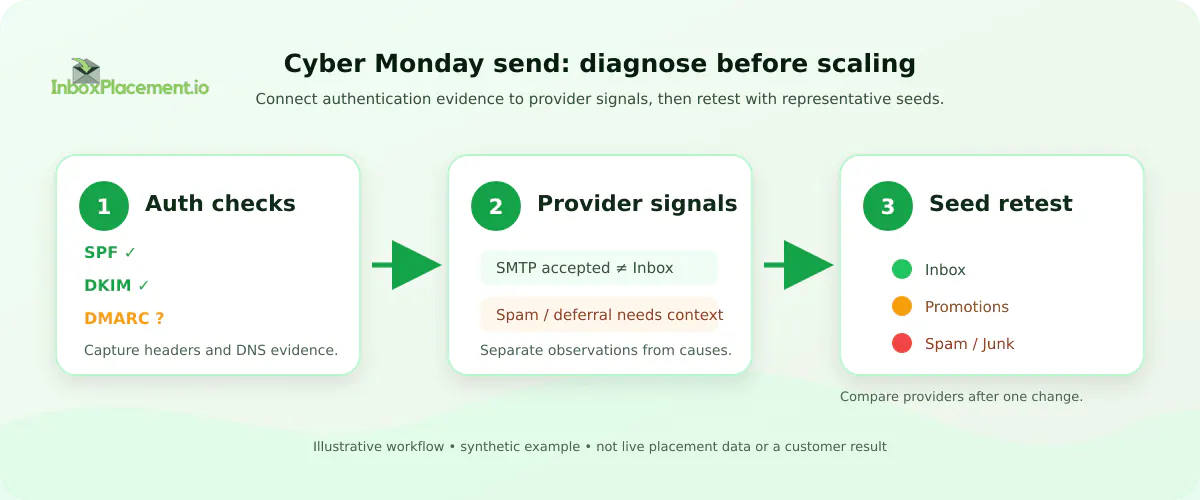
Illustrative branded workflow. Synthetic example only; not live placement data or a customer result.
Recommended actions (pre‑send)
- Verify published DNS records and collect Authentication-Results from a controlled test send to each target provider. Do not use a single test success as proof of placement.
- Ramp volume using only engaged, consented recipients for initial Cyber Monday sends.
- Ensure unsubscribe and List-Unsubscribe headers are present on promotional messages to reduce complaint risk.
- Prepare an owner‑approved rollback and retest plan before scaling.
What these signals cannot prove
- A valid set of SPF/DKIM/DMARC DNS records or a passing Authentication-Results header does not by itself prove inbox placement; these are necessary signals, not guarantees.
Planning timeline and ownership before the seasonal volume increase
Open with a direct owner assignment and hard deadlines 7–21 days before the peak send depending on historical stability.
Suggested timeline (example; illustrative)
- T–21 days: Authentication & DNS owner validates DNS records and runs a controlled test stream. Hold if SPF returns permerror or SPF uses >10 lookups.
- T–14 days: Audience owner completes segmentation and suppression based on engagement windows you define (e.g., last 30–90 days).
- T–7 days: Deliverability owner runs full inbox placement tests and documents signoff criteria.
- T–0 through T+3 days: Monitoring owner watches provider metrics and executes rollback if thresholds trigger.
Label: this timeline is an illustrative example. Adjust cadence for your organization’s change windows and DNS TTLs.
Ownership checklist
- DNS/Authentication: IT/DNS owner
- Audience/list hygiene: CRM or Growth owner
- Sending stream & rate control: ESP/Platform owner
- Live monitoring & rollback: Deliverability/SRE owner
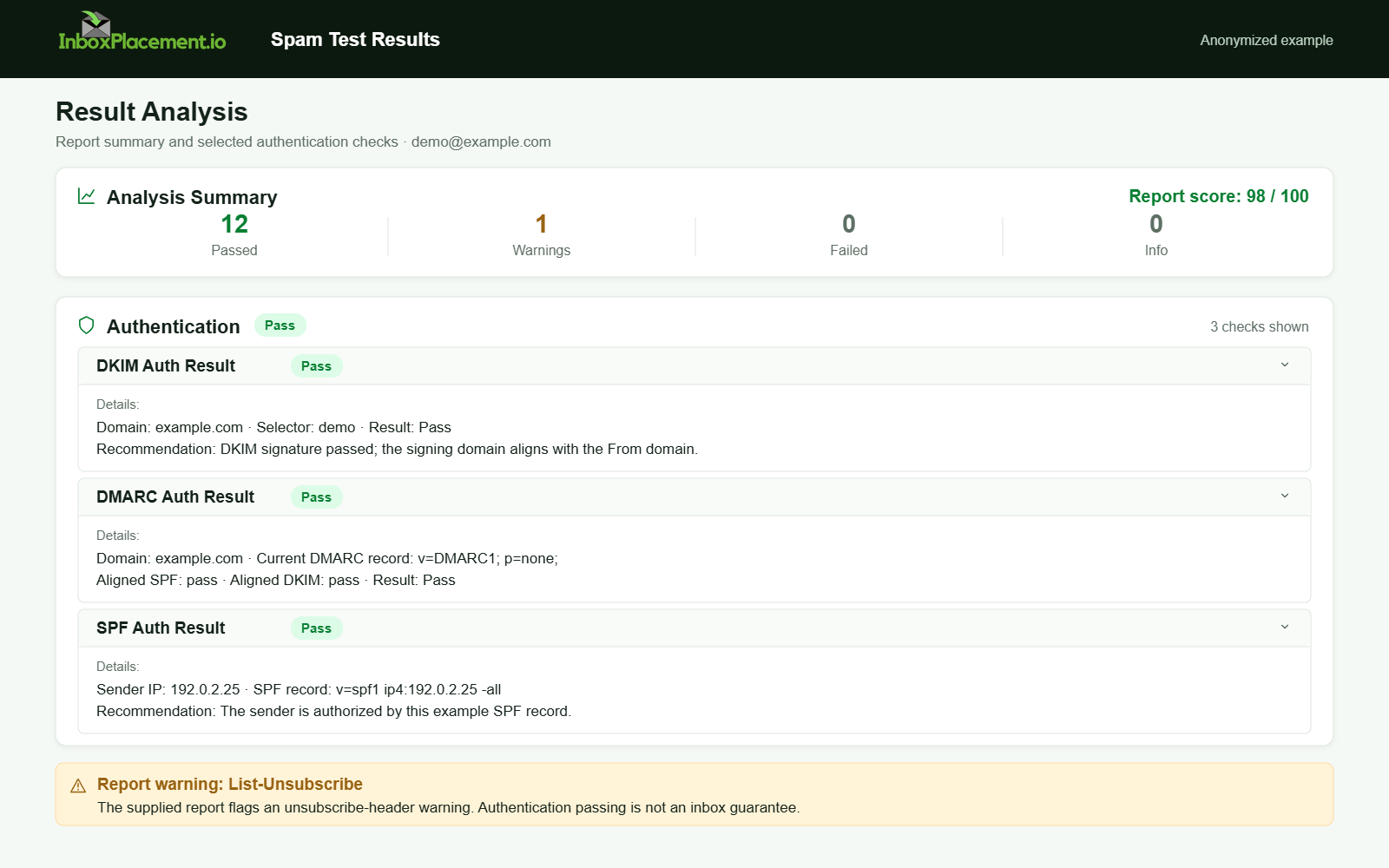
Anonymized example adapted from a supplied product report. Selected figures retained; identifiers and layout reconstructed. Not a new live test.
Audience consent, segmentation, suppression, and list‑hygiene checks
Evidence to collect
- Bounce classification logs (hard vs soft) and categorized SMTP error codes from recent sends.
- Complaint counts and timestamps from provider feedback loops or ESP complaint exports.
- Engagement recency metrics (opens/clicks) and last‑unsubscribe timestamps for recipients.
Likely causes (illustrative)
- Dormant or stale addresses increasing bounce and complaint risk during volume ramps.
- Repeated sends to recipients who have not recently engaged, raising provider suspicion.
Recommended actions
- Suppress hard bounces, role addresses (as per your policy), and recipients who unsubscribed.
- Use engagement‑based segmentation for the initial ramp: prioritize the most recently engaged recipients (e.g., last 30–90 days) and add less engaged segments only after verification.
- For last‑minute list changes (illustrative emergency scenarios), require explicit owner authorization with defined time limits and rollback criteria.
Retest criteria (illustrative)
- Run a small pilot to the top engaged segment; collect Authentication-Results and seed placement across providers. Proceed to scale only after the pilot meets your predefined pass conditions.
SPF, DKIM, DMARC, reputation, and sending‑stream readiness
Evidence to collect
- Published DNS TXT entries for SPF and DKIM selector records, and the DMARC DNS record value for each sending domain.
- Authentication-Results headers from each provider for controlled test messages.
- SMTP delivery logs showing acceptance, deferral, or rejection responses and any SMTP error text.
Likely causes (illustrative)
- SPF checks returning none/permerror/softfail due to missing records, exceeding lookup limits, or multiple SPF records for the same domain (Microsoft documents common SPF error causes).
- DKIM unsigned messages or verification failures from selector/key mismatches.
- DMARC absence or misalignment producing alignment failures against the From: domain.
Recommended actions
- Confirm SPF is published, does not exceed the 10 DNS lookup limit, and includes all authorized senders. If SPF returns permerror, fix the record rather than bypassing SPF.
- Ensure DKIM signing for the sending domain and verify selectors resolve in DNS.
- Publish and verify a DMARC record. Do not weaken an existing DMARC enforcement policy; any emergency policy changes must be explicitly authorized, narrowly scoped, time‑boxed, and include rollback criteria.
- Treat these signals as separate: the DMARC authentication result recorded in Authentication-Results, the published DMARC policy, receiver disposition, SMTP delivery acceptance, and inbox placement must be evaluated together.
Distinguish these signals (definitions)
- Published DMARC policy: the DMARC DNS record value your domain advertises (for example, p=none, p=quarantine, or p=reject).
- DMARC authentication result (observed): the pass/fail/alignment outcome recorded by a receiver for a specific message and reported in Authentication-Results.
- Receiver disposition: the action the receiver takes per its local rules (for example, quarantine, reject, or deliver to a non‑inbox folder).
- Delivery (SMTP level): whether the receiving MTA accepted the message (delivered, deferred, rejected) at SMTP transaction time.
- Inbox placement: where the message appears in the end user’s mailbox (Inbox, Promotions, Spam/Junk) as observed via seed addresses or user reports.
What Authentication-Results cannot prove
- The Authentication-Results header shows receiver‑observed authentication outcomes, but it does not prove final folder placement.
Sources to consult for technical detail
- For SPF/DKIM/DMARC troubleshooting and the impact of failed authentication, consult Microsoft’s troubleshooting guidance (see Sources).
- For provider expectations such as required authentication and TLS, consult Gmail’s sender guidelines (see Sources).
- For domain‑level enforcement and complaint feedback guidance, consult Yahoo’s Sender Requirements FAQ (see Sources).
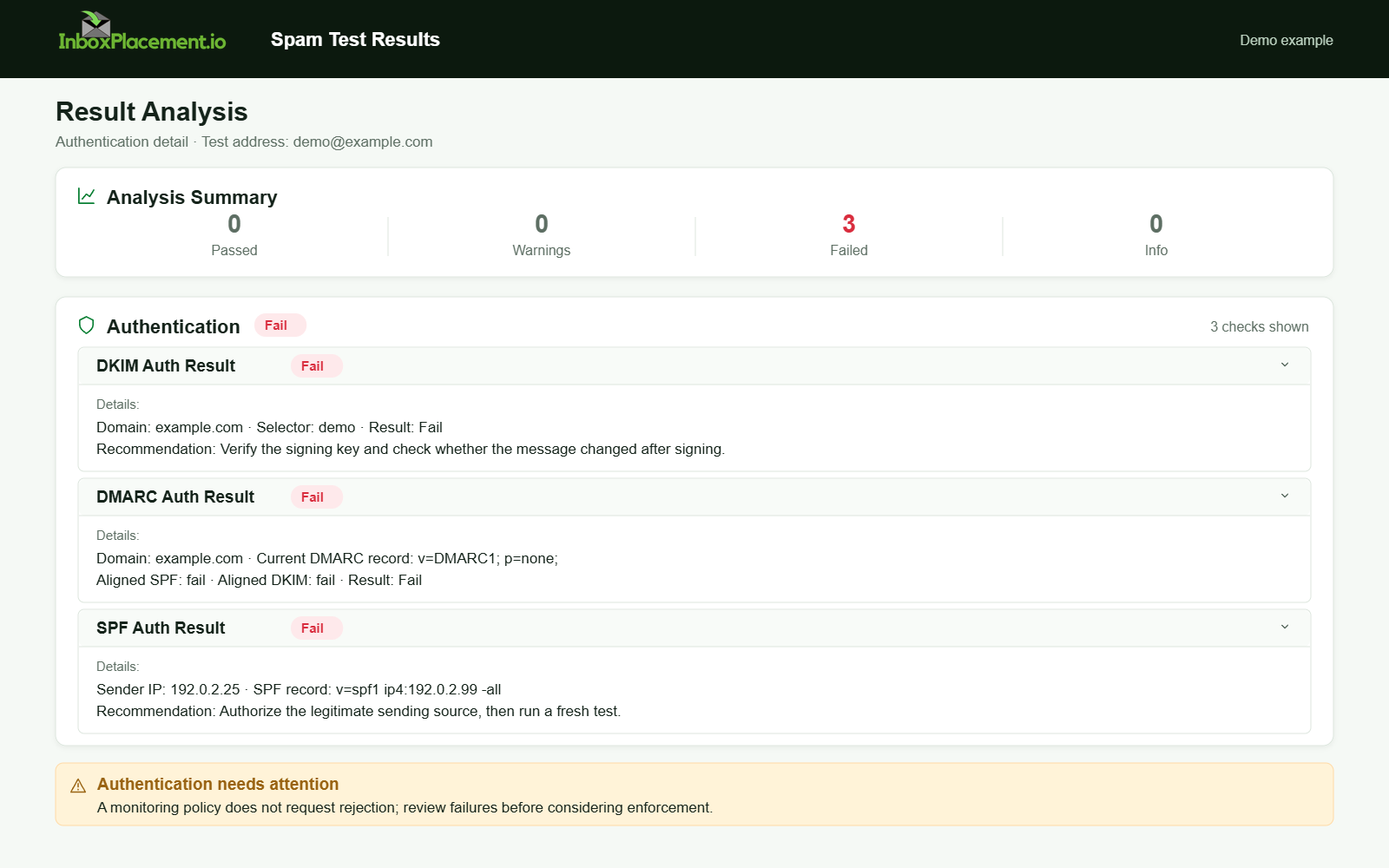
Demo example. Authentication failure diagnosis. Synthetic results for feature explanation; not a live test or customer outcome.
Pre‑send spam and inbox‑placement testing across Gmail, Outlook, and Yahoo
Testing scope (illustrative)
- Send the campaign (or the campaign template) to seed inboxes representing Gmail, Outlook (including Microsoft 365), and Yahoo/AOL. Include seeds for both the From domain and any authenticated domains used.
Evidence to collect (per seed)
- SMTP delivery status (delivered, deferred, rejected) from your ESP logs.
- Seed folder placement (Inbox, Promotions, Spam/Junk) observed in the seed account.
- Authentication-Results headers returned by each receiver for the seed messages.
- Any provider‑specific feedback or error strings explaining foldering or rejection when available.
Decision checklist (use before a full send) — all causes and retest criteria are illustrative
| Evidence to collect | Likely cause (illustrative) | Recommended action | Retest criteria (illustrative) |
|---|---|---|---|
| SPF missing or SPF check returns permerror | No SPF TXT or >10 DNS lookups (Microsoft guidance) | Publish a correct SPF TXT, reduce lookups, include ESP IPs | Authentication-Results shows SPF pass and seed placement is representative |
| DKIM absent or signature fails | Selector missing or key mismatch | Publish DKIM selector and enable signing; validate DNS selector | Authentication-Results shows DKIM pass and seed placement is representative |
| DMARC p=none but Authentication-Results show misalignment | DKIM/SPF not aligned with From: domain | Fix alignment; consider a gradual ramp; do not weaken DMARC without owner approval | DMARC alignment observed in Authentication-Results on test sends |
| Gmail seed shows Spam or Promotions | Content, headers, or sender history (illustrative) | Review message content, From alignment, unsubscribe headers, and sending cadence | Pilot Gmail seeds improve after iterative fixes |
How to interpret provider policies during testing (illustrative)
- Gmail: follow their sender guidelines — set up SPF/DKIM/DMARC and use TLS; monitor spam rates through Postmaster Tools.
- Yahoo: enforcement is applied at the authenticated domain or From header domain level; ensure compliance with unsubscribe and authentication requirements.
What these tests cannot prove
- Seed tests show placement for those specific seed addresses; they do not certify global placement for every recipient. Use seeds as representative diagnostics, not absolute guarantees.
Launch‑day monitoring: deferrals, bounces, complaints, and placement changes
Evidence to collect in real time
- ESP/SMTP deferral and 4xx logs with timestamps.
- Hard/soft bounce rates and categorized SMTP error codes.
- Complaint rates from provider feedback loops and any provider‑level throttling or response messages.
- Ongoing seed placement if using a rolling seed plan.
Likely causes (illustrative)
- Provider throttling triggered by rapid ramp or elevated complaint rates.
- DNS propagation issues producing intermittent Authentication-Results failures.
- Content or unsubscribe problems causing localized complaint spikes.
Safe operational responses
- Pause or throttle sends if deferrals or complaint rates exceed pre‑agreed thresholds in your runbook.
- If Authentication-Results suddenly shows failing signals across receivers, stop the send, escalate to DNS/IT owner, and validate DNS resolution and Authentication-Results for a controlled test message.
- For emergency exceptions requiring a policy change, follow a narrow, time‑bound, owner‑authorized process and log the change for rollback. Do not advise weakening DMARC enforcement as a general remediation.
Retest criteria after any intervention (illustrative)
- A controlled test send that shows passing Authentication-Results signals and representative seed inbox placement before resuming scaled traffic.
Rollback, retest, and post‑campaign reputation recovery plan
Rollback triggers (illustrative; set thresholds per organization)
- Large unexpected increase in hard bounce rate.
- Complaint rate crossing an agreed threshold (monitor provider FBLs).
- Seed placement moving to Spam/Junk across multiple providers simultaneously.
Rollback steps (owner‑driven)
- Stop or throttle the current send stream immediately.
- Isolate the cohort(s) that correspond to the spike (segment/time window).
- Validate DNS records and capture Authentication-Results for a controlled test message.
- If DNS/authentication is clean, run fresh seed tests and review recent content or link changes.
- If a provider returns a rejection with a specific error code, follow the provider's remediation guidance.
Retest criteria before resuming (illustrative)
- Authentication-Results show passing signals for SPF/DKIM/DMARC where appropriate.
- Seed inbox placement returns to representative levels in targeted providers for the pilot cohort.
- No new provider error codes or escalations in monitoring dashboards.
Post‑campaign recovery actions (illustrative)
- Continue a reduced sending cadence to affected cohorts while monitoring provider feedback for a short recovery window after the campaign.
- Remediate any content or link reputation issues identified during tests.
- Rebuild sender trust by mailing initially only to engaged recipients and expanding only after stable signals are observed.
FAQ
How does a DMARC policy affect Cyber Monday sends?
A published DMARC policy tells receivers how to handle alignment failures; receivers may quarantine or reject mail if DMARC fails. DMARC authentication results reported in Authentication-Results are one signal among several (published policy, SMTP delivery, receiver disposition, and inbox placement) and should be evaluated together. See Sources for provider guidance.
Can a passing Authentication-Results header guarantee inbox placement?
No. Authentication-Results indicates what a receiver observed about SPF/DKIM/DMARC for that message, but it does not guarantee final folder placement. Use seed inbox placement tests across providers to confirm where messages land.
If I see SPF permerror, what should I do first?
Collect the SPF record and SPF check response. Investigate whether the SPF TXT exceeds the 10 DNS lookup limit or if multiple SPF records exist for the same domain; then fix the SPF TXT to include correct sources and minimize lookups before resuming scaled sends (Microsoft documents these common SPF failure causes).
Run an inbox‑placement pilot to collect Authentication-Results and representative seed placement after applying changes.
Sources
- Microsoft — Troubleshoot email authentication in Microsoft 365: guidance on SPF failures, lookup limits, and how authentication failures can lead to quarantine, rejection, or routing to Junk Email. Troubleshoot email authentication in Microsoft 365.
- Gmail — Email sender guidelines: requirements for SPF/DKIM/DMARC, TLS usage, and sender guidance. Email sender guidelines.
- Yahoo — Sender Requirements FAQ: domain‑level enforcement, complaint monitoring, and unsubscribe requirements for promotional mail. Sender Requirements FAQ.