
Microsoft SNDS · Outlook.com · Email Authentication · Email Deliverability · Troubleshooting
Microsoft SNDS Email Deliverability: Practical Workflow
· InboxPlacement.io Team
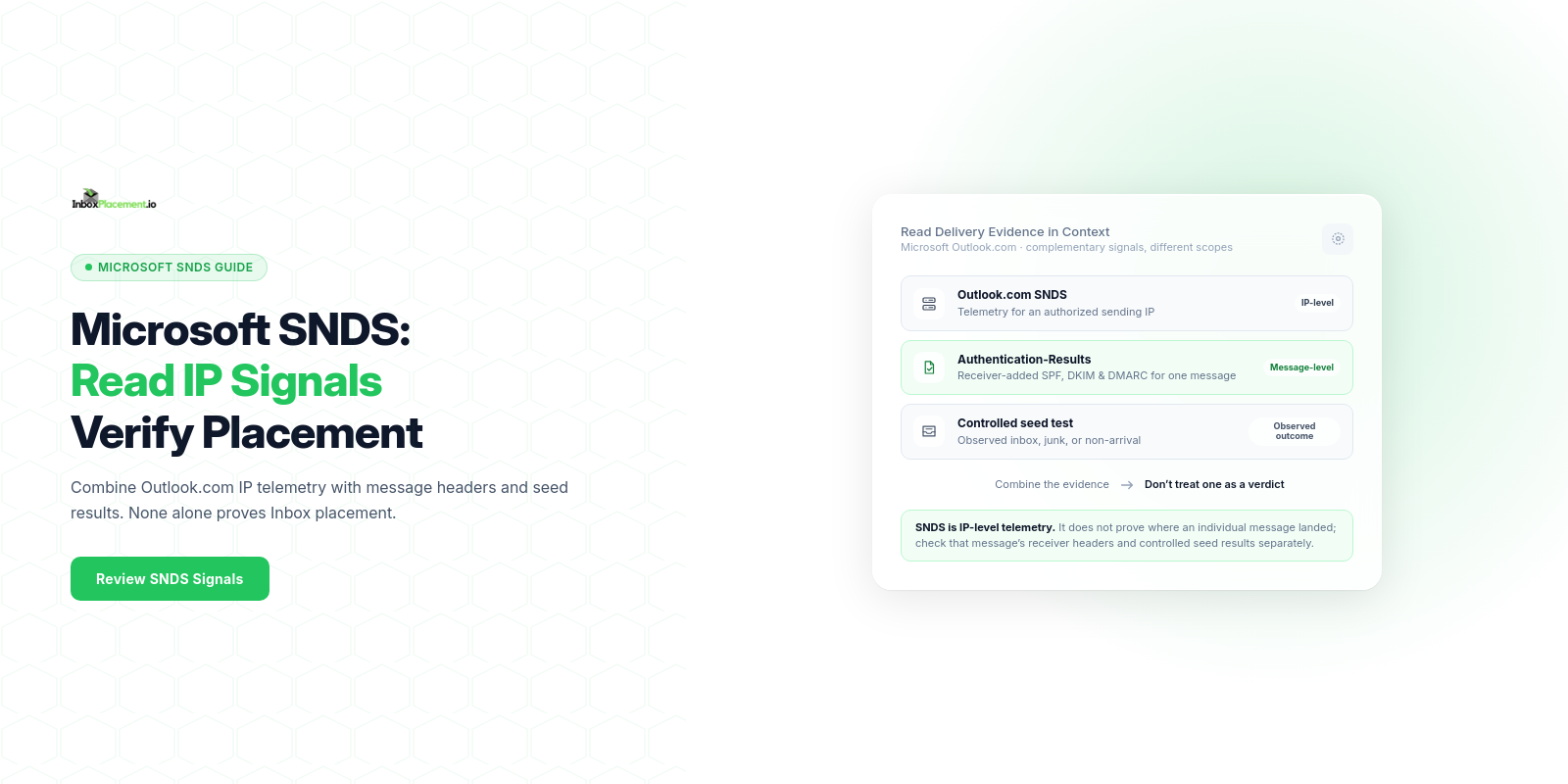
Microsoft SNDS email deliverability guide — short answer:
If you send to Outlook.com and have SNDS access, use its authorized-IP telemetry alongside receiver-added Authentication-Results headers and controlled seed tests. SNDS can show aggregate signals about mail activity from an IP; it does not show where an individual message landed. Compare the evidence, make one conservative change at a time, and retest the same sending path.
Direct answer and when this topic matters
Use SNDS as one source of Outlook.com sending-IP telemetry. It is not a universal Microsoft 365 dashboard, a per-message verdict, or an inbox-placement report. This topic matters when:
- Messages sent to Outlook.com or Hotmail recipients are routed to Junk, rejected, or show inconsistent delivery.
- Authentication checks (
SPF/DKIM/DMARC) orAuthentication-Resultsheaders are failing or inconsistent. - You need a verifiable next step to confirm whether configuration changes affect mailbox placement (seeded inbox tests).
Note: Authentication and DNS checks are diagnostic signals. A passing Authentication-Results header or correct DNS record does not by itself prove inbox placement.
Core concepts in plain language
- SNDS: Outlook.com provides IP-level telemetry for IP ranges you are authorized to view, including mail-activity and complaint signals (SNDS FAQ). It is not a per-message result or a decision engine.
- Authentication standards: Microsoft describes
SPF,DKIM, andDMARCas interdependent standards that work together to protect against spoofing and phishing. Provider requirements can vary by service and sender type. Authentication-Resultsheader: RFC 8601 defines a message header field for reporting authentication results. A trusted receiving service can use it to show how it evaluated one message; it does not prove inbox placement.- Composite interpretation: Keep the signals distinct: SNDS summarizes Outlook.com traffic for sending IPs,
Authentication-Resultsrecords a receiver's evaluation of a message, and a seed test observes a test mailbox's outcome. None alone guarantees delivery to a user's Inbox.
Distinct definitions you should keep separate
- DMARC result: the pass/fail/none value recorded for a specific message (often shown in
Authentication-Results). - Published policy: the DMARC DNS policy (e.g.,
p=none,p=quarantine,p=reject) published for the domain. - Receiver disposition: the action the receiving system takes (accept, quarantine, reject) after evaluation.
- Delivery (MTA acceptance): whether the recipient MTA accepted the message for delivery (post-MTA events like quarantine still possible).
- Inbox placement: the end-user-facing location (Inbox, Spam/Junk, Quarantine view, or not delivered). Authentication checks and DNS are distinct technical signals and do not prove inbox placement.
A practical step-by-step workflow
This workflow tells you what to collect, how to interpret common results, recommended safe actions, and how to retest.
-
Prepare your collection
- Identify the sending domains and sending IPs you control.
- Ensure you can publish and edit DNS TXT records for domain-level
SPF,DKIMselector keys, andDMARCrecords. - For Outlook.com SNDS, sign in through the current SNDS access page with a Microsoft Account, request access to IP ranges for which you are responsible, and complete its authorization process. If an email provider owns the sending IPs, coordinate access with that provider instead of requesting an IP range you do not manage.
- Obtain other relevant provider telemetry separately (such as Google Postmaster Tools or Yahoo Sender Hub); each service has its own eligibility and measurement scope.
- Set up a small seed list of test addresses across Gmail, Outlook/Hotmail, and Yahoo for placement checks.
-
Baseline observations to collect
- DNS: published
SPF,DKIMpublic keys,DMARC(policy and reporting addresses such asrua). Authentication-Results: collect raw headers from messages sent to your seed inboxes (the header name appears exactly as Authentication-Results).- SNDS: the authorized sending IP, observed mail activity or volume, complaint signals, and the reporting period. The SNDS FAQ notes that mail and spam data may not appear for an IP that sent fewer than 100 messages on a given day.
- Delivery observation: whether seed addresses delivered to Inbox, Junk/Spam, Quarantined, or were rejected.
- DNS: published
-
Interpret results (separate observed evidence, likely causes, recommended safe actions)
- Observed evidence: an
Authentication-Resultsheader shows aDMARCfail for a message. - Likely interpretation: a
DKIMfailure alone does not explain aDMARCfailure whenSPFpasses. Verify whether theSPF-authenticated domain aligns with the visible From domain and whether anyDKIMsignature passes with alignment;DMARCneeds at least one aligned passing result. - Recommended safe actions:
- Confirm
DKIMsigning configuration for the sending path. - Confirm
SPFincludes all legitimate sending IPs and avoid exceeding lookup limits (Microsoft troubleshooting notes this commonSPFcause).
- Confirm
- Retest criteria: after any DNS change has propagated according to its TTL, send a new controlled test through the same path and collect fresh receiver headers and seed-placement results.
- Observed evidence: an
-
Apply fixes iteratively
- Publish or correct DNS records (
SPF TXT,DKIMpublic key,DMARCrecord with aggregate reporting addresses). - For
SPF: ensure you have a singleSPFrecord and the record does not exceed lookup limits (per Microsoft troubleshooting guidance). - For
DKIM: confirm selectors and that the sending service actually signs outgoing mail. - For
DMARC: consider policy changes only after authentication is reliable and the domain owner has approved the plan.
- Publish or correct DNS records (
⚠️ Do not lower an existing enforcement policy as a shortcut for a delivery problem.
- Run an inbox placement test
- Use seeded addresses to verify where mail lands after fixes.
- Collect
Authentication-Resultsfor each seed and compare with prior baselines. - Compare provider telemetry snapshots (SNDS and other postmaster tools) while avoiding assumptions that telemetry alone proves end-user delivery.
Checklist (practical decision checklist)
- I can edit DNS for sending domain(s).
-
SPFrecord exists and is a single TXT record. -
DKIMselector and public key are published. -
DMARCrecord publishes aggregate reporting addresses (rua) and an appropriate policy for current readiness. -
Authentication-Resultsheaders are being collected from seed inboxes. - SNDS or provider telemetry is available and linked to the sending IP.
- Any
DMARCpolicy change is approved by the domain owner and supported by verified authentication evidence. - Seeded inbox placement test scheduled after changes.
Examples clearly labelled as illustrative
Illustrative scenario 1 — Authentication-Results shows DKIM fail, SPF pass
- Observed evidence:
Authentication-Results: dkim=fail; spf=pass; dmarc=fail. - Likely interpretation:
DKIMdid not pass with alignment, and theSPFpass did not align with the visible From domain; otherwiseDMARCwould have an aligned passing result. Confirm theSPFidentity,DKIMsigning domain, and From domain before changing DNS. - Safe action: verify the message's actual signing selector and published public key, then check
SPFandDKIMalignment against the From domain. Retest with a new message and inspect the receiving service'sAuthentication-Results.
Illustrative scenario 2 — SPF returns temperror for a seed
- Observed evidence:
Authentication-Resultsindicatesspf=temperror. - Likely cause: temporary DNS resolution failure when the receiver queried the
SPFTXT record (per Microsoft troubleshooting). - Safe action: check authoritative DNS server health and TTLs; retest once DNS resolution is restored.
(Each of the above is illustrative — do not treat these as measurements from your systems unless you collect matching evidence.)
Common mistakes and limitations
Observed evidence vs what it cannot prove
Authentication-Resultsheaders are useful evidence of how a receiving server evaluated authentication for a specific message, but they do not prove that a user saw the message in their Inbox.- DNS and authentication checks do not guarantee inbox placement: they reduce technical reasons mail might be rejected or spammed, but content, user behavior, and provider scoring still matter.
Frequent mistakes
- Publishing multiple
SPFrecords for the same domain (causesSPFpermerror). - Assuming
SPFalone prevents spoofing; Microsoft docs noteSPFalone is insufficient andDKIM+DMARCare needed for robust protection. - Changing
DMARCpolicy without coordination — any policy change should be planned and approved by domain owners.
Limitations of telemetry
- SNDS reports IP-level data, not the placement of a particular message. Its FAQ says it aggregates the previous day's data, the aggregation may take a few hours, and displayed data is retained for 90 days. Low-volume IPs may have no data for a given day. Record the reporting period and do not treat missing same-day data as proof that a message was not delivered.
How the topic connects to inbox placement
- Authentication helps receivers assess sender identity, but a passing check does not guarantee Inbox placement. Microsoft documents
SPF,DKIM, andDMARCas interdependent standards; its troubleshooting guide notes that authentication failures can lead to quarantine, rejection, or Junk routing. - Provider dashboards describe provider-specific signals, not a universal placement result. Google says its bulk-sender enforcement is gradual and provides a compliance dashboard for personal Gmail senders (Google FAQ); Yahoo reports separate sender and complaint signals (Yahoo Sender Hub FAQ). Use each tool within its stated scope, and use seed tests to observe the placement of test messages.
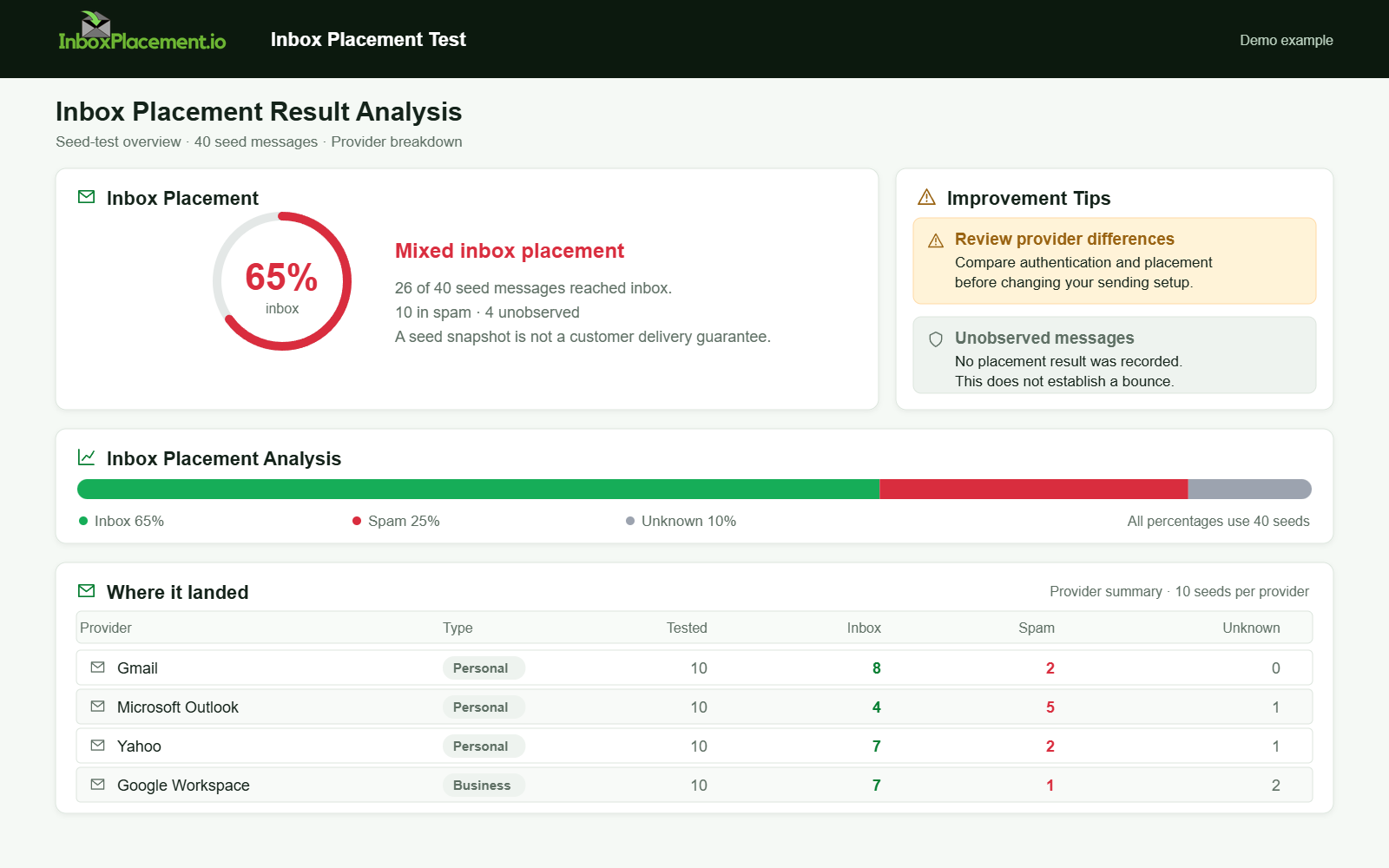
Demo example. Mixed placement across providers. Synthetic results for feature explanation; not a live test or customer outcome.
Verification and next steps
What to verify after applying changes
- Evidence to collect:
- Fresh
Authentication-Resultsheaders from each receiver (collect exact header text). - Seed inbox placement (Inbox vs Spam/Junk vs Quarantine vs rejection).
- Provider telemetry snapshots (SNDS/other postmaster tools) for the sending IP and domain.
- Fresh
- Safe retest timing: wait for relevant DNS changes to propagate according to the published TTL, then send controlled messages through the same path. Compare receiver headers and seed placement with the previous baseline; allow for SNDS's prior-day aggregation and reporting delay.
- Retest criteria before moving toward
DMARCenforcement (coordinate with domain owners; do not change policy without authorization):- Consistent
Authentication-ResultsshowingSPFandDKIMpass andDMARCpass across seed addresses. - No unexpected rejections on seed inboxes.
- Confirmation in provider telemetry that trends appear stable (collect telemetry snapshots as evidence).
- Consistent
What Authentication-Results cannot prove
- It does not prove user delivery or that a message avoided spam filters in all recipients. It only documents how a receiver judged the message at their edge.
FAQ
How does Authentication-Results differ from a DMARC pass/fail?
Authentication-Results is a message header field that can record a receiver's SPF, DKIM, and DMARC evaluations. DMARC pass/fail is one result in that field. Use a header added by the receiving service you are investigating; a result is evidence about that message, not a guarantee of inbox placement.
How do I register for SNDS?
Use the current Outlook.com SNDS portal, sign in with a Microsoft Account, request access to the sending IP ranges for which you are responsible, and complete the authorization process. If your email service provider owns the IP range, ask it about SNDS access rather than requesting an unrelated range. Check the portal for current access and reattestation requirements.
How current is the SNDS data?
The SNDS FAQ says the service aggregates the previous day's data; processing may take a few hours, and data is available for 90 days. It also notes that data may be absent for low-volume IPs.
If SPF and DKIM pass, can my mail still be marked as spam?
Yes. Authentication reduces some spam signals, but spam/foldering decisions also depend on content, sending reputation, complaint rates, and provider-specific filters.
Can I rely only on SNDS to diagnose Outlook.com delivery issues?
No. SNDS summarizes activity for authorized sending IPs; it does not show the folder or final delivery outcome of a particular message. Combine it with message headers, DNS and alignment checks, and a controlled seed test.
Run an inbox placement test to compare mailbox outcomes after applying a verified change. For aggregate authentication reporting, see DMARC monitoring.
Sources
- Microsoft describes how
SPF,DKIM, andDMARCwork together in Email authentication in Microsoft 365. - Microsoft lists
SPFoutcomes and common causes of authentication failures in Troubleshoot email authentication in Microsoft 365. - Microsoft explains SNDS scope and access in Outlook.com Smart Network Data Services and the SNDS FAQ.
- RFC 8601 specifies the
Authentication-Resultsmessage header field. - RFC 9989 defines the current DMARC protocol, including identifier alignment and policy behavior.
- RFC 7208 specifies
SPFevaluation, including DNS lookup limits and result meanings. - Google describes sender requirements, enforcement, and its compliance dashboard in the Gmail email sender guidelines FAQ.
- Yahoo describes its sender requirements and complaint reporting in the Sender Requirements FAQ.
Each source supports the specific provider or authentication behavior cited in this guide.