
Email Deliverability · Testing · Email Authentication
Email Deliverability Test: A Reproducible Workflow
· InboxPlacement.io Team
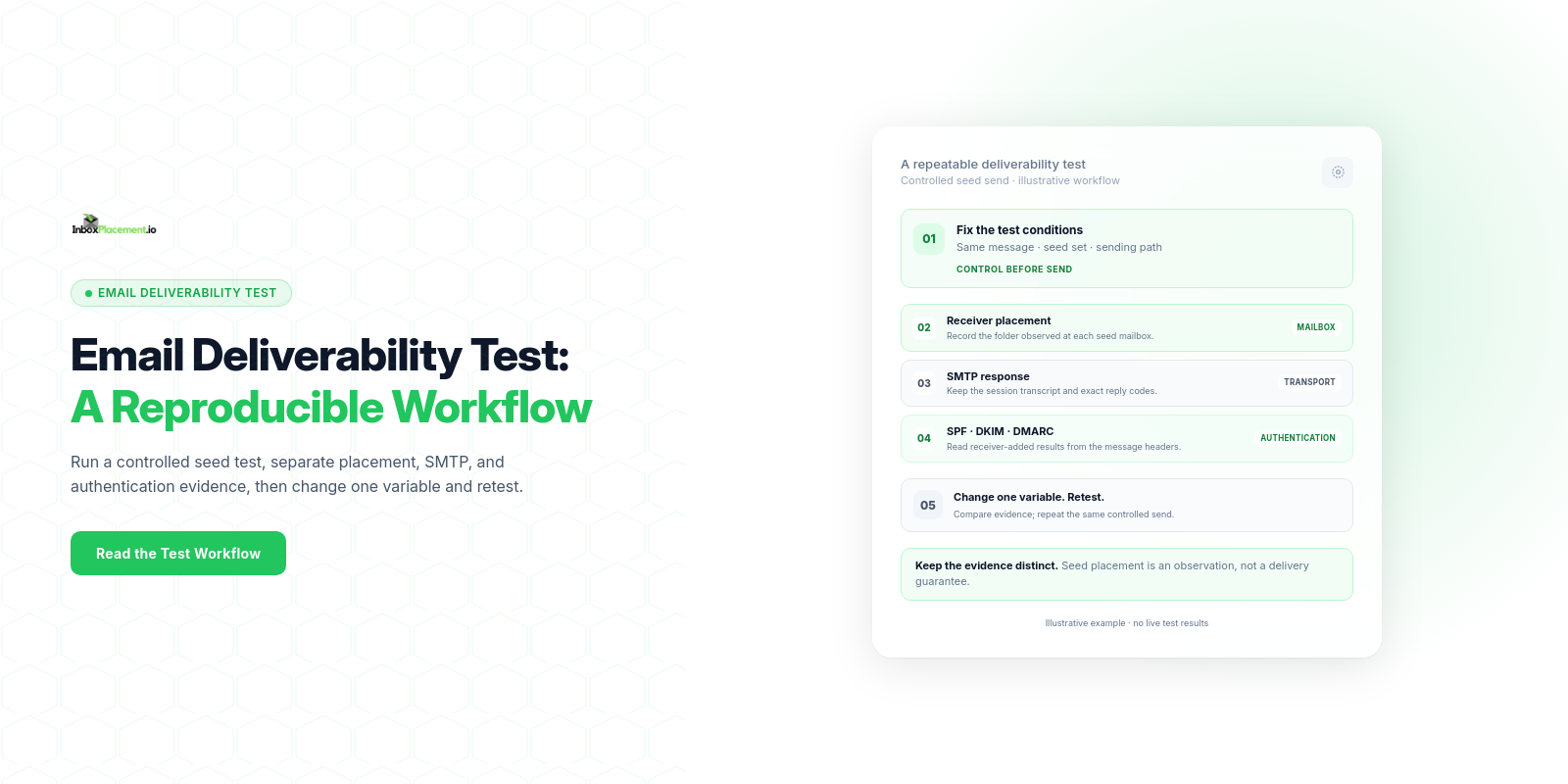
A concise answer: an email deliverability test is a controlled, repeatable send to a set of seed inboxes and monitoring points that collects placement (inbox/spam/quarantine/reject), message headers (including the Authentication-Results header), and any bounce or rejection details so you can separate observed signals from likely causes and apply safe fixes before retesting.
What the test measures and how it works
- Observed signals: whether each seed inbox receives the message, where it lands (Inbox, Spam/Junk, Quarantine, or not delivered), the SMTP bounce or rejection code (if any), and the message headers — notably Authentication-Results.
- Authentication signals measured: SPF, DKIM, and DMARC pass/fail states reported in Authentication-Results. Treat each as a signal separate from policy and placement.
- Provider dispositions: mailbox providers may quarantine, reject, or route messages to Junk/Spam when authentication or other signals fail; providers publish different requirements and enforcement behaviors you must respect.
Note: observed authentication results and delivery disposition are signals, not proof of long-term reputation or universal inbox placement. Any example scenarios below are illustrative.
What to prepare before running the test
Collect these items so each test run is reproducible:
- Sending context
- Sending domain(s), envelope-from, and From: header domain.
- Sending IP address(es) and whether sending is via an ESP, dedicated IP, or shared IP pool.
- DNS and authentication records
- Current SPF TXT record text for the sending domain.
- DKIM public key record(s) for the selector(s) you use.
- DMARC TXT record and published policy (p=none/quarantine/reject).
- Test message design
- One canonical message per test (subject, HTML/plain bodies, link targets), with a short, unique token in the body for later header searching.
- Seed list
- A stable set of test inboxes covering providers you care about (Gmail, Outlook/Exchange Online, Yahoo/AOL, and any corporate destinations). Keep addresses constant between retests.
- Logging and capture plan
- How you will capture message headers (Authentication-Results), delivery timestamp, SMTP responses, and the observed folder placement.
- Change log
- A simple versioned changelog to record configuration changes between test runs (DNS updates, DKIM rotation, content edits).
Do not weaken or bypass DMARC enforcement during a test. If an emergency policy change is genuinely necessary, require documented owner authorization, a narrow scope, a time limit, and explicit rollback criteria.
Step-by-step testing workflow
- Freeze variables
- Choose one sending IP/domain and one message template. Do not change these during the test run.
- Send controlled seeds
- Send the message to seed inboxes you control within a short window, at a modest, authorized rate. Avoid turning a diagnostic test into a bulk send.
- Collect headers and disposition
- For each received seed, record the folder (Inbox, Spam/Junk, Quarantine) and retain the raw headers securely. Record SMTP bounce or rejection codes for non-deliveries. Headers can contain addresses, IPs, and message identifiers; restrict access and redact them before sharing.
- Extract authentication signals
- Read the Authentication-Results header added by the receiving system for SPF, DKIM, and DMARC results and recorded policy. Check its authserv-id and use the copy from the mailbox you control; do not trust arbitrary earlier copies. Also capture Received headers to verify the routing path.
- Note provider-specific treatment
- Record any provider diagnostic messages, such as returned SMTP error text or quarantine reasons shown in provider feedback tools.
- Store and timestamp results
- Save raw headers, placement notes, and a test-run identifier so the same seeds and message can be re-used later.
- Make one change, then retest
- Apply one configuration change (for example, add a missing DKIM record) and repeat the workflow to measure that change’s impact.
How to interpret results by mailbox provider or signal
-
Authentication signals (as seen in Authentication-Results)
- Observed fact: Authentication-Results shows pass/fail for SPF, DKIM, DMARC.
- Likely causes and safe actions: see the diagnostic matrix below.
- Interpretation note: a DMARC pass/fail is independent from the published DMARC policy (p=none/quarantine/reject); DMARC policy controls receiver enforcement.
-
Gmail
- Observed fact (paraphrased from Google guidance for personal Gmail accounts): the baseline includes SPF or DKIM authentication, valid forward and reverse DNS, and TLS. Bulk senders (5,000 or more messages per day to personal Gmail accounts) have additional requirements, including SPF, DKIM, DMARC, alignment, and one-click unsubscribe for applicable marketing or subscribed mail. Google’s current FAQ describes enforcement and error responses; check it for updates.
- Interpretation: requirements depend on sender volume and message type. Use Postmaster Tools for Google’s aggregate signals, and use controlled seeds to observe the placement of test messages.
-
Outlook / Microsoft 365
- Observed fact (paraphrased from Microsoft): Microsoft highlights that authentication and DNS records protect against spoofing; when authentication fails, legitimate messages can be quarantined, rejected, or routed to Junk. Microsoft documentation lists specific SPF error conditions and their likely causes.
- Interpretation: SPF permerror, none, softfail, and other SPF responses have different meanings; follow Microsoft troubleshooting guidance for each condition.
-
Yahoo / AOL
- Observed fact (paraphrased from Yahoo’s published requirements): Yahoo distinguishes its baseline sender requirements from additional bulk-sender requirements. The latter include SPF and DKIM, a valid DMARC policy with alignment, and one-click unsubscribe for applicable marketing or subscribed mail. Yahoo says noncompliant messages may be sent to Spam or rejected with a diagnostic code.
- Interpretation: check the current Yahoo requirements before changing configuration; the linked requirements page includes a 2024 enforcement timeline and may be updated. Monitor complaint and delivery signals through Yahoo’s sender tools.
(Each above paraphrase references the official sources listed in Sources below.)
Diagnostic matrix: observed result → likely cause → safe action → retest
The entries below are illustrative scenarios. For each observed result, separate what you saw, likely causes, recommended safe actions, and a clear retest criterion.
| Observed (illustrative) | Likely cause(s) (illustrative) | Safe action(s) | Retest criteria |
|---|---|---|---|
| Authentication-Results: SPF=none | No SPF TXT record published for sending domain | Publish a correct SPF TXT record listing your sending IPs/ESP; wait for DNS TTL | Send the same seed message after DNS TTL expires; confirm SPF now reports pass |
| Authentication-Results: SPF=permerror | Multiple SPF records exist, or the record exceeds the DNS-lookup limit | Publish one SPF record and correct its mechanisms to stay within the lookup limit; remove duplicate records | After DNS changes propagate, resend the same test and confirm the authorized sender’s SPF result is understood and no longer permerror |
| Authentication-Results: DKIM=fail | The selector/key is missing or mismatched, or the signed message changed after signing | Verify the selector’s public key matches the signer and check for message changes by intermediaries | Resend through the same path and confirm the receiver reports DKIM pass |
| Authentication-Results: DKIM=pass but DMARC=fail | The DKIM signing domain is not aligned with the visible From domain, and SPF did not provide an aligned pass | Compare the From, envelope-from, and DKIM signing domains; correct at least one authenticated alignment path | Resend and confirm DMARC passes for the same sender and message path |
| Authentication-Results: DMARC=fail, policy p=reject (illustrative) | Neither SPF nor DKIM passed with alignment to the visible From domain | Preserve the published policy. Inspect the receiver-added results, SPF, DKIM, and alignment; fix the underlying sender configuration. Any emergency exception requires explicit owner approval and rollback criteria | After the relevant DNS or signing change propagates, retest and confirm an aligned SPF or DKIM pass and DMARC pass |
| Message lands in Spam (provider) but SPF/DKIM/DMARC pass | Placement may reflect content, reputation, engagement, or complaint signals | Review the provider’s feedback and available reputation signals; check applicable one-click unsubscribe headers and visible links for marketing mail; stop sending to unengaged recipients | Repeat the controlled seed test after one evidence-based change; treat the result as a sample, not a production guarantee |
| Message rejected with an SMTP 5xx response | The exact response may indicate a policy, authentication, rate, reputation, or other provider-specific issue | Record the full reply and consult that provider’s current code guidance. Do not assume a blocklist without evidence | After addressing the stated cause, repeat the same controlled test and confirm acceptance; separately observe mailbox placement |
Label all matrix scenarios as illustrative unless they are the direct result of your own recorded test data.
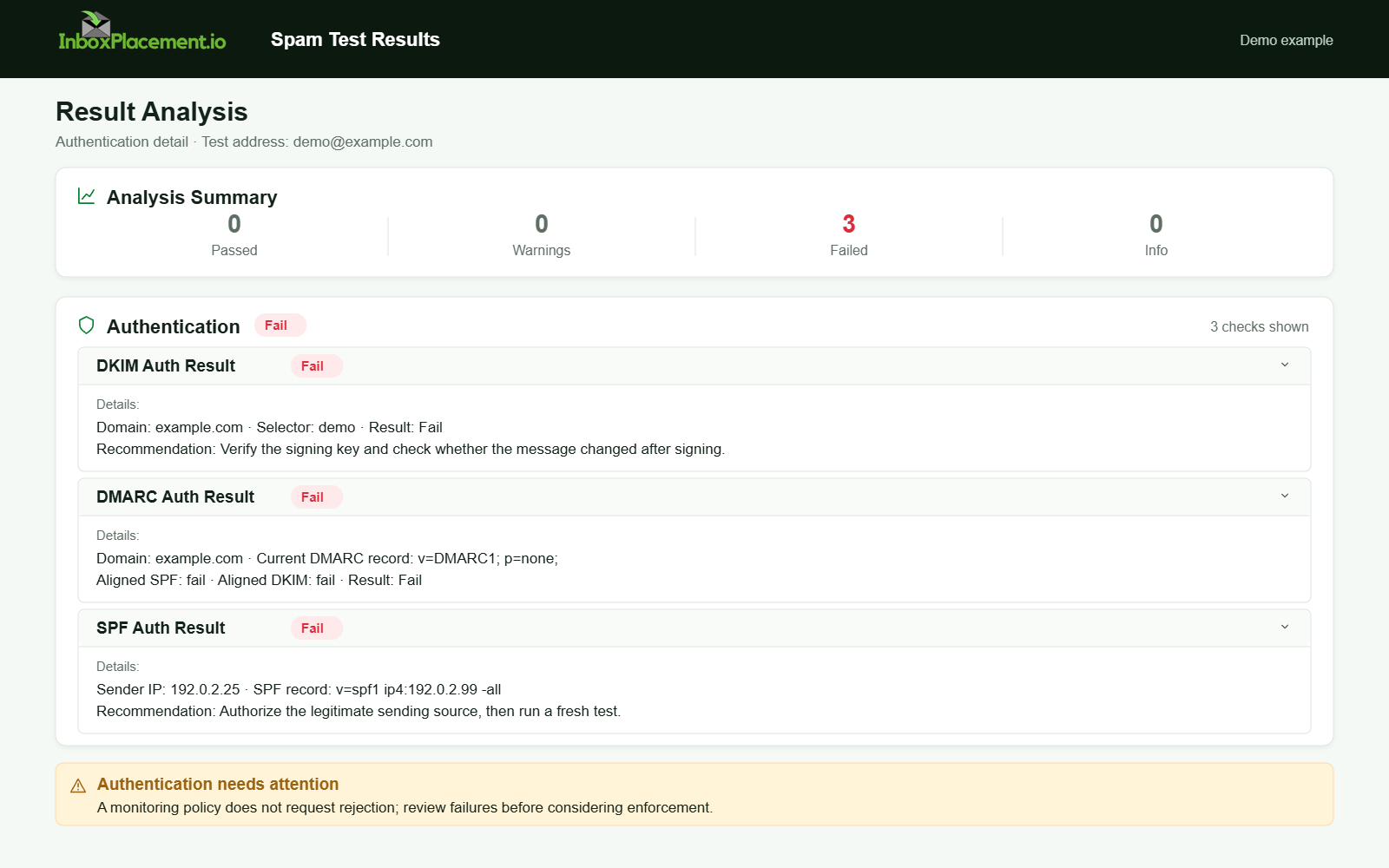
Demo example. Authentication failure diagnosis. Synthetic results for feature explanation; not a live test or customer outcome.
Test limitations and common sources of false confidence
- Sampling bias: small seed lists can miss provider-level variability across geographies or sub-systems.
- Time variance: provider systems apply different heuristics at different times; a single run is a snapshot, not a trend.
- Forwarding and SPF: forwarded mail often breaks SPF (illustrative); SPF failures due to forwarding do not always indicate a problem with original mail.
- Authentication vs placement: passing SPF/DKIM/DMARC doesn’t guarantee inbox placement — providers consider reputation, content, engagement, and complaint rates.
- Provider enforcement changes: providers update enforcement (for example DMARC rollout or List-Unsubscribe enforcement). Check provider documentation before assuming stable behavior.
- False negatives from whitelisting: If a seed address is on a whitelist at your ESP or target provider, you may get an artificially positive placement signal (illustrative).
Always treat a single test run as diagnostic data to guide further targeted tests.
How to document and compare a follow-up test
Use a consistent test record format:
- Test ID and timestamp
- Fixed variables (sending IP, domain, exact message template)
- Seeds used (list)
- DNS snapshot: SPF, DKIM, DMARC records (raw TXT)
- Observed placement per seed and raw Authentication-Results header per seed
- SMTP responses and any provider feedback text
- Change log: explicit single change between runs (e.g., "added DKIM selector mail2026; DNS TTL 300")
- Interpretation notes and next steps
Comparison approach:
- Only compare runs where the fixed variables are the same except for the intended change.
- Use the difference in Authentication-Results and per-provider placement as primary signals.
- If you changed multiple variables between runs, you cannot attribute change to a single cause — avoid that.
Retest criteria example (illustrative): after a DKIM DNS update, allow the published TTL and relevant DNS caches to update, verify the selector record, then repeat the same seed send through the same path. Choose the seed sample size for the question being tested; no fixed small sample establishes statistical significance or guarantees production placement.
FAQ
How many seed addresses do I need?
Use a stable set covering the providers you care about, with enough accounts to reduce single-account noise for your test objective. There is no universal seed count that guarantees a representative result; a small seed test does not establish statistical significance or predict every recipient’s placement.
Can the Authentication-Results header be forged?
Yes. A sender or intermediary can insert a header with that name. Use the Authentication-Results entry added by the receiving system, verify its authserv-id, and collect it from the raw message in a mailbox you control. Treat untrusted earlier copies as unverified.
Should I change DMARC from reject to none to improve delivery?
Do not weaken an existing DMARC enforcement policy without explicit owner authorization. Any emergency change must be narrow, time-limited, and include rollback criteria. Prefer to fix the underlying signing or SPF issues.
Will passing SPF/DKIM/DMARC guarantee inbox placement?
No. Passing authentication reduces the chance of spoof-based rejection, but providers also use reputation, content, and engagement signals to decide placement.
Run an InboxPlacement test to observe authentication signals and seed-mailbox placement after applying a change. Treat those observations as diagnostic evidence, not a guarantee for every recipient.
Sources
- Microsoft: Troubleshoot email authentication in Microsoft 365
- Google: Email sender guidelines and Email sender guidelines FAQ
- Yahoo: Sender Requirements FAQ and Sender Requirements & Recommendations