
DMARC · Privacy · Reporting
DMARC Reporting Privacy and Data Handling Guide
· InboxPlacement.io Team
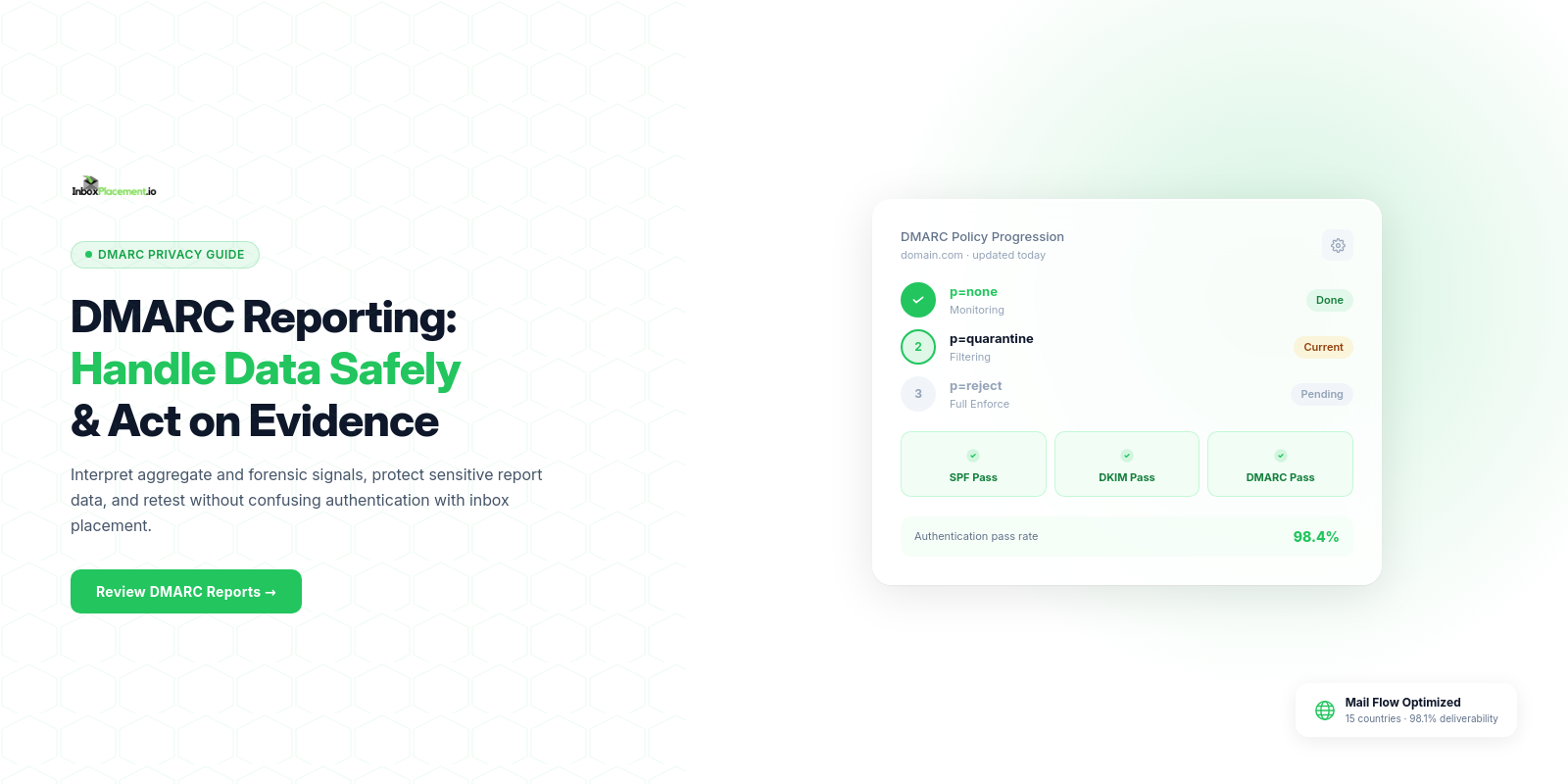
Start with the direct answer: DMARC reporting privacy and data handling signals tell you which authentication checks ran (SPF, DKIM, DMARC), whether those checks aligned with the message’s From: domain, and whether a receiver applied your published DMARC policy. Treat each item—Authentication-Results entries, DMARC aggregate (rua) summaries, forensic (ruf) reports, and declared policy (p=...)—as one piece of evidence. Convert those signals into cautious actions (investigate, restrict, or monitor) without assuming they prove delivery, inbox placement, or the full scope of abuse.
Fields and signals that matter most
Collect these fields before interpreting reports. Separate observed facts (what the report literally shows) from inferred causes and actions.
- Authentication-Results header (exact text): shows per-message SPF, DKIM, and DMARC results as recorded by the receiver.
- DMARC policy in DNS (record TXT for _dmarc.example.com): p=none/quarantine/reject, pct, rua/ruf tags.
- RUA aggregate reports: reporting org, source IPs, header.from domain, SPF and DKIM domains used, counts and policy dispositions.
- RUF forensic reports (if enabled): original headers or excerpts (treat as sensitive).
- Envelope-from (MAIL FROM) vs Header From (From:) domains and the d= domain used for DKIM signatures.
- SPF results tied to a sending IP and evaluated domain.
- DKIM signature domain (d=) and signature result (pass/fail).
- Disposition records from receivers (where present): policy override, quarantine, reject, delivered, or other notes.
- Any ARC chain information when messages were modified in transit.
When you document an observed fact, copy the literal string or field value (for example, the Authentication-Results line) rather than summarizing.
Step-by-step interpretation workflow
-
Gather the facts
- Export the Authentication-Results lines for representative messages.
- Pull your published _dmarc TXT record and note p=, pct=, rua=, ruf= values.
- Collect any aggregate (rua) files and note the reporter, source IP ranges, header.from domain, and counts.
-
Read observed results (literal)
- Note SPF=pass/fail/missing, DKIM=pass/fail/none (including the d= domain), DMARC=pass/fail, and receiver disposition. Preserve exact strings.
-
Map to identity alignment
- Compare header.From to SPF identity (envelope MAIL FROM) and DKIM d= value to see whether alignment was evaluated as relaxed or strict by the receiver (reports typically reflect pass/fail but alignment details must be inferred from the domains shown).
-
Separate immediate, safe actions from speculative fixes
- If authentication fails for your known sending IP and signed domain, pause sending from that source until you confirm config.
- If failures appear for unknown third-party IPs sending with your header.From, treat as possible spoofing and restrict exposure (see action matrix).
-
Prioritize changes that preserve security
- Do not weaken DMARC enforcement. Any emergency exception must be owner-approved, scoped, time-limited, and logged.
-
Retest and monitor
- After a change, collect new Authentication-Results and new aggregate reports. Confirm whether previously failing sources now show pass and whether receiver disposition changed.
Common result patterns and what each may indicate
Each scenario below is illustrative; label any inference as such and gather more data before changing policies.
-
Pattern: DMARC=pass, SPF=pass or DKIM=pass
- Observed fact: Authentication-Results shows DMARC=pass.
- Illustrative likely cause: legitimate sending path or correctly aligned signatures.
- Safe action: monitor; no policy change required. Check that the signing domain and user expectations match.
- Retest: verify subsequent messages have similar Authentication-Results.
-
Pattern: DKIM=pass (d=third-party), SPF=fail, DMARC=fail
- Observed fact: DKIM signature passes but d= is not your header.From domain; SPF fails.
- Illustrative likely cause: third-party sender signed with their own domain; alignment fails, so DMARC fails.
- Safe action: identify third-party vendor, confirm DKIM signing and alignment strategy; consider adding validated sending sources or delegated arrangement (e.g., third-party subdomain).
- Retest: check aggregate reports for same third-party d= values after corrective action.
-
Pattern: SPF=pass, DKIM=none, DMARC=fail
- Observed fact: SPF authorizes sending IP but DKIM absent and DMARC fails.
- Illustrative likely cause: SPF aligns insufficiently (sender uses different domain) or the receiver requires DKIM alignment that isn’t present.
- Safe action: ensure SPF includes the correct sending IPs and examine whether DKIM should be added; avoid changing DMARC enforcement downwards.
- Retest: new Authentication-Results and fresh aggregate entries.
-
Pattern: Many source IPs with low-count sends in aggregate reports
- Observed fact: aggregate report lists many different source IPs for your header.from.
- Illustrative likely cause: either broad third-party distribution or potential spoofing.
- Safe action: validate legitimate third-party lists, tighten SPF to known senders, require DKIM for trusted sources, and monitor before increasing enforcement.
- Retest: monitor whether counts drop when changes are applied, using new aggregate reports.
-
Pattern: RUF forensic reports with message headers showing personal content
- Observed fact: forensic reports may contain header excerpts (treat as sensitive).
- Illustrative likely cause: receiver flagged messages as suspicious and generated a forensic report.
- Safe action: restrict access to forensic reports, limit retention, and evaluate whether to disable ruf if it raises privacy concerns.
- Retest: if you change ruf settings, confirm in DNS and that forensic reports stop or resume per policy.
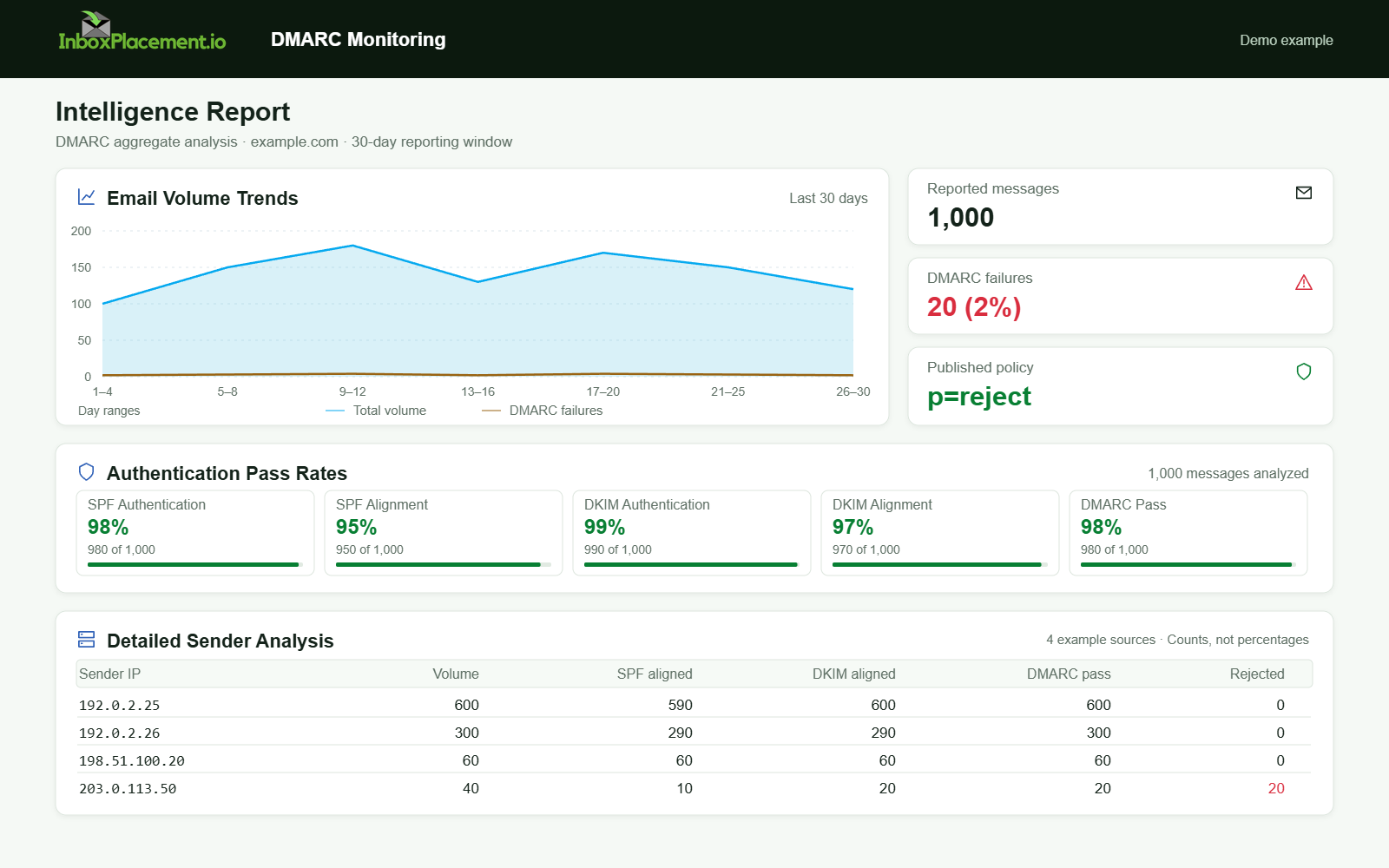
Demo example. DMARC policy and reported outcomes. Synthetic results for feature explanation; not a live test or customer outcome.
Action matrix: signal, likely cause, safe next step, retest
| Observed signal (literal) | Illustrative likely cause | Safe next step (owner-approved) | Retest criteria |
|---|---|---|---|
| Authentication-Results: dmarc=pass | Legitimate configured path or aligned DKIM/SPF | Monitor; keep p= as published | New messages show DMARC=pass in Authentication-Results |
| Authentication-Results: spf=fail; dkim=pass (d=vendor.com); dmarc=fail | Third-party signed with their domain; alignment mismatch | Identify vendor; negotiate alignment (signed d= matching header.From or subdomain delegation) | Aggregate reports show vendor d= values reduced or alignment corrected |
| RUA missing from DNS (no rua=) | No aggregate reports being sent to you | Add rua= with a controlled mailbox before changing policy | New aggregate files arrive; Authentication-Results unchanged |
| DMARC p=quarantine or p=reject and many failures in rua | Enforcement active but failures exist | Investigate failing sources urgently; do not lower policy; apply targeted fixes | After fixes, aggregate reports show fewer failures; receiver report dispositions change |
| Forensic reports contain sensitive headers | Potential PII in forensic reports | Restrict access, set retention limits, or remove ruf= if necessary (owner consent) | Forensic reports stop or are limited per new DNS settings |
Checklist — what to collect before acting:
- Exact Authentication-Results lines for representative messages.
- Current _dmarc TXT record (copy the full record).
- A recent set of RUA aggregate files (download and list reporter domains and source IPs).
- List of known third-party senders and their DKIM domains.
- Owner authorization for any policy or DNS change.
Limitations and conclusions the data cannot support
- Authentication results and DMARC reports are signals, not proofs of delivery or inbox placement. Do not treat DMARC=pass as evidence of inbox delivery.
- A single failing Authentication-Results line does not prove system-wide failure; it is an observation about that message at that receiver.
- Aggregate reports summarize counts and sources; they do not provide full message content or exhaustive telemetry across all receivers.
- Forensic reports (ruf) can reveal message content and may raise privacy risks; they are not necessary to interpret aggregate trends and should be enabled only with careful access controls.
- Never infer user engagement, complaint rates, or downstream filtering behavior solely from DMARC reports. Those require separate telemetry (feedback loops, mailbox placement tests).
First-party example and what to collect (clearly marked instructions, not a test)
The following is instructional: collect these items from your systems and DNS so you can interpret reports without sharing sensitive artifacts publicly.
- Copy the full Authentication-Results line(s) from mail server logs or receiver headers for a representative sample (literal strings).
- Export your _dmarc TXT record text and note p=, rua=, ruf=, and pct= values.
- List the DKIM selector and d= domains used by your sending streams.
- Produce a list of sending IPs authorized in SPF records.
- Compile a list of third-party vendors and the DKIM domains they use for your mail.
- Ensure any forensic reports received are stored in a restricted mailbox with documented retention and access policy.
All the above are collection tasks; treat any scenario you infer from them as illustrative until you validate with multiple independent reports.
FAQ
Does a DMARC pass mean my email reached recipients’ inboxes?
No. DMARC=pass indicates authentication checks passed at a receiver, not delivery or inbox placement. Treat pass/fail as authentication signals only.
Can DMARC reports expose private information?
Illustrative answer: forensic (ruf) reports may include header excerpts or message content and should be treated as sensitive. Limit access and retention, and consider whether to receive forensic reports at all if privacy is a concern.
Should I change my DMARC policy to p=none while debugging?
No. Do not weaken enforcement without owner authorization. If an emergency exception is needed, make it narrow, time-limited, and documented with rollback criteria.
Run an InboxPlacement test to verify authentication signals and mailbox placement after applying the recommended changes.
Sources
- Yahoo Sender Requirements FAQ — use this to verify enforcement windows and bulk-sender classifications and to confirm that spoofed messages count toward enforcement metrics: Yahoo Sender Requirements FAQ.
- Yahoo Sender Best Practices — describes authentication expectations (SPF/DKIM/DMARC), recommended use of rua, and unsubscribe and complaint-rate guidance for bulk senders: Yahoo Sender Best Practices.
- Gmail email sender guidelines FAQ — notes ramped enforcement timelines and that Google provides tooling (Postmaster) for bulk senders to check compliance: Gmail email sender guidelines FAQ.
- How email authentication works in Microsoft 365 — explains SPF, DKIM, DMARC, and ARC roles in authentication and that DMARC specifies reporting locations: How email authentication works in Microsoft 365.