
DKIM · Email Authentication · Email Deliverability
DKIM Key Rotation Best Practices: Practical Checklist
· InboxPlacement.io Team
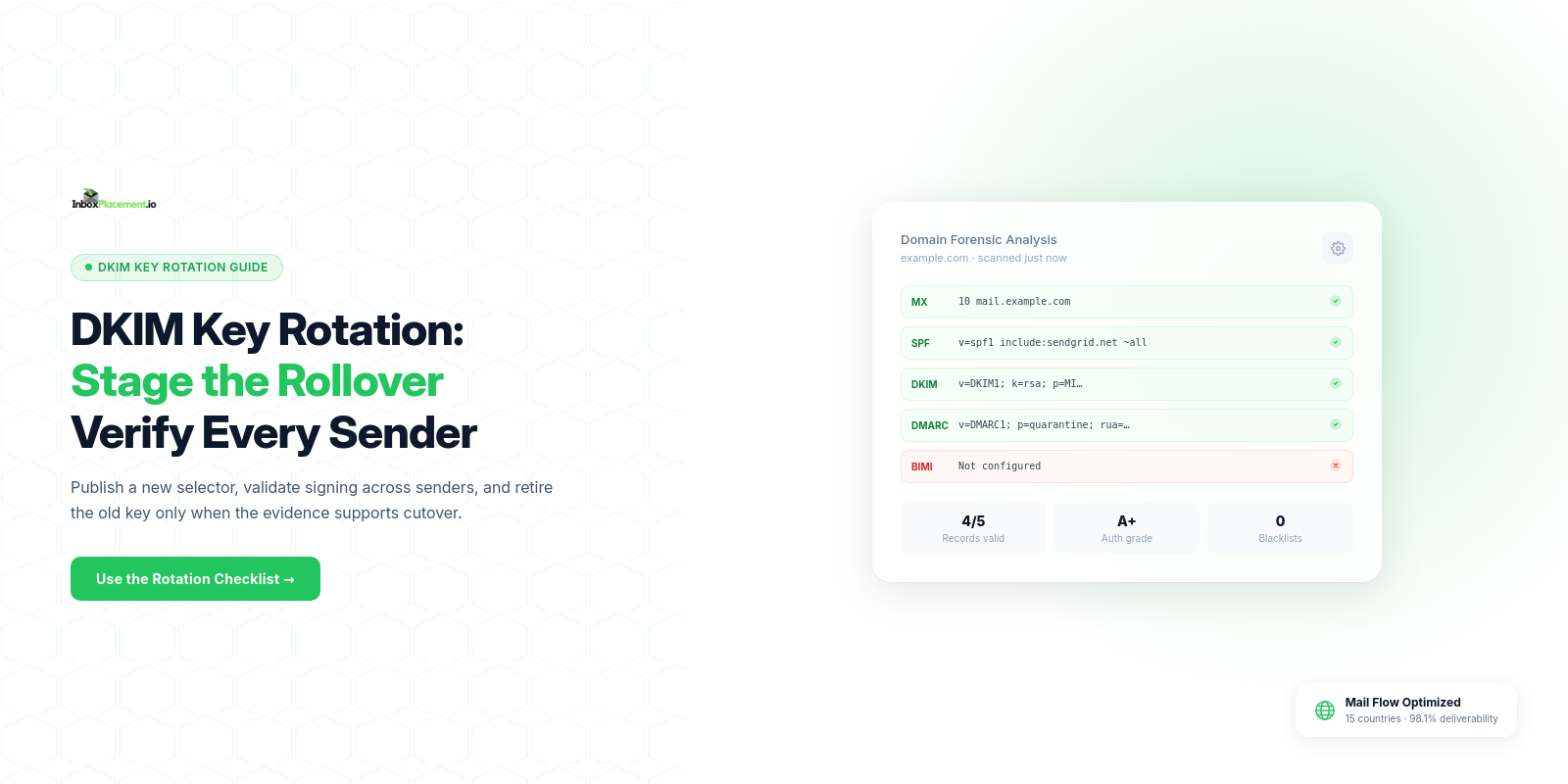
Begin with the direct answer: rotate DKIM keys on a scheduled, auditable cadence using a staged rollover (new selector + parallel signing), collect DNS and signing evidence before switching, validate via Authentication-Results and header checks, and monitor delivery and DMARC reports after the change. This checklist gives prerequisites, exact implementation gates, mailbox-provider notes, common mistakes, and retest criteria.
Who this checklist is for and the outcome it supports
This checklist is for email administrators, deliverability engineers, and security owners who must rotate DKIM keys without unintended authentication failures. Outcome: a repeatable, low-risk DKIM key rotation that preserves DKIM verification and DMARC alignment while documenting evidence and validation gates.
Prerequisites and evidence to collect
Collect these items before you change keys. Treat every listed “evidence” item as required proof of configuration; do not proceed without it.
Required evidence to collect
- DNS authorization: the authorized owner who can make changes and a listing of authoritative name servers. Record the access owner and method, not passwords or private-key material.
- Current DKIM selector(s): exact selector names currently signing outgoing mail.
- Current DKIM public-key TXT or CNAME records: copy the current record text.
- Sending infrastructure list: all MTA/IP pools and third-party senders that sign or pass mail for the domain.
- DKIM signing sources: which systems sign (mail transfer agents, ESPs, gateways, marketing platforms).
- DMARC record and reporting address: current
p=value andruaconfiguration (plusruf, if configured). - A rollback owner and contact list: who can revert DNS or signing changes quickly.
- Test recipient accounts across major mailbox providers for validation (Gmail, Outlook/Microsoft 365, Yahoo) — illustrative: use these for verification, but note a single check cannot prove global placement.
Illustrative: when you fetch Authentication-Results for test messages, save the full headers and the Authentication-Results line for each mailbox provider.
Step-by-step implementation checklist
Use a staged approach: publish the new public key, enable dual-signing (if supported), verify, then retire the old key.
-
Plan and schedule
- Choose a maintenance window with the fewest critical sends.
- Notify stakeholders and third-party senders; require confirmation that they can sign with the new selector by a target date.
-
Generate new keys
- Generate a new private/public key pair using an algorithm and key size supported by your signing system and recipient providers. Follow current vendor documentation and applicable DKIM standards.
- Secure the private key and store it in your key management or HSM according to your organization's policy.
-
Publish the new public key (DNS)
- Publish the new selector’s public key as a DNS TXT (or a provider-required CNAME) without removing the old selector.
- Proof to collect: for TXT, record the full key and TTL; for CNAME, record the alias, target, and TTL, then verify the provider-hosted public key at the target.
-
Enable dual signing (parallel signing)
- Configure sending systems to sign outgoing mail with both the new and old selectors (if your signer allows multiple signatures).
- If your signer cannot dual-sign, ensure the new selector signs a full representative test batch before retiring the old key.
-
Wait for DNS propagation and verify
- Allow the DNS provider to publish the change, then check every authoritative name server. If recursive resolvers may hold an older answer or a cached negative response, allow the relevant TTLs to expire too; TTL is a cache limit, not a guarantee of authoritative publication.
- Evidence to collect: query results from authoritative name servers. For TXT, save the full record and TTL. For CNAME, save the alias and target, then verify the provider-hosted public key at that target.
-
Verify signatures on test messages
- Send test messages from each sending source and collect full headers.
- Proof to collect: the
Authentication-Resultsand anyDKIM-Signatureheaders for each mailbox provider (illustrative — see validation section on what these headers show and don’t show).
-
Switch primary signing to the new key
- If dual signing was successful and verification is confirmed across senders, stop signing with the old key.
- If not dual-signed, switch to the new selector only after positive verification on representative systems.
-
Retire the old DNS key
- Remove the old selector’s DNS record after a conservative wait (multiple TTLs) and when you have completed verification.
- Record the date/time and the person who removed the record.
-
Update documentation and rotate schedule
- Log the rotation event, key identifiers, and the next planned rotation date.
Decision checklist (quick table)
| Step | Required evidence before proceeding | Gate |
|---|---|---|
| Publish new DNS key | Authoritative DNS returns the expected TXT record or CNAME alias and its provider-hosted key is verified | Proceed to dual-sign |
| Dual-sign enabled | Test messages show both signatures (or the new signature when dual-signing is unsupported) | Proceed to cutover |
| Cutover to new key | New key is signing for all senders and Authentication-Results shows dkim=pass for representative tests | Remove old DNS key |
| Retire old key | No services require the old key; DNS replication is confirmed | Complete rotation |
Mailbox-provider or protocol-specific requirements
Official guidance summarized
- Microsoft 365: SPF, DKIM, DMARC, and ARC are related authentication standards used to help defend against spoofing and other email attacks.
- Gmail: all senders should set up SPF or DKIM. Senders sending more than 5,000 messages per day to personal Gmail accounts must set up both SPF and DKIM plus DMARC; direct mail must align the
From:domain with either the SPF or DKIM domain for DMARC. - Yahoo: all senders must use SPF or DKIM at minimum. Bulk senders must implement both SPF and DKIM and publish a valid DMARC policy of at least
p=none; DMARC must pass, and a properly configuredruatag is strongly recommended.
Protocol notes and implications
- Use TXT or CNAME as required by the signer/ESP; some providers expect a CNAME record that points to their hosted key rather than a raw TXT. (Illustrative: verify with the specific provider.)
- DMARC alignment: if you rely on DKIM for DMARC pass, ensure the signing domain (
d=) aligns with the visibleFrom:domain.
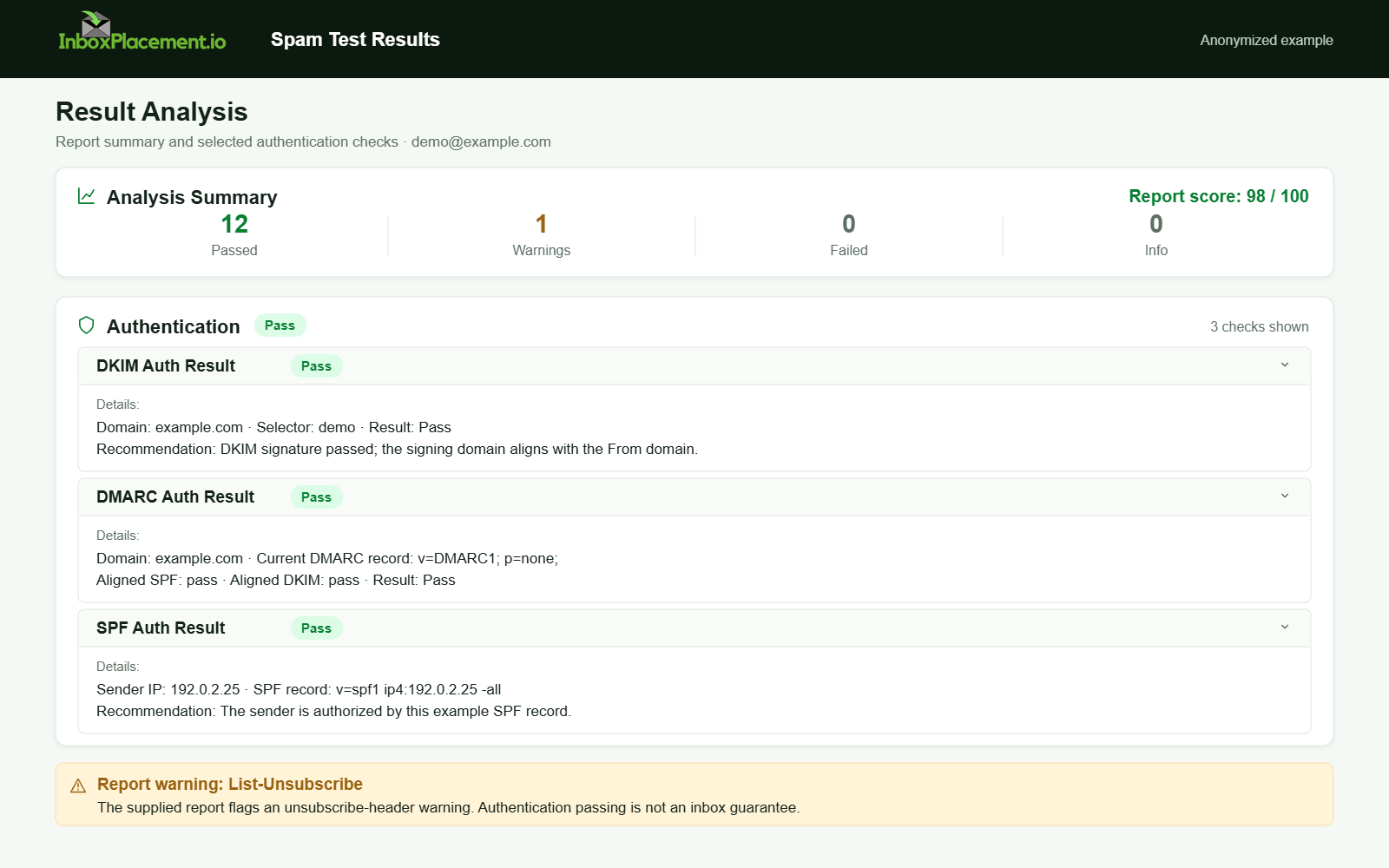
Anonymized example adapted from a supplied product report. Selected figures retained; identifiers and layout reconstructed. Not a new live test.
Common mistakes and how to avoid them
Labelled illustrative scenarios below.
Illustrative observed evidence: dkim=fail in Authentication-Results after rotation.
- Likely causes (illustrative)
- DNS record typo or truncated TXT record.
- Sender not using the new selector or still using the old private key after DNS removal.
- Signing system strips or reorders headers, invalidating the signature.
- Safe actions
- Re-publish the correct TXT record, verify with authoritative DNS, and re-send test messages.
- Reconfigure the signer to include the correct selector and private key; confirm the signer's key material matches the DNS public key.
- If using third parties, confirm they have updated their signing configuration.
- Retest criteria
Authentication-Resultsshowsdkim=passfor the new selector on representative samples from each sender.
Illustrative observed evidence: Forwarded messages failing SPF but DKIM passes.
- Likely causes (illustrative)
- SPF fails due to forwarded IPs not in the original SPF; DKIM may still protect DMARC.
- Safe actions
- Rely on DKIM/DMARC for authenticated alignment; evaluate ARC if forwarding services modify headers.
- Retest criteria
Authentication-Resultsand message headers show DKIM pass or the expected DMARC policy disposition.
Do not weaken DMARC policy as a routine workaround. Any emergency policy change must be documented, owner-authorized, narrowly scoped, time-limited, and have rollback criteria.
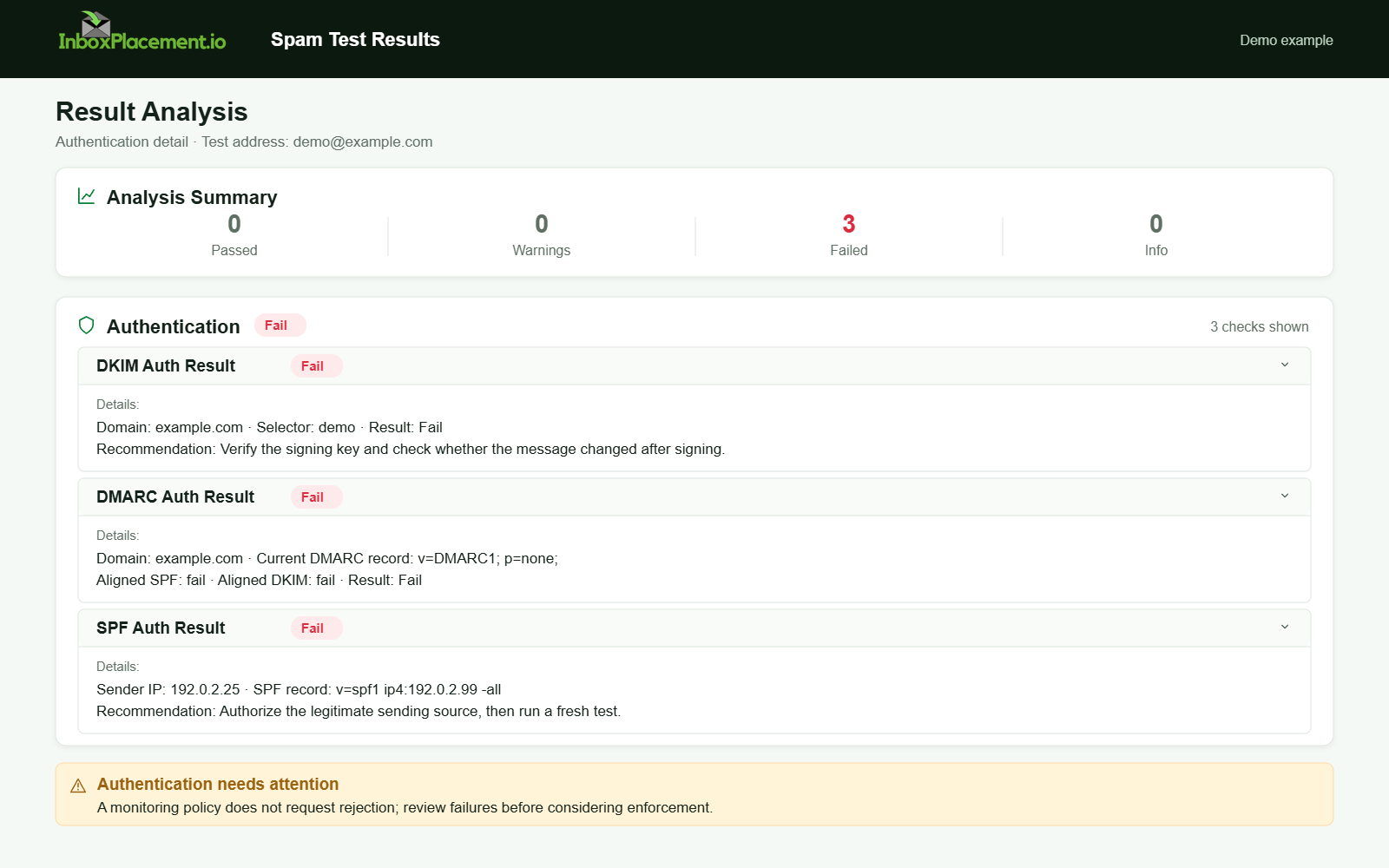
Demo example. Authentication failure diagnosis. Synthetic results for feature explanation; not a live test or customer outcome.
Validation and retest criteria
Separate observed evidence, possible causes, recommended actions, and retest criteria for each gate.
Gate: New DNS visible on authoritative servers
- Observed evidence: authoritative DNS returns the new selector's TXT record or provider CNAME; for a CNAME, verify the provider-hosted public key at the target.
- Possible causes for failure (illustrative): DNS propagation delay, mis-typed selector name, TXT length limits causing truncation.
- Recommended action: correct DNS, lower TTL for future rotations, and confirm with multiple authoritative servers.
- Retest criteria: authoritative servers return the expected TXT record or CNAME for the new selector, and the provider-hosted key is available at the CNAME target when applicable.
Gate: DKIM signature verification in recipient headers
- Observed evidence: the
Authentication-Resultsheader containsdkim=passfor the new selector and an identifiables=selector value. - What this proves: that the recipient verified the DKIM signature for that message at that moment.
- What this does not prove: Authentication-Results alone does not prove inbox placement or that every mailbox provider will treat messages the same way.
- Retest criteria: multiple test messages from each sending source to Gmail, Outlook/Microsoft 365, and Yahoo show
dkim=passfor the new selector in theirAuthentication-Resultsheaders.
Gate: DMARC alignment and policy behavior
- Observed evidence: DMARC results (from headers or aggregate reports) that reference SPF/DKIM and policy action.
- Possible causes for DMARC fails (illustrative): DKIM signature exists but is not aligned to the From: domain, or SPF fails and DKIM not aligned.
- Recommended action: confirm DKIM d= domain aligns with the visible From: domain or adjust signing domain strategy where allowed.
- Retest criteria: DMARC reports and Authentication-Results indicate DMARC pass or the expected policy disposition per your published p= value.
Note: Always collect the full email headers including Authentication-Results for each test. These headers are the observed evidence; interpret them alongside DMARC aggregate reports for broader view.
Ongoing monitoring and maintenance
- Schedule periodic rotations and ensure rotation dates are tracked in change control.
- Monitor DMARC aggregate reports (rua) for DKIM failures and alignment issues.
- Keep a runbook that records selectors, key IDs, TTLs, and the last rotation date.
- Alerting: configure alerts for sudden increases in DKIM failures across providers (illustrative: use your monitoring tool to detect trends).
- After rotation, validate delivery across representative mailbox providers regularly; remember a pass on one provider does not imply universal inbox placement.
FAQ
How long should I keep the old DKIM key published after cutover?
Keep the old selector published through the transition so delayed messages signed with it can still be verified. Remove it only after all senders use the new selector, representative verification succeeds, and cached records and in-flight messages have had time to clear. RFC 6376 describes a transition period but does not set a universal duration; choose one based on DNS TTLs and your mail flow.
Can I rotate keys by changing the key value under the same selector?
No. Changing the key under the same selector can make messages signed with the old key fail verification. RFC 6376 advises assigning new keys to new selectors and using a transition period for key rollover.
Does a DKIM pass guarantee inbox placement?
No. A DKIM pass in the Authentication-Results header only shows signature verification succeeded at that recipient or service. It does not prove delivery to the inbox or acceptance by all mailbox providers.
Run an InboxPlacement test to verify authentication signals and mailbox placement after applying the recommended changes.
Sources
- How email authentication works in Microsoft 365 — Explains SPF, DKIM, DMARC, and ARC as coordinated email-authentication standards.
- Troubleshoot email authentication in Microsoft 365 — Covers common SPF, DKIM, and DMARC failure symptoms and troubleshooting.
- Gmail email sender guidelines — Documents baseline sender authentication guidance, separate high-volume requirements, and DMARC alignment.
- Yahoo Sender Best Practices — Documents all-sender and bulk-sender authentication, DMARC alignment, and reporting guidance.
- DomainKeys Identified Mail (DKIM) Signatures (RFC 6376) — Describes selectors, key rollover, and why new keys should use new selectors rather than reusing old ones.
- Cryptographic Algorithm and Key Usage Update to DKIM (RFC 8301) — Updates DKIM algorithm and key-usage requirements relevant to key generation.