
Email Authentication · Email Deliverability · SPF · DKIM · DMARC
Common Email Authentication Mistakes: A Practical Guide
· InboxPlacement.io Team
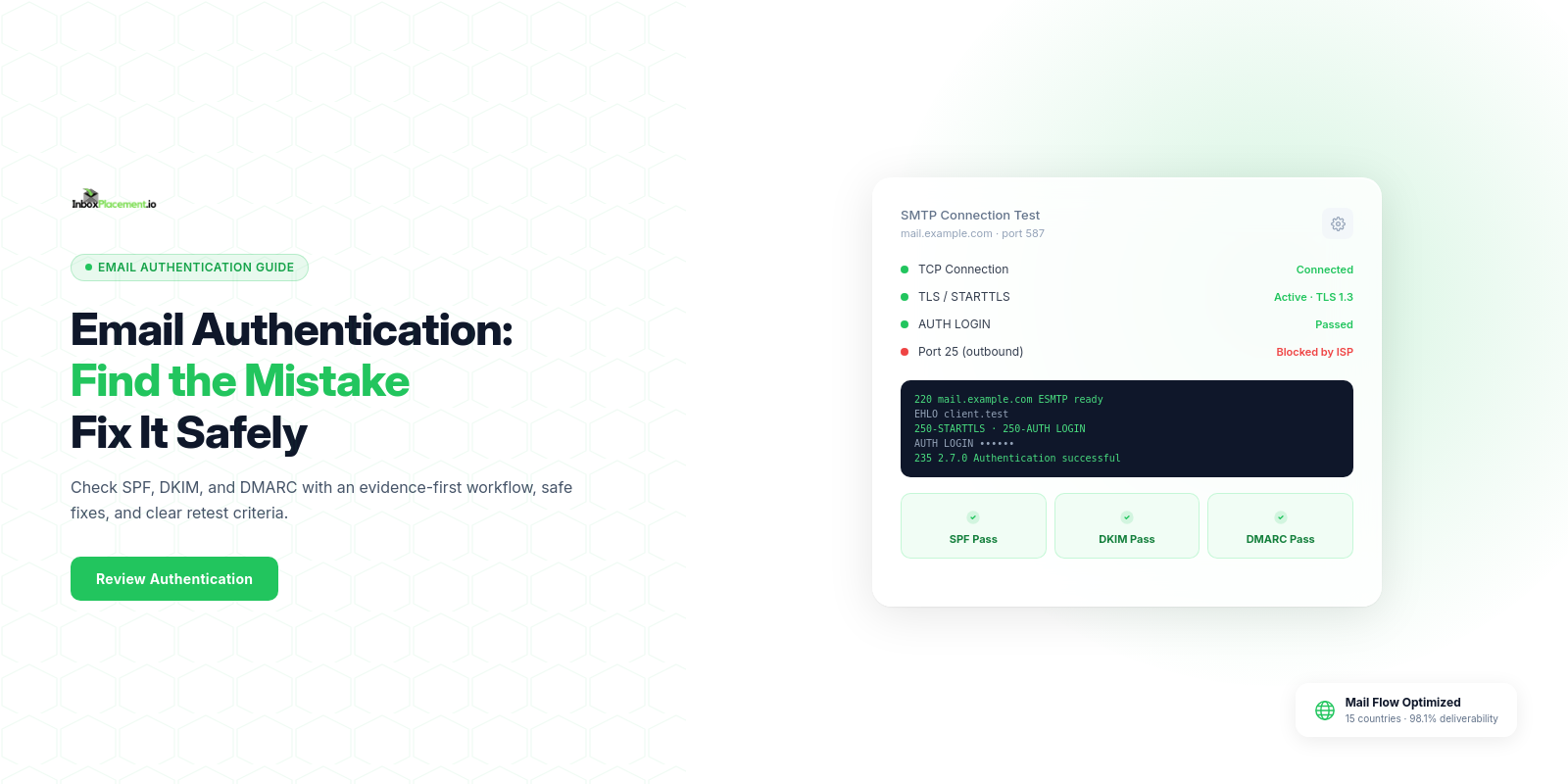
Begin by checking which systems send mail for your domain, whether SPF, DKIM, and DMARC are configured, and what receivers report in Authentication-Results. Correcting a missing or misconfigured record can address an authentication failure, but a passing authentication result does not guarantee inbox placement. When authentication fails, Microsoft 365 may quarantine, reject, or route legitimate messages to Junk Email; other receivers apply their own policies.
Core concepts in plain language
SPF: A DNSTXTrecord that identifies authorized sending hosts for a domain. Receivers compare the connecting IP with that domain's policy.DKIM: A message signature that receivers can verify using a public key published in DNS. It helps verify that signed parts of the message were not changed and associates the signature with a signing domain; the signing domain is not necessarily the visibleFrom:domain.DMARC: A DNS policy and reporting mechanism that lets a domain owner specify how receivers should handle mail that fails DMARC evaluation. A message passes DMARC when at least one of itsSPForDKIMchecks passes and the authenticated domain aligns with the visibleFrom:domain.Authentication-Results: A header added by a receiving mail system that records authentication evaluations such as SPF, DKIM, and DMARC. It is receiver-reported evidence, not proof of inbox placement.
An authentication result such as DMARC pass or fail is not a delivery result. A published DMARC policy such as p=none, p=quarantine, or p=reject is the domain owner's requested handling policy, while the receiver makes the final disposition decision. Microsoft documents that failed authentication can result in legitimate messages being quarantined, rejected, or routed to Junk Email. Google requires all senders to set up SPF or DKIM; for senders of more than 5,000 messages per day to Gmail, it also requires SPF, DKIM, DMARC, and alignment of the visible From: domain with SPF or DKIM.
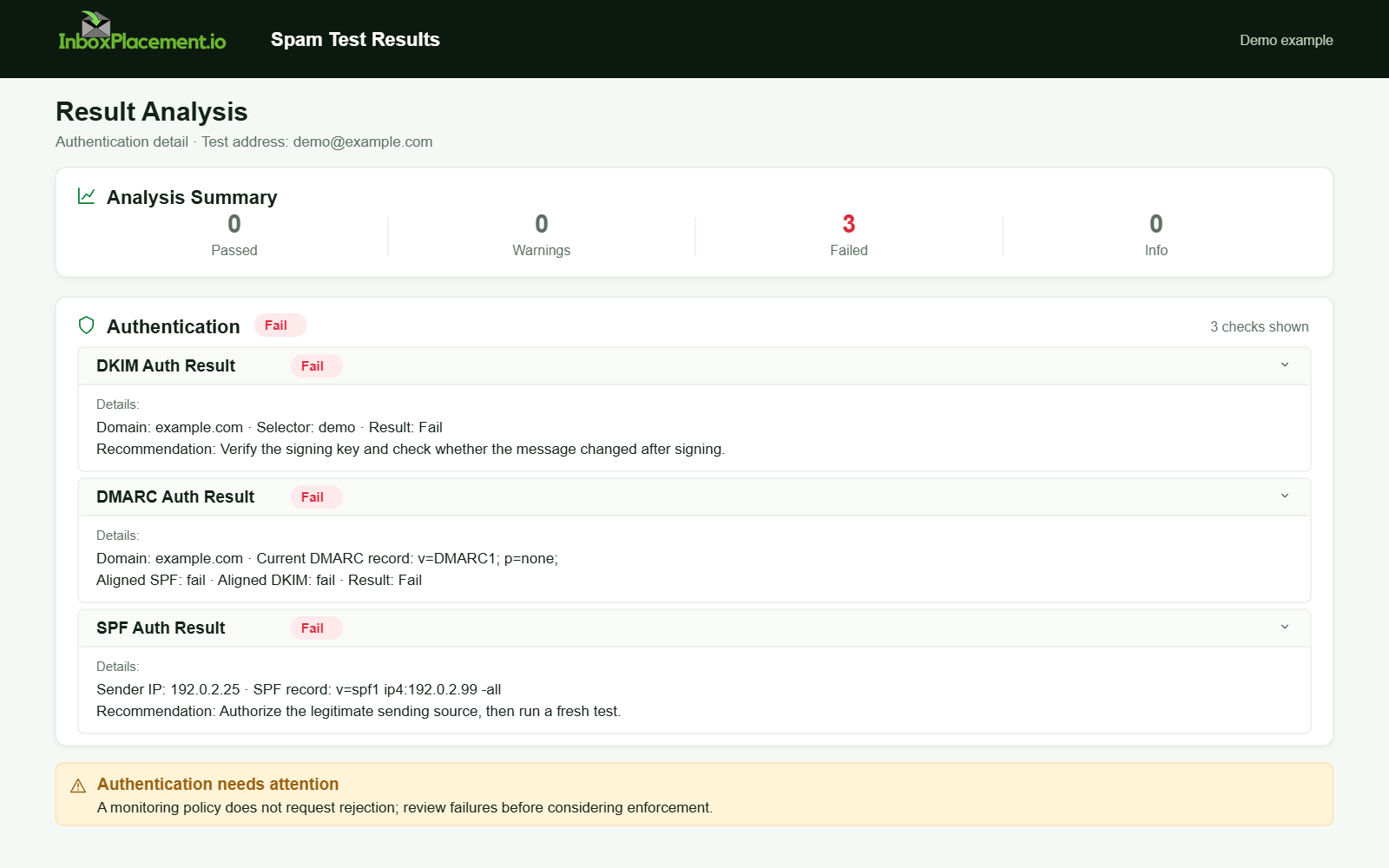
Demo example. Authentication failure diagnosis. Synthetic results for feature explanation; not a live test or customer outcome.
A practical step-by-step workflow
-
Inventory what sends mail for your domain.
- Collect the IPs, email service providers, marketing platforms, transactional services, and forwarding paths that send as your domain.
- Include every legitimate sender in your SPF, DKIM, and DMARC planning.
-
Check existing DNS records.
- Collect published SPF TXT records, DKIM selectors and TXT records, the DMARC TXT record, and TTL values.
- Use DNS queries such as
digornslookupfor TXT records and DKIM selectors.
-
Compare receiver results.
- Preserve recent
Authentication-Resultsheaders from sample copies and record SPF, DKIM, DMARC outcomes, and any failure messages. - This receiver-generated evidence helps diagnosis but does not prove inbox placement.
- Preserve recent
-
Diagnose each signal.
- Separate observed evidence, likely causes, safe actions, and retest criteria for each failure.
-
Make authorized, auditable changes.
- Record what changed, who authorized it, and the expected rollback steps.
- Never weaken an enforced DMARC policy without documented owner authorization and rollback criteria.
-
Retest across mailbox providers.
- Collect new
Authentication-Resultsheaders and use a controlled inbox placement test to check both authentication signals and where messages land.
- Collect new
-
Monitor.
- Keep DMARC aggregate reports and mailbox-provider postmaster tools in your routine checks.
Decision checklist: authentication troubleshooting
| Check | Observed evidence | Likely cause | Safe action | Retest criteria |
|---|---|---|---|---|
| SPF record present | No SPF TXT record found | No SPF record published | Publish one SPF record that accounts for all legitimate senders | Receiver reports the expected SPF result for an authorized sender |
| SPF permerror | permerror in Authentication-Results | Multiple SPF records or more than 10 DNS-querying terms | Keep one record; review duplicate records and lookup-causing mechanisms before changing includes | SPF permerror cleared; one SPF record remains |
| SPF fail for forwarded mail | SPF fail but DKIM pass | Forwarding server IP is not authorized by the original SPF policy | Treat this as a known forwarding limitation; check whether DKIM remains intact and aligned, or whether the receiver supports ARC | Receiver results show the intended DKIM and DMARC outcomes |
| DKIM missing or failing | DKIM absent or invalid signature | Selector/key mismatch, missing DNS key, or signed content changed in transit | Verify the selector, public key, and sender configuration before rotating a key | DKIM signature validates in Authentication-Results |
| DMARC misalignment | DMARC fail despite SPF or DKIM pass | Neither passing identifier aligns with the visible From: domain | Align the visible From: domain with a passing SPF or DKIM identifier | Receiver reports the expected DMARC alignment result |
| DMARC not published | No _dmarc TXT record found | No DMARC policy published | If beginning a rollout and authorized, consider p=none to monitor reports before enforcement; do not weaken existing policy | DMARC record is visible and reports are arriving where configured |
| TLS / transport | Receiver reports insecure transmission | TLS is unavailable or not negotiated on the relevant sending path | Check the sending service and MTA configuration; enable STARTTLS/TLS where supported and required | Provider evidence shows whether TLS was negotiated |
The retest criteria describe receiver signals to confirm, not guarantees of inbox placement.
Examples clearly labelled as illustrative
SPF permerror
- Observed evidence:
Authentication-Resultsshowsspf=permerror. - Likely cause: Multiple SPF TXT records or more than 10 DNS-querying terms.
- Safe action: Keep one SPF record and review mechanisms that cause DNS queries. The SPF standard limits these terms to 10 per evaluation; Microsoft's troubleshooting guide also identifies multiple records and exceeding the limit as causes of permerror.
- Retest criteria:
Authentication-Resultsshows no permerror and SPF returns the expected result for the sender.
Forwarded transactional mail lands in Junk
- Observed evidence:
Authentication-Resultsshowsspf=fail,dkim=pass, anddmarc=fail; receiver disposition is Junk. - Likely cause: The forwarding server is not authorized by the original SPF policy; DKIM may still pass but its signing domain is not aligned with From:.
- Safe action: Check whether the original sender can sign with an aligned DKIM domain. Where appropriate and supported by the receiver, evaluate ARC; do not treat it as a guaranteed way to change disposition.
- Retest criteria: Incoming headers show the intended aligned DKIM and DMARC outcomes; check placement separately.
Misaligned From header and third-party service
- Observed evidence: DKIM and SPF pass for
service.example.com, while DMARC fails forbrand.com. - Likely cause: Messages use
brand.comin From:, but the passing authentication identifiers use an unaligned domain. - Safe action: Configure the sending service to authenticate with a domain aligned to
brand.com, after confirming the appropriate DNS and signing setup. - Retest criteria: DMARC reports the intended alignment result; verify placement separately.
Common mistakes and limitations
- No SPF TXT record: DNS may never have been configured or the record may have been removed. Publish one record that includes legitimate senders.
- SPF permerror: Multiple records or more than 10 DNS-querying terms may be responsible. Review the record and its DNS-querying mechanisms.
- DKIM signatures fail: Causes can include a missing DNS key, mismatched selector/key, changed signed content, or signing not enabled. Verify the selector and sender configuration.
- DMARC is not published or alignment fails while using
p=none: review the passing SPF/DKIM identifiers and use a staged rollout only when authorized;p=nonedoes not itself fix alignment. - Authentication signals and the
Authentication-Resultsheader do not prove inbox placement. A DMARC pass does not guarantee inbox delivery, and a DMARC fail does not guarantee rejection. - DNS propagation delays can cause transient verification failures; account for TTLs when retesting.
How authentication connects to inbox placement
Authentication is one technical signal receivers use when deciding how to handle mail. Microsoft documents that failed authentication can lead to quarantine, rejection, or Junk routing. Google requires all senders to use SPF or DKIM; for senders above its 5,000-messages-per-day threshold, it requires both plus DMARC and From-domain alignment. Correcting authentication can address authentication-related handling, but it does not guarantee delivery or inbox placement. Review the receiver's Authentication-Results and verify inbox placement separately.
Verification and next steps
- Before changes, record the sender inventory, current SPF TXT records, DKIM selectors, DMARC TXT record, and sample
Authentication-Resultsheaders. - After changes, collect updated DNS records, new receiver headers showing the observed results, and provider logs or aggregate DMARC reports.
- SPF: no permerror; the check returns the expected result for authorized IPs.
- DKIM: the signature validates for the selector used; the signing domain aligns with From: when required.
- DMARC: expected pass or policy behavior is recorded; aggregate reports arrive at configured
ruaaddresses. - None of these checks proves that messages reach the inbox for all recipients. Use a controlled inbox placement test to verify where messages land after fixes.
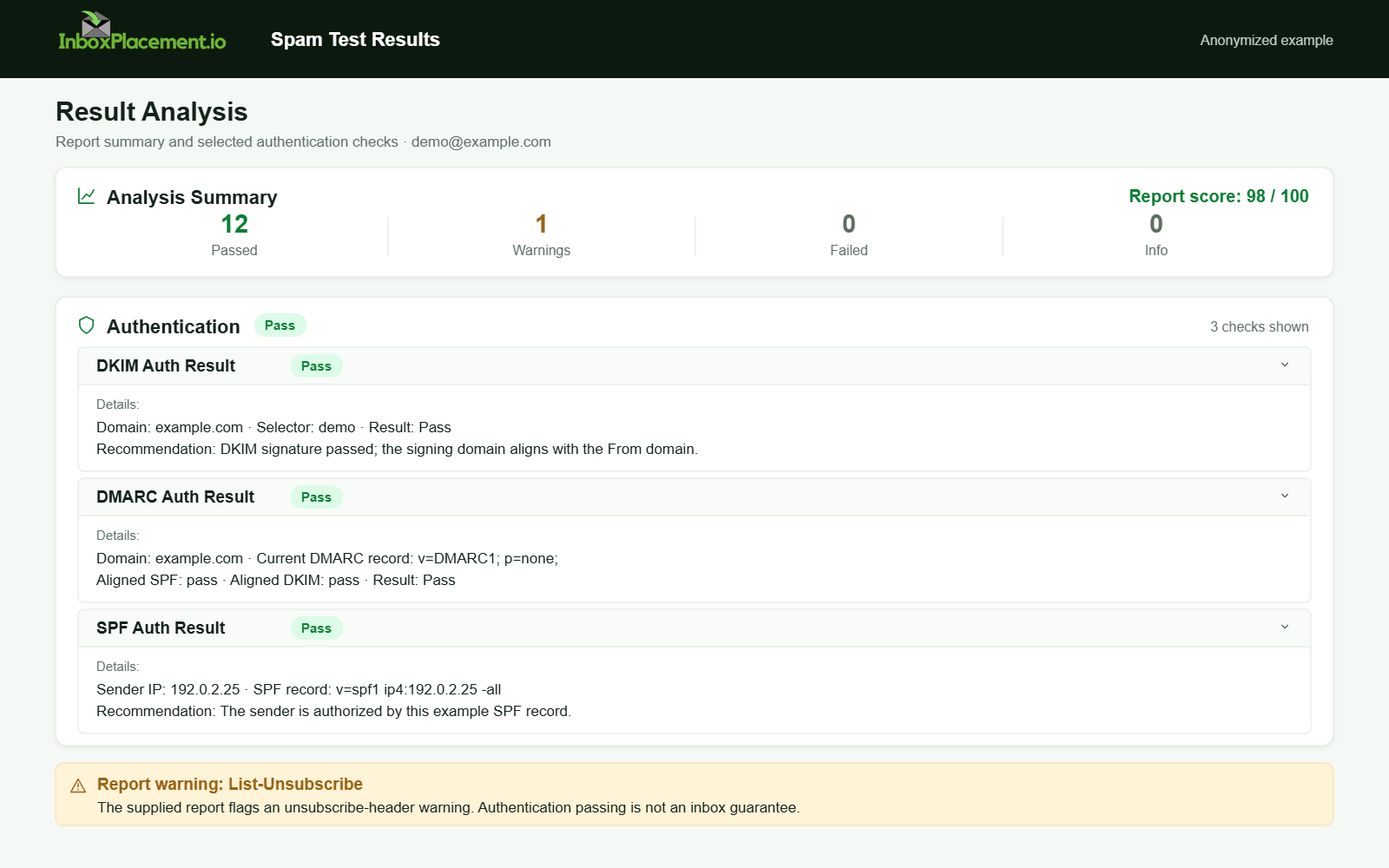
Anonymized example adapted from a supplied product report. Selected figures retained; identifiers and layout reconstructed. Not a new live test.
FAQ
How soon should I expect DNS changes to show up in Authentication-Results?
DNS propagation depends on TTL values and receiver caching. Allow at least one TTL cycle and collect fresh Authentication-Results after that period.
If SPF fails for forwarded mail, should I remove SPF?
No. Do not weaken SPF or DMARC to accommodate forwarding. Instead, check whether DKIM remains intact and aligned, or whether the receiver supports ARC. Never weaken an existing DMARC policy without explicit owner authorization and rollback criteria.
Run an InboxPlacement test to verify authentication signals and mailbox placement after applying the recommended changes.
Sources
- Microsoft 365 email authentication troubleshooting — Covers authentication failure handling and common SPF, DKIM, and DMARC troubleshooting symptoms.
- Gmail email sender guidelines — Lists baseline requirements for all senders and additional SPF, DKIM, DMARC, and alignment requirements for bulk senders.
- RFC 7208 — Sender Policy Framework — Defines SPF evaluation, including the DNS-querying-term limit.
- RFC 6376 — DomainKeys Identified Mail (DKIM) Signatures — Describes DKIM signing and verification.
- RFC 9989 — Domain-Based Message Authentication, Reporting, and Conformance — Current DMARC specification; it supersedes RFC 7489.
- RFC 9990 — DMARC Aggregate Reporting — Defines the aggregate reporting format.
- RFC 8601 — Message Header Field for Indicating Message Authentication Status — Defines the
Authentication-Resultsheader.