
aol · deliverability · authentication
AOL Email Going To Spam Troubleshooting: Symptom-Led Guide
· InboxPlacement.io Team
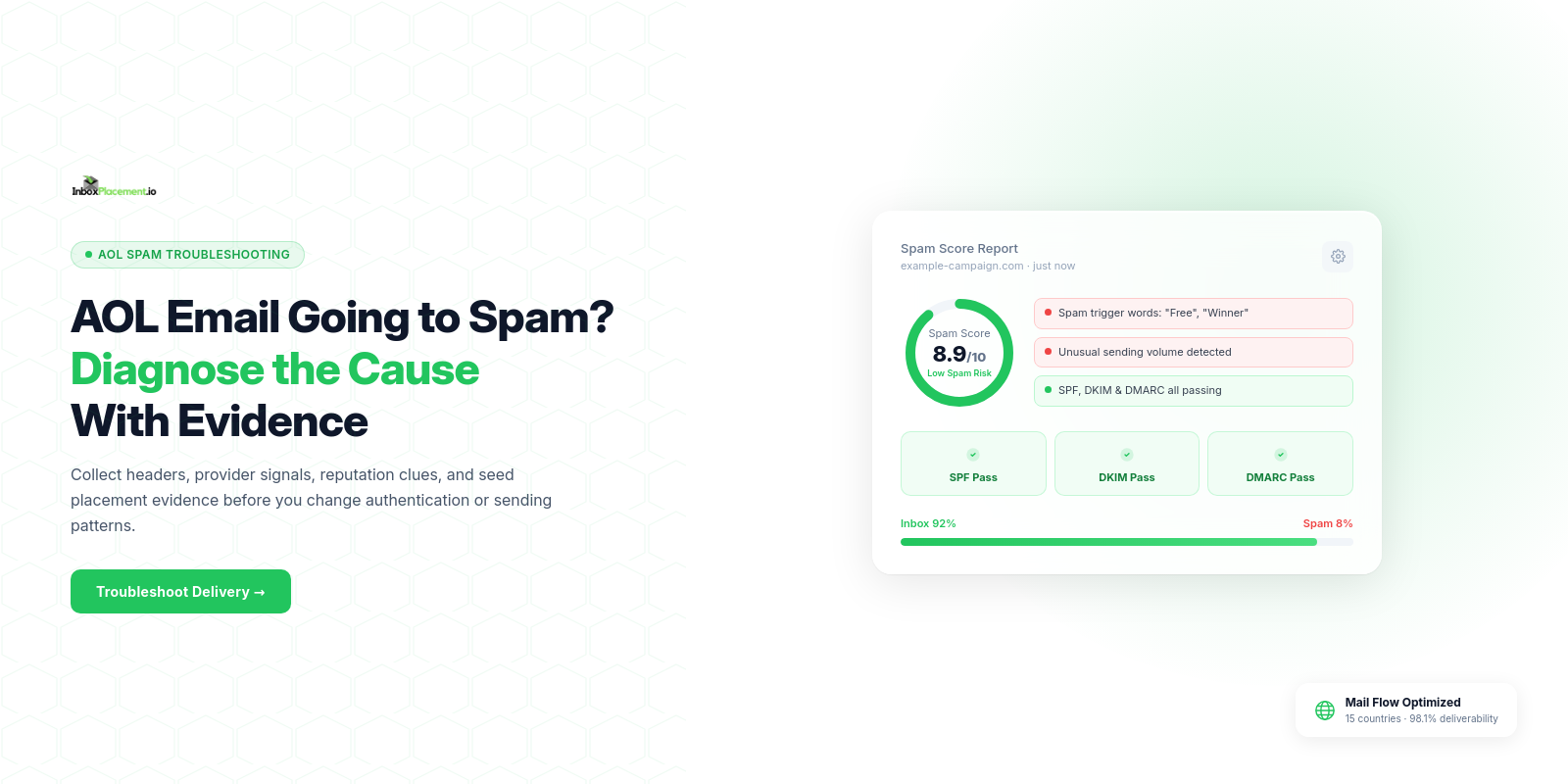
AOL email going to spam troubleshooting — direct answer
If AOL (or other Yahoo Network mailboxes) is sending your messages to the Spam/Junk folder, treat that placement as an observed symptom. Collect concrete delivery and authentication signals, then use a symptom-to-cause decision tree to narrow likely root causes. Authentication records, sending reputation signals, message content, and recipient-level complaints are all relevant — but no single check (DNS record, header, or inbox test) can by itself prove why a message was routed to Spam. The steps below show what to collect, how to interpret each signal, safe remediation actions, and how to verify whether your change helped.
Direct diagnosis: what the symptom usually means and what it does not prove
Observed symptom
- Messages from your domain or IP are being found in AOL/Yahoo Spam folders by recipients or by seed inboxes.
What this usually means (interpreting the symptom)
- A receiver-side filtering decision classified the message as low trust or unsolicited at the mailbox provider. That decision can be based on multiple signals: authentication failures or misalignment, IP or domain reputation, user complaint rates, spam-like content, or previously observed sending patterns.
What this does NOT prove (do not infer without evidence)
- Seeing a message in Spam does not prove a specific root cause (for example, “authentication failed” or “blacklist hit”) unless you have the corresponding, verifiable evidence such as Authentication-Results headers, mailbox provider feedback, or reliable seed-test results.
- A single DNS check or Authentication-Results pass/fail does not guarantee inbox placement. Authentication pass is necessary for some protections but not sufficient for inbox acceptance.
(Any scenario I describe as a likely cause below that you have not yet verified is illustrative until you collect the evidence described in the next section.)
Evidence to collect before changing anything
Collect these items for representative messages (transactional + marketing where relevant). Save raw headers and delivery traces; do not rely on memory.
- Message headers for received copies at AOL/Yahoo recipients
- Collect the full raw headers and search for the Authentication-Results header and any X-Yahoo or X-AOL filtering headers included by the receiving system.
- A seed inbox test across providers
- Send the same message to a set of test addresses including an AOL account and record whether it lands Inbox or Spam. Record timestamps and include the raw headers as evidence — until you attach headers and timestamps, seed results are illustrative.
- DNS records for the sending domain(s)
- Save the SPF TXT record, DKIM selector records and public keys, and the published DMARC record (the record text and who published it).
- Sending infrastructure details
- Capture sending IP(s), whether shared or dedicated, and any recent IP/domain changes.
- Complaint and bounce metrics from your sending system
- Export spam-complaint counts, unsubscribe activity, and bounce data for the campaign(s) in question.
- Sending patterns and volume changes
- Export recent send volumes, list-import timestamps, and any reactivation or high-frequency campaigns.
- Link and content review
- Capture the message HTML/text, any shortened or redirected links, and any attachments.
Important: Collect these artifacts for multiple representative messages (not only a single example) before making infrastructure changes. Treat collected headers, DNS records, and provider feedback as the primary evidence when moving from observed fact to likely cause.
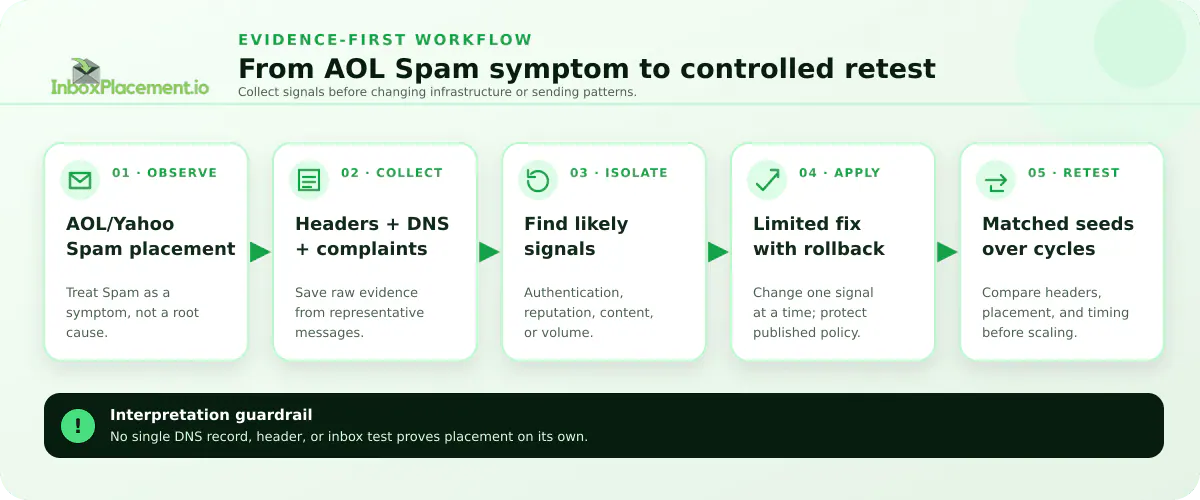
Illustrative workflow. Synthetic example only; not live AOL/Yahoo placement data or a customer result.
A symptom-to-cause decision tree
Use this compact decision table to move from observed evidence to likely cause and next safe action. Treat each row as illustrative until you verify it with the evidence listed above.
| Observed evidence (from headers, DNS, or seed test) | Likely cause (illustrative until verified) | Immediate safe action (limited-scope, reversible) |
|---|---|---|
| Authentication-Results shows SPF/DKIM both pass, DMARC result shows pass or policy not enforced; seed message still in AOL Spam | Reputation or content signals (IP/domain reputation, complaint rate, content heuristics) | Review recent sending volume/recency and unsubscribe handling; pause risky lists and run a small, controlled test to observe signal changes |
| Authentication-Results shows SPF=none or SPF missing in DNS | Missing SPF record or incorrect publishing | Publish a correct SPF TXT that covers legitimate senders; test DNS TTL and wait for propagation; verify Authentication-Results once propagated |
| Authentication-Results shows DKIM absent, neutral, or permerror | DKIM not configured or selector/public key mismatch | Recreate DKIM keys, publish the public key DNS record, and enable signing; test with a limited send |
| Authentication-Results shows DMARC=fail and the published DMARC record has p=quarantine or p=reject | Misalignment between From: domain and SPF/DKIM or failing composite authentication | Investigate domain alignment (From: vs SPF/DKIM) using collected headers and DNS; do NOT change an existing published enforcement policy (p=quarantine/reject) unless you are the domain owner with explicit written authorization — rely on reporting (rua) and monitoring tools to debug without weakening enforcement |
| X-AOL or X-Yahoo headers indicate high complaint or spam score | High complaint rate or mailing quality issues | Stop sending to complaint-prone segments, honor unsubscribes immediately, and investigate list hygiene |
| Seed test shows deliverability to other providers but not AOL | Provider-specific filtering differences (AOL/Yahoo policy) | Compare Authentication-Results and provider headers across providers; follow provider-specific requirements (authentication, spam rates, unsubscribe handling) |
Most common root causes, ordered by likelihood and impact
Labelled as illustrative until you confirm with evidence from headers, DNS records, or provider feedback.
-
Authentication gaps or misalignment (SPF, DKIM, DMARC)
- Impact: High — authentication failures or misalignment are a frequent trigger for quarantine or spam routing.
- What to check: Presence and correctness of SPF TXT; DKIM signature and selector; published DMARC record and alignment between the From: domain, SPF, and DKIM domains.
- Note: Authentication pass helps but does not guarantee inbox placement.
-
High complaint or spam rates, or poor list hygiene
- Impact: High — providers use complaint rates and recipient engagement signals to judge sending quality.
- What to check: Complaint counts, unsubscribe rates, recent list acquisitions, and bounce handling policies.
-
IP or domain reputation problems
- Impact: High — sending from an IP or domain with prior spam hits can increase the chance of Spam-folder routing.
- What to check: Whether the sending IP is shared, recent changes to IP, and any blacklist artifacts reported by monitoring tools.
-
Message content or link reputation
- Impact: Medium — phrasing, suspicious links, or heavy image-only HTML can trigger content heuristics.
- What to check: Presence of obfuscated/shortened links, mismatched link domains, excessive imagery, or missing List-Unsubscribe headers for bulk mail.
-
Sudden volume spikes or inconsistent sending patterns
- Impact: Medium — sudden increases in volume to previously inactive recipients often trigger filtering.
- What to check: Volume history, segmentation approach, and whether sends match subscriber expectations.
-
Provider-specific enforcement or rules
- Impact: Variable — AOL/Yahoo may require both SPF & DKIM, recommend DMARC with reporting for bulk senders, and monitor spam rates.
- What to check: Provider guidance and enforcement timelines for bulk senders.
Safe remediation steps with clear limitations
Separate observed facts, possible causes, and recommended actions. Take reversible and limited-scope changes first.
Observed fact: Authentication missing or failing
- Recommended action: Publish or fix SPF and DKIM records and confirm DNS propagation.
- Limitation/what it cannot prove: Fixing authentication does not guarantee inbox placement; it removes one class of rejection/quarantine signals.
- How to perform (safe, limited):
- Add a single SPF TXT that lists known sending IPs or include your ESP.
- Create DKIM key pair, publish the public selector in DNS, and configure signing in your mail system.
- After changes, wait DNS TTL then send a controlled test and collect Authentication-Results.
Observed fact: High complaints or poor list hygiene
- Recommended action: Pause suspect segments, remove hard bounces and complaint addresses, and re-confirm engaged recipients before resuming bulk sends.
- Limitation: Cleaning lists reduces complaint risk over time but won’t instantly reset provider reputation that has already degraded.
Observed fact: Content or link issues
- Recommended action: Remove suspicious redirects and shortened links, add a visible unsubscribe link and List-Unsubscribe header when sending marketing mail.
- Limitation: Content fixes reduce heuristic triggers but are one part of provider scoring.
Observed fact: New sending IP or sudden volume
- Recommended action: Ramp volume gradually, send first to most engaged recipients, and monitor complaints closely.
- Limitation: Reputation rebuild takes time; avoid high-volume blasts until smaller warm-ups show consistent signals.
Policy-sensitive action: DMARC and published enforcement
- Do NOT advise lowering or removing a published DMARC enforcement policy unless you are the domain owner with explicit written approval and have rollback criteria. Use reporting (rua) and monitoring tools, plus controlled tests and header evidence, to diagnose alignment issues without weakening an existing published enforcement policy.
How to verify the change with a real message or controlled test
Design controlled tests, capture required evidence, and interpret results carefully.
-
Controlled A/B test
- Send the original message and the modified message to matched seed lists that include at least one AOL mailbox and other providers for comparison.
- Collect: full raw headers, Authentication-Results, mailbox placement (Inbox vs Spam), timestamps, and sending IP/domain for each seed. Until you collect these items, results are illustrative.
-
What to look for in headers
- Authentication-Results: whether SPF, DKIM, and DMARC show pass/fail and any alignment details.
- Provider-specific headers (X-Yahoo, X-AOL) if present — they may contain filter scores or reasons.
- Note: Authentication-Results shows the receiver’s evaluation of your messages; it is essential evidence but does not by itself prove the full reasoning behind inbox placement.
-
Interpreting outcomes
- If Authentication-Results shows authentication passes but mail still lands in Spam at AOL, the issue is more likely reputation, complaints, or content heuristics — pursue list and content fixes.
- If authentication fails, fix that first and re-test. Do not treat a single successful seed inbox as definitive proof of broader behavior.
-
Document and repeat
- Run tests over several sending cycles and with different segments to ensure changes are consistent, not one-off. Keep all collected headers, DNS records, and metric exports as traceable evidence.
Prevention and monitoring checklist
Use this checklist to reduce future AOL spam-folder routing risks.
- Implement SPF and DKIM for all sending domains; verify selectors and TTLs.
- Publish a DMARC record and monitor reports; when initially setting up DMARC on a domain you control, use monitoring and reporting to validate configuration and alignment. Do not weaken an existing published enforcement policy without explicit owner authorization.
- Keep complaint/spam rates low; remove complainers and honor unsubscribes promptly.
- Include a working List-Unsubscribe header for marketing mail.
- Maintain valid forward and reverse DNS for sending IPs and comply with RFCs for message format.
- Warm new IPs and avoid sudden volume spikes; send first to engaged recipients.
- Monitor seed tests or inbox-placement reports regularly for provider-specific anomalies.
- Keep links and redirects clean (avoid excessive redirects and suspicious shorteners).
Note: The Yahoo Sender Best Practices guidance explicitly recommends authenticating mail, keeping spam/complaint rates low, and supporting easy unsubscribe methods. Use that guidance when mapping policy to operations.
FAQ
Why is AOL marking my emails as spam?
Answers: AOL’s spam filters consider many signals — Authentication-Results, complaint rates, IP/domain reputation, message content, and recipient engagement. Check the collected headers, complaint metrics, and a seed test for AOL to narrow causes.
Can authentication failures alone cause AOL to send mail to Spam?
Answers: Authentication failures (SPF/DKIM/DMARC) are a common trigger for quarantine or spam-routing, but they are one set of signals among several that mailbox providers evaluate.
How long until changes take effect?
Answers: There is no guaranteed timeframe. DNS changes require propagation; reputation and complaint-rate improvements can take multiple sending cycles to reflect in provider scoring. Use controlled tests and monitor provider headers and complaint metrics for progress.
CTA Run an inbox placement test to collect Authentication-Results headers and placement evidence after applying the recommended changes.
Sources
- Gmail email sender guidelines — use this to verify sender requirements and authentication recommendations: Email sender guidelines. The guidance notes SPF/DKIM/DMARC recommendations and that providers may use these signals when deciding message disposition.
- Gmail email sender guidelines FAQ — explains enforcement timelines and bulk-sender considerations relevant to provider enforcement: Email sender guidelines FAQ.
- Troubleshoot email authentication in Microsoft 365 — describes how authentication failures can lead to quarantine, rejection, or routing to Junk and lists common SPF failure causes: Troubleshoot email authentication in Microsoft 365.
- Yahoo Sender Best Practices — provider-specific recommendations for authenticating mail, keeping spam/complaint rates low, publishing DMARC, and supporting list-unsubscribe: Yahoo Sender Best Practices.