
DNS Records · Email Authentication · SPF · DKIM · DMARC · Domain Forensic Analysis
DNS Records for Email: Essential Authentication Every Sender Must Know
· InboxPlacement.io Team
Introduction
Your emails are being rejected, and you don't know why. The culprit? Misconfigured DNS records for email authentication. Without proper SPF, DKIM, and DMARC setup, even legitimate emails land in spam or get blocked entirely.
What is Domain Forensic Analysis?
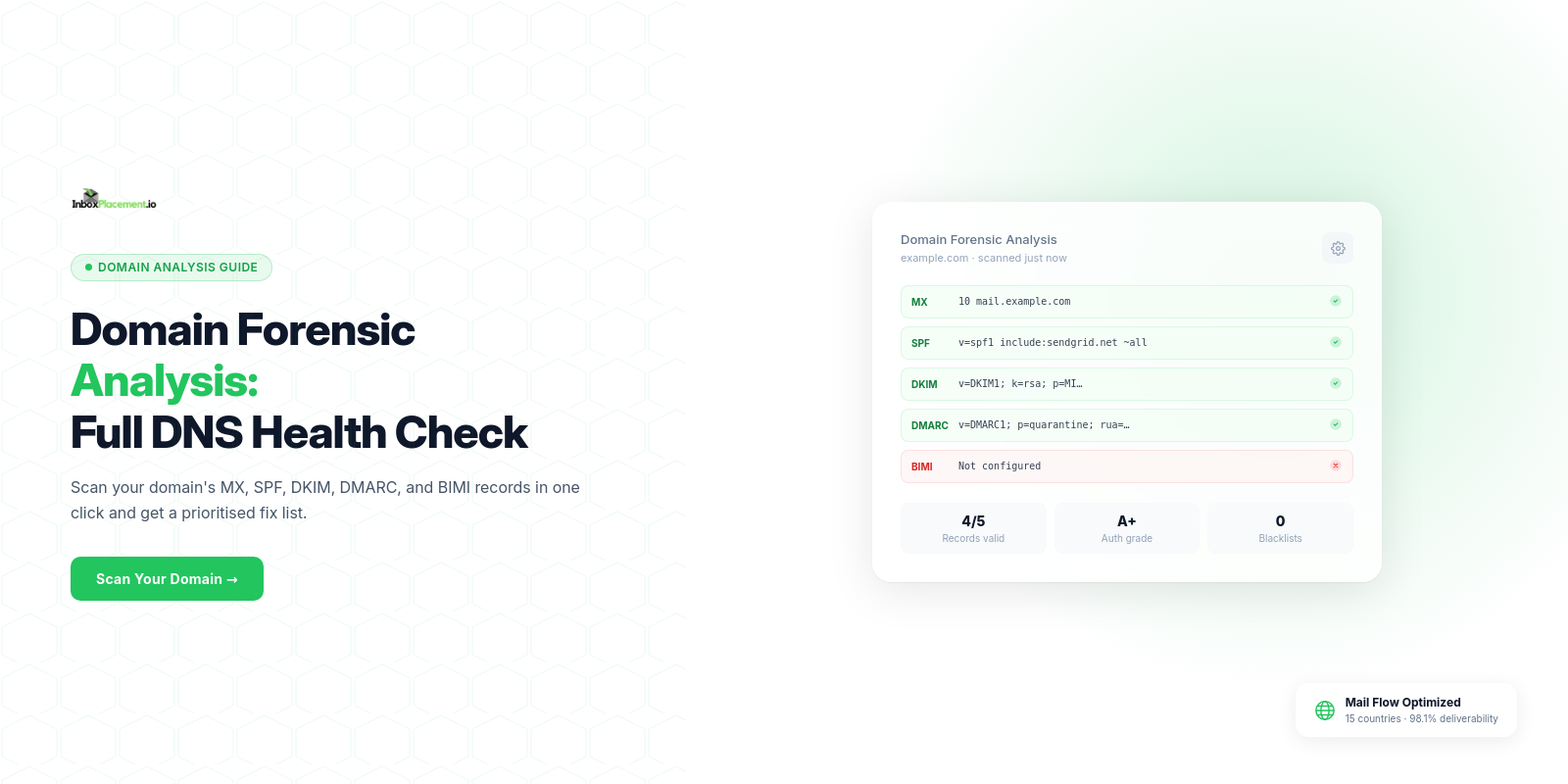
Domain forensic analysis is the comprehensive examination of your domain's email authentication infrastructure:
✓ DNS records (SPF, DKIM, DMARC)
✓ Configuration errors and security gaps
✓ Alignment issues affecting deliverability
✓ Blacklist status and reputation
Think of it as a health check for your email sending setup—identifying problems before they destroy deliverability.
The 3 Essential Email Authentication Records
Let's break down SPF DKIM DMARC explained in simple terms:
1. SPF (Sender Policy Framework)
What it does: Lists which mail servers can send from your domain.
Example record:
v=spf1 include:_spf.google.com include:sendgrid.net ~all
Translation: "Only Google Workspace and SendGrid can send emails from my domain. Treat everything else as suspicious."
Common mistakes:
❌ Missing SPF record entirely
❌ Forgetting to include third-party services
❌ SPF record too long (10 DNS lookup limit)
2. DKIM (DomainKeys Identified Mail)
What it does: Adds a cryptographic signature proving emails haven't been tampered with.
How it works:
✓ Your email server signs outgoing messages with a private key
✓ Receiving servers verify using your public key (published in DNS)
✓ Matching signature = authenticated email
Setup: Enable DKIM in your email platform, then publish the provided public key as a TXT record.
Common mistakes:
❌ DKIM enabled but public key not published
❌ Mistyped selector name in DNS
❌ Key rotation without updating DNS
3. DMARC (Domain-based Message Authentication)
What it does: Tells receivers what to do when SPF/DKIM fail.
Example record:
v=DMARC1; p=quarantine; rua=mailto:reports@yourdomain.com
Translation: "If emails fail authentication, send them to spam. Also, send me daily reports."
Common mistakes:
❌ No DMARC record (required by Gmail/Yahoo)
❌ Jumping to p=reject without testing
❌ Not monitoring DMARC reports
Why DNS Records Affect Deliverability
Gmail's 2024 Requirements
Bulk senders (5,000+ emails/day) must have:
✓ Valid SPF record
✓ DKIM signatures on all emails
✓ DMARC policy (minimum p=none)
Missing any one = emails blocked or sent to spam.
Real Impact
A marketing agency discovered their SPF record didn't include their ESP's new IP range. Result: 67% of their campaign went to spam. After fixing the SPF record, inbox rate recovered to 94% within 48 hours.
How to Run a Domain Forensic Analysis
Step 1: Check Your Current DNS Records
Use InboxPlacement.io's Domain Forensic Scan to verify:
✓ SPF record exists and is valid
✓ DKIM is properly configured
✓ DMARC policy is published
✓ All records align correctly
Step 2: Identify Configuration Errors
Common issues found:
❌ SPF exceeding 10 DNS lookups
❌ DKIM selector mismatches
❌ DMARC with no reporting addresses
❌ Subdomain vulnerabilities
Step 3: Fix Authentication Issues
SPF fixes:
✓ Include all legitimate email sources
✓ Use SPF flattening if hitting lookup limit
✓ End with ~all (soft fail) or -all (hard fail)
DKIM fixes:
✓ Publish correct public key
✓ Verify selector matches email headers
✓ Enable on all sending domains/subdomains
DMARC fixes:
✓ Start with p=none for monitoring
✓ Add rua= and ruf= for reports
✓ Gradually enforce after 30-90 days
Step 4: Monitor & Maintain
DNS records aren't "set and forget":
✓ Review monthly for configuration drift
✓ Update when adding new email services
✓ Rotate DKIM keys annually
✓ Monitor DMARC reports for new threats
DNS Troubleshooting Quick Reference
Problem: Emails going to spam
✓ Check SPF/DKIM/DMARC all pass
✓ Verify alignment (domain match)
Problem: Authentication fails intermittently
✓ Check DNS propagation (24-48 hours)
✓ Verify TTL isn't too low
Problem: Third-party emails failing
✓ Add their IPs to SPF
✓ Enable their DKIM signing
Problem: DMARC reports show failures
✓ Identify unauthorized sources
✓ Fix legitimate sender authentication
Best Practices for Email Authentication
For SPF:
✓ Include all legitimate sending sources
✓ Keep under 10 DNS lookups
✓ Use ~all initially, move to -all after testing
For DKIM:
✓ Enable on all sending domains
✓ Use 2048-bit keys (more secure than 1024-bit)
✓ Rotate keys annually
For DMARC:
✓ Start with p=none for 30-90 days
✓ Monitor reports weekly
✓ Move to p=quarantine then p=reject gradually
✓ Set pct=100 for full coverage
Common Questions
Q: How long does DNS propagation take?
A: Typically 5-15 minutes, but can take up to 48 hours globally.
Q: Can I have multiple SPF records?
A: No. Multiple SPF records break authentication. Use include: to reference multiple sources.
Q: Do subdomains need separate DNS records?
A: Yes, unless you use DMARC's sp= tag to set a subdomain policy.
Conclusion
Proper email authentication records are non-negotiable in 2025. DNS records for email directly impact whether your messages reach the inbox or spam. Regular domain forensic analysis ensures your authentication stays healthy and effective.
Run a free domain forensic scan now. InboxPlacement.io checks your SPF, DKIM, and DMARC configuration in 30 seconds and provides actionable fixes. Start your test today.