
DMARC · Email Security · Deliverability · Email Authentication
Complete DMARC Monitoring Guide 2025
· InboxPlacement Team
Updated
Introduction
If your business sends emails—whether it's marketing campaigns, transactional notifications, or customer communications—you need DMARC monitoring in 2025. Major email providers like Gmail and Yahoo have enforced strict email authentication requirements, and failing to comply can land your legitimate emails in spam folders or block them entirely.
In this comprehensive guide, you'll discover what DMARC monitoring is, why it's critical for your business, and how to implement it correctly to protect your domain reputation and maximize email deliverability.
What is DMARC Monitoring?
DMARC (Domain-based Message Authentication, Reporting & Conformance) is an email authentication protocol that works alongside SPF (Sender Policy Framework) and DKIM (DomainKeys Identified Mail) to verify that emails claiming to be from your domain are actually legitimate.
DMARC monitoring is the ongoing process of:
- Collecting DMARC aggregate and forensic reports from email receivers
- Analyzing who is sending emails using your domain
- Identifying unauthorized senders and potential phishing attempts
- Ensuring your legitimate emails pass authentication checks
- Optimizing your email authentication configuration
Think of DMARC as a security guard for your email domain. It tells receiving servers (like Gmail, Outlook, Yahoo) what to do when an email fails authentication checks—whether to deliver it, quarantine it to spam, or reject it completely.
Why DMARC Monitoring is Essential for Your Business in 2025
1. Gmail & Yahoo Now Require DMARC for Bulk Senders
As of February 2024, Google and Yahoo implemented mandatory email authentication requirements for anyone sending over 5,000 emails per day. If you're a business sending newsletters, promotional emails, or automated notifications, you must have:
- ✓ SPF records configured correctly
- ✓ DKIM signatures on all outbound emails
- ✓ DMARC policy published in your DNS
Without proper DMARC implementation, your emails will be rejected or sent to spam—no matter how valuable your content is.
2. Protect Your Brand from Email Spoofing & Phishing
Cybercriminals regularly impersonate legitimate businesses to trick customers into revealing sensitive information or downloading malware. If someone spoofs your domain to send phishing emails, it damages your brand reputation and erodes customer trust.
DMARC monitoring helps you:
- Detect unauthorized email sources immediately
- Block spoofed emails before they reach your customers
- Maintain your brand's credibility and trustworthiness
According to industry data, over 90% of cyberattacks start with a phishing email. DMARC is your first line of defense.
3. Improve Email Deliverability & Inbox Placement
Email providers use authentication signals to determine whether your emails are trustworthy. Properly configured DMARC:
- Increases inbox placement rates (emails landing in the inbox vs. spam)
- Builds sender reputation with major ISPs
- Reduces spam complaints from recipients
- Improves overall deliverability metrics
Businesses with strong DMARC policies see up to 10% higher open rates because more emails reach the intended inbox.
4. Meet Compliance & Regulatory Requirements
Many industries require email authentication for compliance purposes:
- Healthcare (HIPAA): Protect patient data from spoofing
- Finance (PCI DSS): Prevent fraudulent communications
- Government contractors: Meet federal email security standards
- Retail & E-commerce: Protect customer transactions
DMARC monitoring provides detailed audit logs proving your compliance efforts.
Understanding DMARC Components: SPF, DKIM, and DMARC
DMARC doesn't work alone—it builds on two foundational protocols:
SPF (Sender Policy Framework)
SPF defines which mail servers are authorized to send email on behalf of your domain. It's a DNS TXT record that lists approved IP addresses.
Example SPF Record:
v=spf1 include:_spf.google.com include:sendgrid.net ~all
This tells receiving servers: "Only Google Workspace and SendGrid can send emails from my domain. Treat anything else as suspicious."
DKIM (DomainKeys Identified Mail)
DKIM adds a digital signature to your email headers, proving the message hasn't been tampered with during transit. It uses cryptographic keys stored in your DNS.
How it works:
- Your email server signs outgoing emails with a private key
- Receiving servers verify the signature using your public key (published in DNS)
- If the signature matches, the email is authenticated
DMARC (The Policy Layer)
DMARC ties SPF and DKIM together with a policy that tells receiving servers what to do when authentication fails.
Example DMARC Record:
v=DMARC1; p=quarantine; rua=mailto:dmarc-reports@yourdomain.com; pct=100; adkim=r; aspf=r
Breaking it down:
- p=quarantine: Send unauthenticated emails to spam
- rua=mailto:...: Send aggregate reports to this email address
- pct=100: Apply policy to 100% of failing emails
- adkim=r / aspf=r: Use relaxed alignment mode
The 3 DMARC Policy Levels Explained
When setting up DMARC, you choose one of three enforcement policies:
1. p=none (Monitoring Mode)
- Action: Deliver all emails normally, even if they fail authentication
- Use case: Initial setup phase; collect data without risking legitimate email delivery
- Best for: Businesses just starting with DMARC
2. p=quarantine (Moderate Protection)
- Action: Send failing emails to spam/junk folders
- Use case: You've identified all legitimate email sources and want to protect recipients
- Best for: Most businesses after monitoring phase
3. p=reject (Maximum Protection)
- Action: Completely block emails that fail authentication
- Use case: High-security environments or when you've achieved near-perfect authentication
- Best for: Financial institutions, government agencies, highly targeted brands
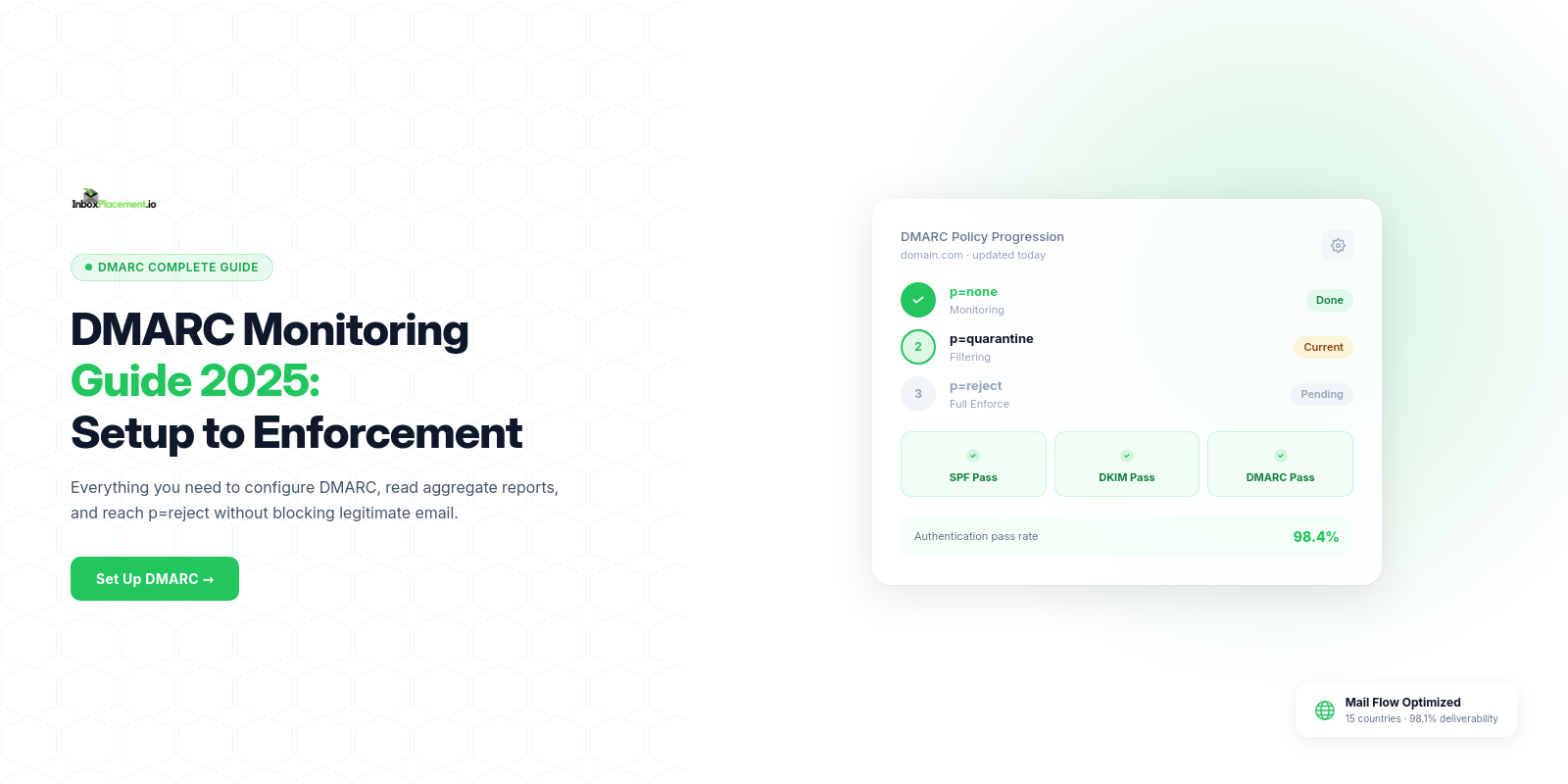
Pro Tip: Start with p=none for at least 30 days to identify all legitimate email sources. Then gradually move to p=quarantine and eventually p=reject.
How DMARC Monitoring Works: The Reporting Process
Once you publish a DMARC record with reporting addresses (RUA/RUF tags), email receivers start sending you reports:
Aggregate Reports (RUA)
- Frequency: Daily XML files
- Content: Summary of all emails claiming to be from your domain
- Data includes: IP addresses, volume, SPF/DKIM results, disposition (delivered/quarantined/rejected)
Forensic Reports (RUF)
- Frequency: Real-time when failures occur
- Content: Detailed information about individual failing messages
- Data includes: Email headers, authentication details, failure reasons
The Challenge: These reports are sent in XML format and can be difficult to parse manually. Enterprise DMARC monitoring tools automatically:
- Parse XML reports into readable dashboards
- Aggregate data from multiple receivers
- Identify patterns and anomalies
- Provide actionable recommendations
- Alert you to potential threats
If you are comparing platforms for that reporting workflow, see how an InboxPlacement.io and dmarcian comparison differs in monitoring and deliverability testing, or evaluate the EasyDMARC alternative comparison for its reporting and managed-service tradeoffs.
Common DMARC Implementation Mistakes (And How to Avoid Them)
Mistake #1: Publishing p=reject Too Quickly
What happens: Legitimate emails from third-party services (marketing platforms, CRM systems, support tools) get blocked.
Solution: Start with p=none, monitor reports for 30-90 days, identify all legitimate sources, then gradually increase enforcement.
Mistake #2: Not Monitoring Reports Regularly
What happens: You miss unauthorized senders, authentication failures, or configuration issues.
Solution: Use a DMARC monitoring service that provides real-time alerts and digestible analytics.
Mistake #3: Forgetting About Subdomains
What happens: Attackers send spoofed emails from support.yourdomain.com or billing.yourdomain.com.
Solution: Use the sp= tag to set a subdomain policy, or publish separate DMARC records for critical subdomains.
Mistake #4: Incorrect SPF/DKIM Configuration
What happens: DMARC relies on SPF and DKIM. If they're broken, DMARC won't work.
Solution: Test your authentication setup using tools like InboxPlacement.io's Domain Forensic Scan before enforcing DMARC.
Mistake #5: Ignoring Alignment Requirements
What happens: Emails pass SPF/DKIM but still fail DMARC due to alignment issues.
Solution: Understand the difference between "relaxed" (r) and "strict" (s) alignment modes. Start with relaxed for easier implementation.
Step-by-Step: How to Set Up DMARC Monitoring
Step 1: Audit Your Email Sources
Before implementing DMARC, identify every service that sends email from your domain:
- Email marketing platforms (Mailchimp, SendGrid, Constant Contact)
- CRM systems (Salesforce, HubSpot)
- E-commerce platforms (Shopify, WooCommerce)
- Support ticketing systems (Zendesk, Freshdesk)
- Internal email servers (Microsoft 365, Google Workspace)
Step 2: Configure SPF and DKIM
Ensure each email source has:
- SPF: Include their sending IPs in your SPF record
- DKIM: Enable DKIM signing and publish their public keys in your DNS
Example Multi-Service SPF Record:
v=spf1 include:_spf.google.com include:sendgrid.net include:spf.protection.outlook.com ~all
Step 3: Create Your Initial DMARC Record
Start with a monitoring-only policy:
v=DMARC1; p=none; rua=mailto:dmarcfr@inboxplacementio.me; ruf=mailto:dmarcfr@inboxplacementio.me; fo=1
Publish this as a TXT record at _dmarc.yourdomain.com in your DNS settings.
Step 4: Monitor Reports for 30-90 Days
Collect aggregate and forensic reports to understand:
- Which IPs are sending email from your domain
- Whether those sources pass SPF/DKIM
- Any unauthorized senders or spoofing attempts
Step 5: Fix Authentication Issues
For any legitimate sources failing authentication:
- Add missing IPs to SPF
- Enable DKIM signing
- Verify DNS records are correct
Step 6: Gradually Increase Enforcement
Once you've achieved 95%+ authentication pass rate:
- Update policy to p=quarantine
- Monitor for 30 days
- If no legitimate email is affected, move to p=reject
Step 7: Maintain Ongoing Monitoring
DMARC isn't a "set it and forget it" solution:
- Review weekly reports for anomalies
- Update SPF when adding new email services
- Rotate DKIM keys annually
- Adjust policies as your infrastructure changes
DMARC Monitoring Tools: What to Look For
A good DMARC monitoring platform should provide:
Essential Features:
- Automated Report Collection: Automatically receives and parses XML reports
- Visual Dashboards: Easy-to-understand charts showing authentication trends
- Threat Detection: Identifies unauthorized senders and spoofing attempts
- DNS Verification: Checks that your DMARC, SPF, and DKIM records are configured correctly
- Policy Recommendations: Guides you from p=none to p=reject safely
- Multi-Domain Support: Manages DMARC for multiple domains from one dashboard
Advanced Features:
- Geographic Threat Mapping: Shows where spoofing attempts originate
- Sender Analysis: Breaks down email volume by source and authentication status
- Compliance Reporting: Generates audit-ready documentation
- Real-Time Alerts: Notifies you of sudden changes in authentication patterns
- Historical Data: Tracks trends over weeks and months
InboxPlacement.io DMARC Monitoring includes all these features with enterprise-grade processing at $19/domain/month—significantly more affordable than competitors charging $50-$200 per domain.
See the InboxPlacement.io DMARC Monitoring product page for an overview.
Real-World DMARC Monitoring Success Stories
Case Study: E-Commerce Business Stops $2M in Fraud
An online retailer discovered through DMARC reports that scammers were sending fake "order confirmation" emails from their domain, tricking customers into revealing payment information.
Results after implementing DMARC:
- ✓ Blocked over 50,000 spoofed emails in the first month
- ✓ Reduced customer fraud complaints by 94%
- ✓ Improved email deliverability from 78% to 92%
- ✓ Saved an estimated $2M in potential fraud losses
Case Study: SaaS Company Improves Deliverability by 15%
A B2B software company struggled with transactional emails landing in spam despite using a reputable ESP.
DMARC monitoring revealed:
- Legacy email server still sending without DKIM
- Outdated SPF record missing new IP ranges
- Subdomain not covered by DMARC policy
After fixes:
- ✓ Inbox placement improved from 81% to 96%
- ✓ Email open rates increased by 18%
- ✓ Customer support tickets about "missing emails" dropped by 67%
DMARC Monitoring Best Practices for 2025
- Start Early, Enforce Gradually: Give yourself 90 days to move from p=none to p=reject
- Monitor Weekly: Set aside time every week to review DMARC reports
- Document Everything: Keep a log of all email sources and their authentication status
- Test Before Changing: Use a DMARC monitoring tool to simulate policy changes
- Educate Your Team: Ensure IT, marketing, and customer service understand DMARC
- Plan for Growth: Update your DMARC configuration when adding new services
- Use Professional Tools: Don't try to manually parse XML reports—invest in automation
Common DMARC Questions Answered
Q: Will DMARC affect my email deliverability?
A: When implemented correctly, DMARC improves deliverability by building trust with ISPs. Only misconfigured DMARC can cause issues.
Q: How long does DMARC setup take?
A: Technical setup takes 30-60 minutes. Monitoring and optimization takes 30-90 days before full enforcement.
Q: Can I use DMARC with shared hosting?
A: Yes, but check with your hosting provider to ensure they support SPF and DKIM for your domain.
Q: What if I use multiple email providers?
A: DMARC works perfectly with multiple providers. Just include all of them in your SPF record and enable DKIM for each.
Q: Is DMARC required by law?
A: Not universally, but some industries (government, healthcare, finance) mandate email authentication for compliance.
Conclusion: Protect Your Domain with DMARC Monitoring Today
Email authentication isn't optional anymore—it's a requirement for any business that depends on email communication. DMARC monitoring protects your brand, improves deliverability, and ensures compliance with the latest email standards from Gmail, Yahoo, and other major providers.
By implementing DMARC correctly and monitoring it consistently, you'll:
- ✓ Prevent domain spoofing and phishing attacks
- ✓ Improve inbox placement by 10-15%
- ✓ Meet Gmail/Yahoo bulk sender requirements
- ✓ Protect your brand reputation
- ✓ Gain visibility into all email sources using your domain
Don't wait until your emails start bouncing or customers report phishing scams using your domain.
👉 Get DMARC monitoring with InboxPlacement.io for $19/domain/month. Complete DNS verification, threat intelligence, and policy recommendations are included.
Related Resources:
- Complete Guide to SPF Records
- DKIM Setup Tutorial for Popular Email Platforms
- Email Deliverability Checklist 2025
- How to Read DMARC Aggregate Reports
- When to Change Your DMARC Policy: The Safe Path from p=none to p=reject
- Domain Forensic Analysis: Identify Hidden Email Sending Issues